
-
Hot Selling :
Autel |
Launch |
AVDI |
Multidiag Pro+ |
ELM327 |
ALLDATA |
MB STAR |
BMW ICOM |
MB STAR C4 |
C5 |
|


 |  |  |  |

Hello everyone , today , lets say something about how to solve the issues for Launch crp229 home key not working .
When CRP229 home key doesn’t work (Apply to CRP-229 S/N starts from 968490…), how to do next ? Lets check the details as following :
1 Please visit www.dbscar.com , download and install the Android System Update Software “CRP229_HOME_KEY.exe” to your computer, (see Picture 1, circle 2).
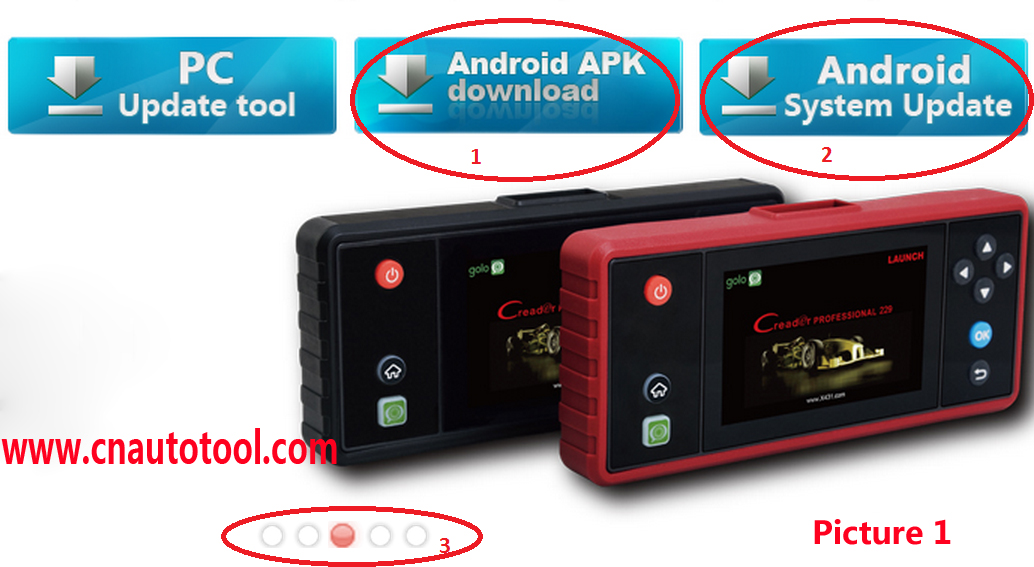
2 Connect the CRP-229 to your computer with the USB cable, which is in the kit, run CRP229_HOME_KEY.exe”, see Picture 2. Press Run button and wait for the process finish.
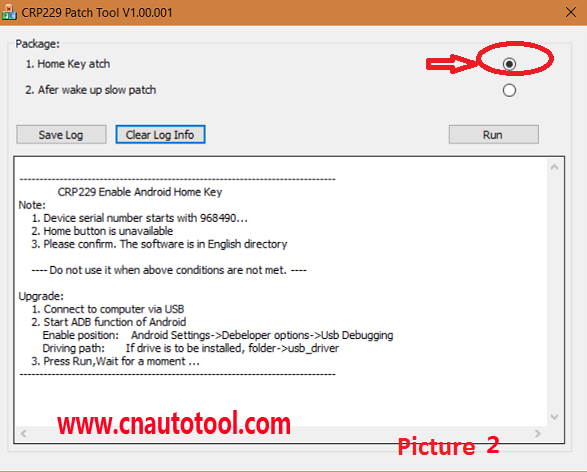
3 Restart and test the CRP229 again, the Home Key problem should be fixed, if still have the same problem, it could be hardware issues, you can send back to us repair
Any other request , welcome to contact us any time
Enjoy your purchasing on www.cnautotool.comwww.cnautotool.com
Thank you
Join our community: |
 |
 |
 |
 |
 |
