
-
Hot Selling :
Autel |
Launch |
AVDI |
Multidiag Pro+ |
ELM327 |
ALLDATA |
MB STAR |
BMW ICOM |
MB STAR C4 |
C5 |
|


 |  |  |  |
> Auto Scanner Tools > Heavy Duty Diagnostic > CAT Caterpillar ET 3 Diagnostic Adapter III 2025C/2019C CAT Truck Diagnostic Tool Communication Adapter3 With WIFI Shop by Category
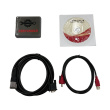


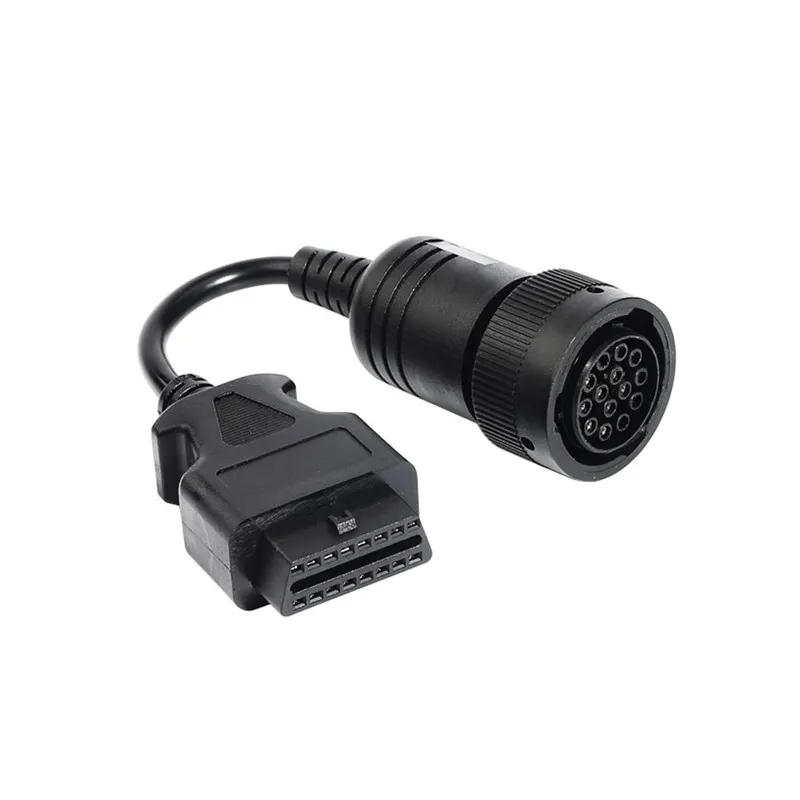
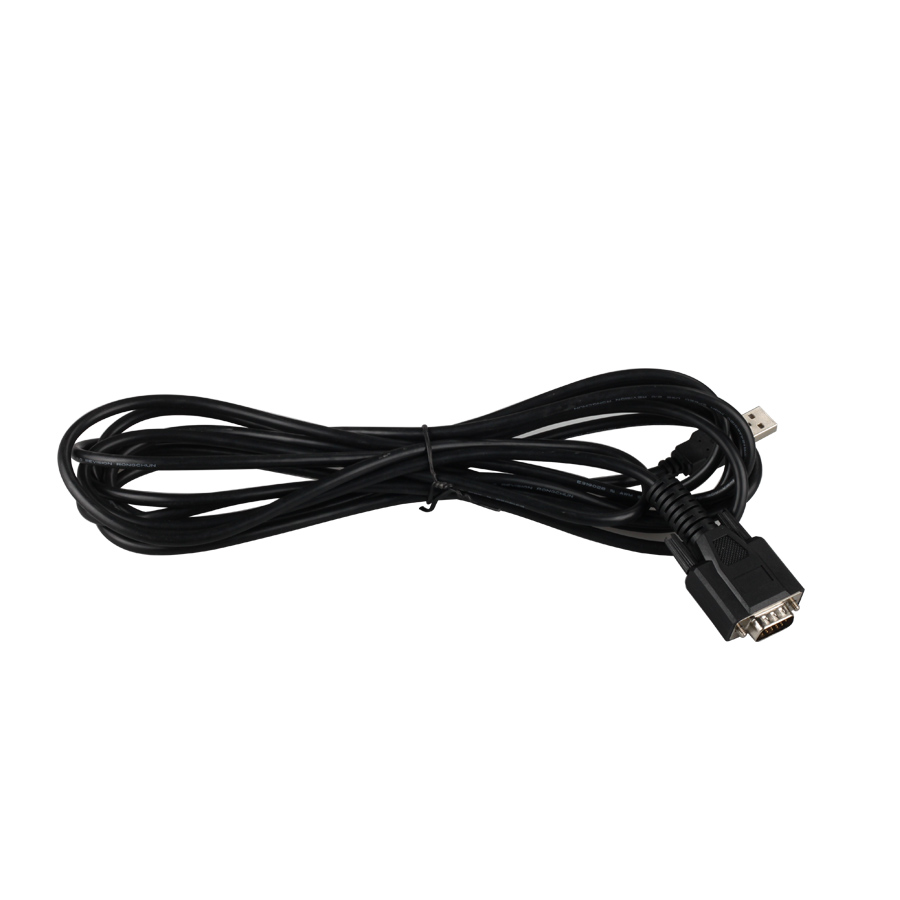
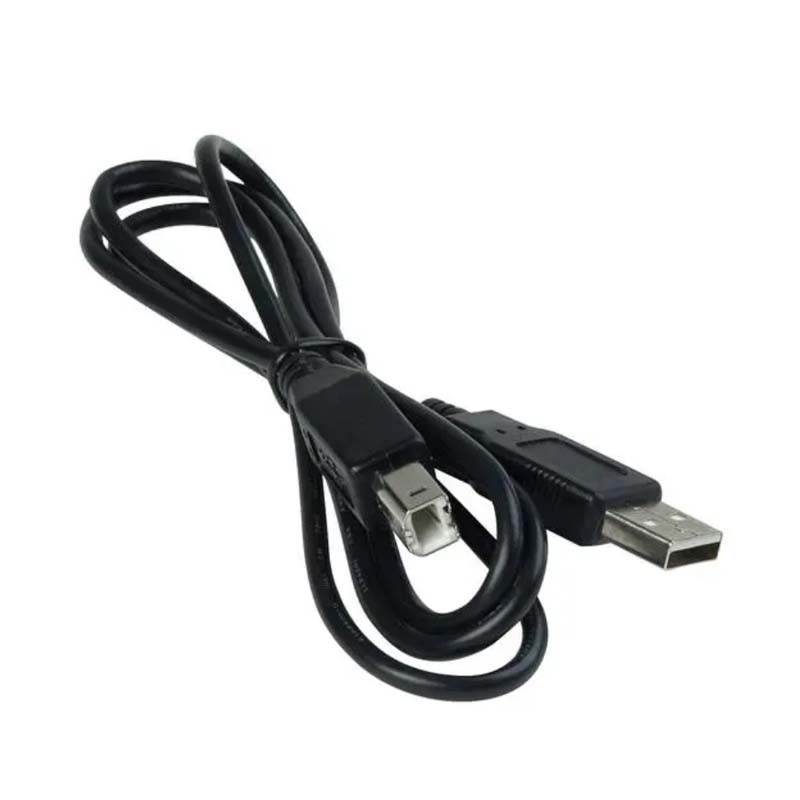


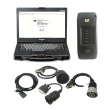





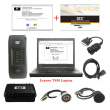
2025C 2019C CAT Caterpillar ET 3 Diagnostic Adapter III CAT Truck Diagnostic Tool Communication Adapter 3 With WIFI
Caterpillar electronic technician 2025C (replaces CAT ET 2024C, 2023A 2019C) with WinFlash future is an updated version of the caterpillar dealer diagnostic software that can help technicians to diagnose existing and potential problems with their electronically controlled Caterpillar Engines and Machines.
2025C Caterpillar Electronic Technician softwarer With CAT ET 3 Cat caterpillar adapter 3 support caterpillar diagnostic till 2025.
Caterpillar ET 2025C Electronic Technician Diagnostic Software :
Brand: Caterpillar
Region: WorldWide
Support Multi-languages:English, Chinese, Danish, French, German, Italian, Japanese, Portuguese, Russian, Spanish Compatible OS: Windows 7 32 bit, Windows 7 64 bit, Windows 8/8.1 32 bit, Windows 8/8.1 64 bit, Windows 10 32 bit, Windows 10 64 bit
Support All cars of CAT
Support car list of CAT Caterpillar ET Diagnostic Tool :
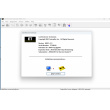
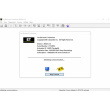
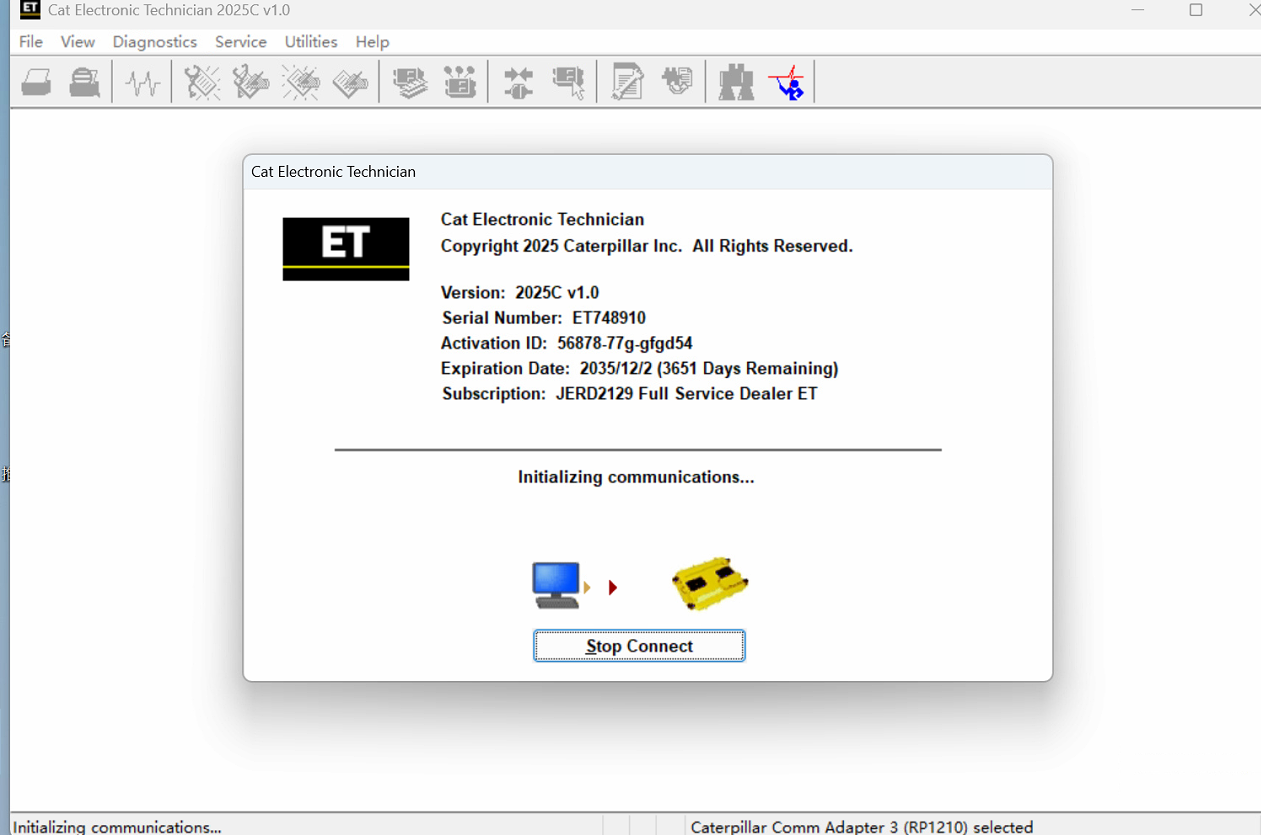
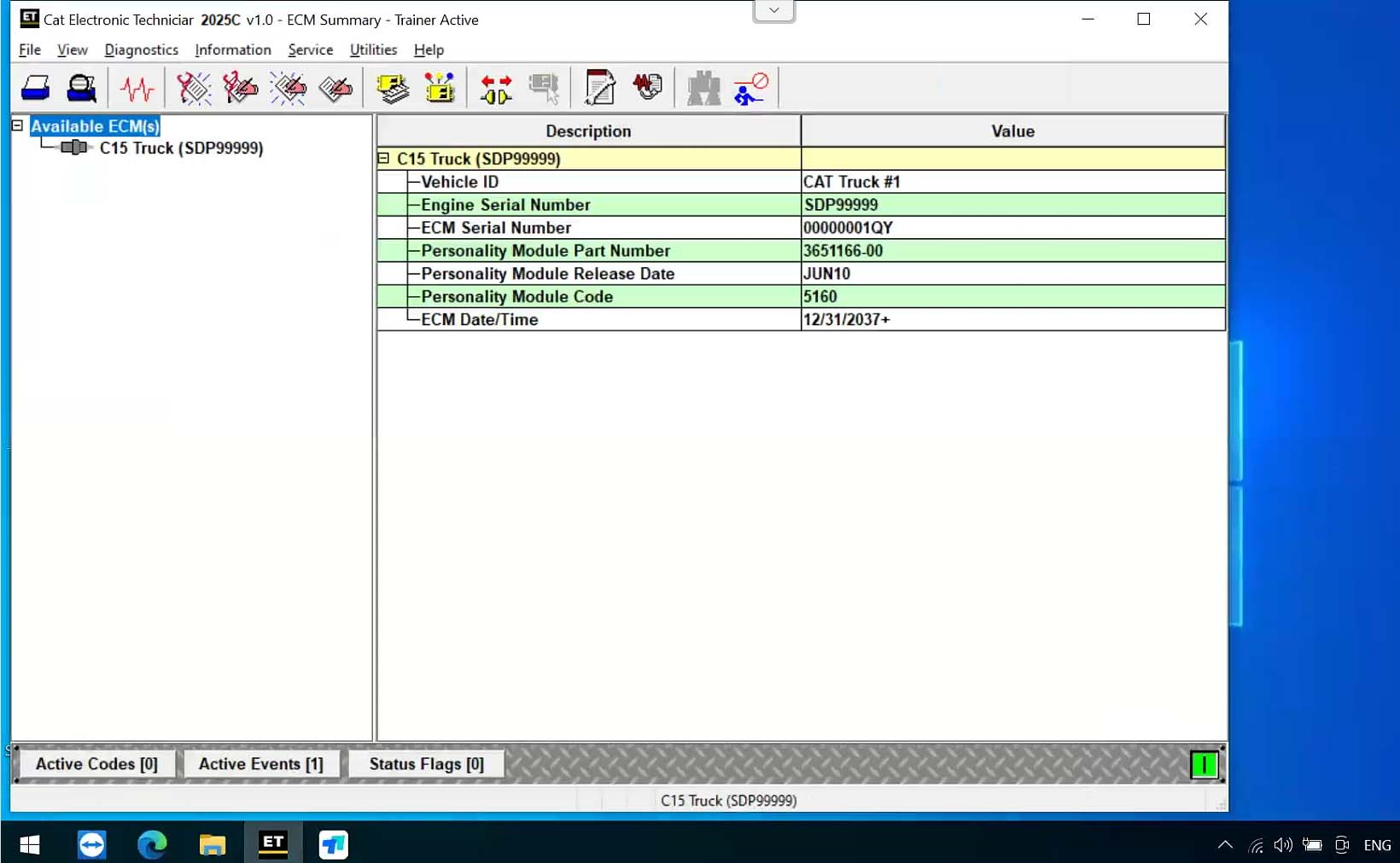
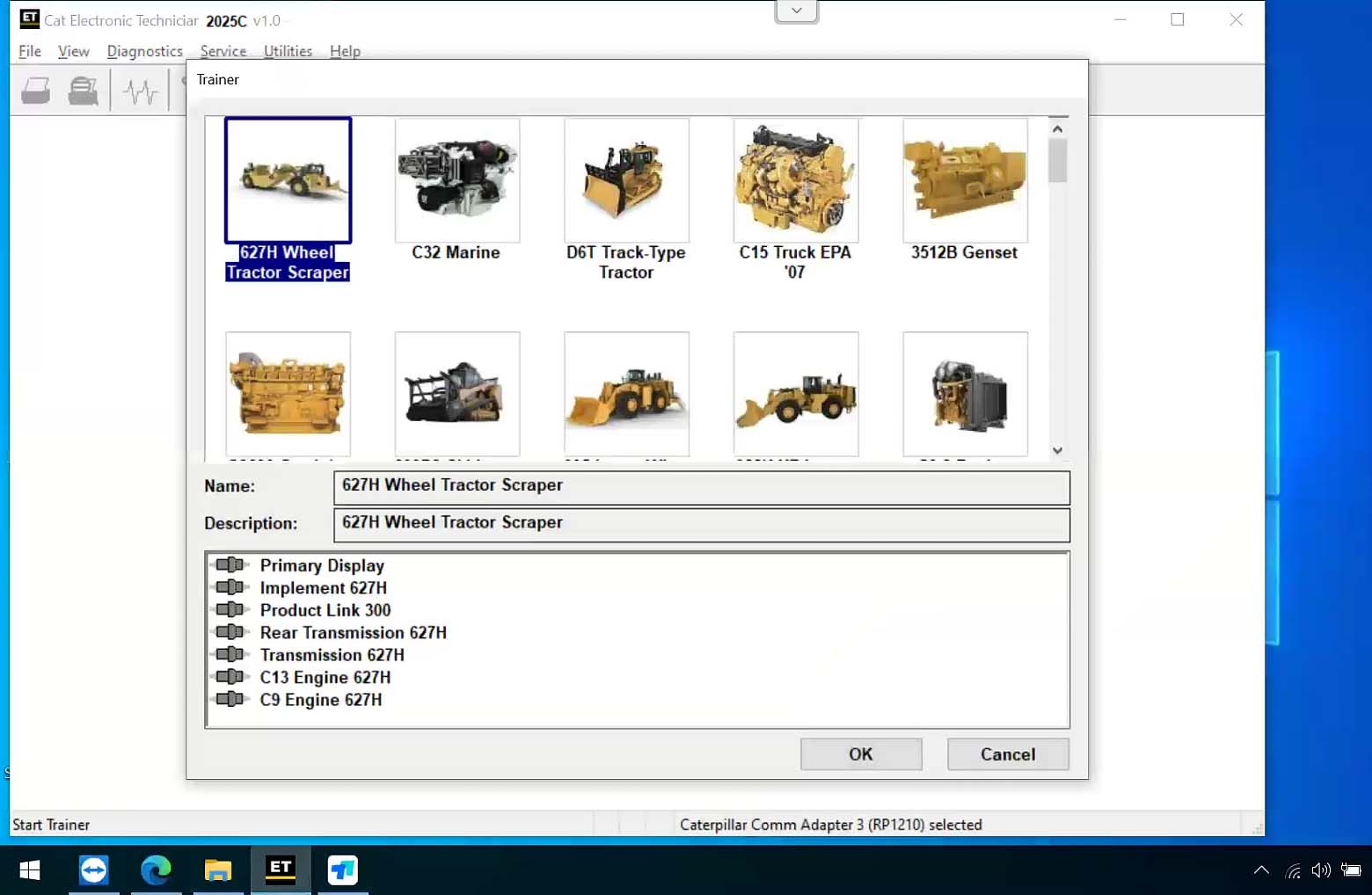
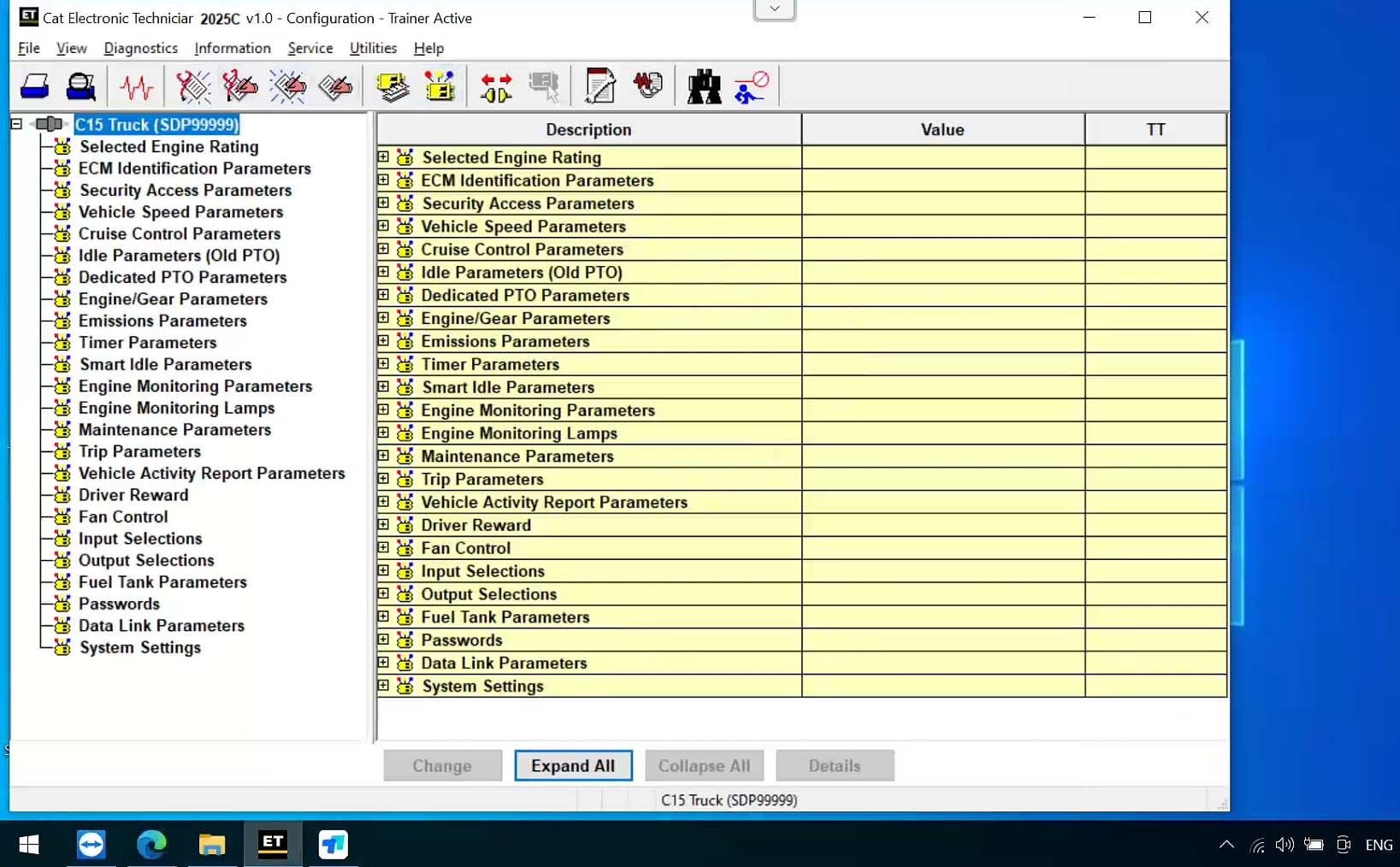
CAT ET 2025C Software Display:
CAT Caterpillar SIS 2023 Service Information System
Type of catalogue:repair manual, spare parts catalog
Brand:caterpillar
Region:WorldWide Inclusive
Languages:English, Spanish, Italian, Chinese, Mexican, German, French
Amount of disks: 300 GBDescription:
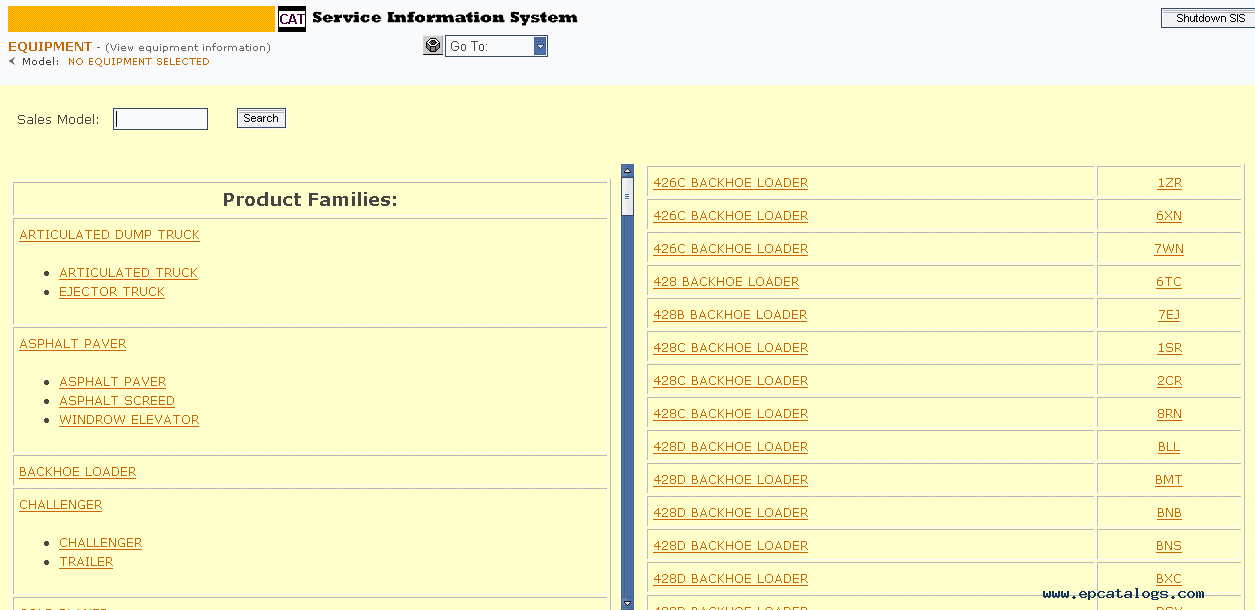
Caterpillar SIS (CAT SIS) 2023 is illustrated as a guide to the maintenance and repair of the full range of cat vehicles, contains guidance on repair equipment and machinery caterpillar, program help diagnose production caterpillar, operating instructions spare parts and equipment caterpillar.
Repair manual caterpillar SIS 2023 is intended for engineers and will be useful to all interested in the given direction.
E-program caterpillar SIS 2023 allows the owner of specialized equipment to quickly and easily find the required information about the machine because it contains a search function references; helps professionals to calibrate equipment caterpillar, diagnose it and troubleshoot equipment to solve any problems.
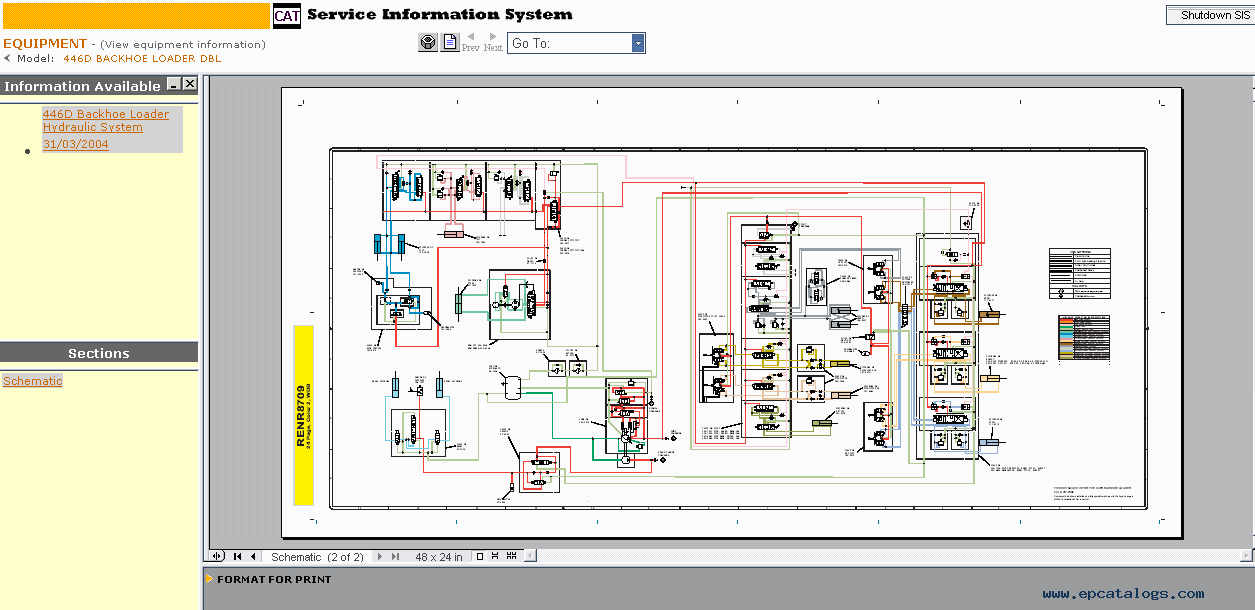
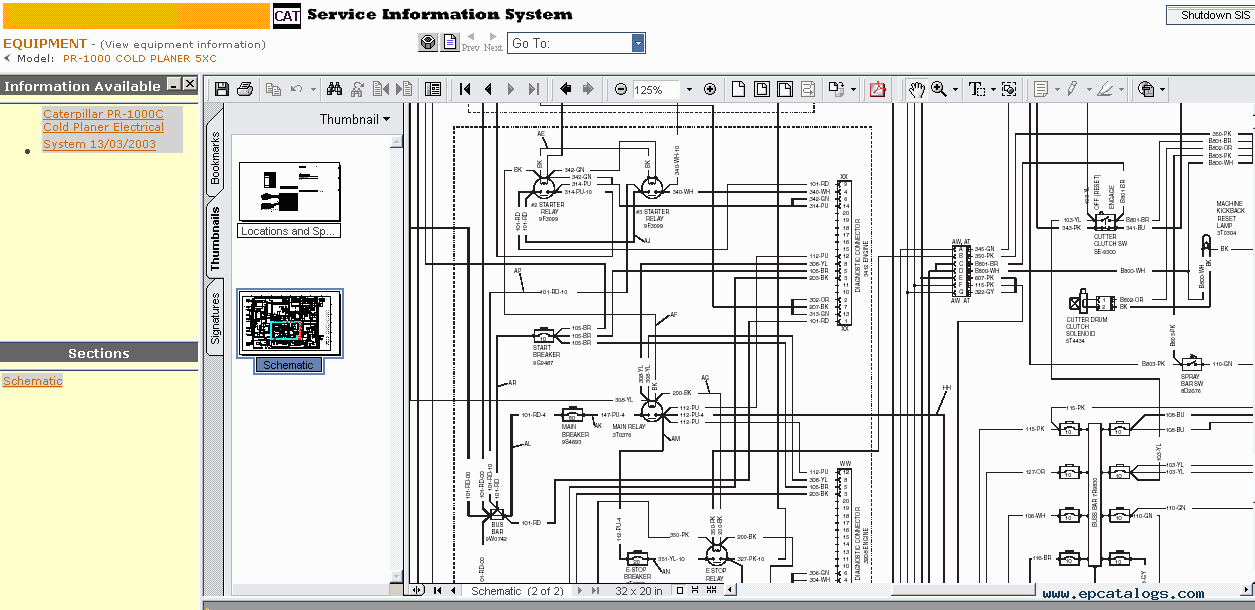
CAT SIS Software Display:
With the CAT Diagnostic Tool, you can:
View active and logged diagnostics
View events where irregularities occurred and were logged by the ECM
View the status of a group of parameters (temperatures, pressures, etc.) simultaneously
Record and log performance data
Graph a group of status parameters
View the current configuration of an ECM
Change ECM configurations
Perform diagnostic tests
Perform calibrations
Print reports and diagnostic results
For some machine and engine products, additional functionality has been included with the service tool program
Product Description
CAT Caterpillar ET Diagnostic Tool from Caterpillar provide the capability to access Electronic Control Modules (ECMs) from a personal computer. Many job-critical tasks can be performed with an electronic service tool. The user can display the status of a group of parameters (temperatures, pressures, etc.) simultaneously, view active and clear logged diagnostics, display the current configuration of an ECM and much more. The service tool works with a communication adapter to allow connection to an ECM. A graphical interface makes this software quick to learn and easy to use. A separate pull-down menu for each function enhances the "ease of use." The version and identification of the ECM is automatically retrieved and is displayed on a summary screen when the program is started. Diagnostic tests and calibrations can also be performed.
CAT Caterpillar ET Diagnostic Tool enable service technicians to reprogram ECMs, reconfigure control system parameters, fine tune performance or diagnose the root cause of a failure the first time. These powerful tools allow service personnel to display and analyze vital performance and health information from any system quickly and accurately. The service tool communicates with any system using ATA (J1708), J1939 or the Caterpillar proprietary data link networks. The service tools provide information and features needed to help a technician diagnose problems and perform repairs and to customize and personalize the operation of a product. By allowing customers to design flexibility and configurability into a product, Caterpillar service tools stretch beyond the capabilities of preprogrammed ECMs or onboard display systems.
Features
Display, graph and log status parameters.
Retrieve prognostic data including histograms, engine totals for fuel used and miles traveled.
View active diagnostics and clear logged diagnostics. View events where irregularities have occurred and have been logged by the ECM.
Perform calibrations to enhance performance of the ECM.
Customize the ECM with application-specific settings.
Over 100 custom Diagnostic, Information and Service features including:
- 2D and 3D Histogram plotting capability (engine software
support required).
- Custom Status screen groups
- Snapshots (Download and display snapshot data recorded by the
ECM)
- Configuration Aid that allows upload/download of same
configuration to multiple control modules
Customised Service Tool Options
Customized service tool name
Customized graphics for the splash screen and icons
Customized installation
Aftermarket differentiation, i.e., the tool for one customer does not work on the product of another customer.
Licensing options for customer management
Flash programming of the ECM(s)
Training demonstration allows familiarity with the tool's primary functions without connecting to ECM(s)
Perform customized diagnostic tests to identify harness problems, cylinder or component failures (Automatic Cylinder Cutout with cylinder to cylinder fueling comparison)
Caterpillar ET Software Function:
This diagnostic app allows you to:
View active and logged diagnostics.
View events where irregularities occurred and were logged by the ECM.
View the status of a group of parameters (temperatures, pressures, etc.) simultaneously.
Record and log performance data.
Graph a group of status parameters.
View the current configuration of an ECM.
Change ECM configurations.
Perform diagnostic tests.
Perform calibrations.
Print reports and diagnostic results.
Please keep in mind that some ecm settings for example, speed limit requires factory password. The factory password generator is not included in this application
What's New - Updates by Version
2025B
Trainer Update – 140-16 Motor Grader
The 140-16 Motor Grader has been added to the Trainer application.
Trainer Update – 627 Wheel Tractor-Scraper
The 627 Tractor-Scraper has been added to the Trainer application.
2024C
Automatic Connection Preferences
Users are now able to change multiple automatic connection preferences for the service tool and WinFlash. After navigating to the Preferences dialog, users may enable the service tool to connect automatically when opened in service and/or flash mode. Both options may also be disabled if the user wishes to connect manually.
2024B
No significant new features or feature enhancements
What’s New – 2024A
Automatic Product Status Report (PSR) Upload
The service tool includes a new tool that automatically uploads Product Status Reports. The tool scans for newly generated Product Status Reports and uploads them when an internet connection is available. The default is that automatic report uploading is enabled. The Preferences dialog has an option to disable the tool.
What’s New – 2024A
ECM Naming Changes
Certain ECMs connect to the service tool over two data links at the same time. The service tool shows a message popup when the ECM is only detected on one link. The service tool has been changed to add the text **INCOMPLETE** in the ECM name when the connection is incomplete. Service tool features that display a connection icon also use a new icon for an incomplete connection.
What’s New – 2024A
No significant new features or feature enhancements
What’s New – 2024A
CEOS Fleet Configuration File TOP
A CEOS (Customer Electronic Option Selection) Fleet Configuration File can be created/modified for an engine using the Service Tool. This is available in connected and disconnected mode.
Error When Launching Service Tool
There is a Microsoft issue with upgrading libraries during an installation involving certain versions of the C++ redistributable. After a successful service tool installation, when trying to run the service tool for the first time, one of the following errors may occasionally appear: “The entry point could not be located in api-ms-win-crt-runtime” or “The program can’t start because mfc140u.dll is missing from your computer.” If either of these messages is displayed, please let us know and we will send you to step by step troubleshooting guide. This procedure requires administrator rights.
Service Tool License Corruption Issues with Windows 10 Updates
Windows 10 updates 1709 and 1803 will corrupt service tool licenses. Future Window 10 updates may do the same
If either of license error messages is displayed, please let us know and we will send you to step by step troubleshooting guide.
What’s New – 2024A
Trainer Update – 988K XE Wheel Loader
The 988K XE Wheel Loader has been added to the Trainer application.
What’s New – 2024A
Preferences Option to Save a Product Status Report to PDF
The Preferences dialog for the Product Status Report has changed. The dialog contains a new checkbox to automatically save a Product Status Report as a PDF file when the report is created. The service tool will continue to automatically save Product Status Reports as an XML file.
What’s New – 2024A
Product Status Report Updates
The Product Status Report has been updated to include certain history features supported by the ECM, such as the after-treatment Regeneration History and the Service Test History.
Winflash Screen Update
The screen for the Winflash feature has been updated. A new Expand All button opens all sections of the screen to show all details for ECMs detected by WinFlash. A new Collapse All button hides all sections of the screen, except for header rows showing detected ECM names.
CAT Caterpillar SIS 2023 Service Information System
Type of catalogue:repair manual, spare parts catalog
Brand:caterpillar
Region:WorldWide Inclusive
Languages:English, Spanish, Italian, Chinese, Mexican, German, French
Amount of disks: 300 GB
Description:
Caterpillar SIS (CAT SIS) 2023 is illustrated as a guide to the maintenance and repair of the full range of cat vehicles, contains guidance on repair equipment and machinery caterpillar, program help diagnose production caterpillar, operating instructions spare parts and equipment caterpillar.
Repair manual caterpillar SIS 2023 is intended for engineers and will be useful to all interested in the given direction.
E-program caterpillar SIS 2023 allows the owner of specialized equipment to quickly and easily find the required information about the machine because it contains a search function references; helps professionals to calibrate equipment caterpillar, diagnose it and troubleshoot equipment to solve any problems.
We're getting a lot of questions about how to work with the CAT SIS
It's simple and convenient for use. All you need to know is your model name, or serial number, or prefix. Also, you can use the Parts search function.
Caterpillar Service Information System is a completely offline product, no matter it works using Internet Explorer Browser (You connected to the local web server, which is being installed on your own PC/Laptop). The technical database for all cat machinery stored on 26 DVD-DL discs or (iso images or these DVDs).
2023 CAT SIS EPC Functions:
Parts catalogs
Maintenance and repair manuals
Guidance on repair equipment
Wiring and hydraulic diagrams
program help diagnose production caterpillar
operating instructions spare parts and equipment caterpillar
Calibration data, etc
2023 CAT SIS EPC Information Types/Titles
>Contamination Control Guidelines
>Disassembly and Assembly
>General Service Information
>Operation and Maintenance ManualParts Identification
Schematic
>Service Letter
>Special Instruction
>Specifications
>Systems Operation
>Testing and Adjusting
>Tool Operating Manual
>Torque Specifications
>Troubleshooting
>Truck Engine News
Sections
IMDEX
MAINTENANCE PARTS LIST
MACHINE ARRANGEMENT
ENGINE_ARRANGEMENT
BASIC ENGINE
LUBRICATION SYSTEM
COOLING SYSTEM
AIR_INLET AND EXHAUST SYSTEM
FUEL SYSTEM
ELECTRICAL AND STARTING SYSTEM
POWER TRAIN
FRAME_AND BODY
BRAKING SYSTEM
STEERING SYSTEM
HYDRAULIC SYSTEM
OPERATOR_STATION
SFRUICE EQUIPMENT AND SUPPLIES
Option 1:
Package including:
1.CAT et3 Comm Adapter III
2.2PC x USB Cable
3.J1939/J1708 9PIN Cable
4.14PIN Cable(for new truck)
5.16PIN Cable
6.WIFI adapter
7.Plastic box8.2019C software (CD)
Option 2:
Package including:
1.CAT et3 Comm Adapter III
2.1PC x USB Cable
3.J1939/J1708 9PIN Cable
4.2025A software
5.14PIN Cable(for new truck)6.6PIN Cable (for old truck)
7.WIFI adapter
8.Plastic box
Option 3:
Package including:
1.CAT et3 Comm Adapter III
2.2PC x USB Cable
3.J1939/J1708 9PIN Cable
4.14PIN Cable(for new truck)
5.16PIN Cable
6.WIFI adapter
7.Plastic box
8.1pc x Second Hand Laptop Lenovo X230 Laptop (Software installed and activated well ready to use)
The Second Hand Lenovo X230 Laptop:
Brand:Lenovo
Condition:Used
Type:Laptop/Notebook
Screen Size:12.5
Processor Type:Intel (R) Core(TM) I5-3320M CPU
Memory:8GB
Processor Speed:2.6GHz
Option 4:
Package including:
1.CAT et3 Comm Adapter III
2.2PC x USB Cable
3.J1939/J1708 9PIN Cable
4.14PIN Cable(for new truck)
5.16PIN Cable
6.WIFI adapter
7.Plastic box
8.1pc x Second Hand Laptop Lenovo T450 Laptop (Software installed and activated well ready to use)
The Second Hand Lenovo T450 Laptop:
Specification:
Brand: Lenovo
Condition: Used
Type:Laptop/Notebook
Screen Size:12.5
Processor Type:Intel (R) Core(TM) I5-5200U CPU
Memory: 8GB
Option 5:
Package including:
1.CAT et3 Comm Adapter III
2.2PC x USB Cable
3.J1939/J1708 9PIN Cable
4.14PIN Cable(for new truck)
5.16PIN Cable
6.WIFI adapter
7.Plastic box
8.1pc x Second Hand Panasonic CF19 Laptop(Software installed and activated well ready to use)
Second Hand Panasonic CF19 I5 4GB Laptop:
Model No: CF-19
Processor Type: Intel(R) Core(TM)I5 CPU i5-3320
Memory Size: 4096 MB
Available Memory: 3893 MB
Condition: Used
Option 6:
Package including:
1.CAT et3 Comm Adapter III
2.2PC x USB Cable
3.J1939/J1708 9PIN Cable
4.14PIN Cable(for new truck)
5.16PIN Cable
6.WIFI adapter
7.Plastic box
8.1pc x Second-hand Panasonic FZ-G1 Tablet(Software installed and activated well ready to use)
Second Hand Panasonic FZ-G1 Configuration:
10.1" HD Screen
Intel Core i5-6300U Processor
8GB Memory
Windows 10 Pro (Refurbished)
Display Resolution Maximum 1920 x 1200
User Comment(Total 31 Customer Reviews)
CnAutotool.com - Professional Auto Diagnostic Tools Supplier. We provides car diagnostics tools for Do-It-Yourself and professional automotive mechanics. If you have any problems, don't hesitate to contact us, send email to sale@cnautotool.com or chat online. We are well organized by a group of rich-experienced design experts who have been engaging in auto diagnostic tools for more than 10 years. FREE, Professional & Unlimited Technical Support, Factory Price!
Please feel free to contact us ,If you have any question:
Shipping Terms: a 1) Items will be sent to all the countries over the world.This package will be sent by Hongkong Airmail Post,EMS,UPS or DHL. b 2) Items will be checked carefully before sent out. c 3) We will use air bubbles to wrap the items carefully.
Shipping Time: Usually the shipping time is about 5-7 days via DHL, UPS, TNT and Fedex Express, 15-30 days via POST AIR to Worldwide, but Because the COVID-19 Global Pandemic recently, the delivery date will may be delayed. We are sincerely sorry to bring all inconvenience to you.Note: We hope it arrive on time but since this is an international delivery, shipping time will be highly depended on the courier company and local customs/duties. Thank you for your understanding
Return Policies:
If you are not satisfied with your purchase .please contact us quickly, we can exchange one to you,but buyers is responsible for the returning shiping cost .
Contact Us:
Our office hours are 24hours 7 days online service
Attention: PLZ leave your telephone number and address in detail when you take order in our website, it is very important to ship your order. (Customers from Brazil PLZ leave your Cutsom ID also, thanks!) |
Join our community: |
 |
 |
 |
 |
 |



I love the product. I have been using it for about three months with no issues.
Reply #1 by Vivian Apr 21,2023
Thanks for your feedback
Vivian
Nice unit, has plenty of great features to explore.Give it a 5-star review
Reply #1 by Vivian Apr 19,2023
Thanks for your feedback
Vivian
very comprehensive information!Great CAT diagnostic tool for the price
Reply #1 by CnAutotool Nov 12,2022
Thanks for your feedback
CnAutotool
will this machine work for all cat vehcles?
Reply #1 by Cara Jul 03,2022
Hello , there have no machine can work for all vehicles , but can support most , thank you
Cara
how ccan i make order from you?
Reply #1 by Cara Jun 14,2022
Hi , you can make order online directly if you want to make order , thank you
Cara
whats the latest software version for this product ?
Reply #1 by Cara May 20,2022
Hello, the latest software version is 2022a , thank you
Cara
Does it support caterpillar diagnostic till 2022?
Reply #1 by CnAutotool Apr 08,2022
Yes, 2022A Caterpillar Electronic Technician softwarer With CAT ET 3 Cat caterpillar adapter 3 support caterpillar diagnostic till 2022.
CnAutotool
best price with 2022a cat et Adapter.
Reply #1 by CnAutotool Mar 25,2022
Thank you for your feedback
CnAutotool
As described excellent scan tool.
Reply #1 by CnAutotool Feb 16,2022
Thank you for your feedback
CnAutotool
I am happy because all works well.
Reply #1 by CnAutotool Feb 07,2022
Thank you for your feedback
CnAutotool