
-
Hot Selling :
Autel |
Launch |
AVDI |
Multidiag Pro+ |
ELM327 |
ALLDATA |
MB STAR |
BMW ICOM |
MB STAR C4 |
C5 |
|


 |  |  |  |
> Auto Scanner Tools > Original brand > Launch X431 > Launch X431 ECU & TCU Programmer Support ECU Read and Write Standalone Supports Checksum Correction IMMO Off Shop by Category
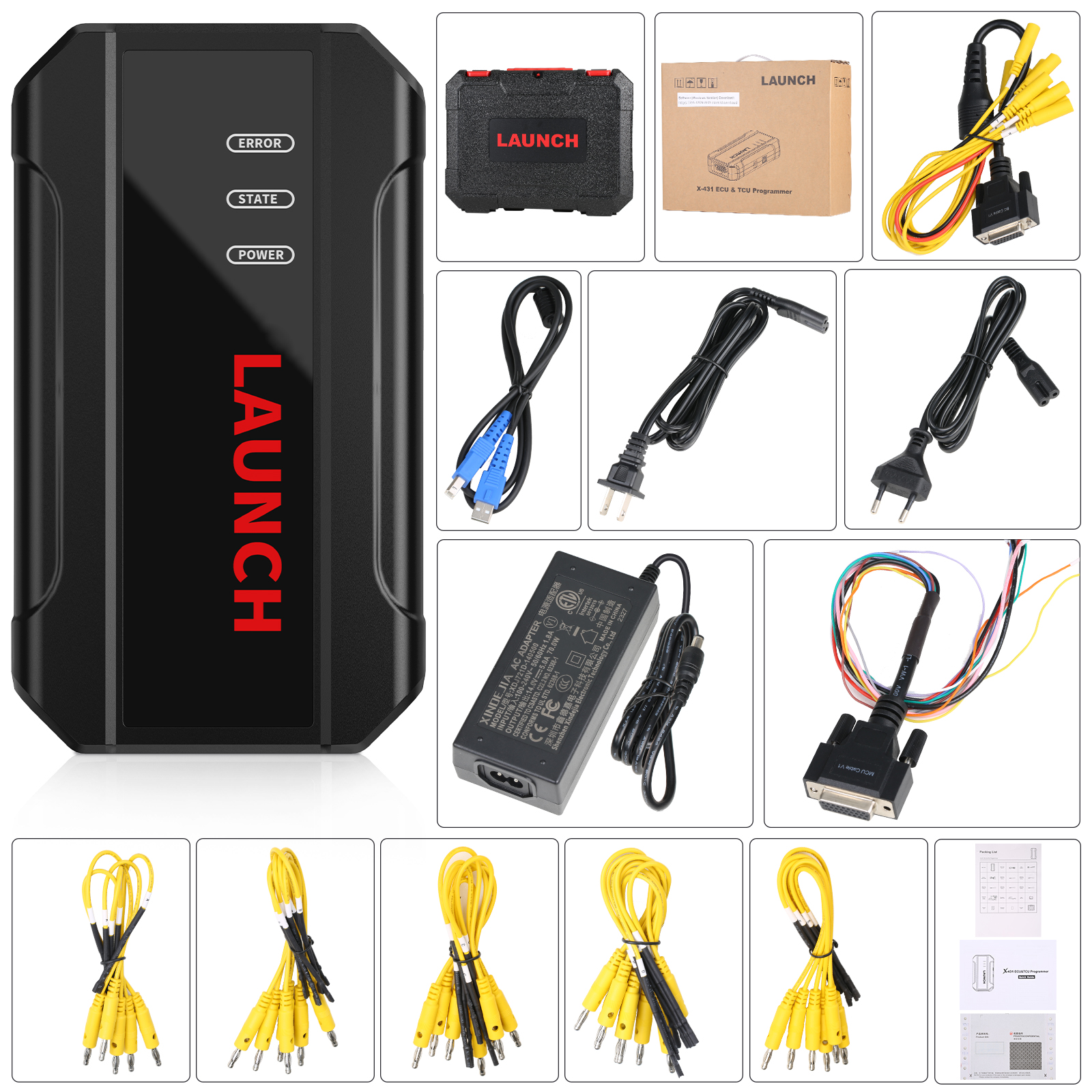
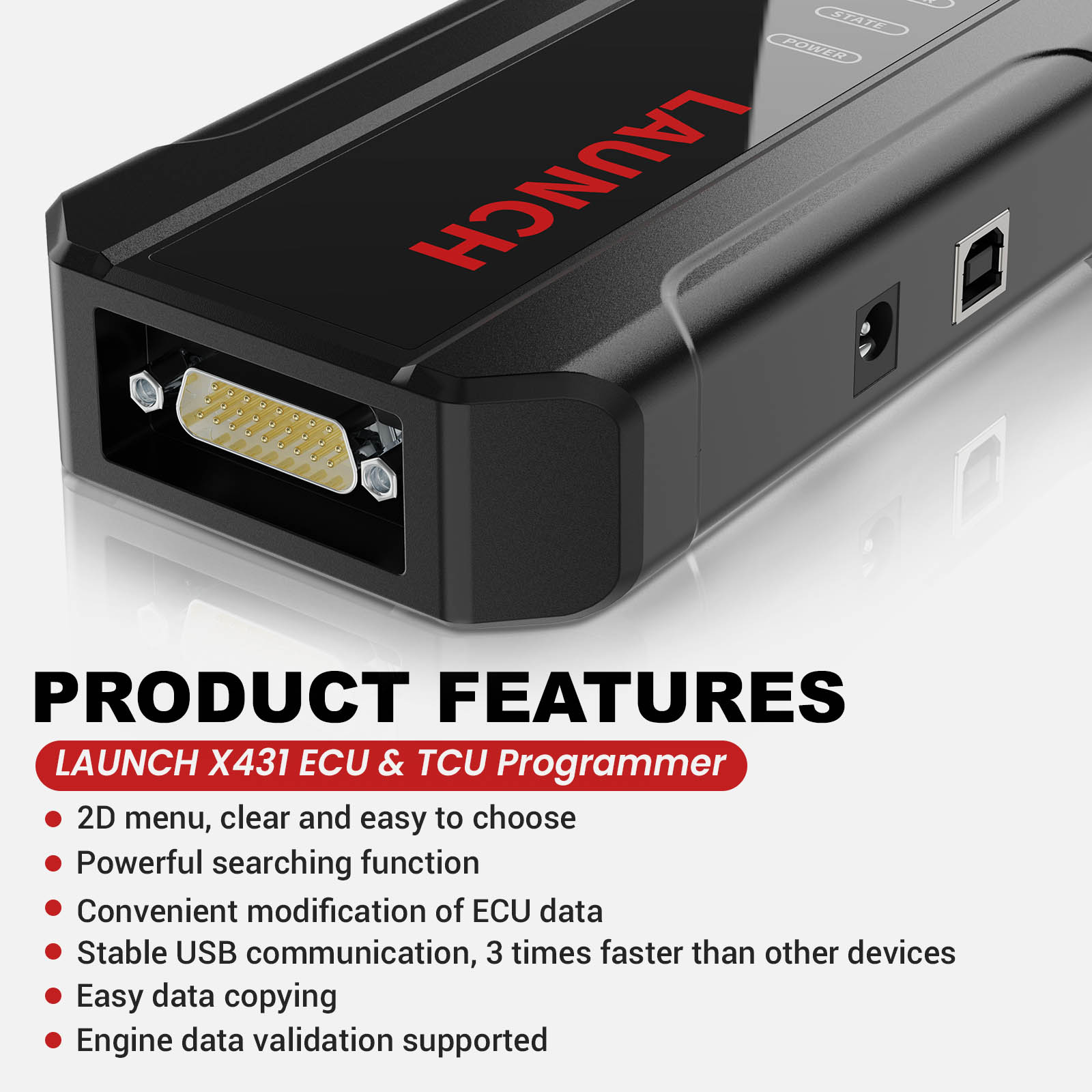
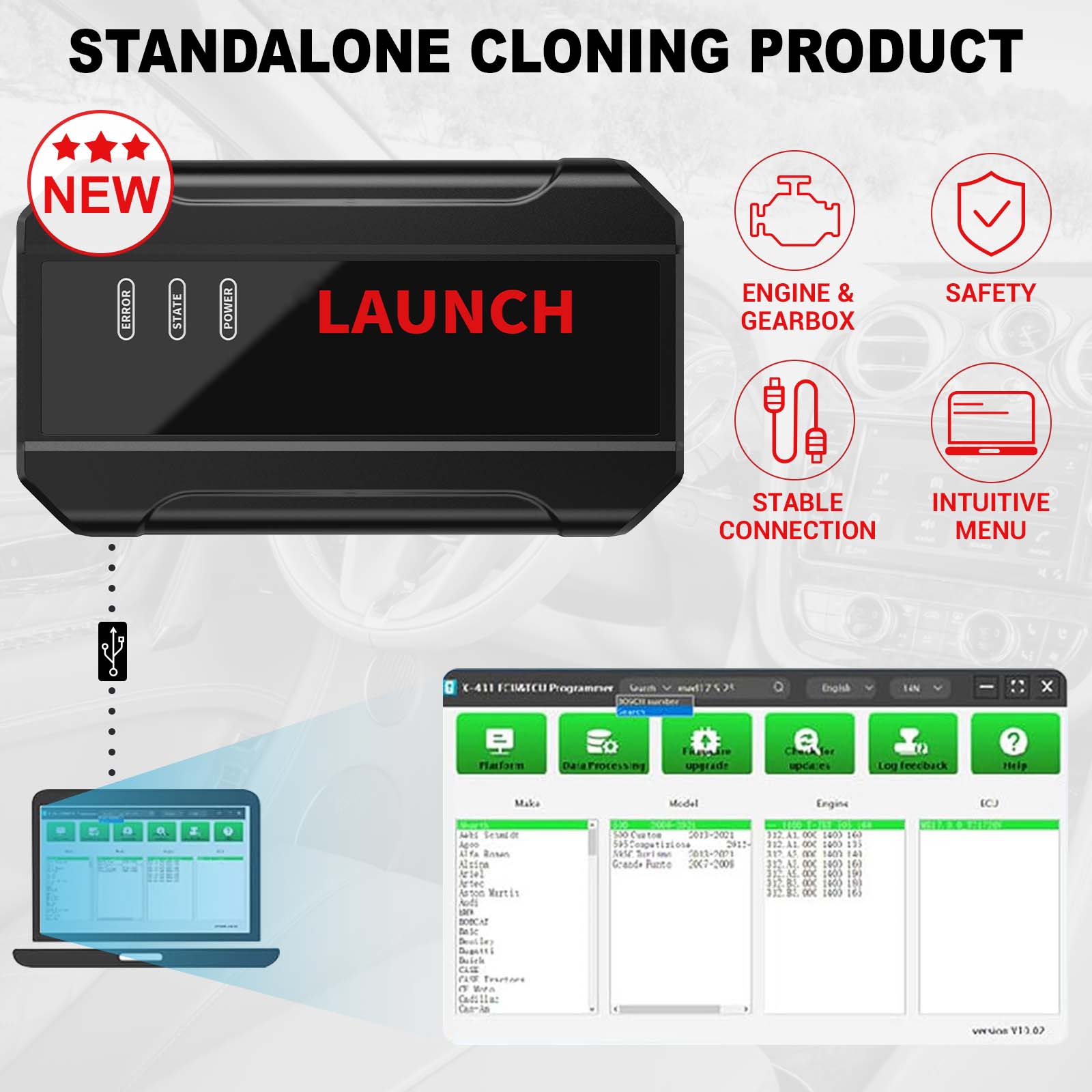
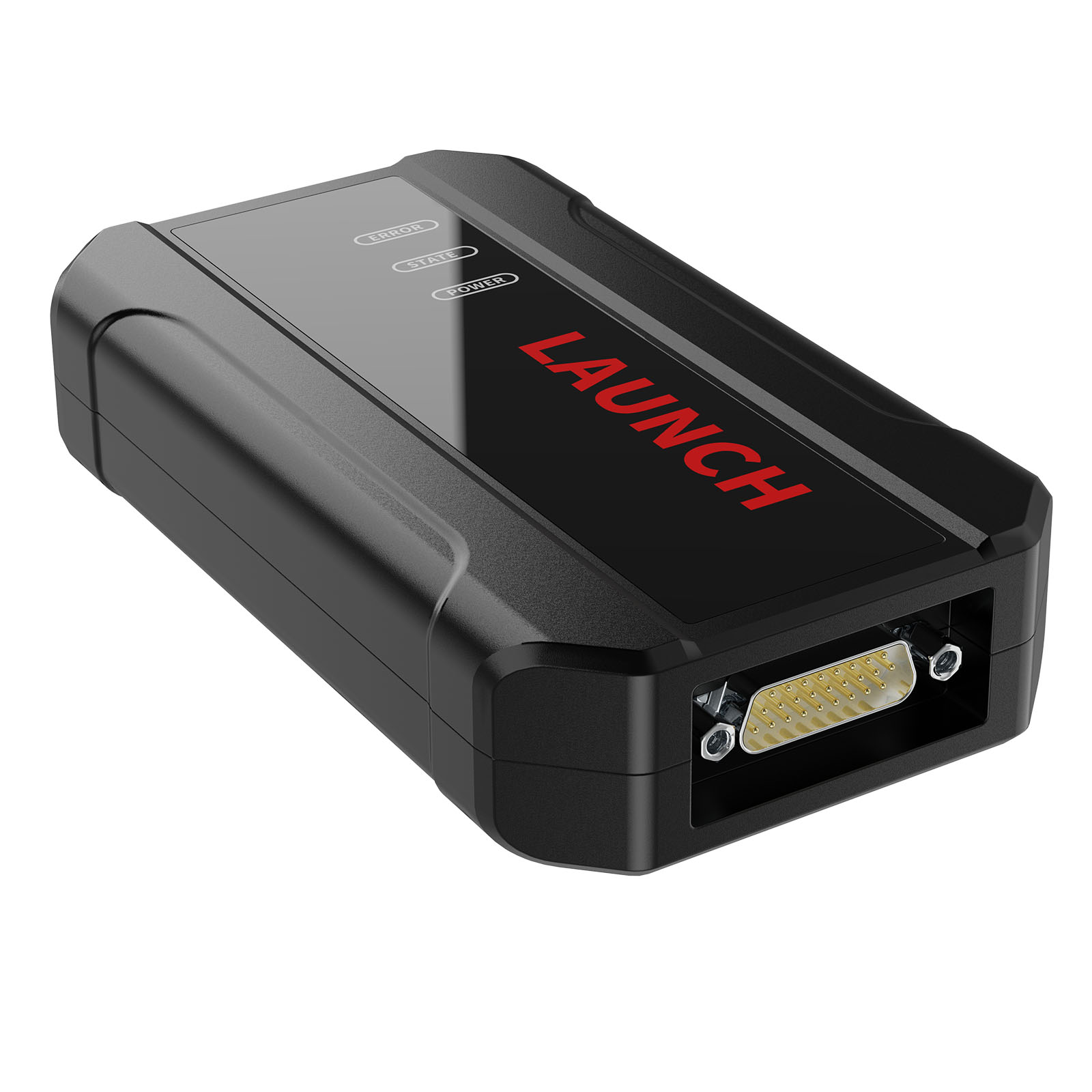
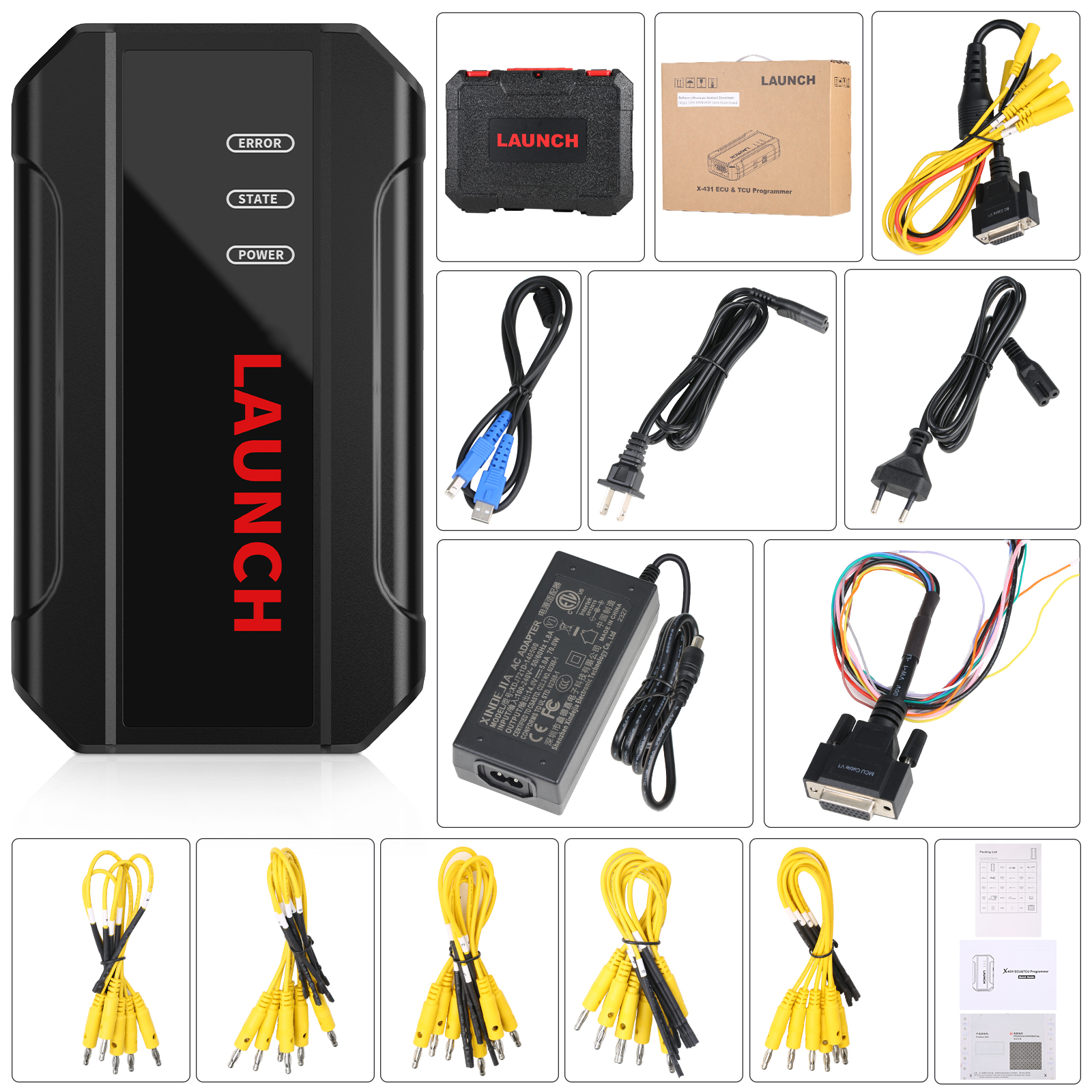
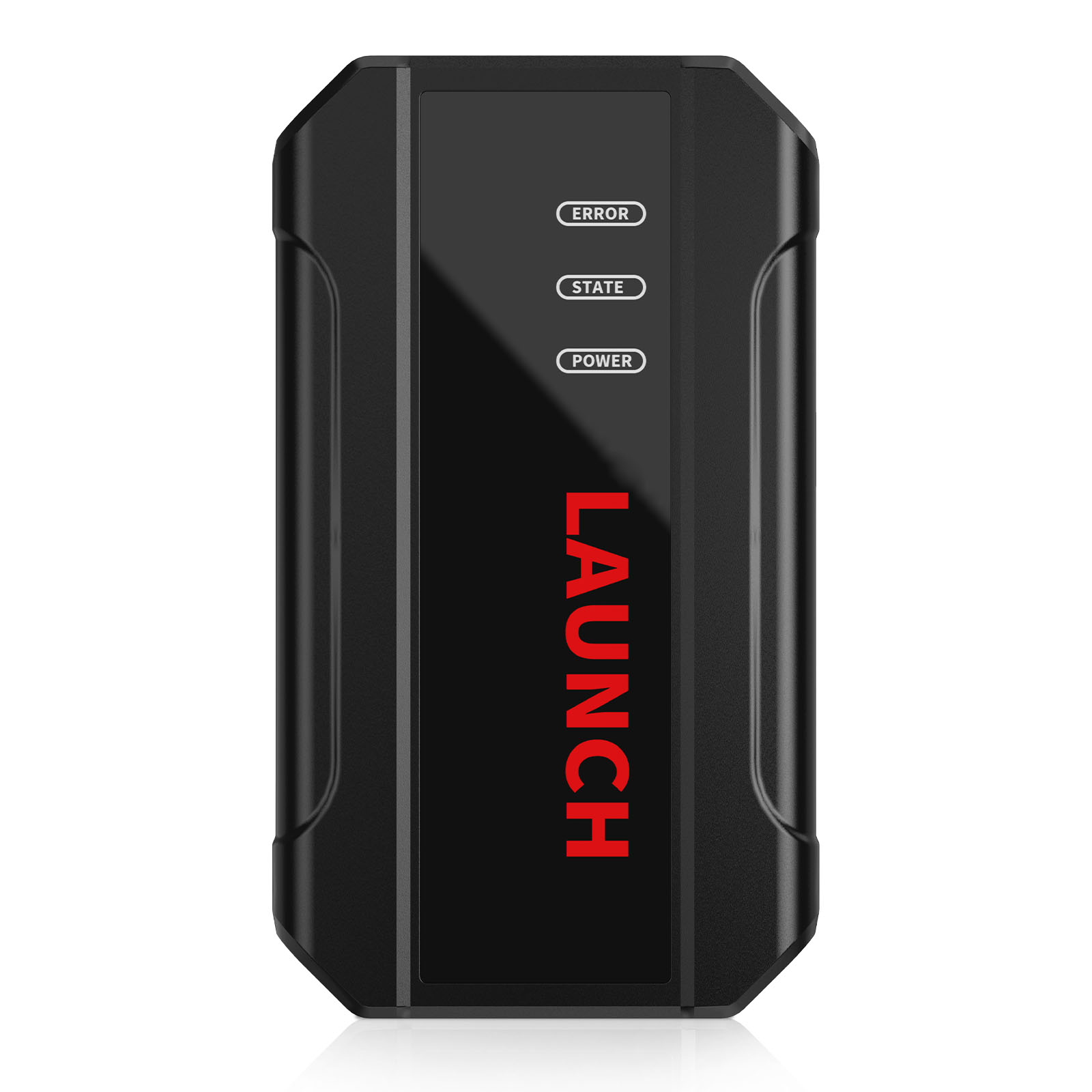
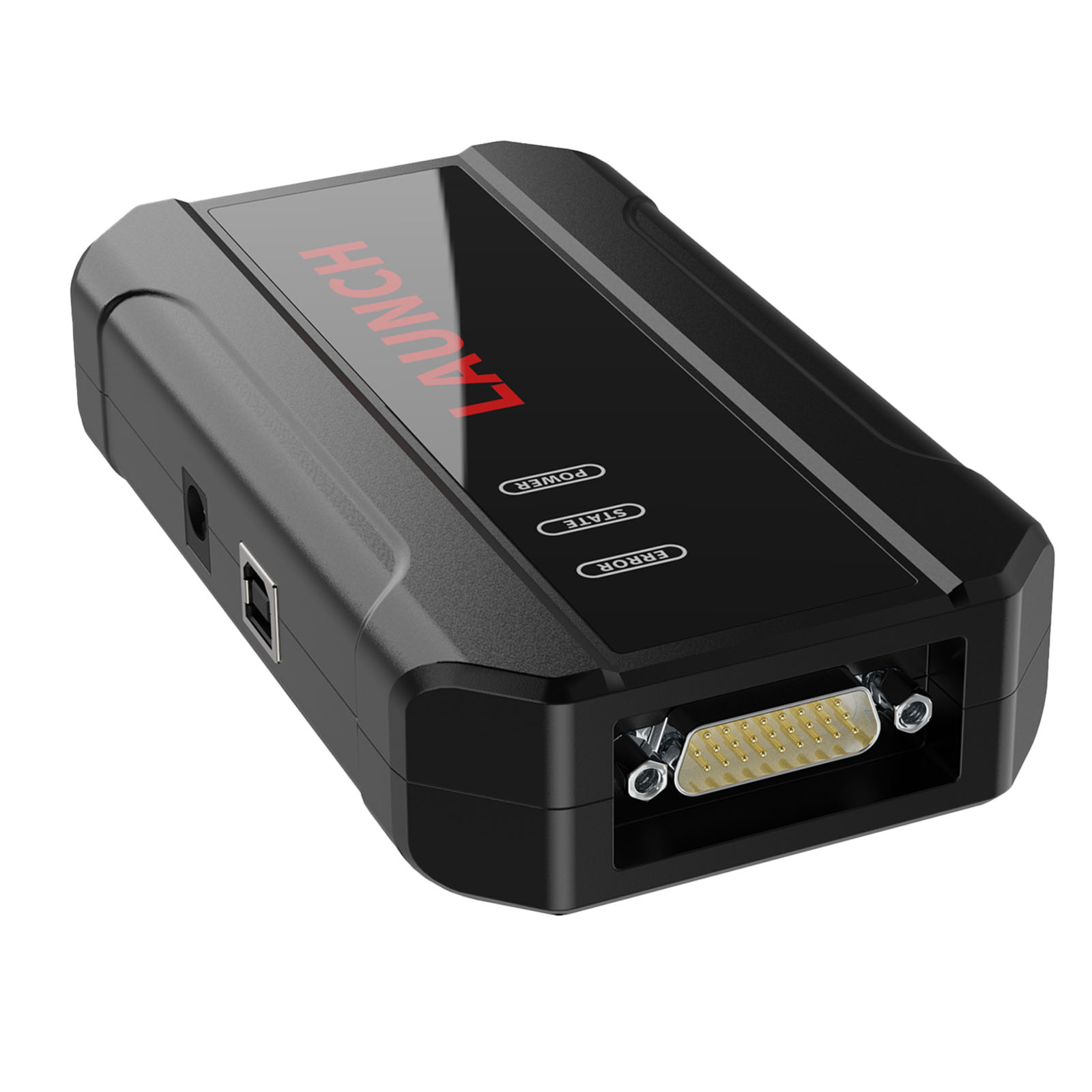
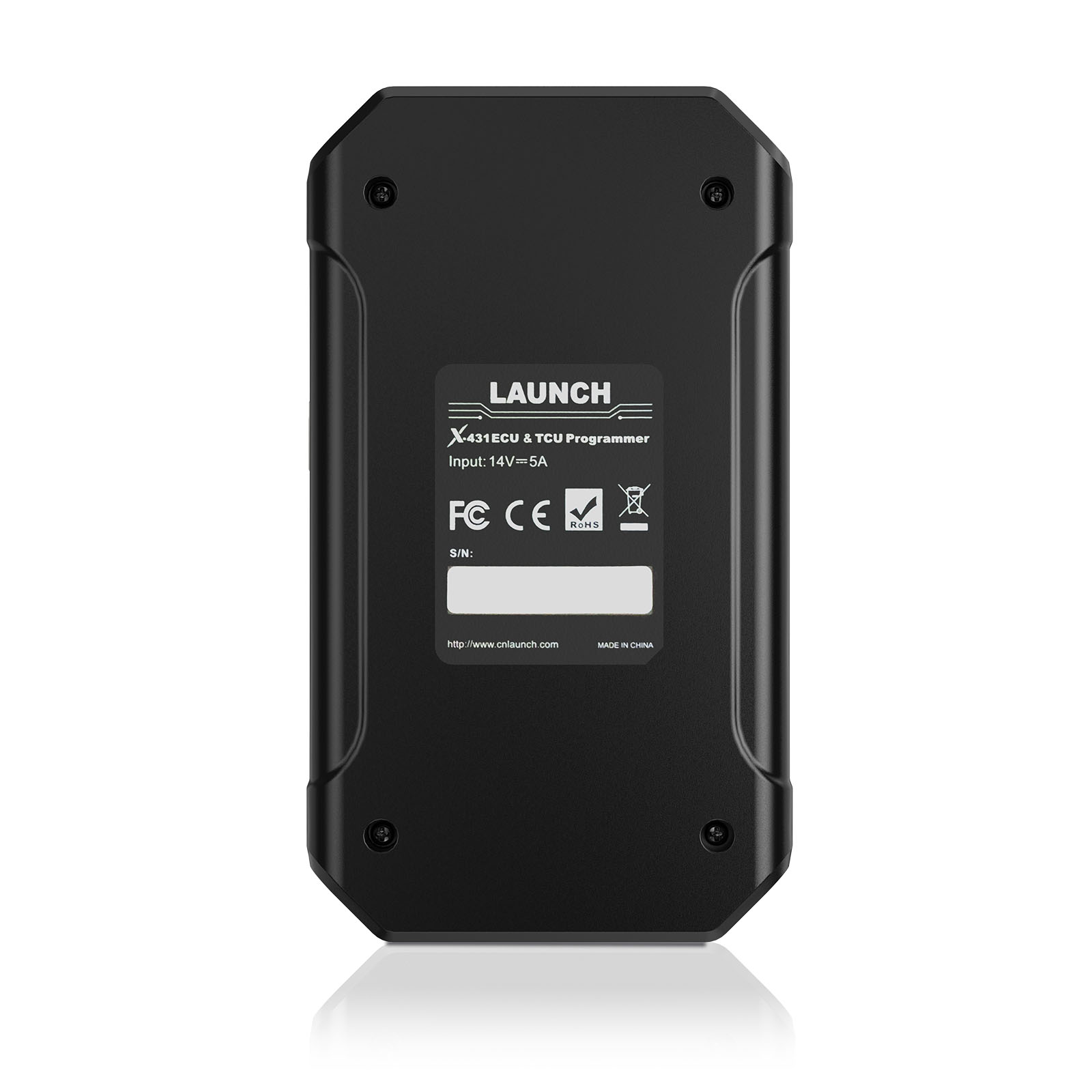
Launch X431 ECU & TCU Programmer Support ECU Read and Write Standalone Supports Checksum Correction IMMO Off
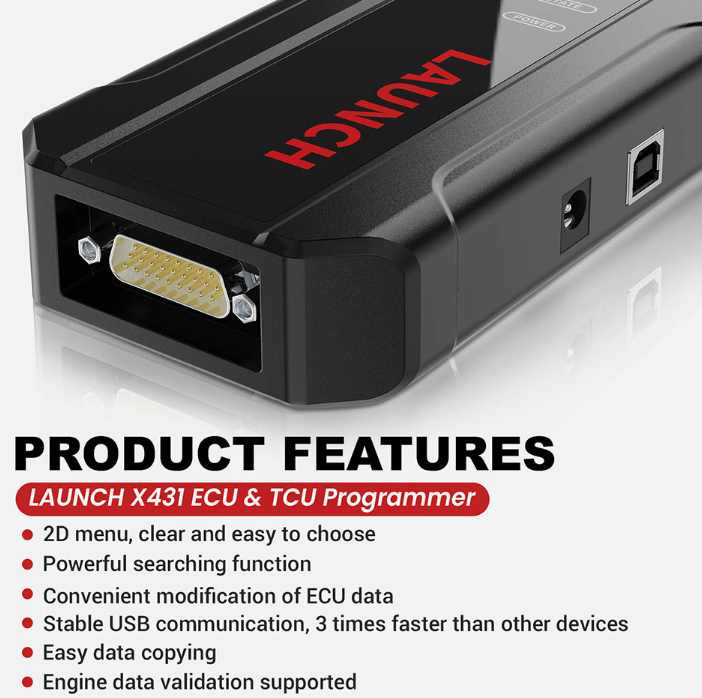
Launch X-431 ECU & TCU Programmer supports ECUs data reading & writing quickly, including reading the chip ID and backing up the EEPROM data, backing up the FLASH data and restoring EEPROM/FLASH data. There are two methods to read various vehicle brand ECUs info. The X-431 ECU & TCU Programmer also supports Data Processing, anti-theft shutdown and file verification.
Features:
1. 2D menu, clear and easy to choose
2. Powerful search function
3. Convenient modification of ECU data
4. USB communication, with a speed more than three times that of Android devices, making it more stable
5. Easy to copy data
6. Support engine data validation function
7. One year free update
8. X-431 ECU TCU Programmer Support Function List
Software download link:
https://en.cnlaunch.com/download
Launch X431 ECU TCU Progarmmer Functions:
1. ECUs Data Reading & Writing quickly.
· Support two methods to read various vehicle brand ECUs info.
· Support Read the chip ID and Back up the EEPROM data.
· Support Back up the FLASH data and Restore EEPROM/FLASH data
2. Support Data Processing, anti-theft shutdown and file verification.
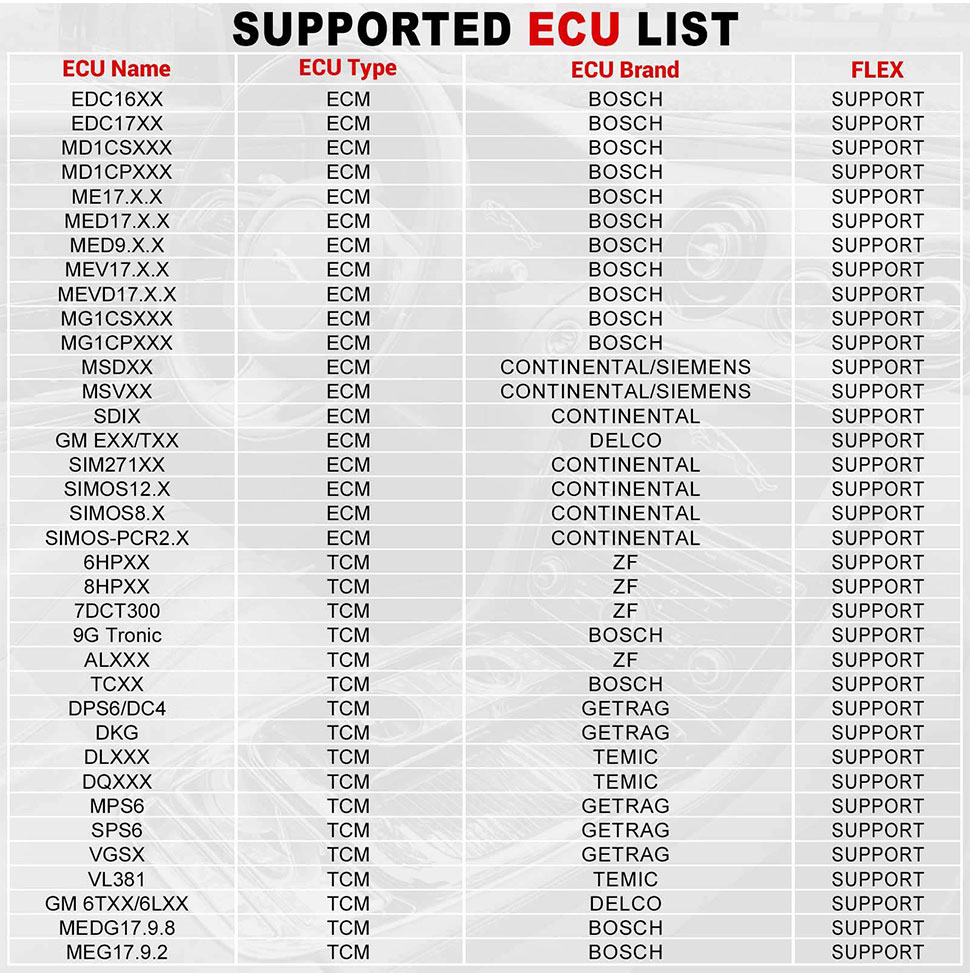
ECU Support list June 2023:
ECU Name
ECU Type
ECU Brand
FLEX
EDC16XX
ECM
Bosch
Support
EDC17XX
ECM
Bosch
Support
MD1CSXXX
ECM
Bosch
Support
MD1CPXXX
ECM
Bosch
Support
ME17.X.X
ECM
Bosch
Support
MED17.X.X
ECM
Bosch
Support
MED9.X.X
ECM
Bosch
Support
MEV17.X.X
ECM
Bosch
Support
MEVD17.X.X
ECM
Bosch
Support
MG1CSXXX
ECM
Bosch
Support
MG1CPXXX
ECM
Bosch
Support
MSDXX
ECM
CONTINENTAL/SIEMENS
Support
MSVXX
ECM
CONTINENTAL/SIEMENS
Support
SDIX
ECM
Continental
Support
GM EXX/TXX
ECM
DELCO
Support
SIM271XX
ECM
Continental
Support
SIMOS12.X
ECM
Continental
Support
SIMOS8.X
ECM
Continental
Support
SIMOS-PCR2.X
ECM
Continental
Support
6HPXX
TCM
ZF
Support
8HPXX
TCM
ZF
Support
7DCT300
TCM
ZF
Support
9G Tronic
TCM
Bosch
Support
ALXXX
TCM
ZF
Support
TCXX
TCM
Bosch
Support
DPS6/DC4
TCM
GETRAG
Support
DKG
TCM
GETRAG
Support
DLXXX
TCM
Temic
Support
DQXXX
TCM
Temic
Support
MPS6
TCM
GETRAG
Support
SPS6
TCM
GETRAG
Support
VGSX
TCM
GETRAG
Support
VL381
TCM
Temic
Support
GM 6TXX/6LXX
TCM
DELCO
Support
MEDG17.9.8
TCM
Bosch
Support
MEG17.9.2
TCM
Bosch
Support
Launch X431 ECU TCU Programmer and PC Software Use Guide:
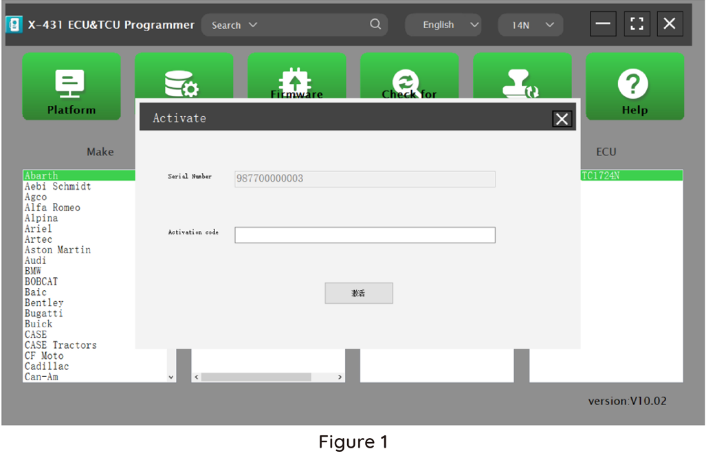
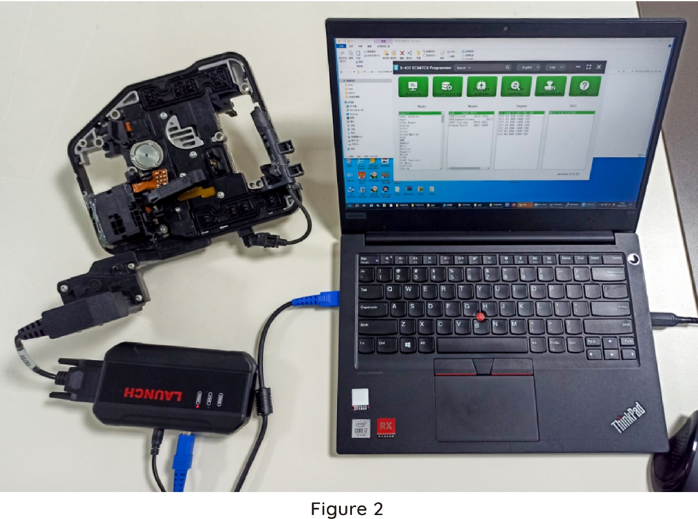
Firstly, connect the X431 ECU &TCU Programmer to the computer with a cable. Then, click to enter the software. The serial number will be automatically recognized from the X-431 ECU &TCU Programmer, and the activation code needs to be obtained from the envelope bar of the X-431 ECU&TCU Programmer.
Click [Activate] to activate (only activate once, no need to activate again later), as shown in Figure 1. Without connection, you cannot access the software, as shown in Figure 2.
I. ECU Date Reading and Writing:
1. Obtain the related ECU.
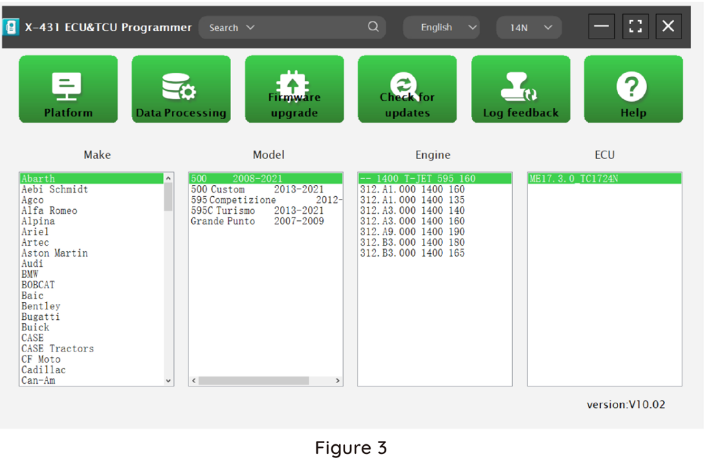
Method (1): Obtain the desired ECU type through brand > model > engine > ECU in turn, as shown in Figure 3.
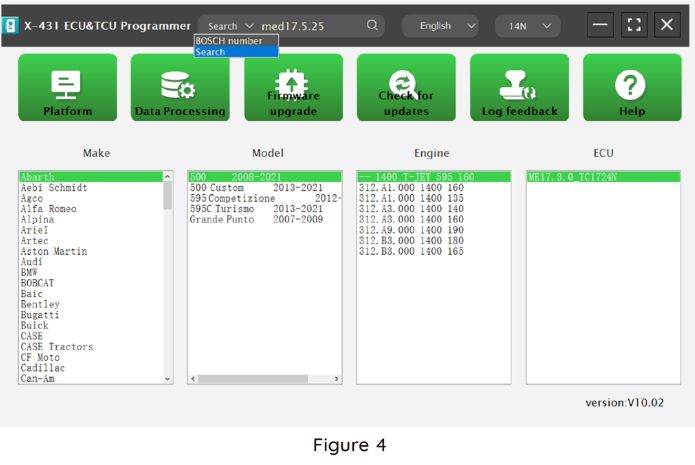
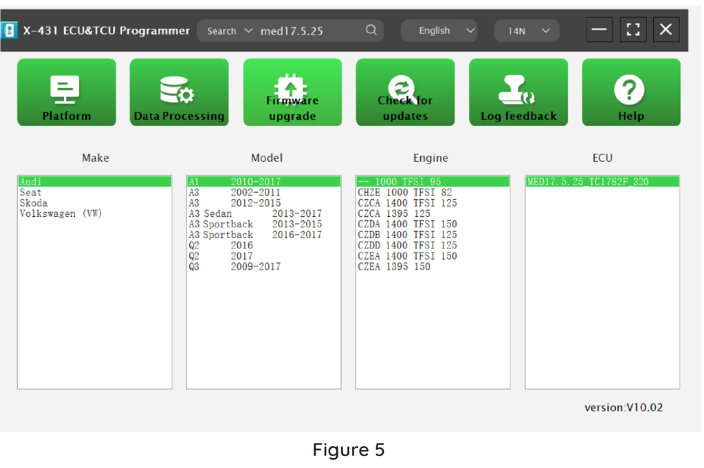
Method (2): Query the desired ECU by entering a value in the search box. The search categories include Bosch number and Search, as shown in Figure 4. For example, search for the MED17.5.25 engine by Search, as shown in Figure 5.
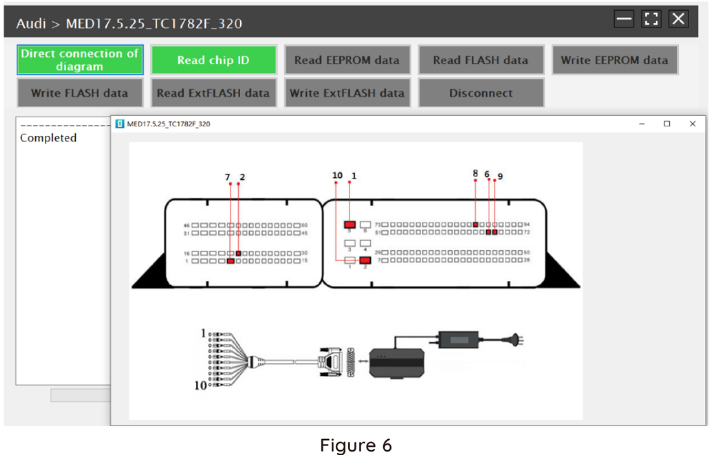
2.Click [Direct Connection Diagram] to obtain the ECU connection diagram, as shown in Figure 6.
3. Connection:
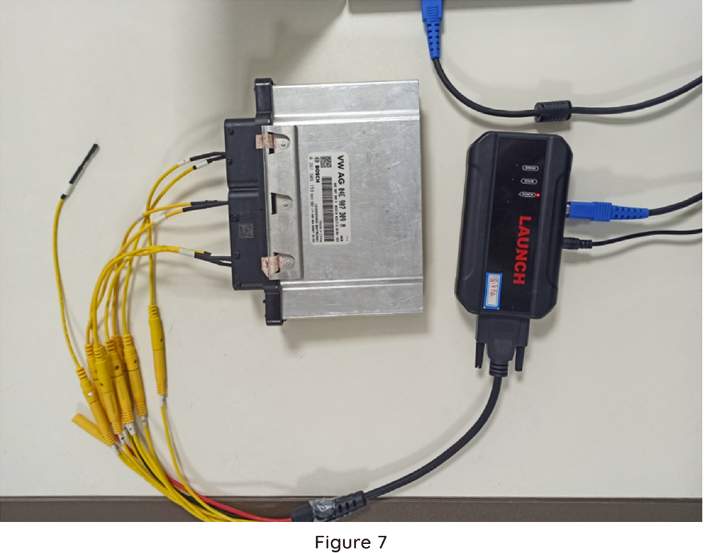
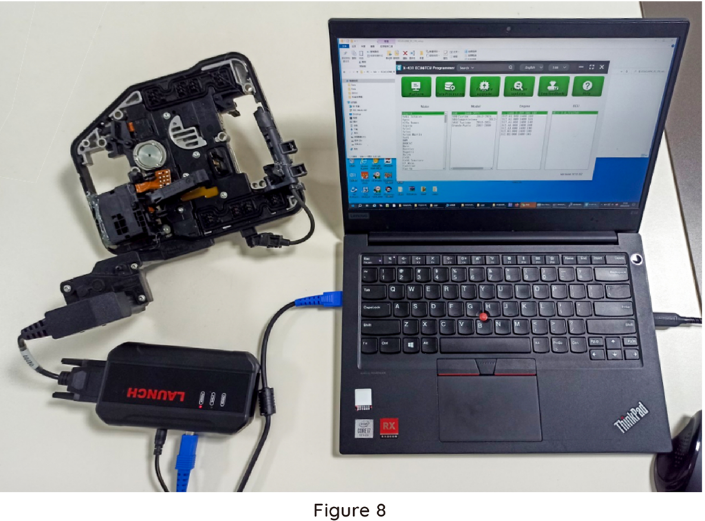
Connect the ECU and PCBOX according to the information provided in the connection diagram. The physical connection diagram of MED17 .5 .25 (using the BENCH mode line)is shown in Figure 7, and the physical connection diagram using the gearbox adapter is shown in Figure 8.
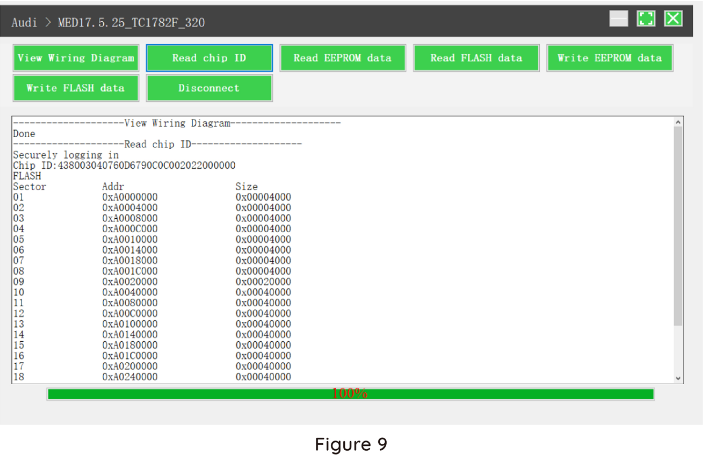
4.Read the chip ID, as shown in Figure 9.
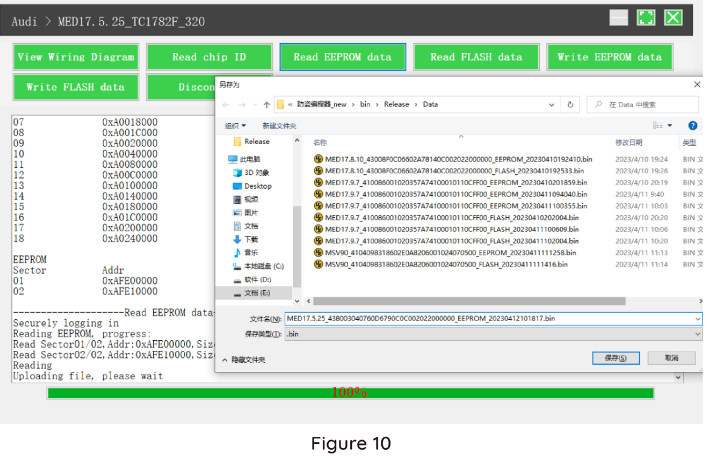
5. Back up the EEPROM data and save it, as shown in Figure 10 (the figure shows the save page of the read date).
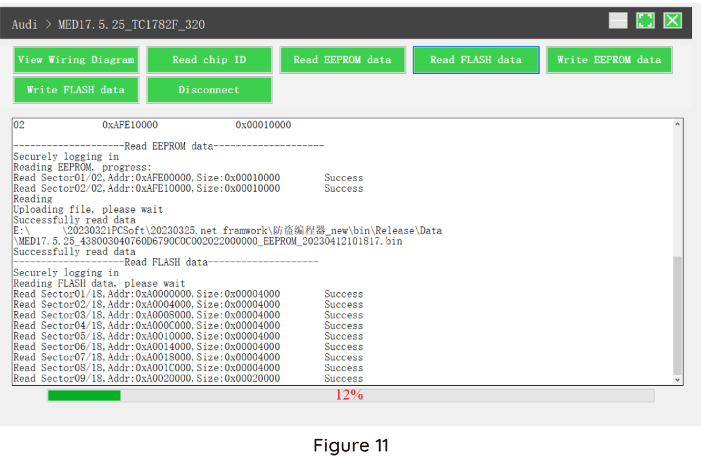
6. Back up the Flash date and save it, as shown in Figure 11 (the figure shows the process of reading FLASH date).
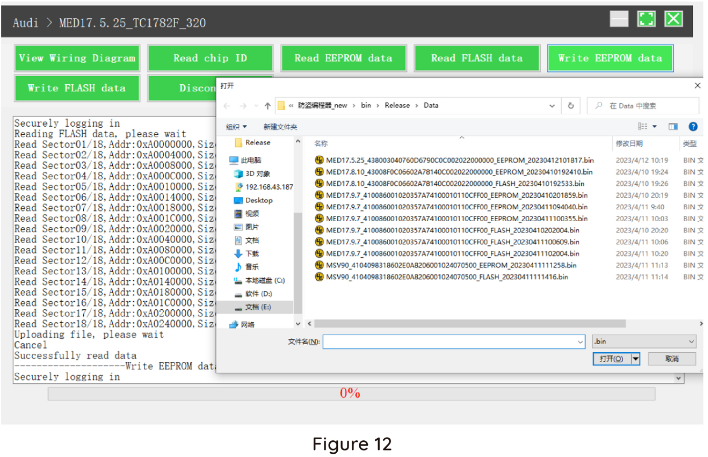
7. Restore EEPROM / FLASH date, as shown in Figure 12 (the figure shows the file selection page).
II. Date Processing
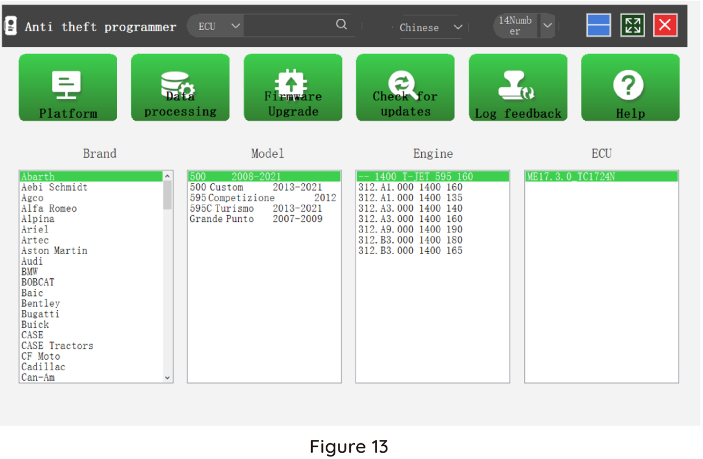
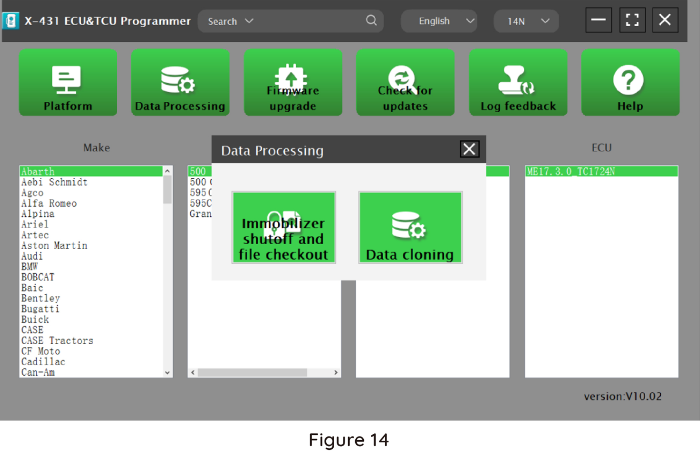
1. Click the [Date Processing] button on the main page, as shown in Figure 13, and select [IMMO Off and File Verification] ([DTC Shield] is not currently supported), as shown in Figure 14.
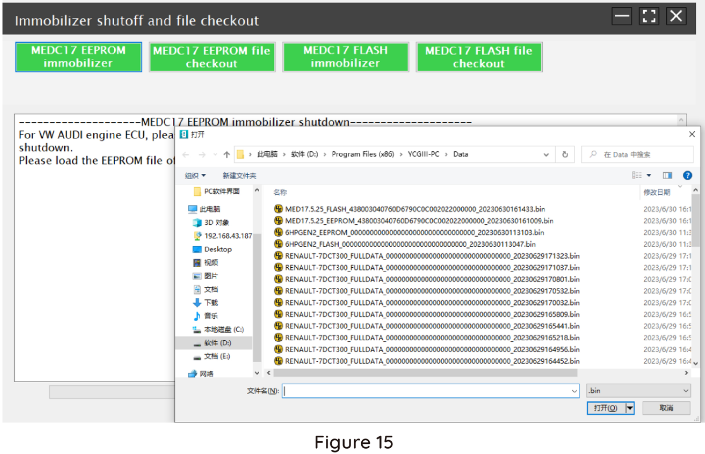
2. File verification and IMMO OFF (process: select file>connect network to obtain>save file), as shown in Figure 15
Package Includes:
1pc x the Host
1pc x Jumper
1pc x MCU Cable
1pc x EU Adapter
1pc x US Adapter
1pc x Power Supply Cable
1pc x USB Cable
User Comment(Total 0 Customer Reviews)
- No comment
CnAutotool.com - Professional Auto Diagnostic Tools Supplier. We provides car diagnostics tools for Do-It-Yourself and professional automotive mechanics. If you have any problems, don't hesitate to contact us, send email to sale@cnautotool.com or chat online. We are well organized by a group of rich-experienced design experts who have been engaging in auto diagnostic tools for more than 10 years. FREE, Professional & Unlimited Technical Support, Factory Price!
Please feel free to contact us ,If you have any question:
Shipping Terms: a 1) Items will be sent to all the countries over the world.This package will be sent by Hongkong Airmail Post,EMS,UPS or DHL. b 2) Items will be checked carefully before sent out. c 3) We will use air bubbles to wrap the items carefully.
Shipping Time: Usually the shipping time is about 5-7 days via DHL, UPS, TNT and Fedex Express, 15-30 days via POST AIR to Worldwide, but Because the COVID-19 Global Pandemic recently, the delivery date will may be delayed. We are sincerely sorry to bring all inconvenience to you.Note: We hope it arrive on time but since this is an international delivery, shipping time will be highly depended on the courier company and local customs/duties. Thank you for your understanding
Return Policies:
If you are not satisfied with your purchase .please contact us quickly, we can exchange one to you,but buyers is responsible for the returning shiping cost .
Contact Us:
Our office hours are 24hours 7 days online service
Attention: PLZ leave your telephone number and address in detail when you take order in our website, it is very important to ship your order. (Customers from Brazil PLZ leave your Cutsom ID also, thanks!) |
Join our community: |
 |
 |
 |
 |
 |

