In industrial processes that involve the measurement of mass flow, the Micro Motion Mass Flow Meter is a commonly used instrument. It provides accurate and reliable data on the mass flow rate of liquids in various industries. However, there are instances when this device may encounter issues that prevent it from working properly. One common problem is the incorrect display on the 2700 Transmitters, which can be resolved by following a few simple steps.
1) Start Prolink, and Connect to Physical Device:
– Open Prolink and establish a connection with the Micro Motion device. For detailed instructions, refer to the article “Connect to Micro Motion using Service Port and Modbus RTU (8-bit) – Prolink III.”
2) Configure Mass Flow Measurement:
– Once connected, proceed to configure the mass flow measurement parameters.
– Set the Mass Flow Measurement Unit to the desired unit of measure. In this case, we will use USGPM (US gal/min). (Refer to Figure 1.1 – Micro Motion 2700 Transmitters)

– Select Process Variables – Configuration – Flow. (Refer to Figure 1.2 – Process Variables)

– In the Configuration menu, select Mass Flow Rate Unit. (Refer to Figure 1.3 – Configuration (Flow))
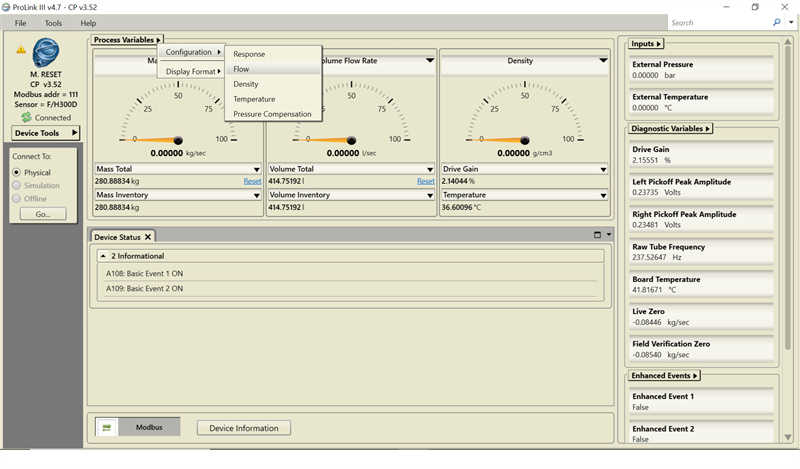
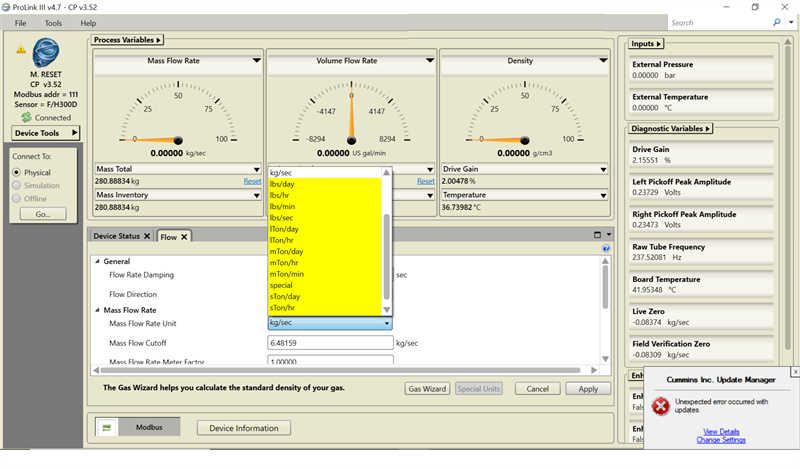
– Choose the Mass Flow Rate Unit as lbs/min (pounds per minute). Note that one pound of water is equivalent to approximately 0.12 gallons.
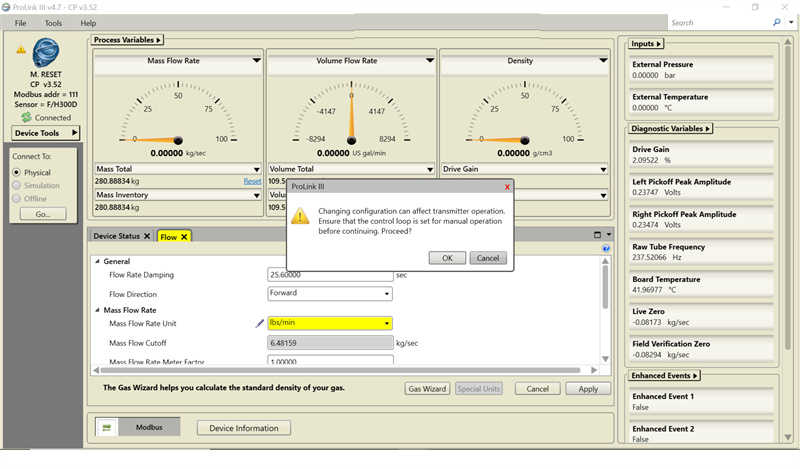
– Click Apply and then OK when the message box displays. (Refer to Figure 1.4 – Mass Flow Rate Unit, Figure 1.5 – Select OK, and Figure 1.6 – Mass Flow Rate (lbs/min))
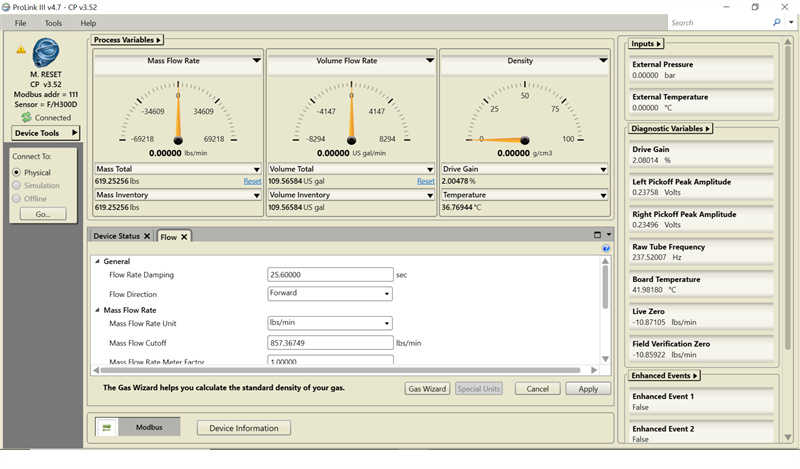
– Next, select Volume Flow Rate Unit in the Configuration menu.
– Set the Volume Flow Rate Unit to US gal/min (USGPM). (Refer to Figure 1.7 – Volume Flow Rate Unit)
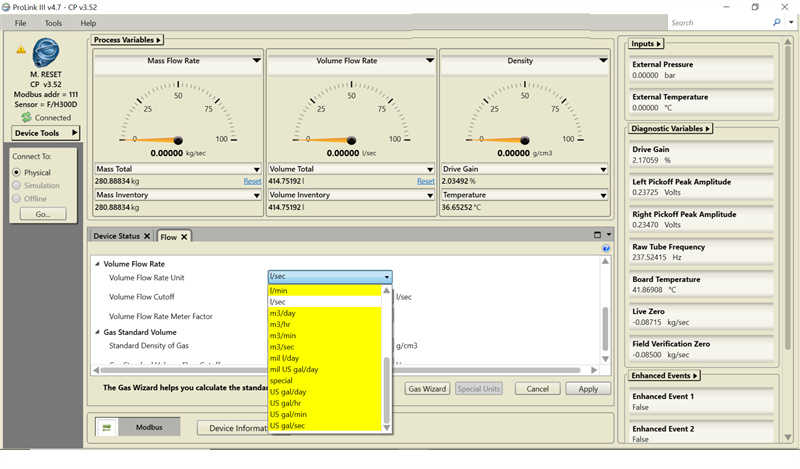
– Again, click Apply and then OK when the message box displays. (Refer to Figure 1.8 – Select OK and Figure 1.9 – Volume Flow Rate Unit (US gal/min))
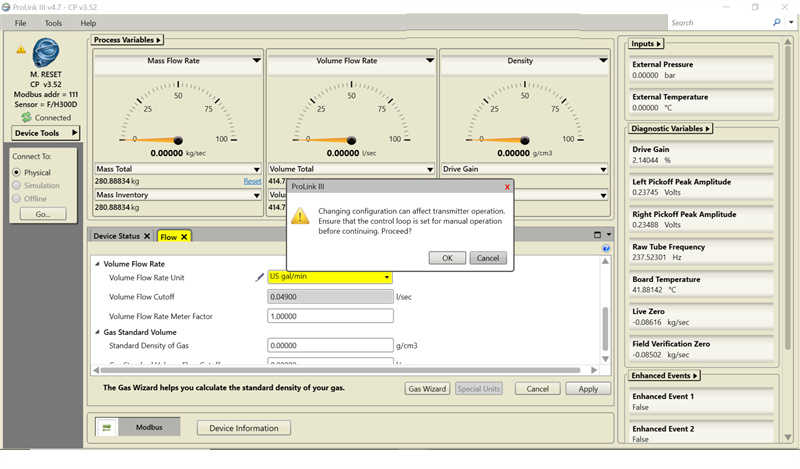
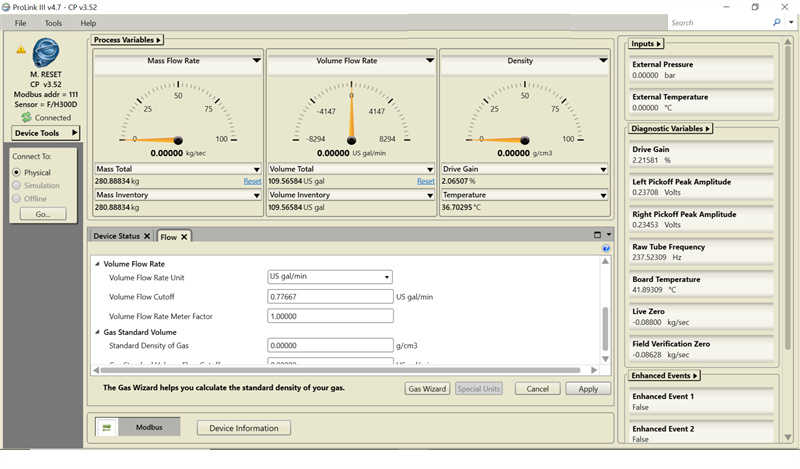
3) Problem solved:
– Once you have changed the Mass Flow Rate Unit and Volume Flow Rate Unit, the mass flow meter should start displaying the correct readings.
– You can verify this by checking the flow rate displayed on the Micro Motion 2700 Transmitters. (Refer to Figure 2.1 – Flow 102.70 USGPM)
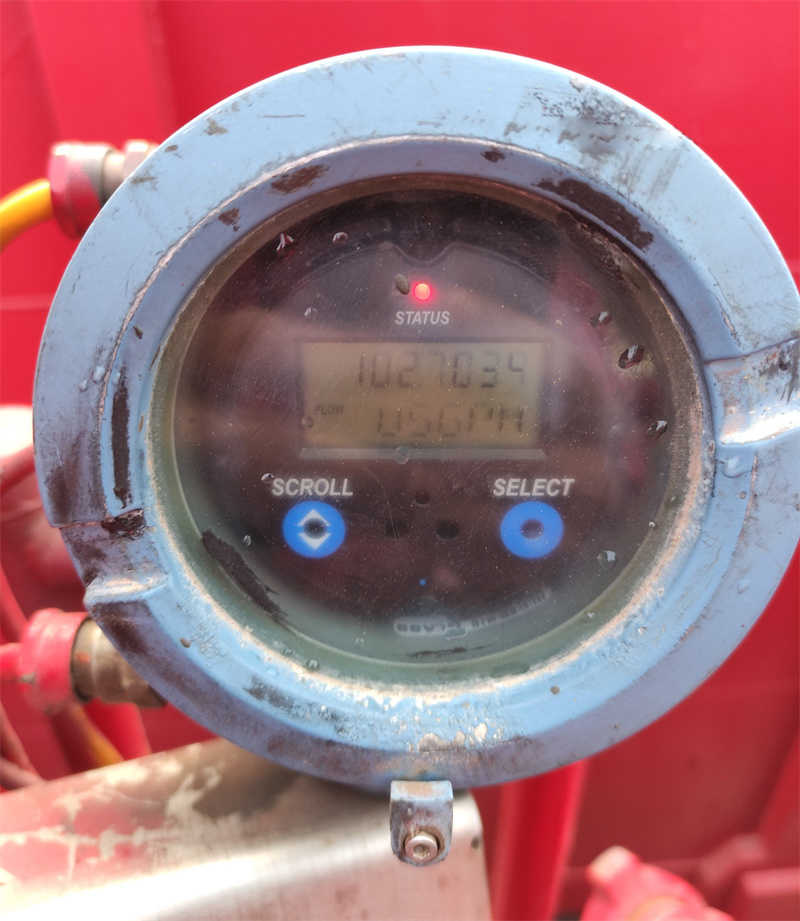
By following the steps mentioned above and adjusting the mass flow rate and volume flow rate units, you can ensure that the mass flow meter displays the desired readings. Always refer to the user manual or consult with a Micro Motion expert for further assistance.
More information about Micro Motion, please visit our website blog https://www.cnautotool.com/blog
