ICOM i-Level Update Failed? Fix BMW ICOM Software Update Error (Voltage Issue)

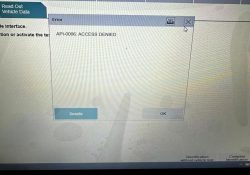
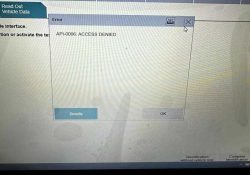
Issue : Unable to perform software updates (i-Level update) using BMW ICOM, even though the correct software is installed. Cause:This issue is typically caused by unstable or excessive vehicle voltage during the programming process.When voltage fluctuates or exceeds safe limits,… Continue Reading
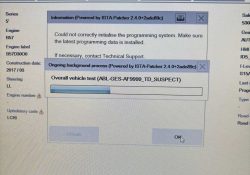
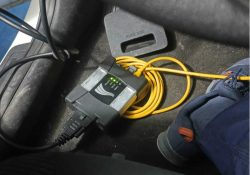
Recommendations for ICOM ISTA+ Software Programming

Error pictures: These prompts appear because the programming conditions are not met. Please check the following points: Is the module requiring programming an original manufacturer part? Is the module requiring programming designed for your specific vehicle model? Is the programming… Continue Reading

Problem of ICOM NEXT Program

Question: ISTA P can’t connect to car Solution: disconnect the car and icom, also disconnect icom and laptop. Turn off the car,close laptop and wait about 10 minutes. Restart your car and power icom device. Restart laptop and connect them… Continue Reading

How to change the Language and Screen Resolution of the ISTA/P software

Question: How to change the Language and Screen Resolution of the ISTA/P software? Answer: Reset the ISTA/P Widget and select your language and resolution. You can reset the ISTA/P widget and select the language / resolution which fits your needs,… Continue Reading

ICOM Software for BMW Diagnostic & Programming V2022.06 ISTA DP Software

BMW ICOM Software Version : V2022.06 ISTA – D: 4.35.21 with SDP Programming Database 4.35.21 ISTA – P: 3.70.0.200 with Engineer Programming,supports the programming of BMW motorcycles and electric vehicles can program F/G/I/K chassis for car (through the ICOM, not… Continue Reading

How to Update BMW ICOM NEXT Firmware to V1.44

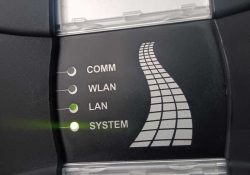
The BMW ICOM Next Professional Diagnostic Tool is the same as BMW ICOM A1/A2/A3 and supports all BMW software and fiber optic programming. This article will show you how to update the BMW ICOM NEXT firmware. Without a firmware update,… Continue Reading