When using Nissan diagnostic software, one common problem users may encounter is that the software cannot recognize or detect the diagnostic hardware, even after installing the drivers successfully. This issue is usually related to driver conflicts inside the Windows system.
In this article, we will explain the cause of the problem and how the engineer resolved it successfully.
Problem Description
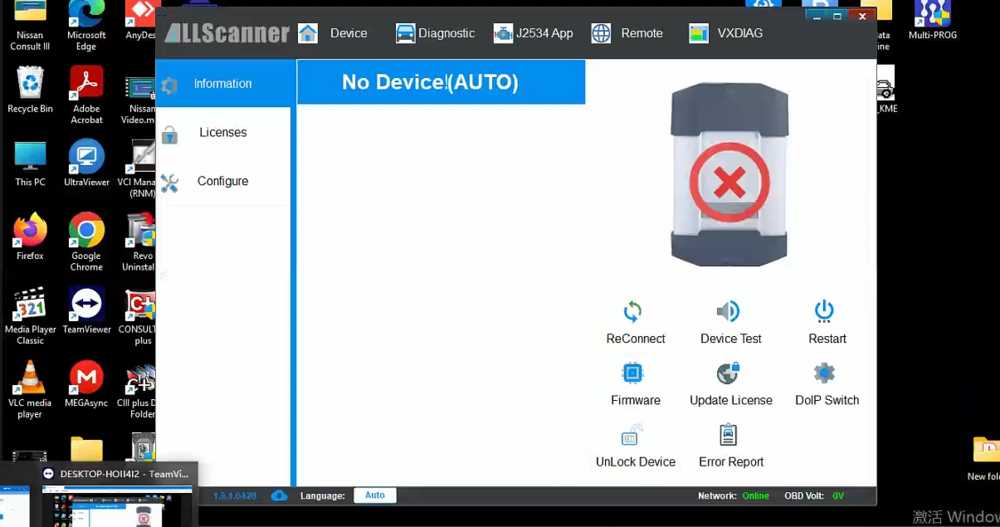
A customer reported that the Nissan diagnostic software could not detect the hardware device.
Symptoms included:
- The device was connected properly
- Drivers had already been installed
- The software still failed to communicate with the interface
This issue often causes users to believe the hardware is defective, but in many cases, the problem is software-related.
Cause of the Problem
After remote inspection, the engineer discovered that two identical drivers had been installed on the computer.
Duplicate drivers can create conflicts within Windows, causing the Nissan software to fail when trying to identify the diagnostic interface.
Solution
The engineer performed the following steps:
Step 1: Remove Duplicate Drivers
Both installed drivers were completely uninstalled from the system.
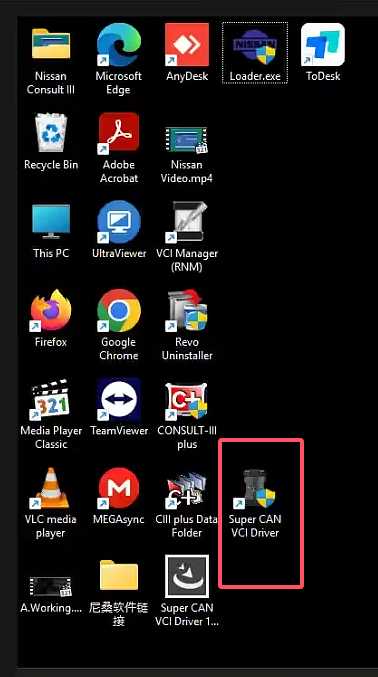
Step 2: Reinstall the Correct Driver
Only one proper driver version was reinstalled.
Step 3: Restart the Software
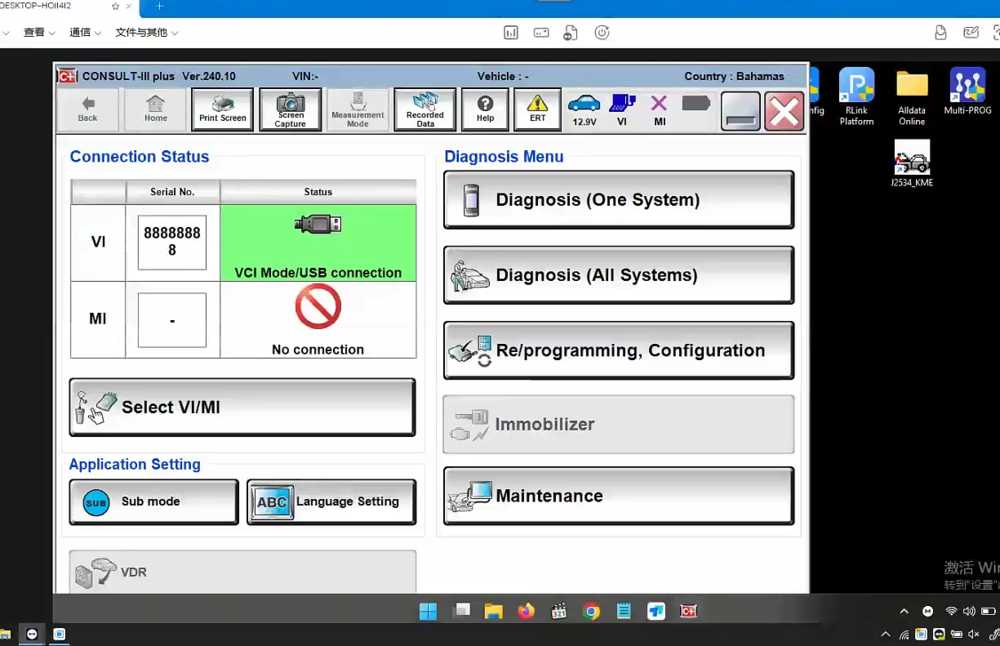
After reinstalling the driver, the Nissan diagnostic software was restarted.
Result
After reinstalling a single correct driver, the software successfully detected the hardware and communication returned to normal.
Customer feedback:
“Ok, thank you.”
Conclusion
If your Nissan diagnostic software cannot detect the hardware, the problem may not be the device itself. Driver conflicts are one of the most common causes.
By removing duplicate drivers and reinstalling the correct version, the issue can usually be resolved quickly.
For professional Nissan diagnostic tools and software support, visit cnautotool.
