Some users may successfully install the Cummins INSITE software but still encounter a connection problem when trying to communicate with the engine ECM.
One common issue is the following error:
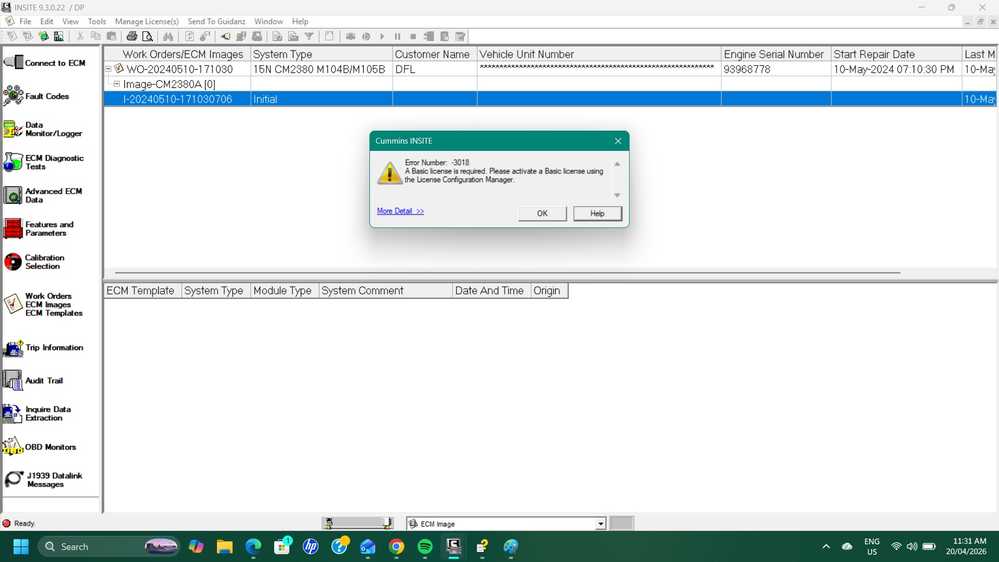
“Basic License Error”
This article explains the cause of the problem and the correct solution.
Problem Description
A customer reported that after purchasing and installing the Cummins INSITE software, the program could not connect properly.
Error message displayed:
- Basic License Error
- Unable to establish communication with ECM
The customer was using:
- Genuine Cummins Inline 6 Data Link Adapter
Customer Feedback
“I am using a genuine Cummins Inline 6 data link adaptor.”
Cause of the Problem
After checking with the engineer, it was confirmed that the issue was caused by selecting the wrong driver inside the software configuration.
Even if the Cummins Inline 6 adapter is genuine, the software may fail to communicate if the incorrect driver is selected.
Solution
The engineer recommended checking the software setup video and selecting the correct driver configuration.
Instructional Video
https://mega.nz/file/a2ZVUbAC#8mEuiaB5mjxejASDrcAjT-v0XpMTXDiaZcYcyx744FI

Correct Driver Setting
Please make sure the correct Inline 6 driver is selected inside Cummins INSITE before attempting to connect again.
After changing to the correct driver, the software connected successfully.

Final Result
The customer confirmed the issue was solved successfully.
Customer Reply
“He was exactly right thank you”
Tips to Avoid Cummins INSITE Connection Errors
When using Cummins INSITE software:
- Always install the correct adapter driver
- Verify Inline 6 firmware compatibility
- Use stable USB connections
- Restart INSITE after changing driver settings
- Avoid selecting incorrect communication adapters
Related Products
If you need Cummins diagnostic tools or software, please visit:
CNAUTOTOOL
More information:
https://www.cnautotool.com/
For technical support, contact:
sale@cnautotool.com
