User Review 1:
will VXDIAG Subaru SSM III software talk to the airbag system? Under “All other models” –> “Each System Check” –> “Airbag System” –> May have to hit ‘OK’ –> “Event Record Data”. Do you make it here without errors? What do you see? If your car hasn’t been in any collisions, you shouldn’t see anything there. I am curious if this tool can be used to retrieve black box data (i.e. the Event Data Recorder).
Answer:
Yes this does read airbag codes (I’ve tested with success when I forgot to reconnect driver knee airbag, pretty sure it reset after reconnect and car was restarted but I could be mistaken) seems to support EDR. When I select the EDR option in the past it gives me a legal disclaimer and then I’ve just backed out.
I’ll connect, take screen shots and move past the legal disclaimer if you can tell me how often this data typically gets pulled without a court order and if a driver refused to provide, how likely it would be for you to get a court order. Boy would I be pissed if my car testifies against me saying that I was going 75 in a 60.
If you work in crash reconstruction, you’d probably want to be careful with this tool in a legal sense. If you look at the screenshots, the software is clearly identical to the real deal, which would indicate to many about the way the software was obtained.
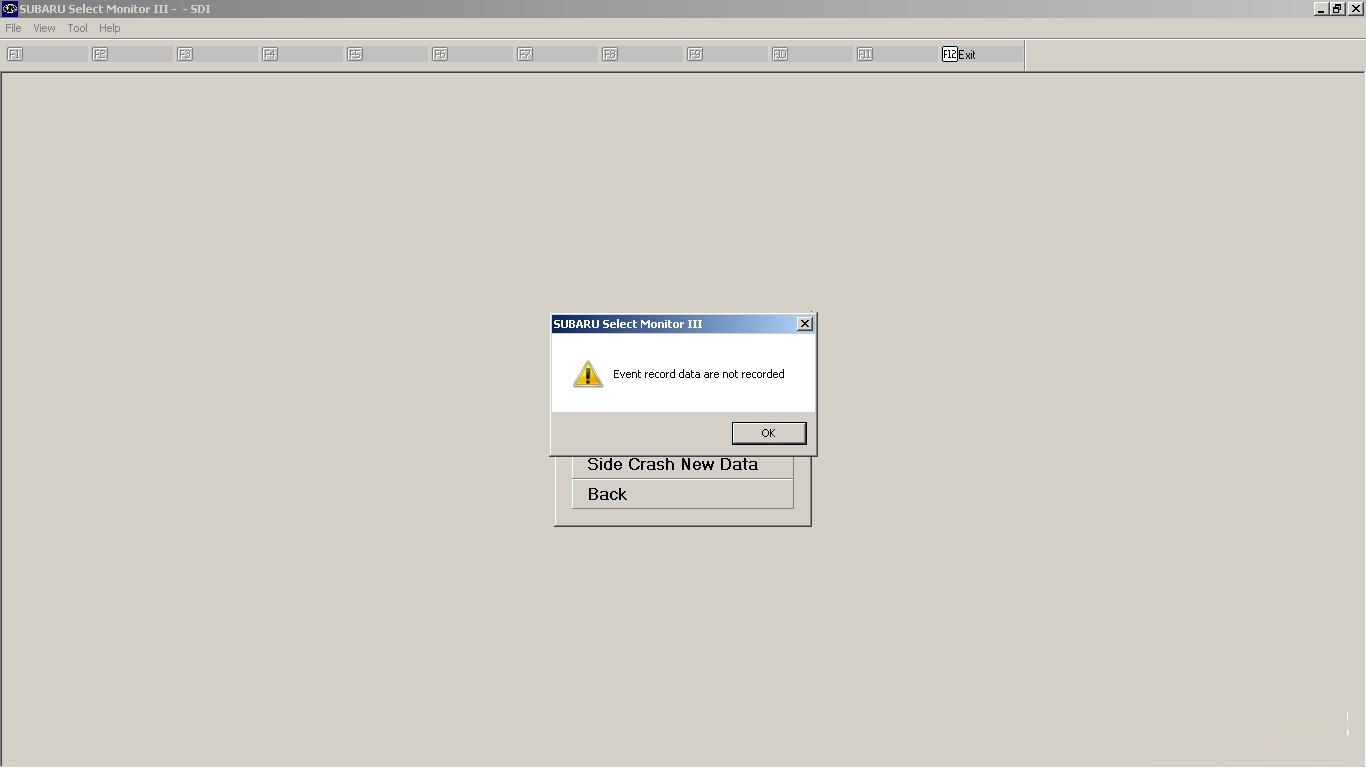
Interesting! Certainly complicated, and I was wondering about the case of what happens if the car is totaled. Ok, I connected and took some screenshots. As you predicted, there was just a notification saying that there wasn’t any EDR data to pull.
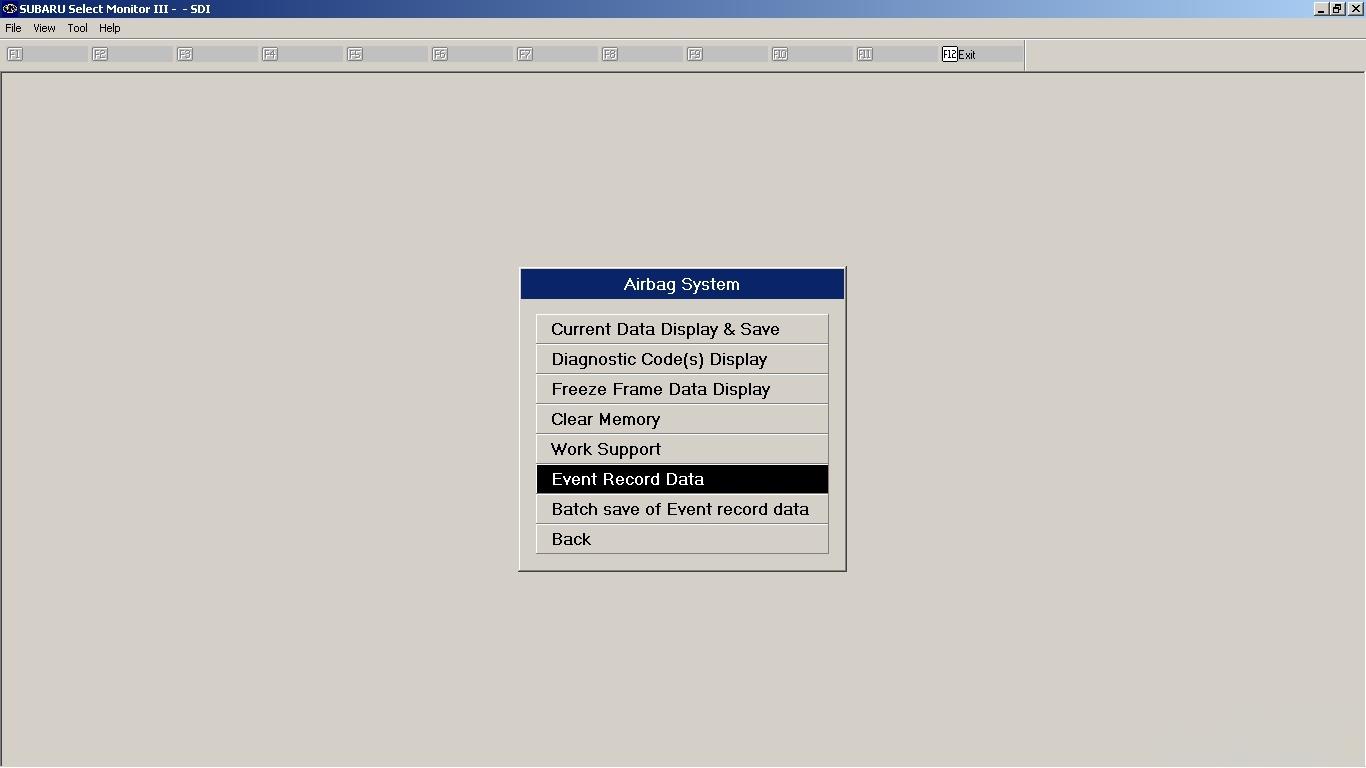
Page 1
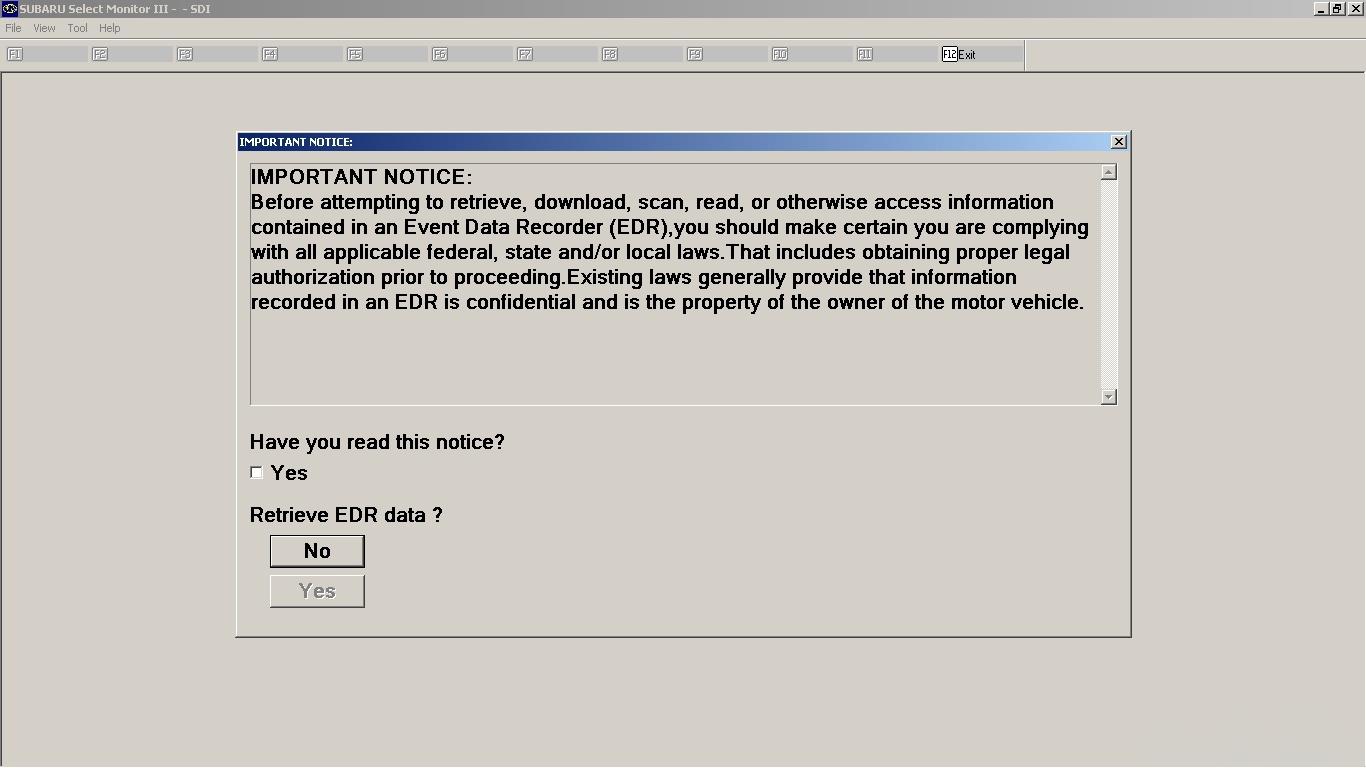
After agreement page:
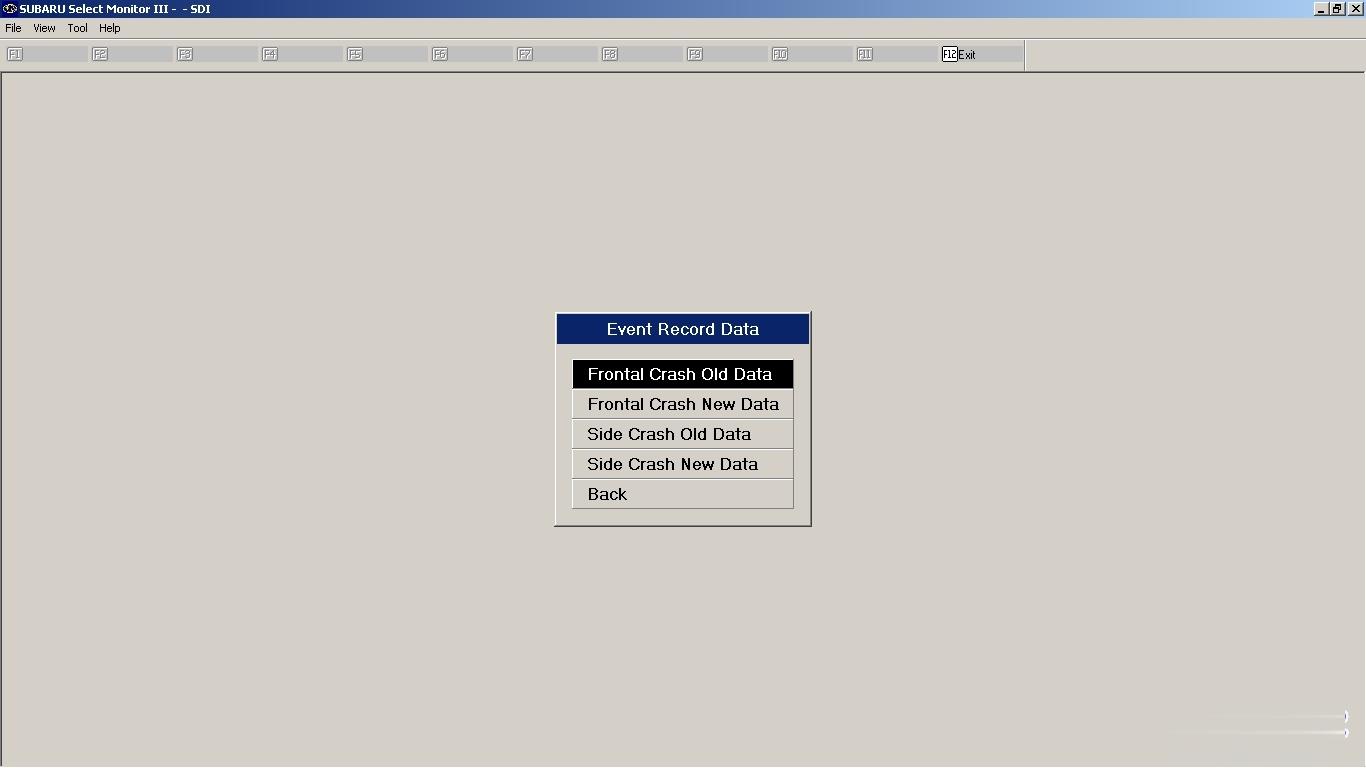
Displayed for all data requests:
Diagnostic Code(s) Display:
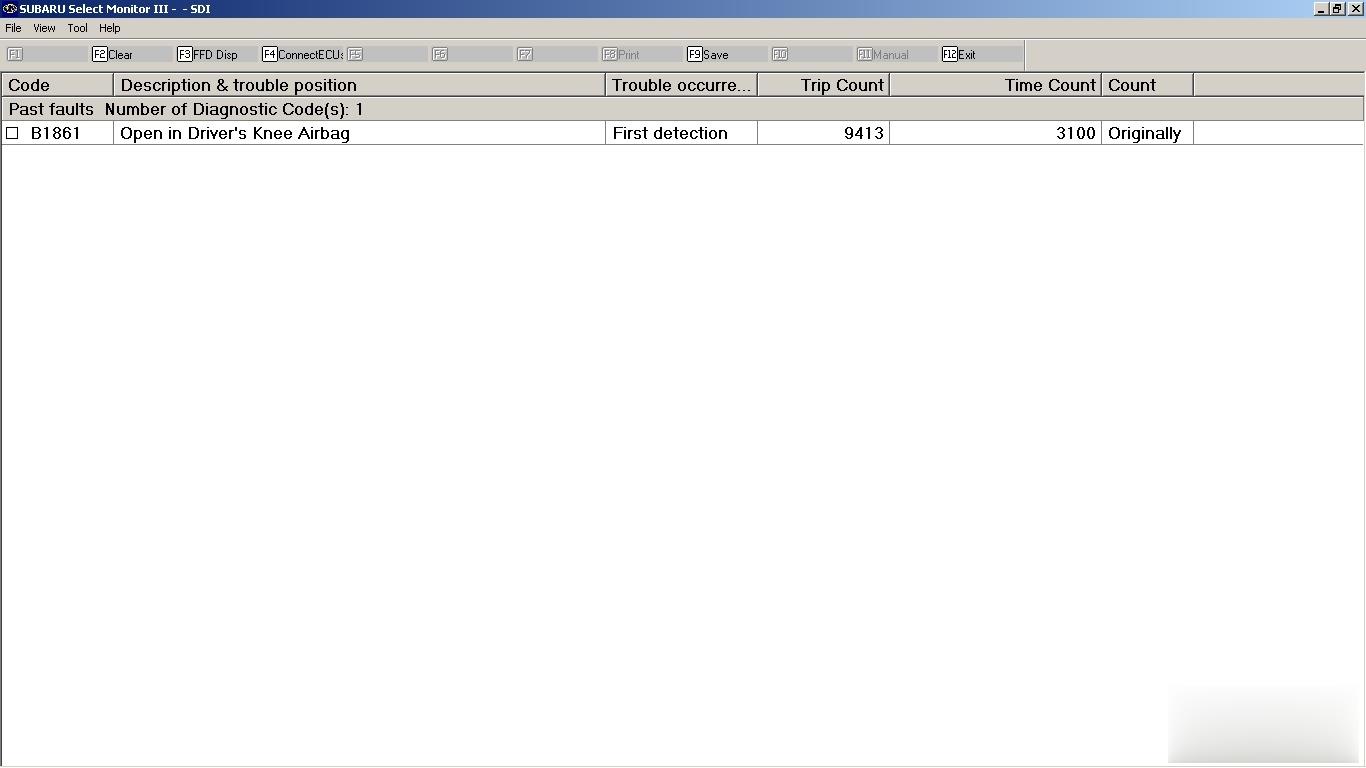
I was able to successfully clear this.
Stored Data from Code:

Then I think there was some ?’s regarding multiple module data gathering. It worked for some modules but not all, interestingly ECU didn’t work (this could be because mine has been modified, unlikely its the problem but possibly.)
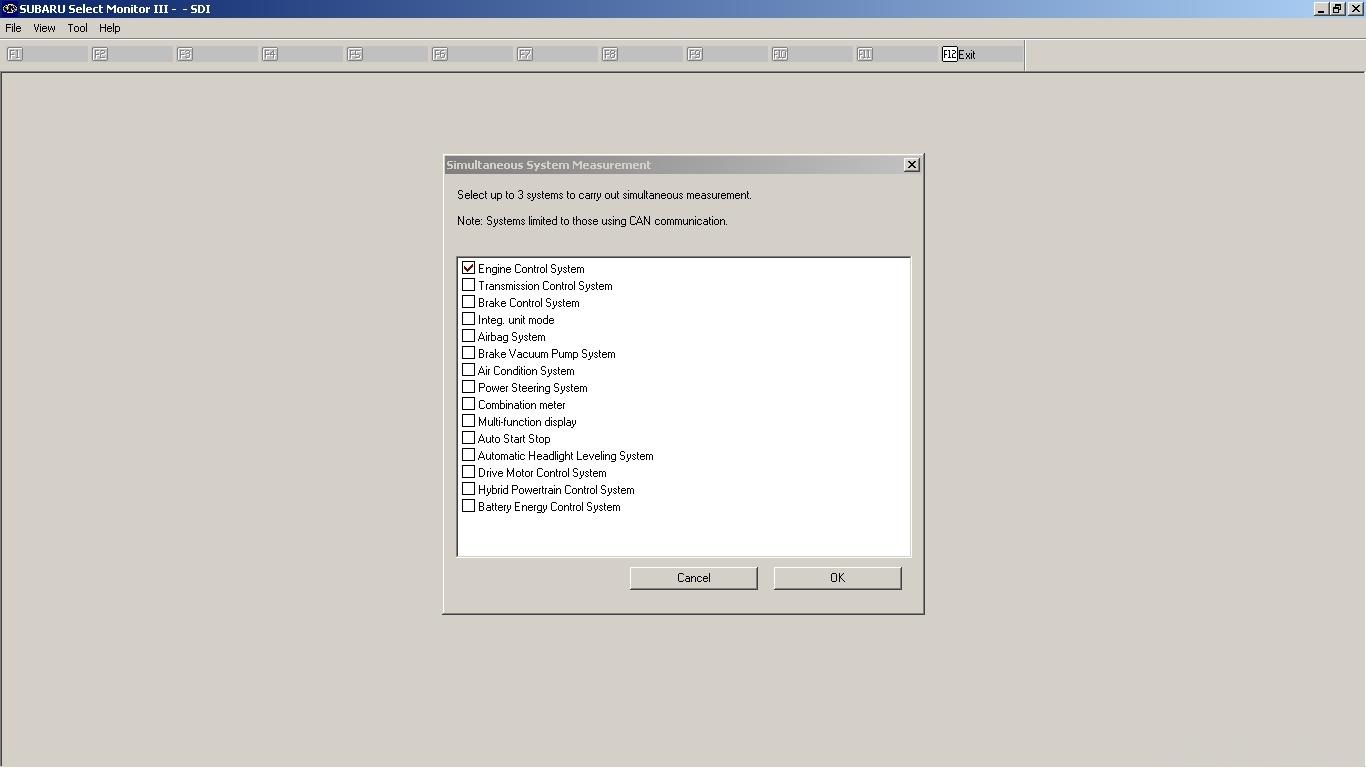
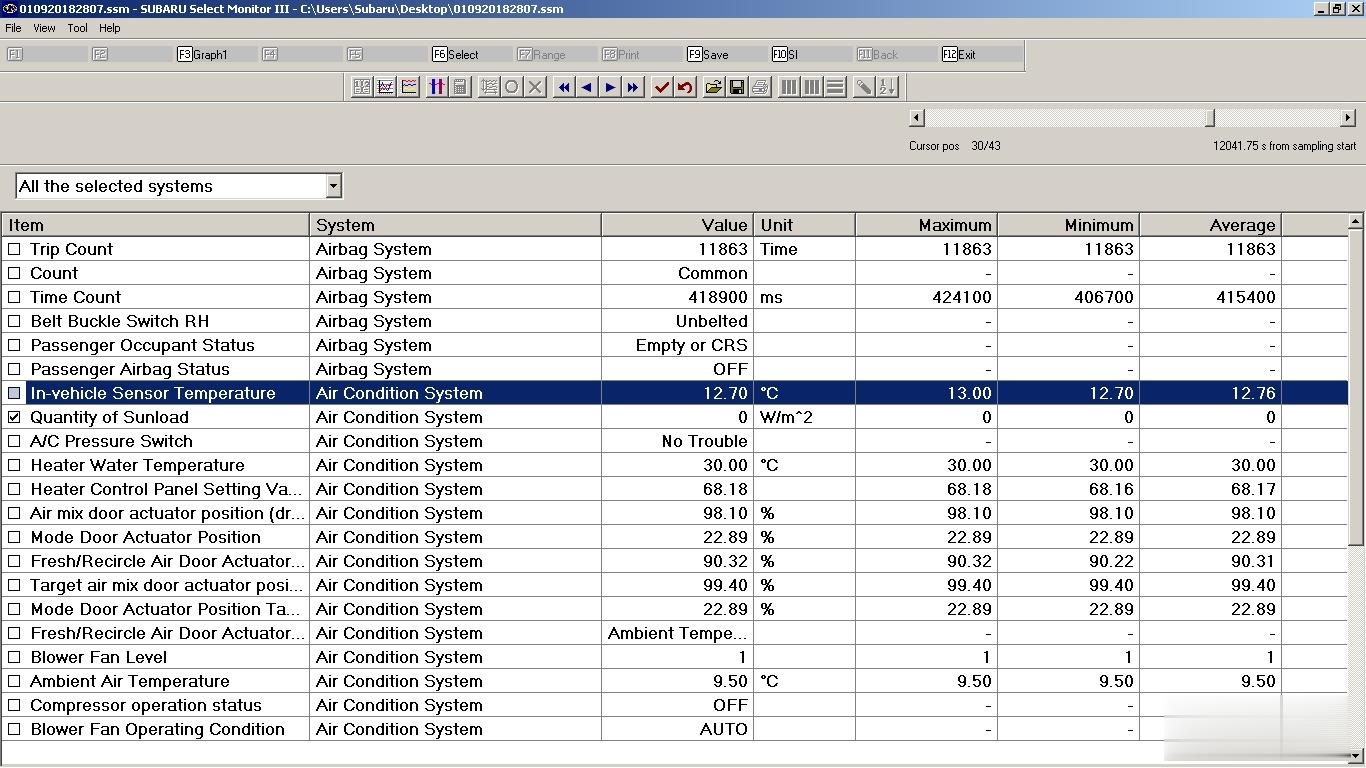
Example when connected to HVAC + Airbag shown below. Also shown is all that is shown under “Current Data Display & Save” for the airbag module.. So I assume you get more data with an EDR report as this data display doesn’t even show vehicle speed. I wasn’t able to find a way to select only certain data points from each module to allow for faster sampling. Data can be recorded and saved, then reviewed just as it appears below (and as it appeared when gathering the data real-time).
I did have this running on Win 10. However, due to incompatibility with VX Diag for VW, and a recommendation for Honda HDS, I replaced with Win 7 pro. SSM works the same on both OS’. Note that all that is available for use with VXDiag is SSM III, NOT SSM IV.
User Review 2:
I purchased a VXDiag SSM III (Subaru Select Monitor III) diagnostic system. It came in handy was when i used it to recalibrate the steering angle sensor. The software was a pain to get setup but working properly.
It definitely does more than a regular scanner.
It just depends on if you think having complete access to all the systems in the car is worth it. It’s nice to have when I need it. I had a VDC code that was for the steering angle sensor. Rather than go to the dealer, I just busted out the knock off SSM and calibrated it in the driveway.
I tried to reprogram a new key with it, but you need a code from the dealer.
I posted up a screen shot of the menu for SSM III, so you can see all the different things you can access.
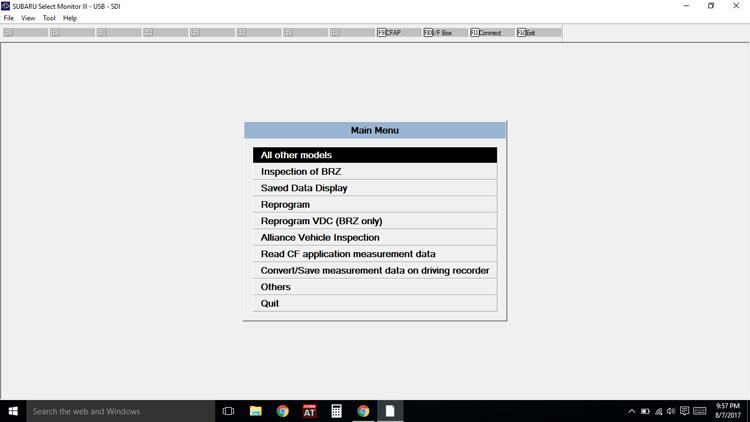
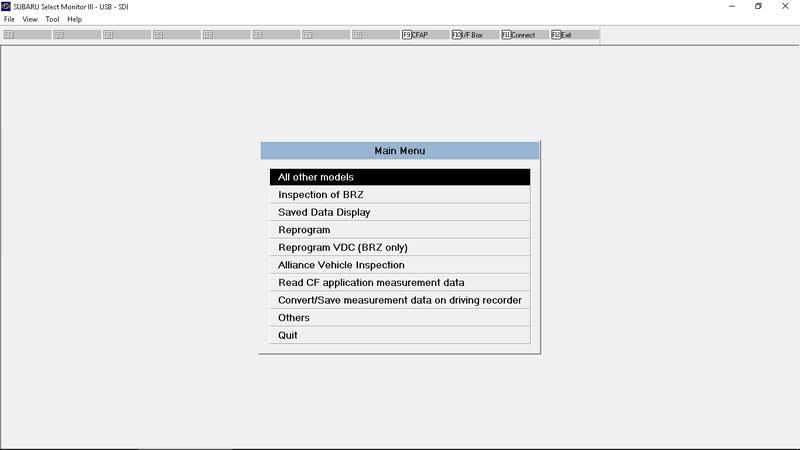
So, if you feel all the features are worth it then you’ll like it. At this point it’s just a novelty for me.
User Review 3:
I have one VXDIAG Subaru SSM3 and find it useful as it will talk to everything on the car, including immobilizer systems. . . it emulates the SSM3 and uses cracked SSM software and its own VXDIAG driver (which is why it’s such a pain to set up). It is *extremely* picky about operating system. I wound up having to buy a new(ish) laptop running win7 to get it going.
But my mission is a bit different from most. I make and program keys for a living and for a while the SSM was the only thing that would program the prox fobs. Not true anymore but I still paid less for the VXdiag with software than I would for a single piece of software for my T-code pro. . and there are 3 for Subaru. I have one which only covers the earliest models.
I also find it handy for doing stuff like turning off the passenger seat belt warning (my dog rides over there sometimes and doesn’t like wearing his belt) or setting the wiper de-icer to work for as long as I tell it to instead of a 12 minute cycle. Or make the door locks unlock with one press of the remote. All of this is stuff you won’t be able to do (AFAIK) with any other scanner.
I also rebuild wrecks and it’s the only thing that will talk to the airbag systems so I can figure out WTF is making the light stay on after cobbling together a car from 2 or 3 others.
You could pay the $3k for a legit SSM3 plus another $2k/year for software and have no problems with install. . .
But if all you want to do is check/clear codes and view live engine data occasionally, yeah, you don’t need OEM one. Just go for a clone.
FYI:
You need an immobilizer code (which is VIN specific) to program keys/fobs. It does not change so once you have it for your car you can go nuts. Odds are your dealer would probably give you YOUR immobilizer code if you shop there somewhat regularly. They may charge you for it as I know they have to pay a couple of bucks to mama subie for them.
There’s also an ‘enabling password’ which is also static and I suppose is a very flimsy extra layer of security to protect the immobilizer features of the SSM. It’s 3781.
User Review 4:
I’ve got the VXDIAG Subaru vcx and its fully functional as far as I can tell. Plan on buying a spare laptop for it.
I’ve connected to all the control modules easily, It needs internet access and has to connect for the VxDiag license. and changed the Body Integrated Unit programming.. It gives trouble codes and descriptions for all of the modules. Here are the pictures of the X-Mode light lit up on my Impreza Sedan. A single check engine code disables my cruise and turns on about 5 dash lights, also pisses me off.
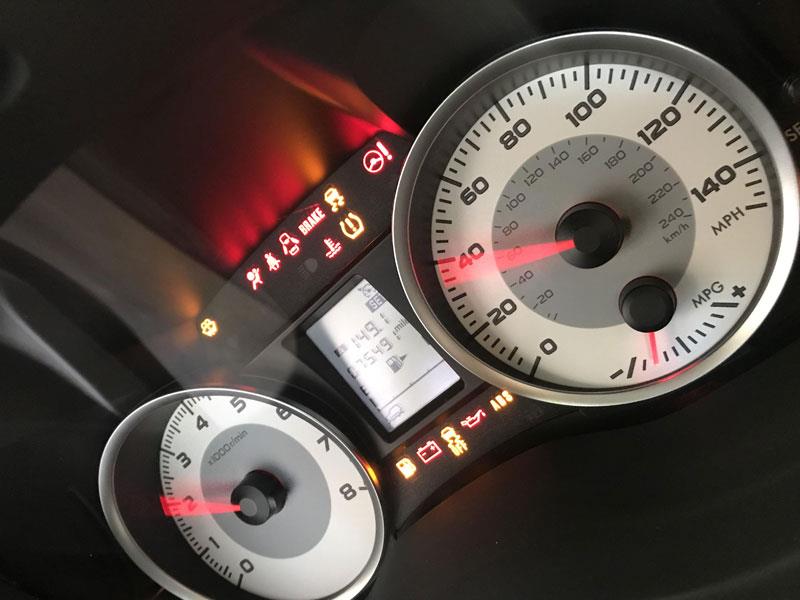
In my 2014 service manual, there is a very brief reference to x-mode. I think in a chart somewhere, I think it references where the button input would be to the BIU or ECU. It sort of appears that they considered making it possible to use XMode and then decided not too. Anyway when you connect and bring up a menu to change programming it has an option for X-mode.
I couldn’t resist.. so I changed it to see what would happen (probably not super smart in case it created a problem and I couldn’t change it back.) The end result was that when you turn the car on it shows a little SUV symbol in the bottom left of the LCD on the cluster during the needle sweep. More interesting (to me anyway) was the symbol never shows up, even when you use the tool to light up all of the LCD segments, until you turn this on. Also, upon changing it back to No X-Mode didn’t turn that light off without disconnecting the battery. To really try to find out if it would do anything you’d still have to ground (or +12, I don’t remember) the input on the computer.
I have a stick so I don’t think it would do much in my case anyway. The transmission and diff is totally mechanical, unlike the auto’s (I don’t have an AWD warning light either, except when testing the bulbs with the scan tool). It might do the braking thing I’ve seen described and change the throttle response though… I think I read on a different forum that the vehicles with X mode have a different part # for the brake control module/ abs pump.
here are the pics.
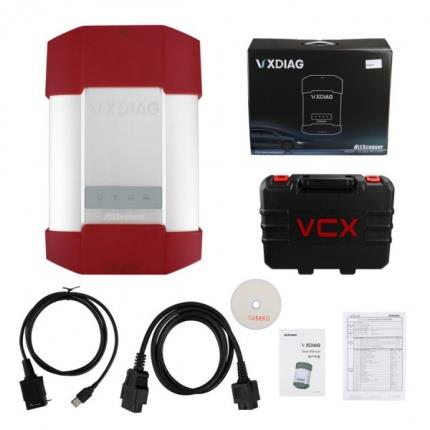
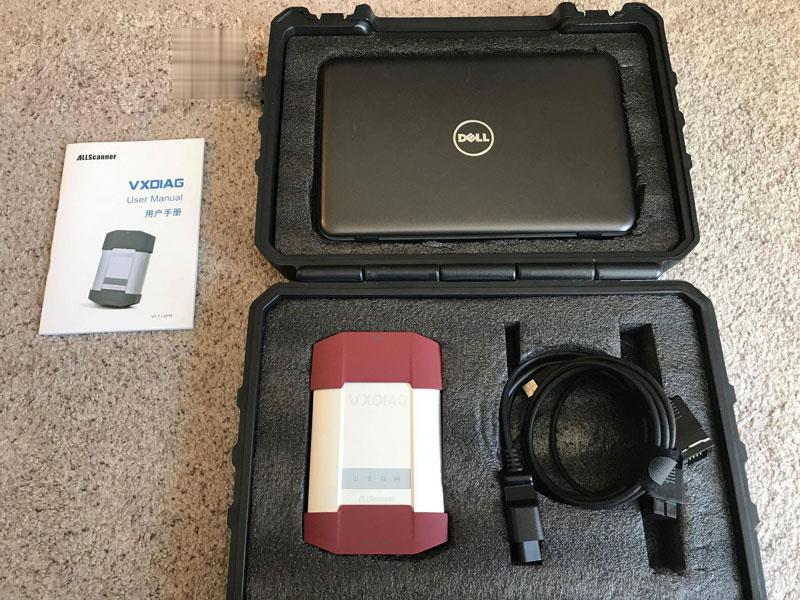
The system comes with a hard plastic case with foam on the inside. Three cables: OBD to box (box being the silver and red thing), box to usb, and box to ethernet. It has a wifi connection option too
I scratched out some of the top foam to put the laptop i bought. The box feels like good quality, actually I think the silver part is real metal (probably aluminum), good weight to it. The cords seem very high quality, the plugs, pins, and rubber. It has some status lights.

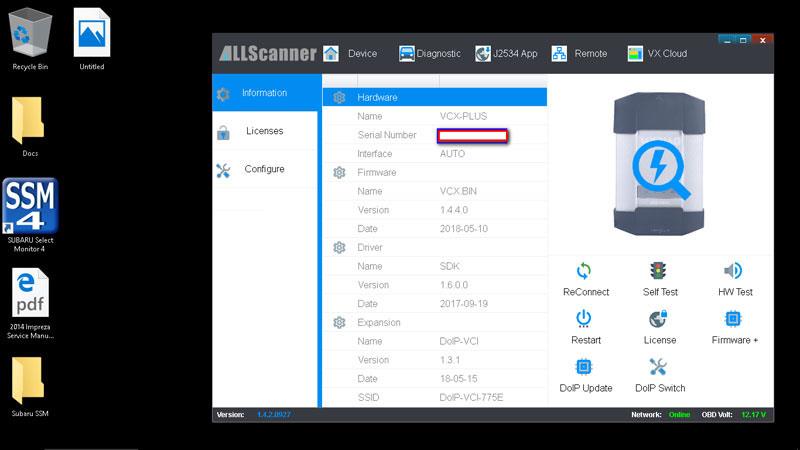
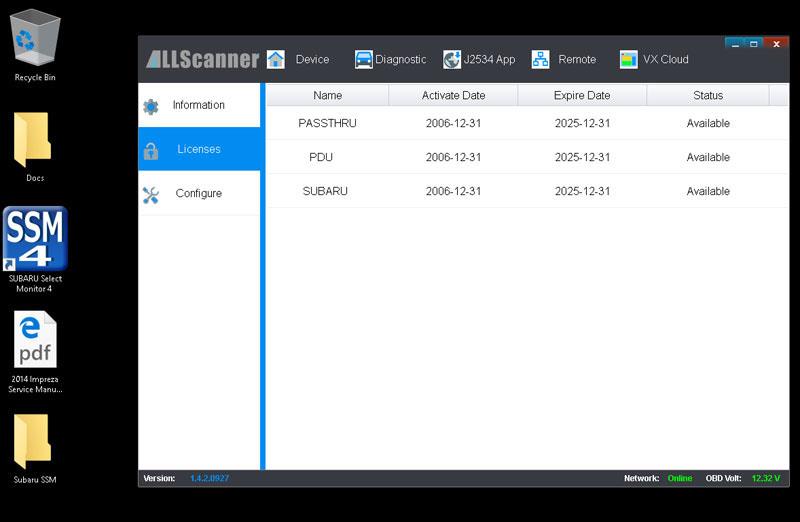
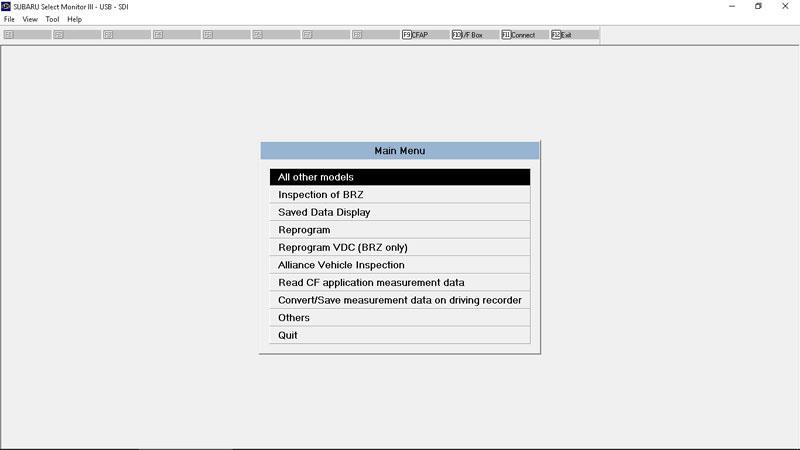
Main menu.
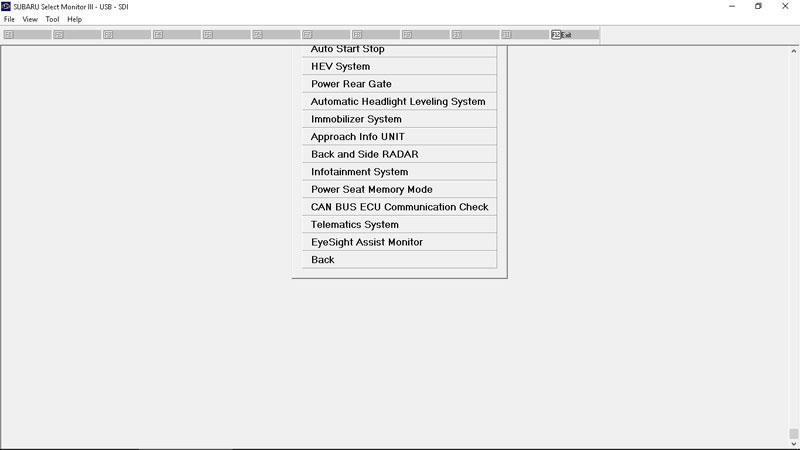
Some of the control modules you can connect to: ECM, airbag, brake, cruise control system, Auto Start Stop, HEV System, Power Rear Gate, Auto Headlight Leveling, Immobilizer, Approach Info UNIT, Back and Side radar, infotainment, power seat memory, can bus ecu comm check, telematics, eyesight. (The majority my car doesn’t have.)
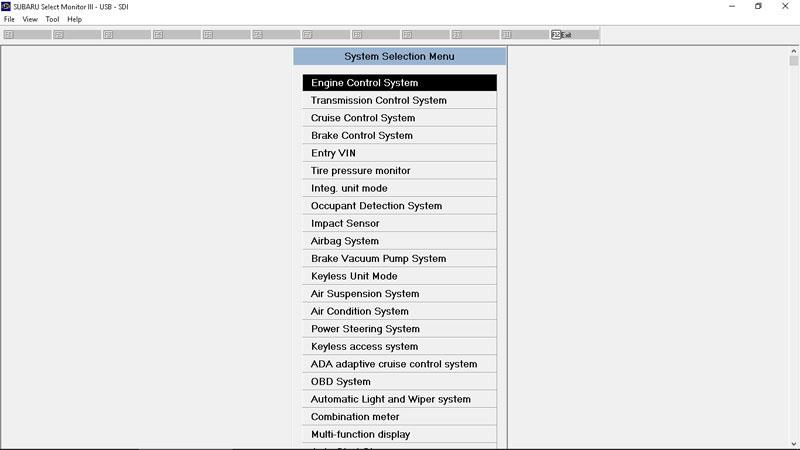
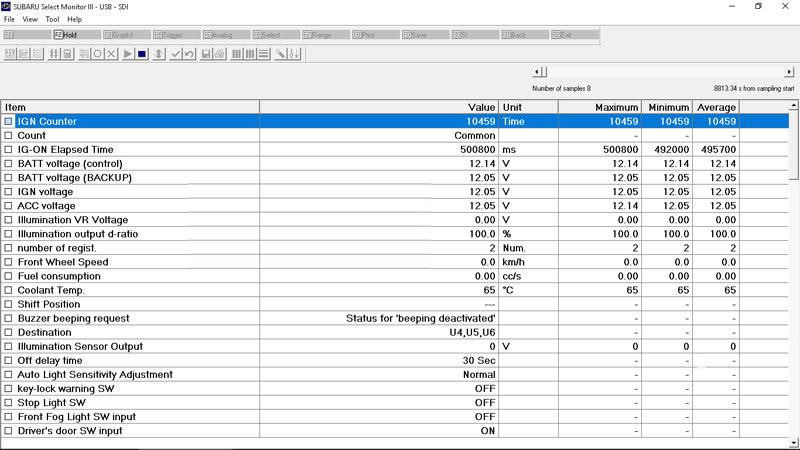
You can view real-time parameters.
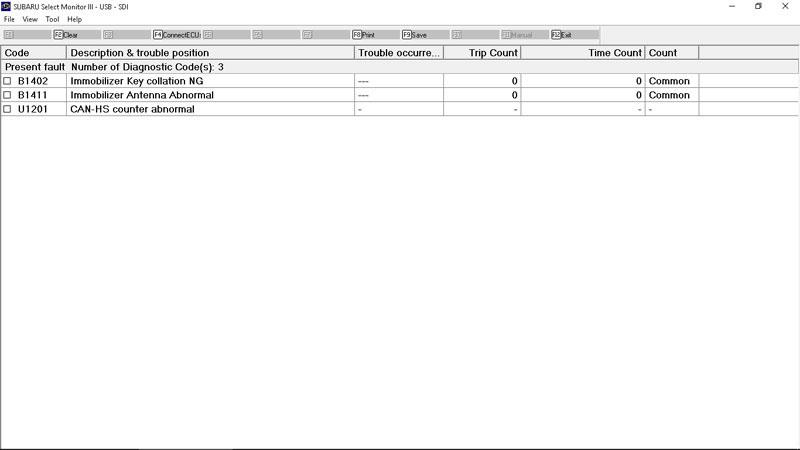
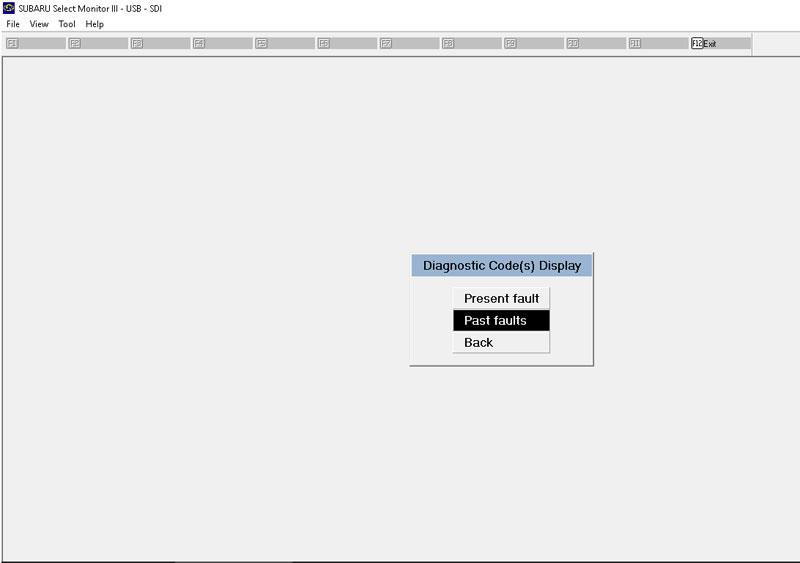
You can view codes with a short description.. Both current and past.
You can also do output tests, things like trigger door lock solenoids, horn, fuel injectors, etc.
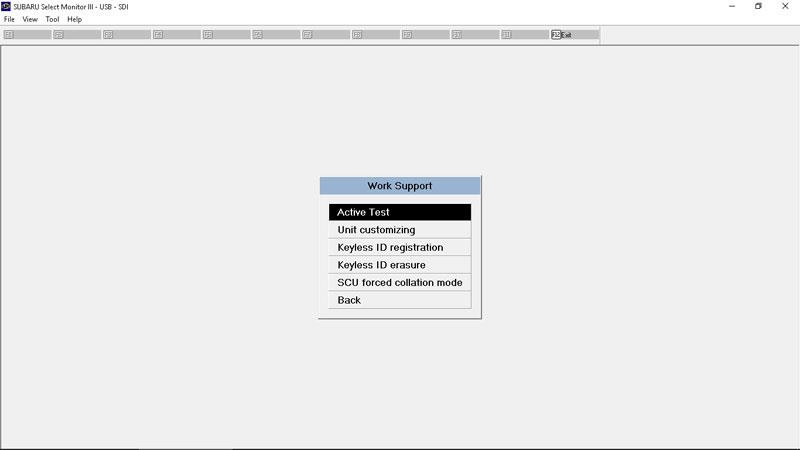
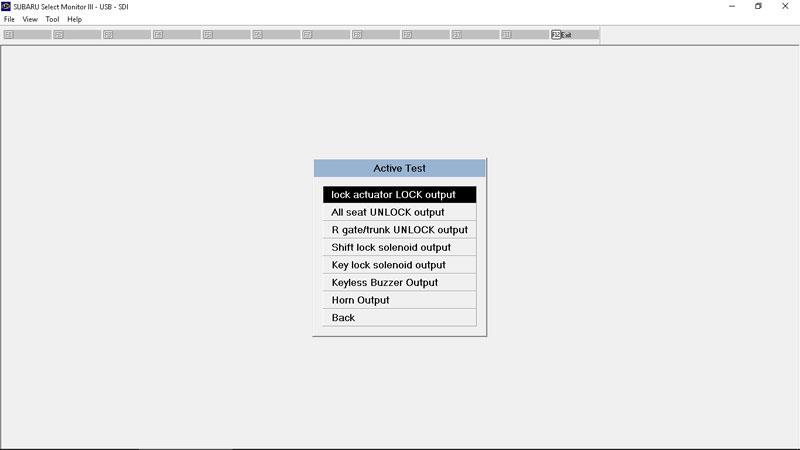
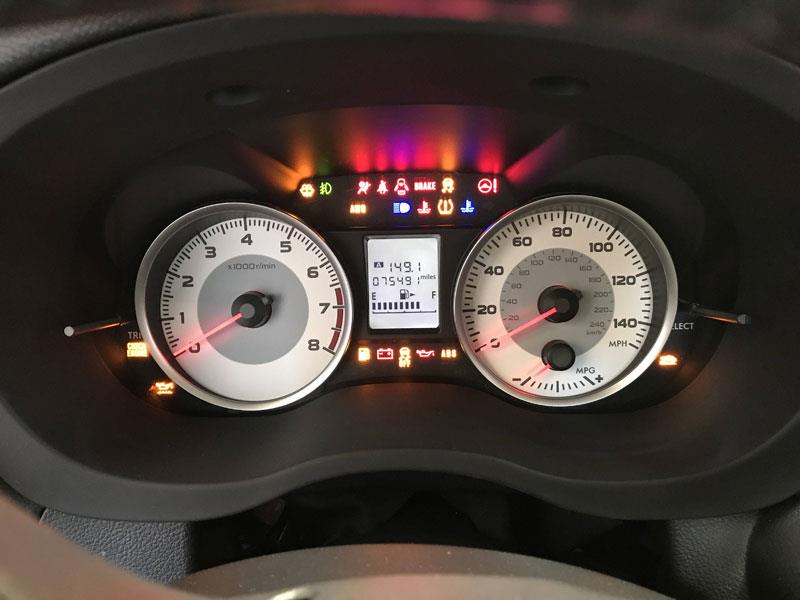
Output test: All lights on.
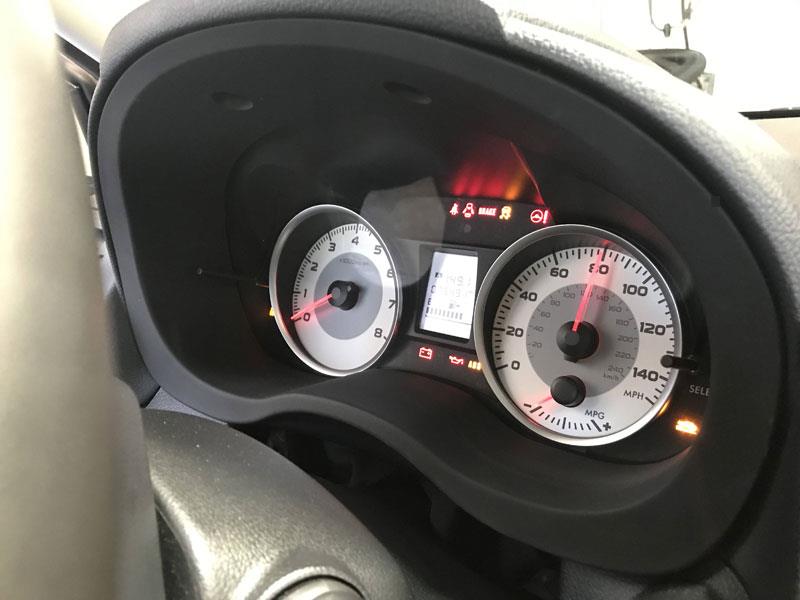
Output test: Speedo to 80.
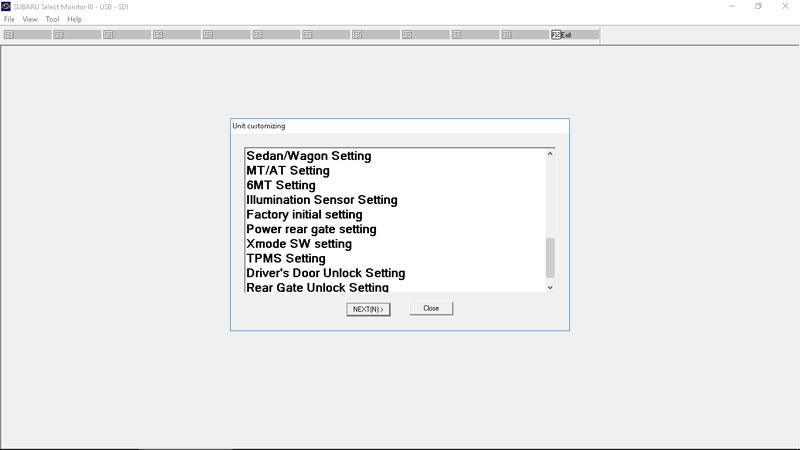
You can customize to a limited degree. Options on my car are (not all actually do anything, for either XV or Impreza, according to the service manual):
BIU Customization (theres more listed)..
Auto or Manual A/C (this was necessary to get the display to light up when i did a manual to auto climate swap with high grade mfd)
Rear Def. Continuous Or or timed
Security alarm on or off
Impact Sensor On or off
Alarm arm delay on or off
Lockout prevention on or off
Buzzer Sounding On or Off (beep when you lock and unlock, i think)
Abnormal warning lamp flashing on or off (flash when lock or unlock)
Passive Alarm ( Might arm alarm without needing to lock the doors.)
Door Open Warning
Dome Light Alarm Setting (Flash Interior Light when alarm goes off?)
Wiper Deicer On or Off
Country Code
“Off delay” (accessible from high grade MFD, i think its the interior light delay.)
Auto Light Sensitivity
Sedan/Wagon
MT/AT
6MT
Illumination Sensor Setting (Whether you have auto headlights?)
Factory Initial (Factory Defaults maybe? The service manual says “Do not change to factory mode.”)
Power rear gate
Xmode Sw
TPMS
Driver’s Door unlock (Driver or all, I seem to remember that this doesnt actually change anything, though.)
Rear gate unlock setting
Mean Fuel Efficiency Correction (This was nice, I fixed their “optimistic” numbers.)
Ambient Temp Correction
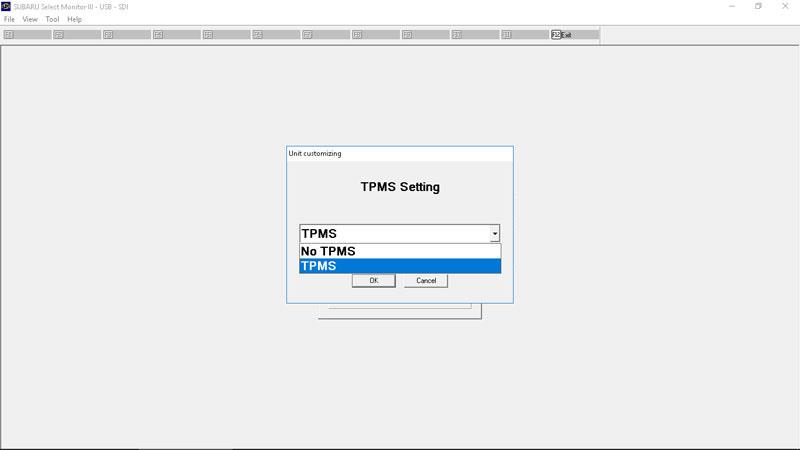
Use to program new TPMS sensors (you may need another tool though, to sort of wake the sensor up that is used near the tire.) You can read tire pressures.
Program new keys. How this is done specifically depends on the year the car was made, however. In some cases you do and some cases you don’t need “teaching codes” as I recall. The U.S. specs don’t have a Security control module, its more the collective ECU, cluster, and BIU.. Any one of the three if replaced needs to be programmed or the car doesn’t start. I am going to try to swap in an XV cluster to replace my impreza cluster after I have the oil consumption test (and recall completed if it fails that test).
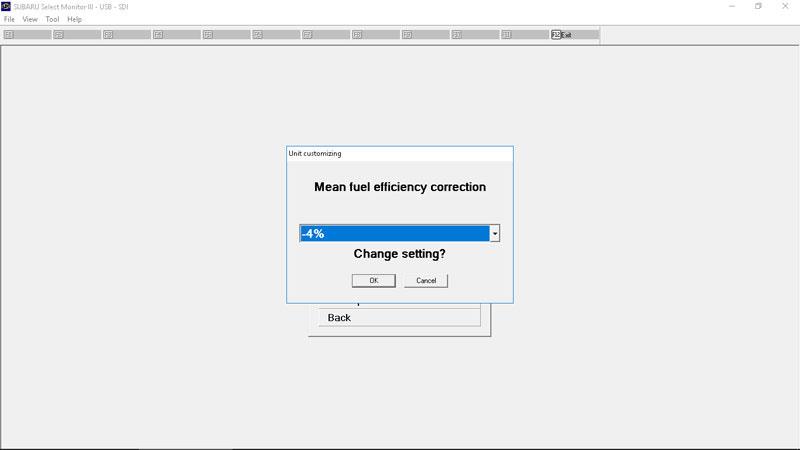
Combination meter adjustments.
Set a new center on steering wheel for VDC.
Read and clear crash data record.
Re-level, correct headlight level for cars with HIDs.
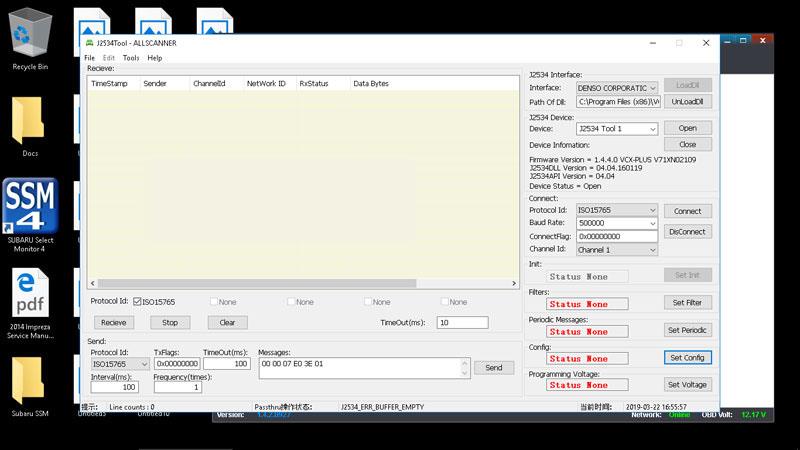
“Pass through” mode.. this is an extra, not part of the actual Subaru tool.
It is a good buy indeed.
