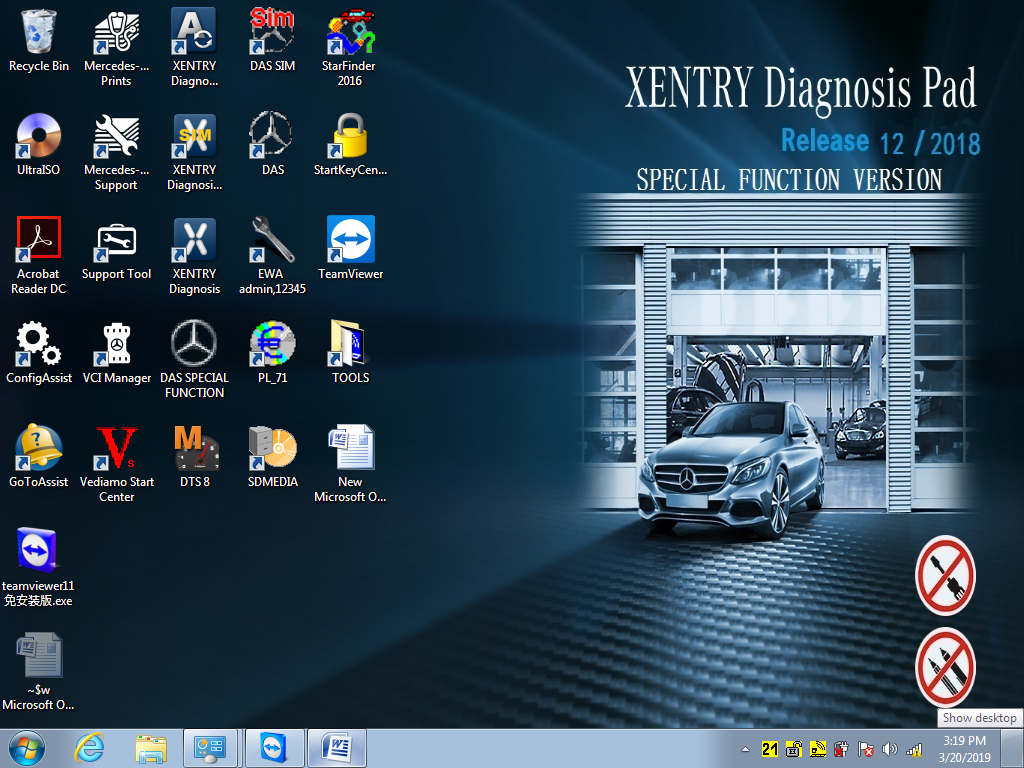
Recently , there have customer gave feedback that the Mb Star C5 which he bought have displaying MBC4 , the photos like bellowing :
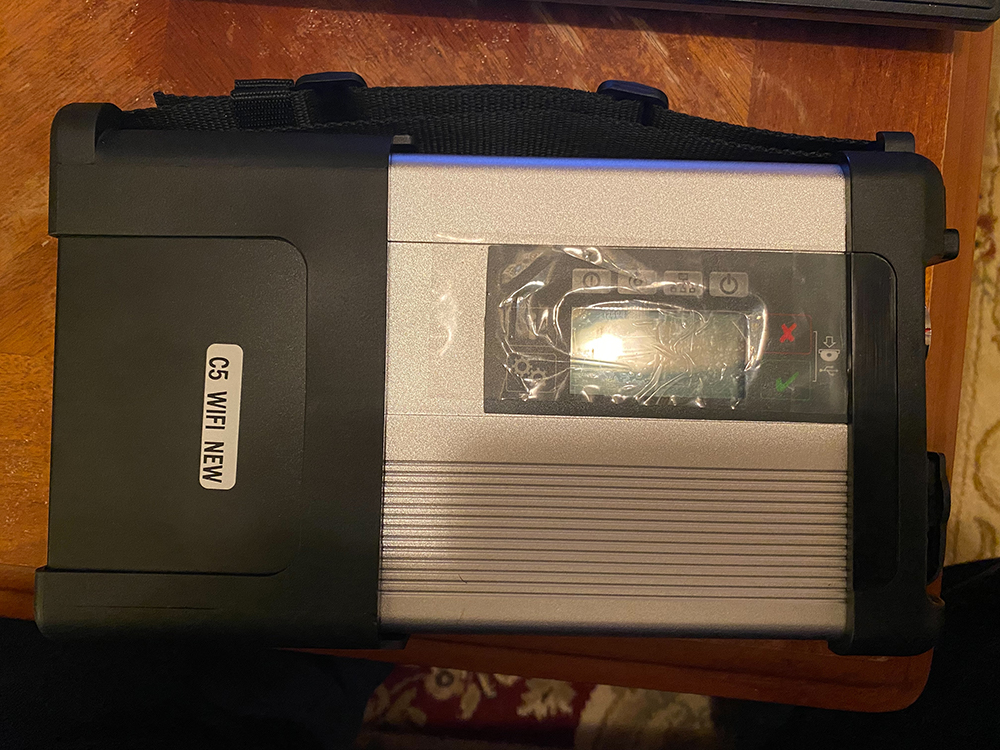
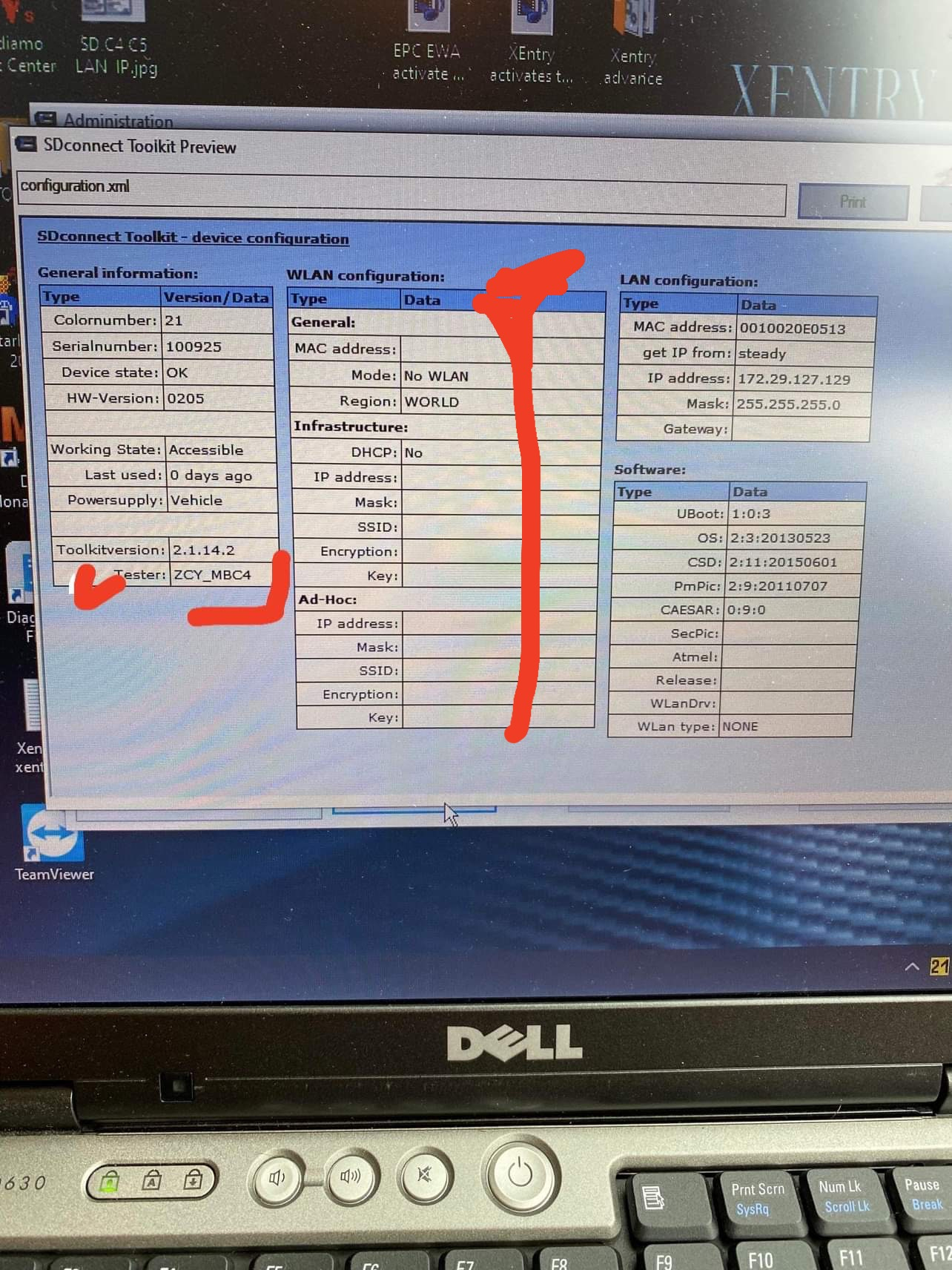
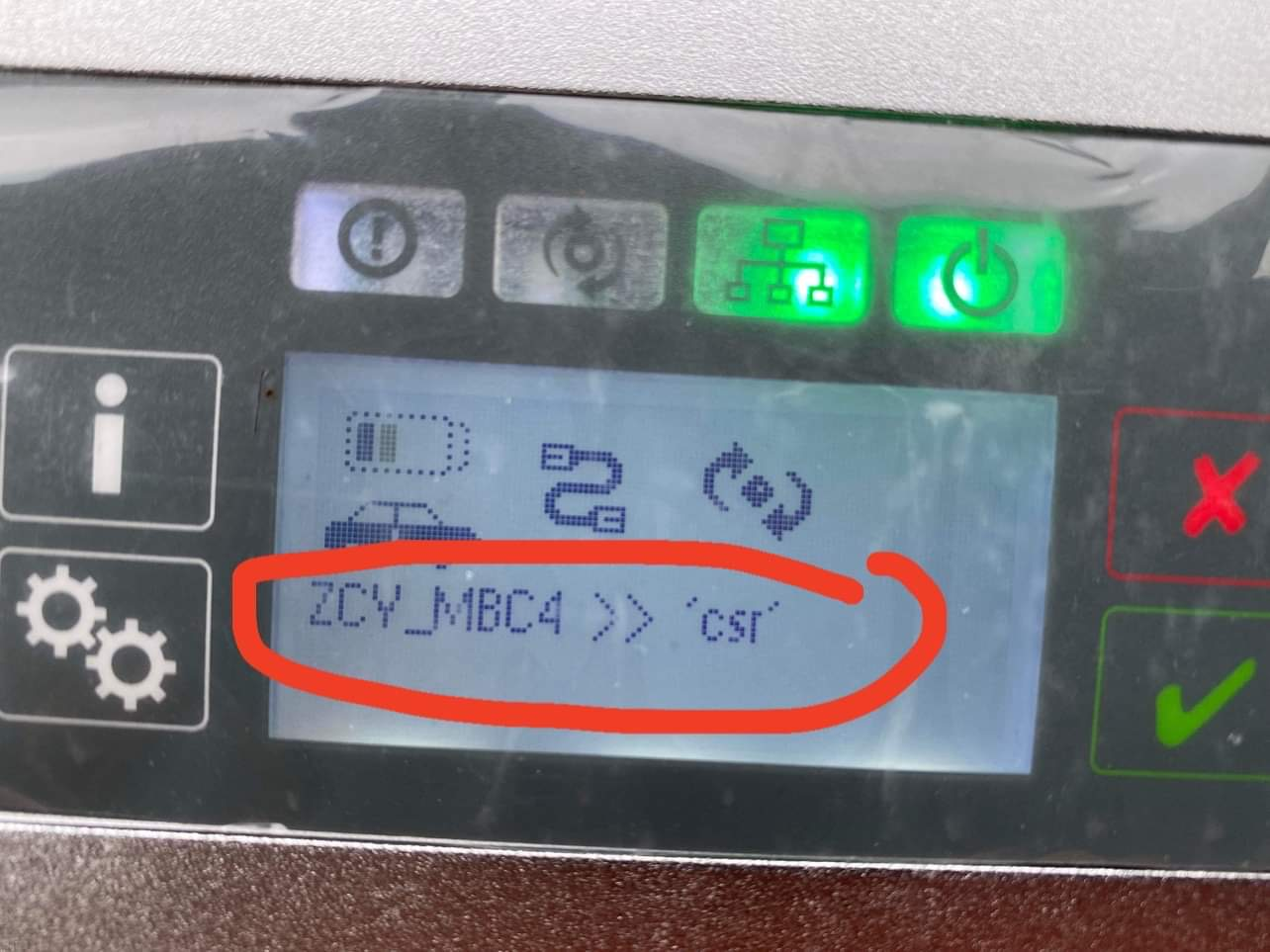
We’d like to say that all these displaying are normally and correct , all mb star c4 and mb star c5 with the same software , and just the hardware device design different
He also have problem cant be connect wifi , first , when you search wifi must to select mbc4 not c5 , and need setting wifi , how to setting the MB STAR C5 WIFI as bellowing instructions :
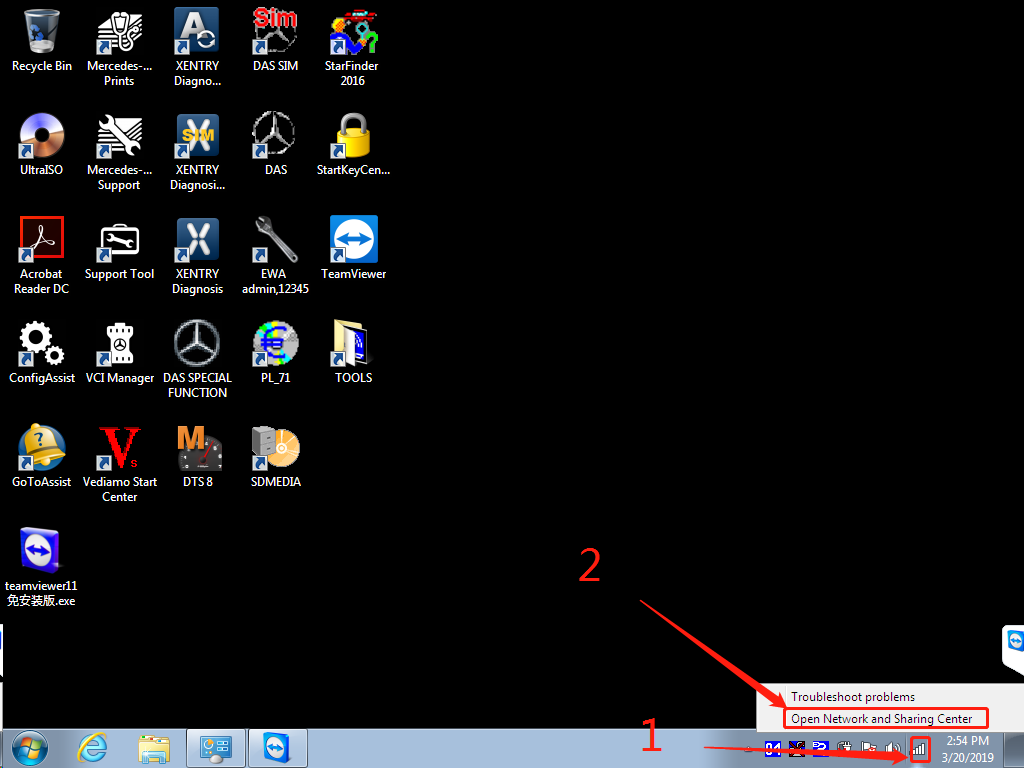
1.click Open Network and Sharing Center
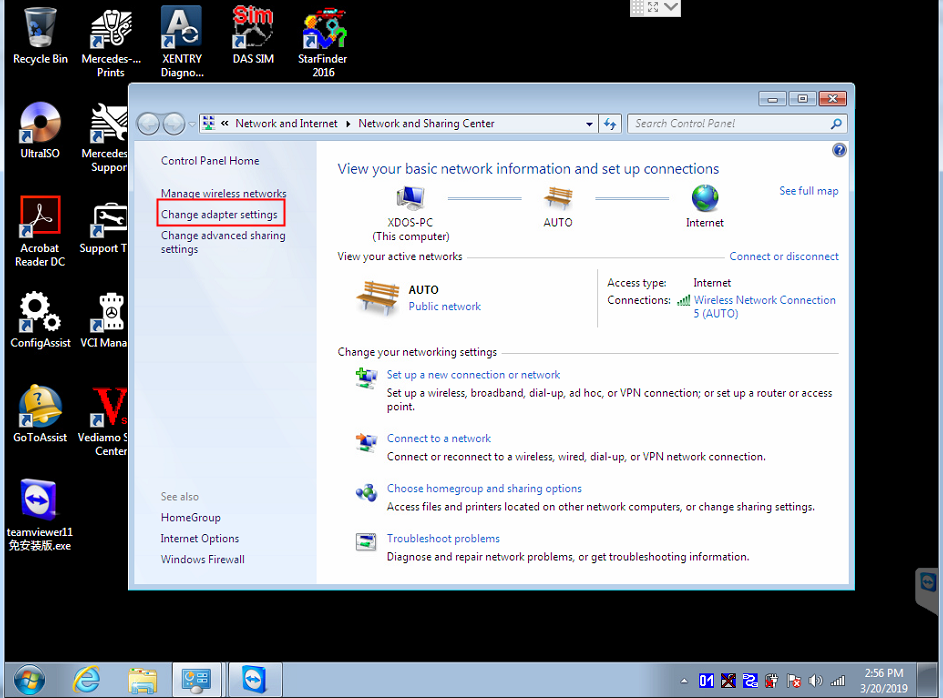
2.click“Change adapter settings”
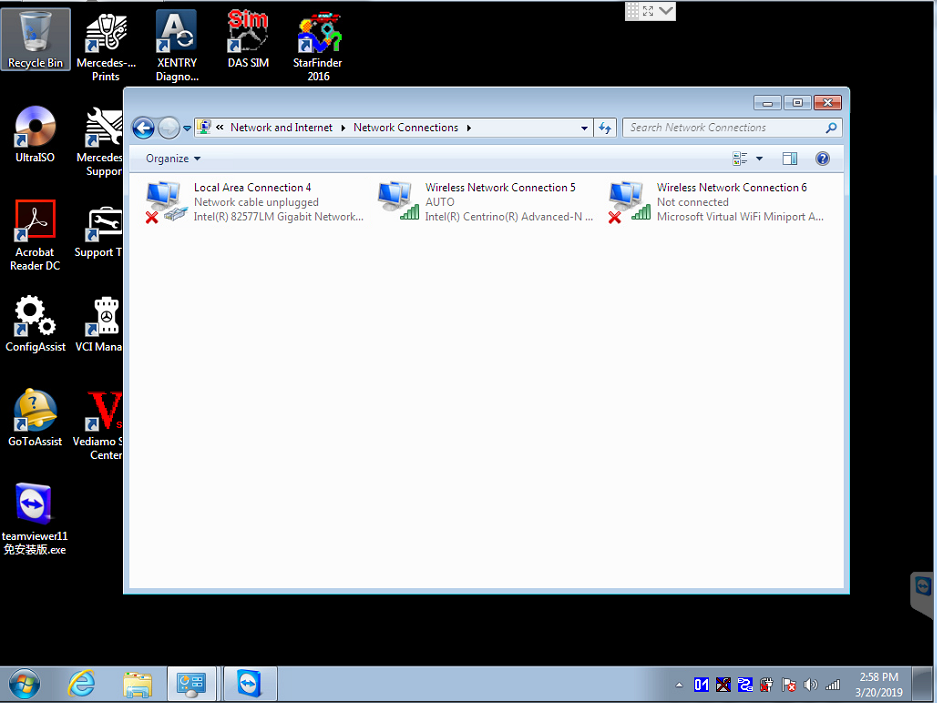
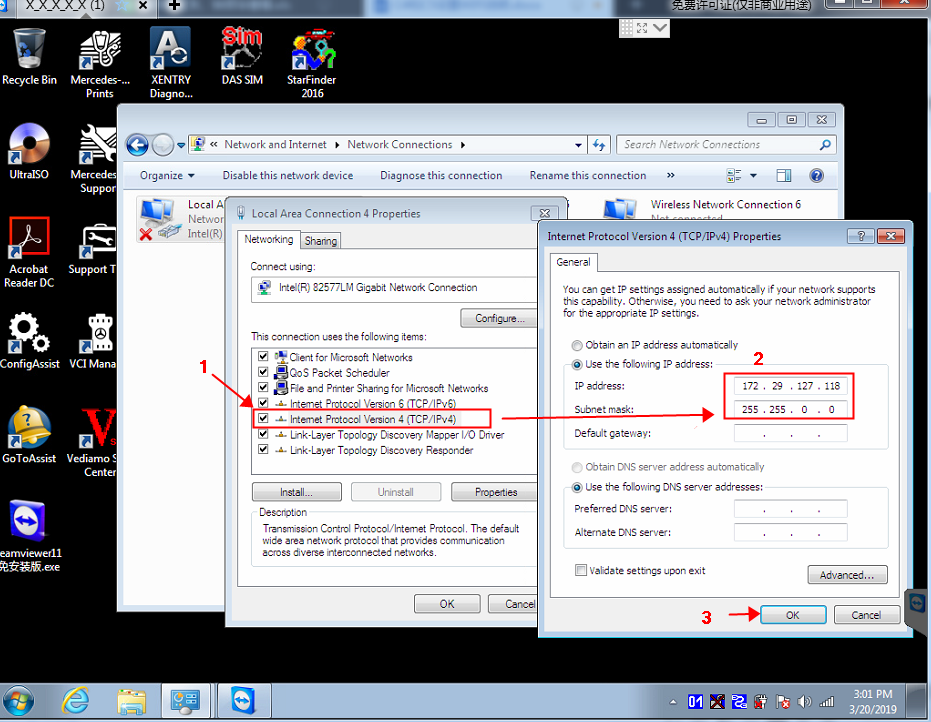
3.setting wired IP
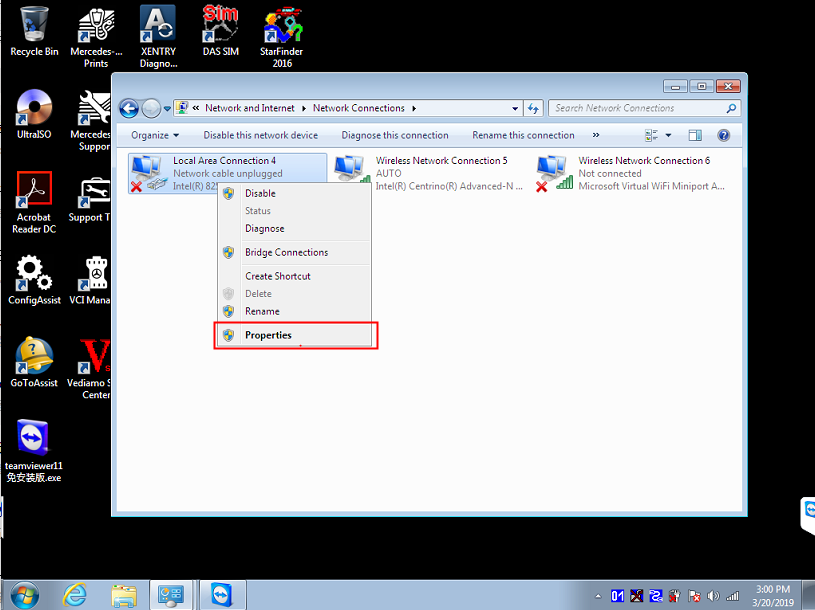
Setting :
IP:172.29.127.118 Subnet mask:255.255.0.0
4. setting WIFI IP address :
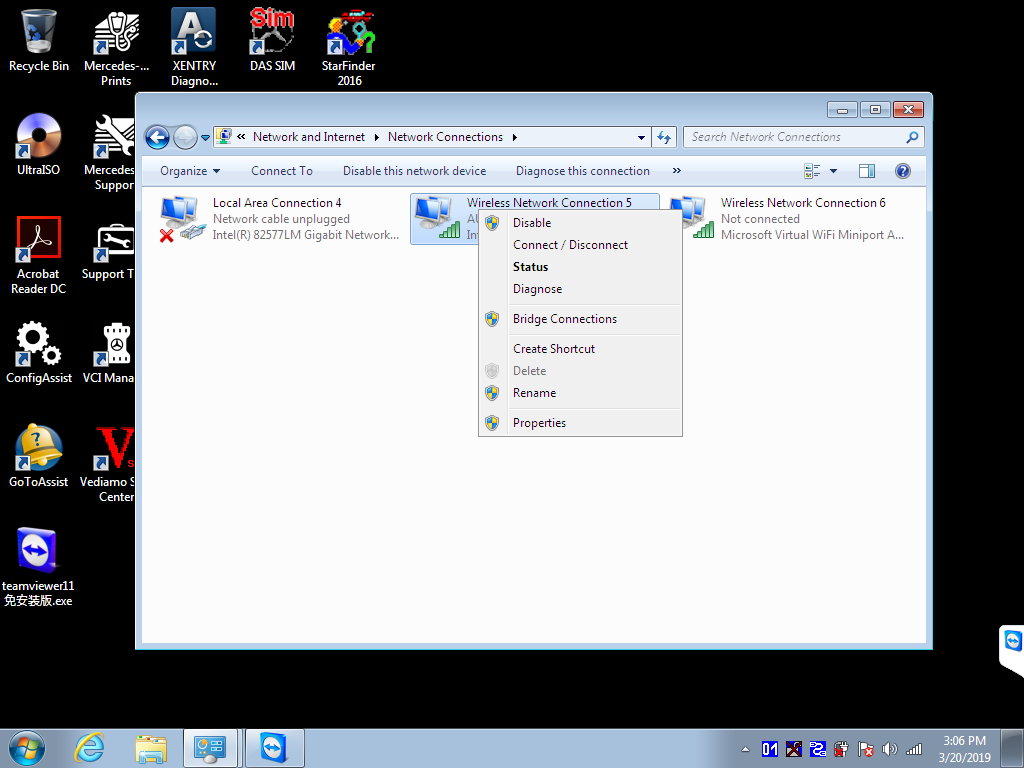
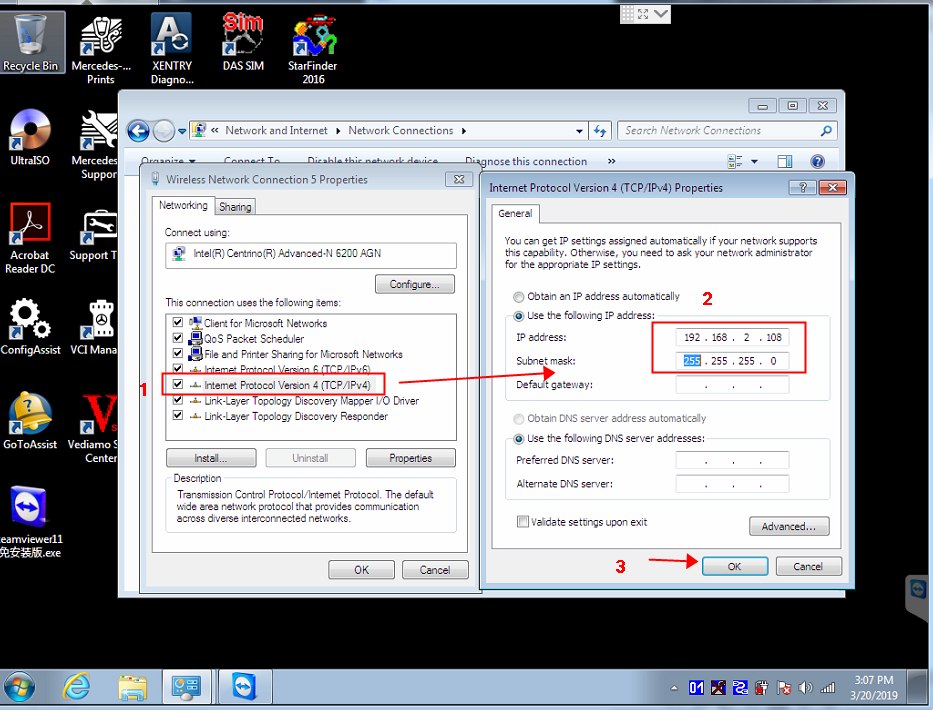
5. setting C4/C5 Main unit WIFI connect password, connect the C4/C5with your car and star car engine first , then connect the network cable connect with the C4/C5 and laptop .
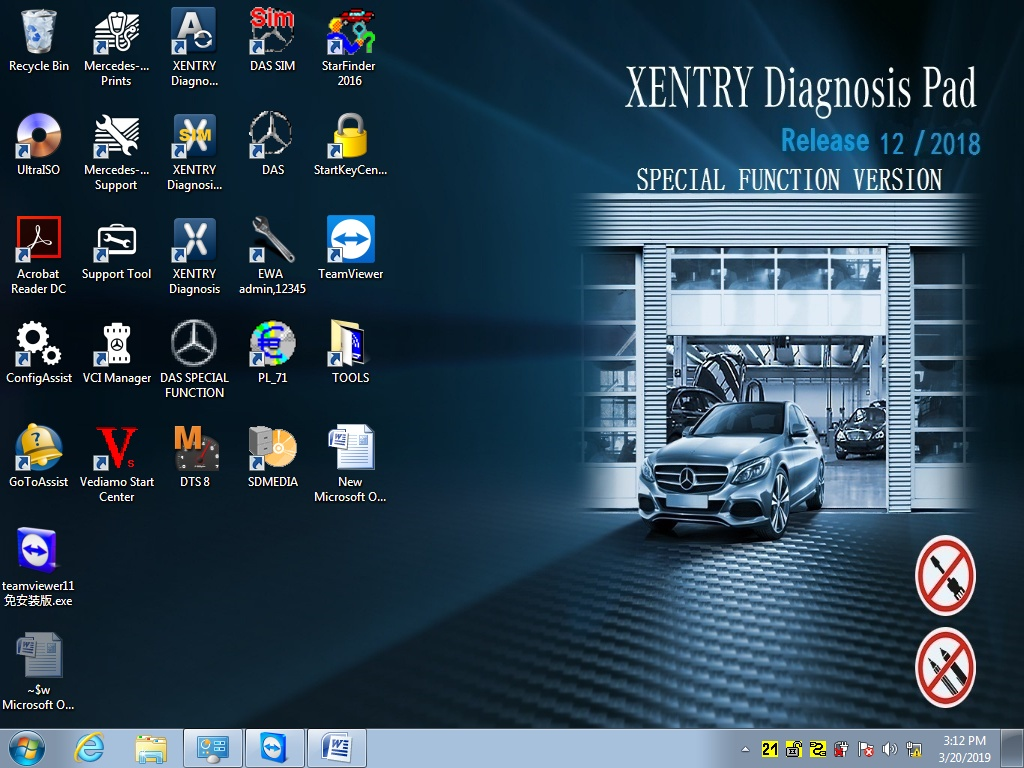
right click this icon  ,choose Administration
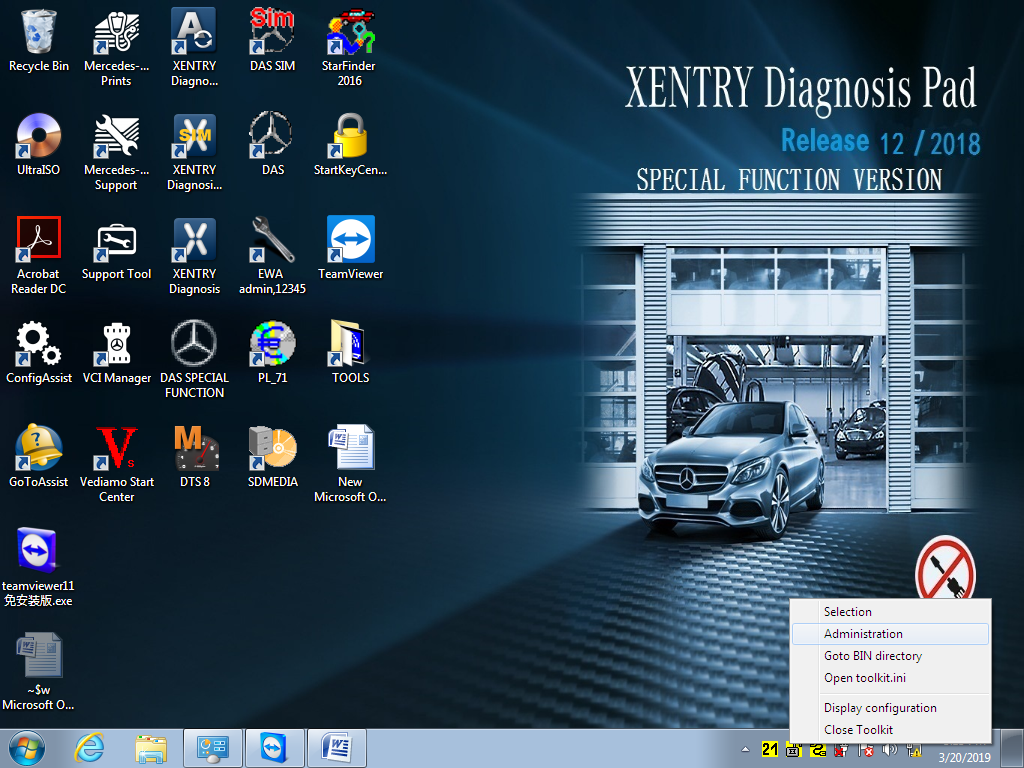
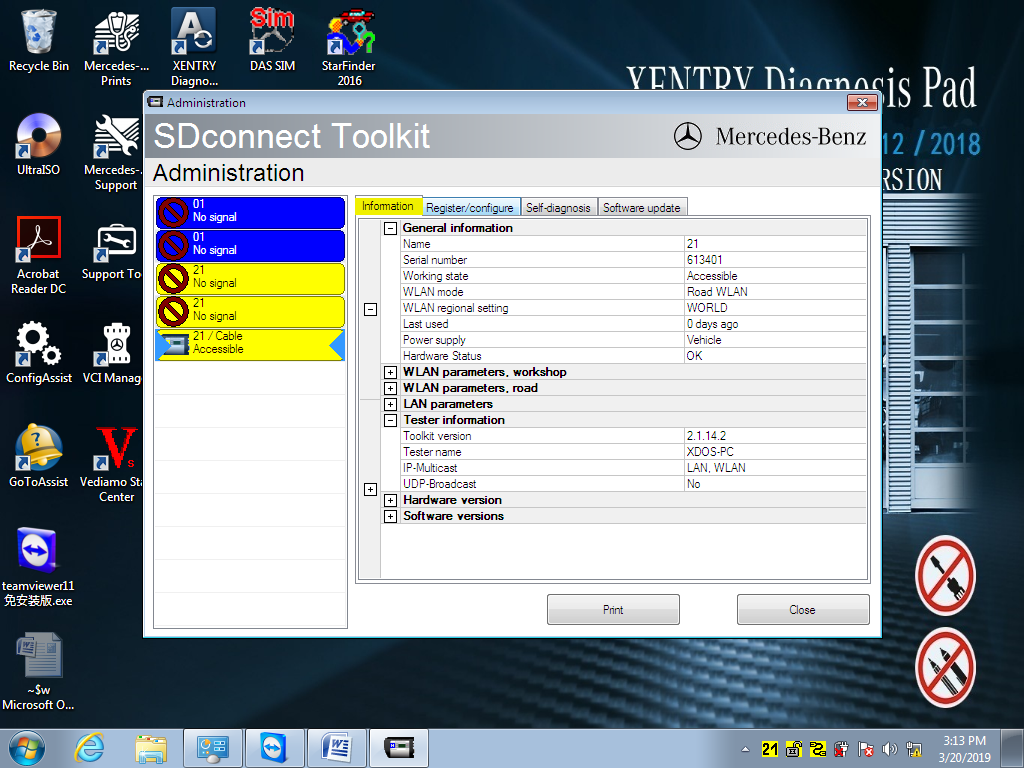
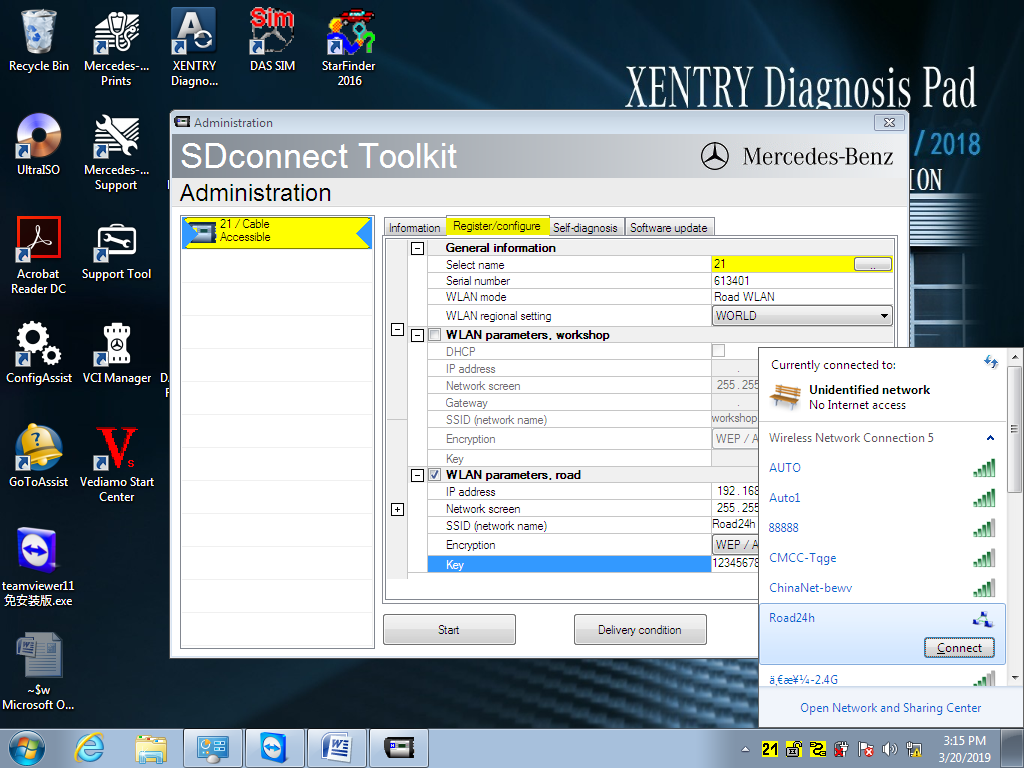
Under Administration,select  Register/configure,in KEY put :1234567890123(13 password),then click Star
  confirm .
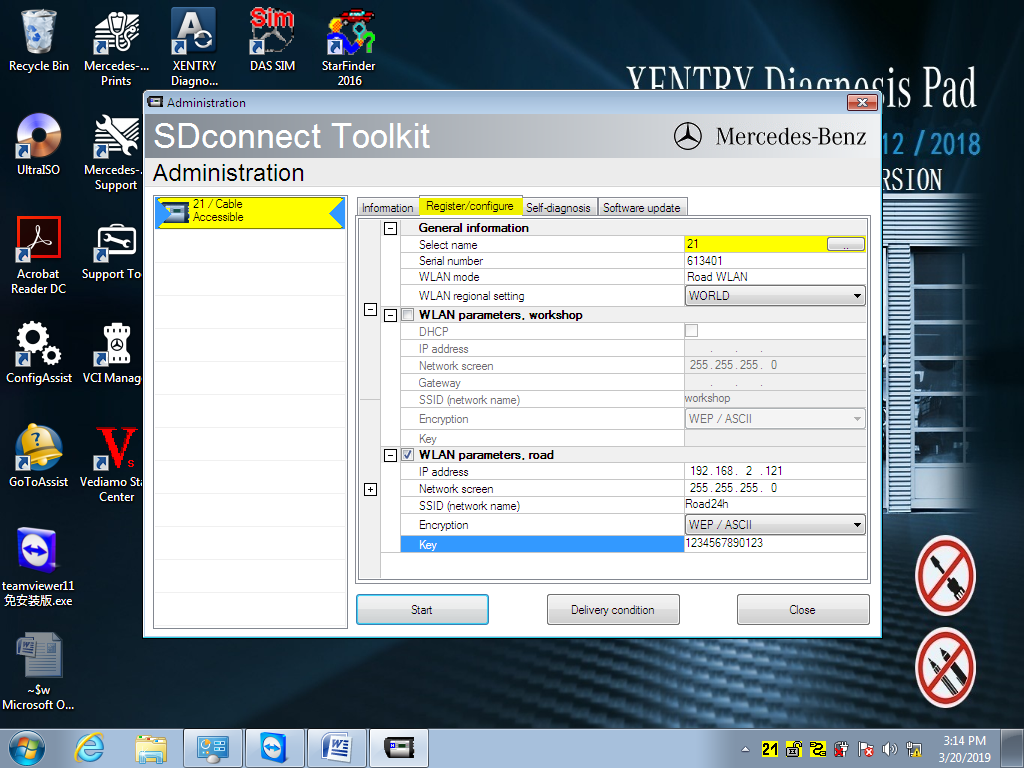
Click the icon  ,find
,find  Road24h from WIFI,click Connect
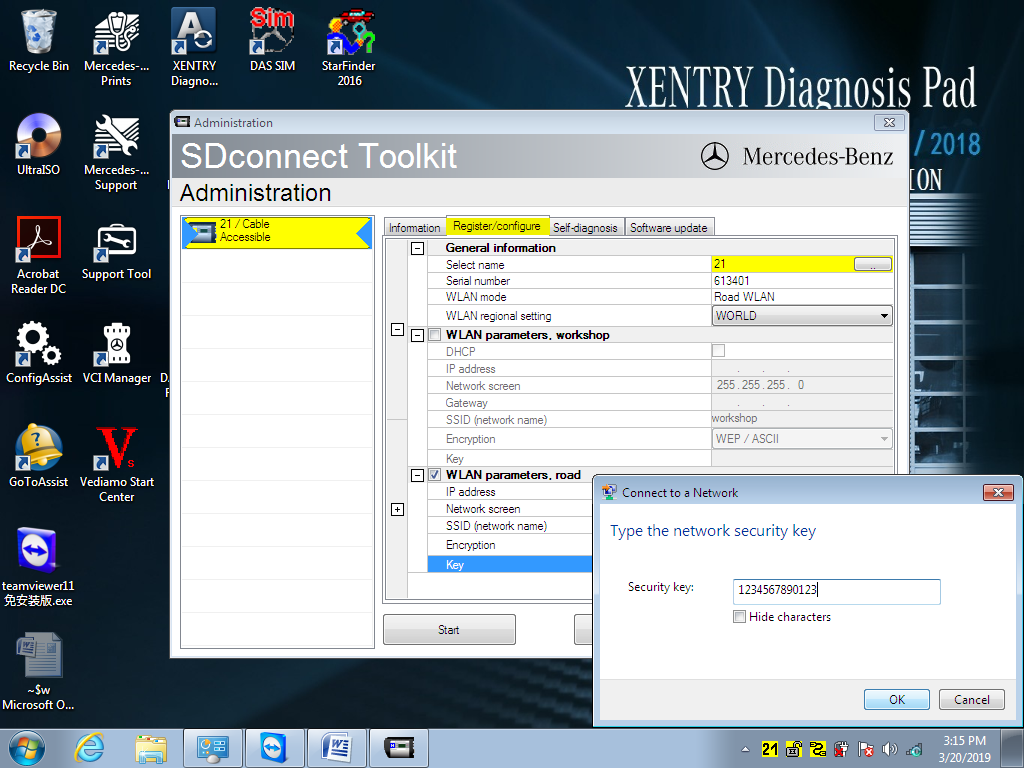
Put setted 13 digits password :1234567890123
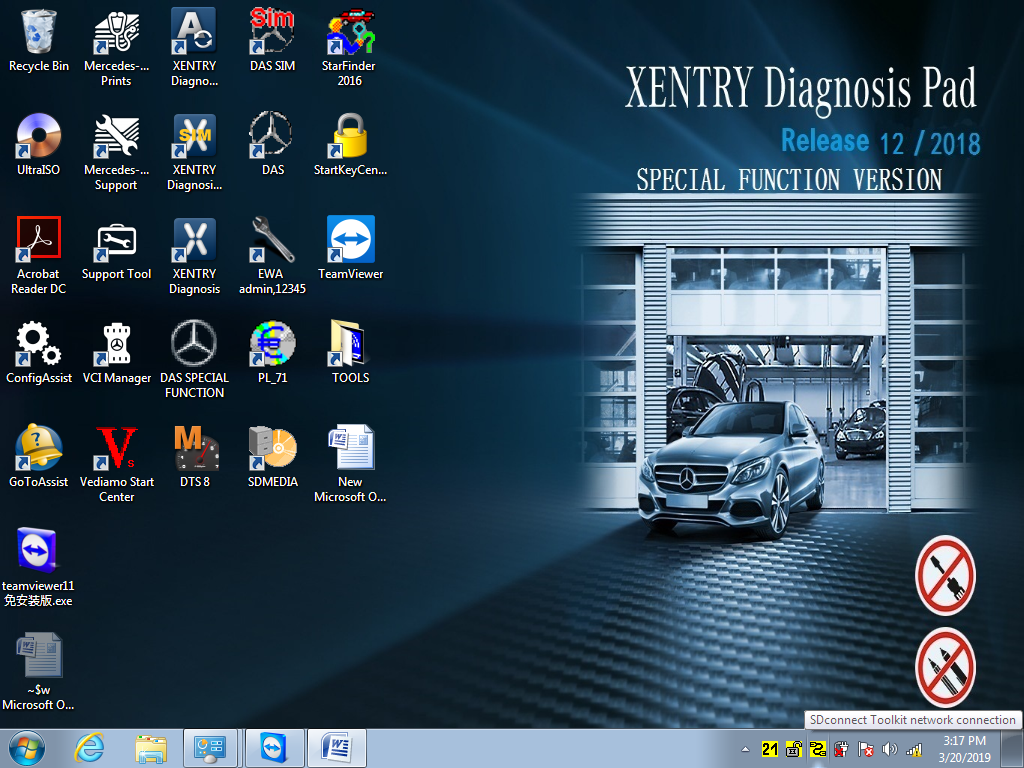
Right click the icon  ,choose Selection
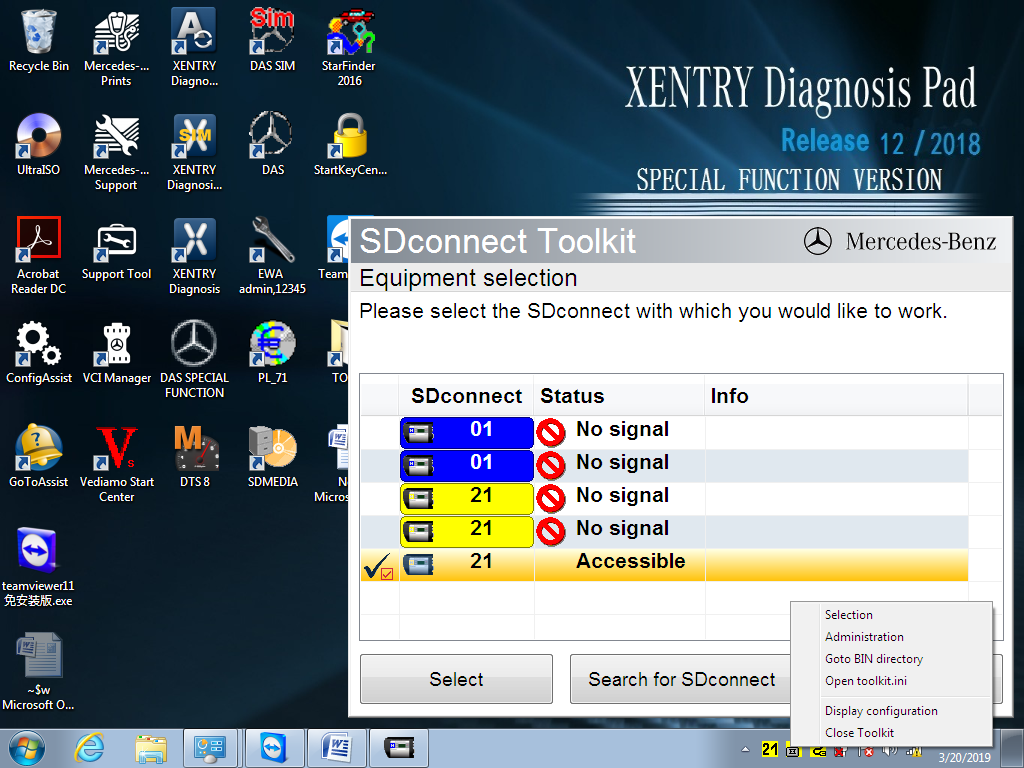
Disconnect C4/C5 main unit network cable , click : Then choose
  。
。
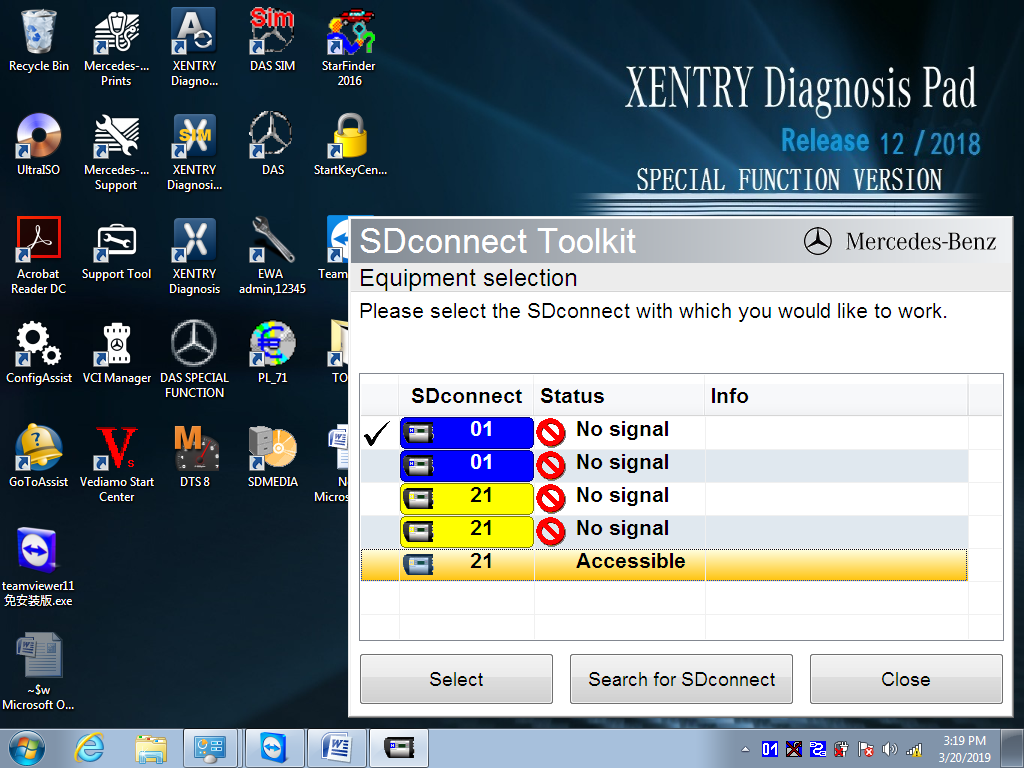
You will see these icon  then will be ok