When you use Porsche Piwis 3 Software dont know how to enter into developer mode ,
You can check the steps how to do as bellowing instructions :
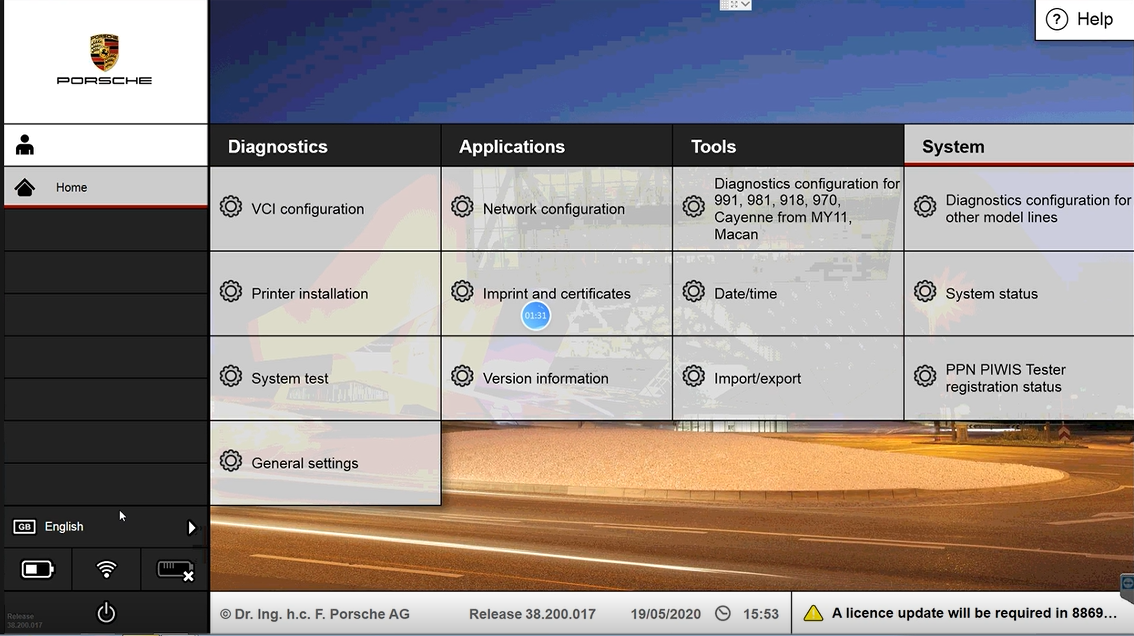
1.Open Porsche piwis 3 Software
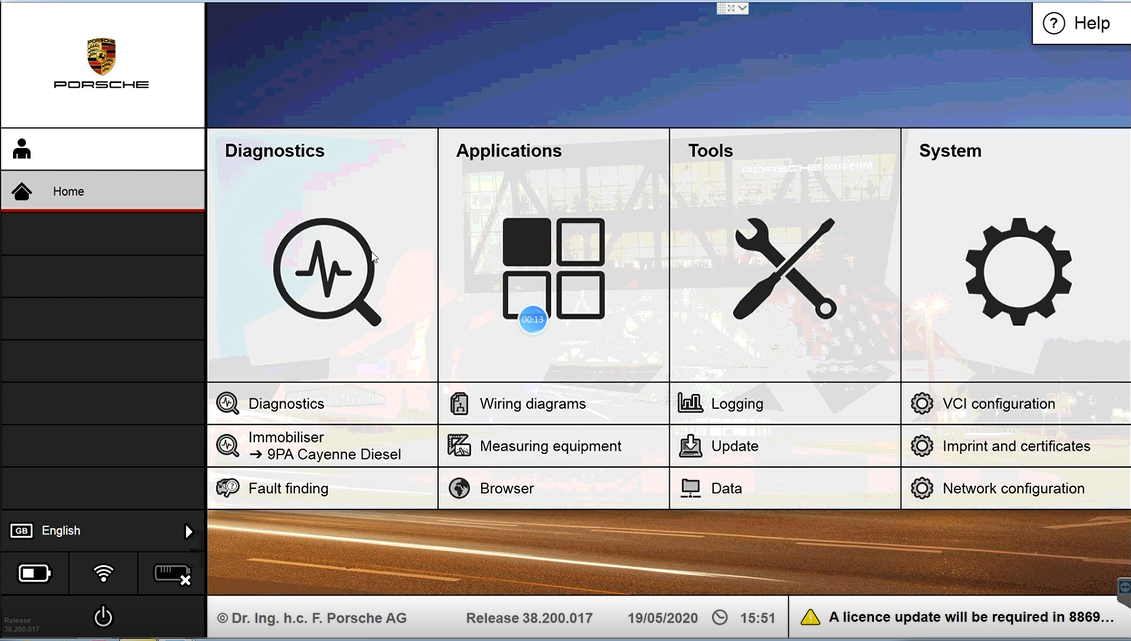
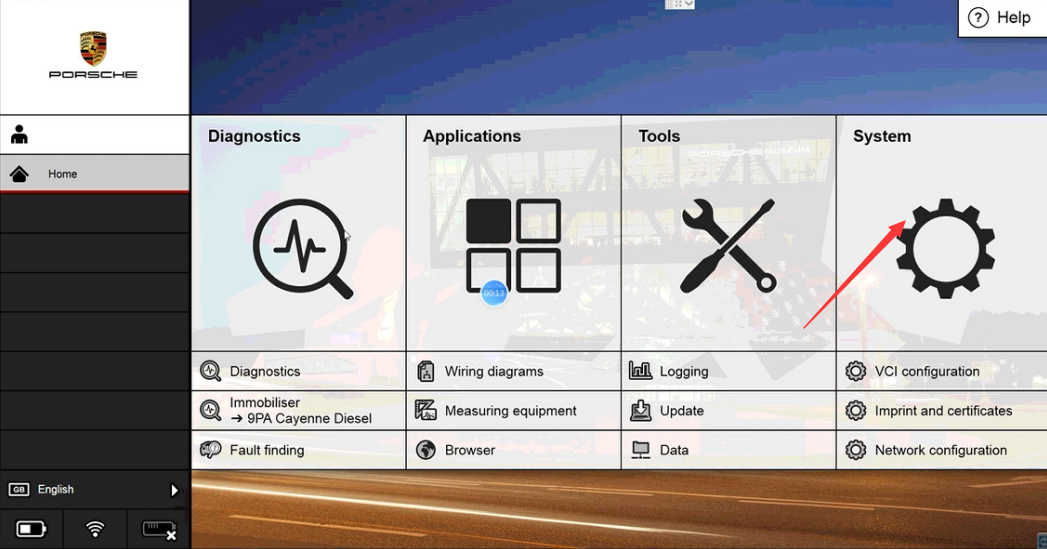
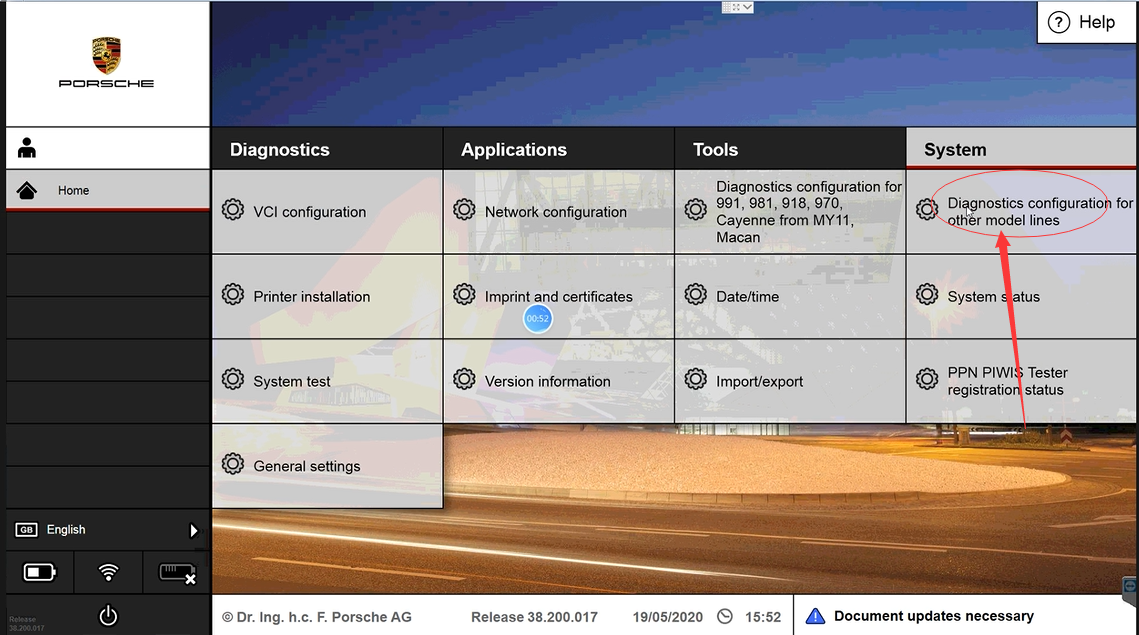
2.Click System icon
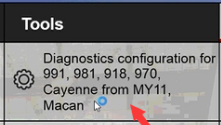
3.Select the bellowing menu
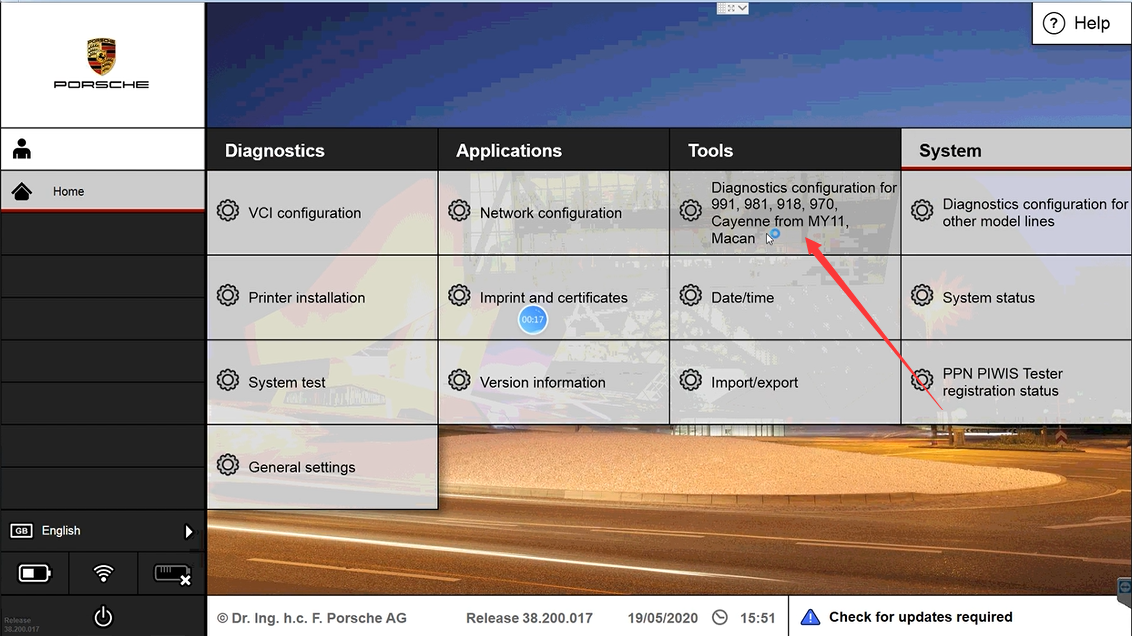
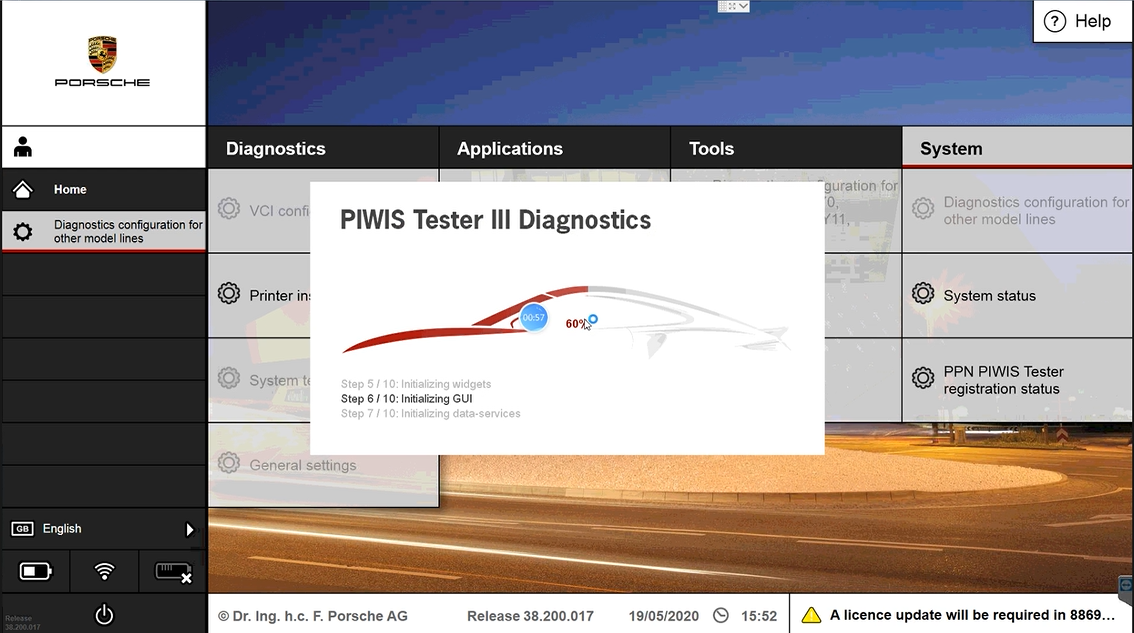
4.Waiting the software running
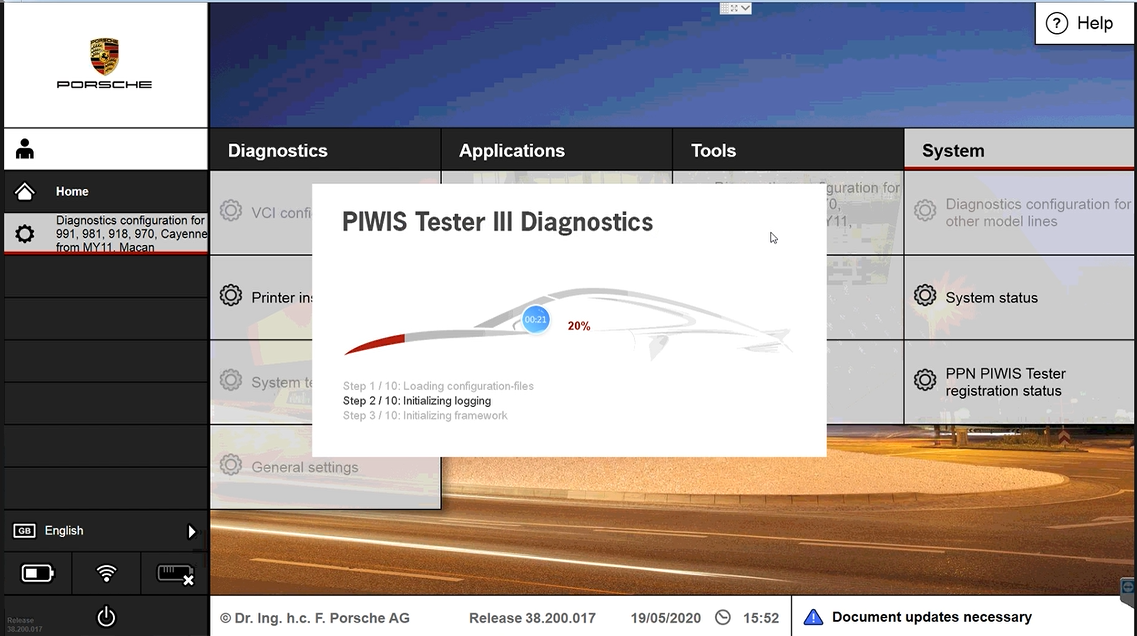
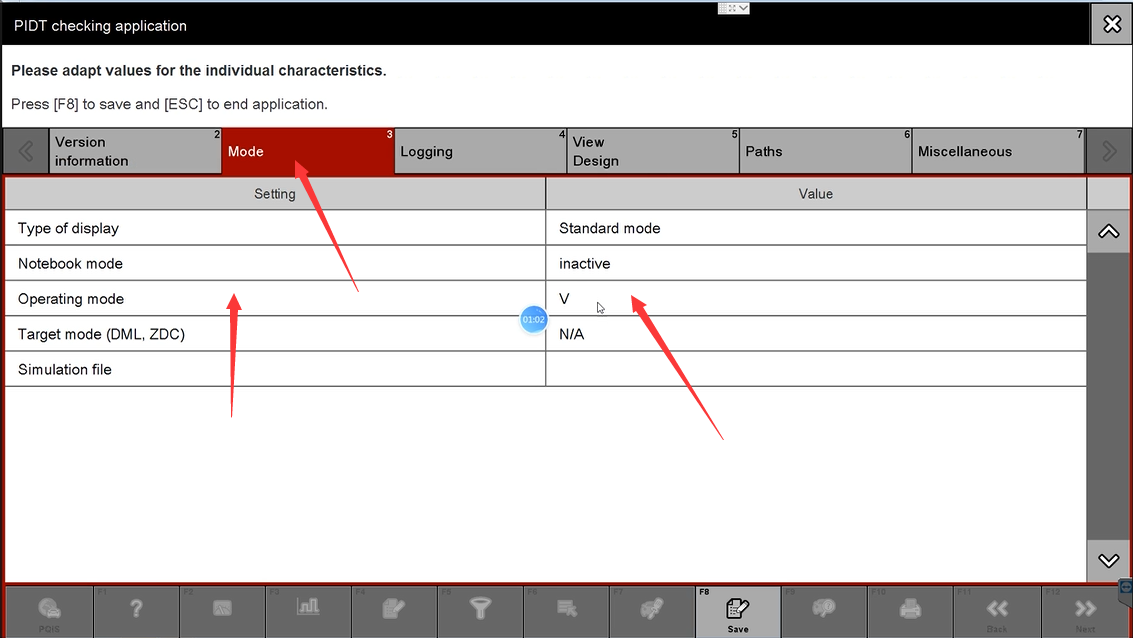
5.Enter into the window
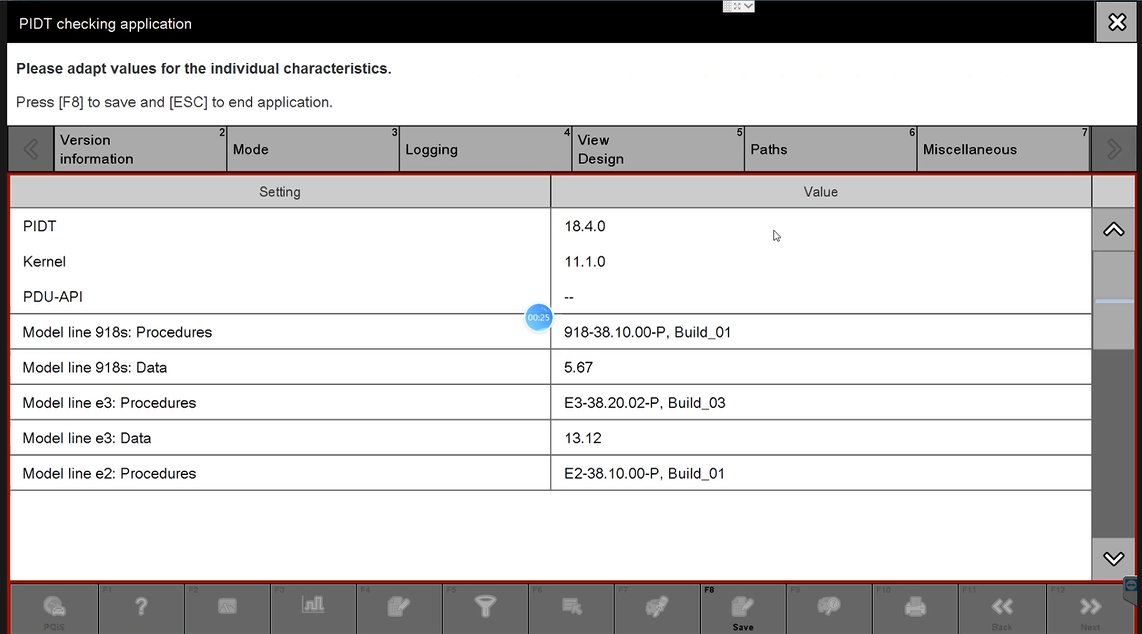
6.Choose Mode
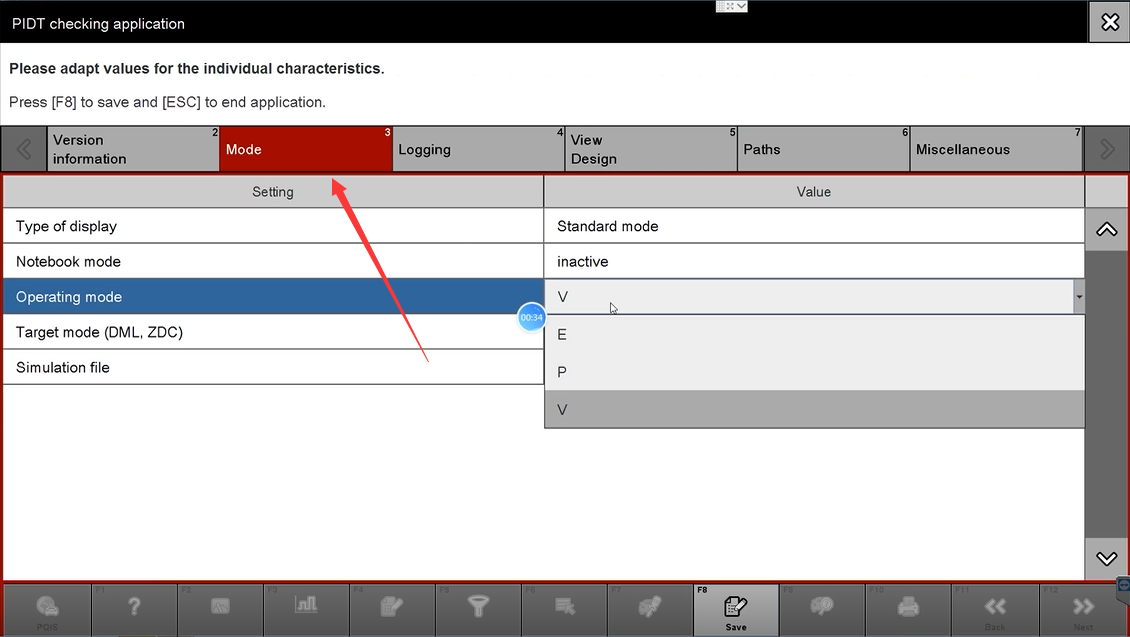
7.Select E , developer mode
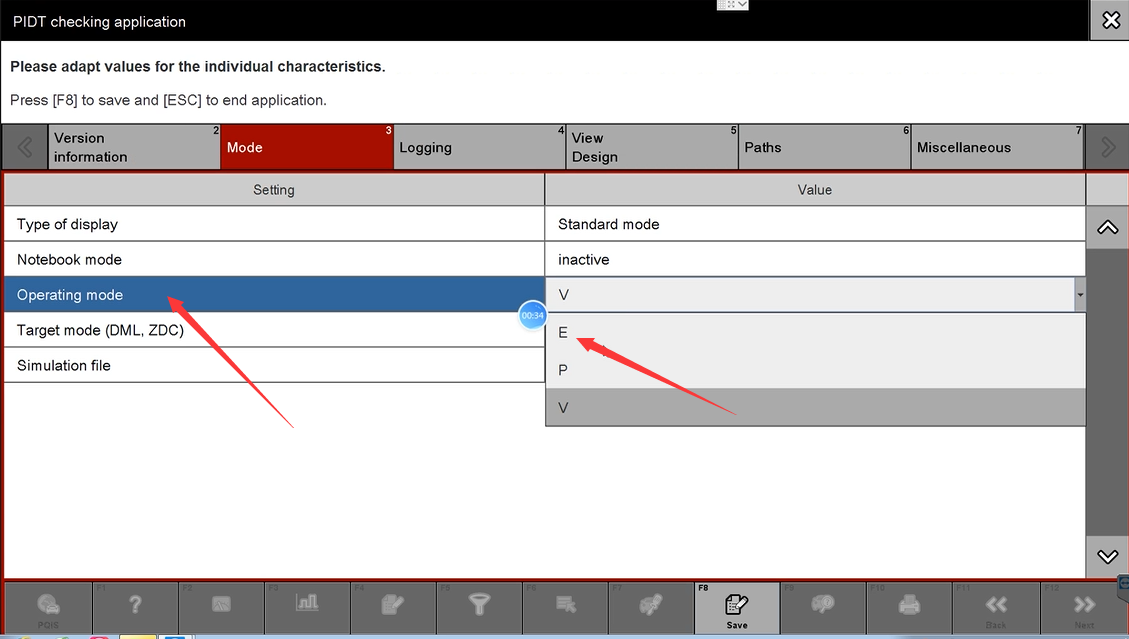
8.Click Save
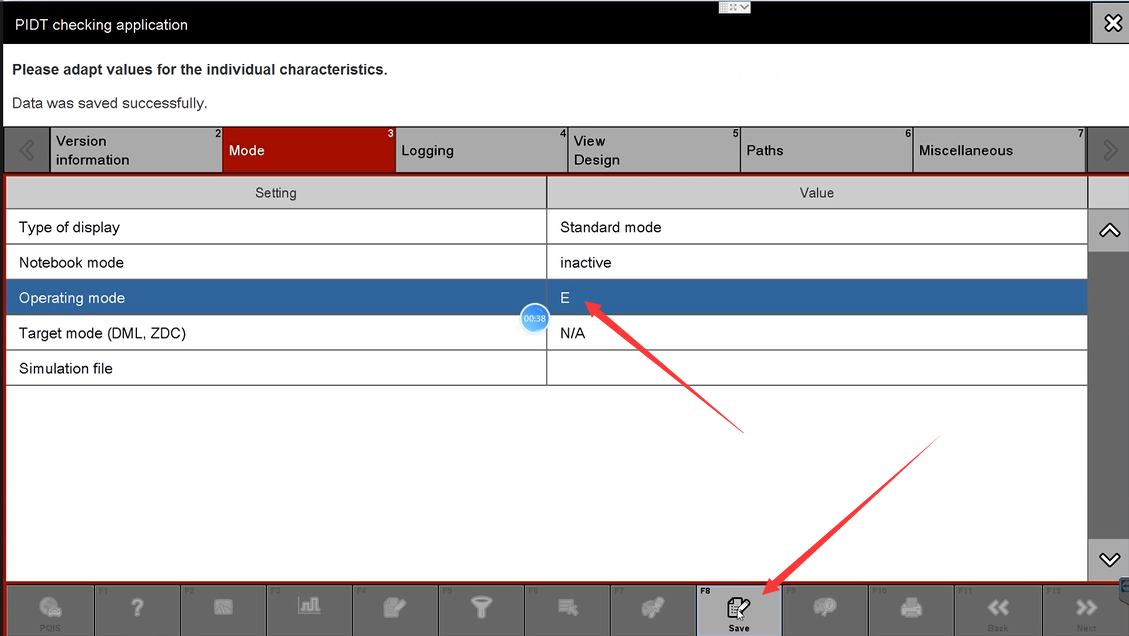
9. After save finished ,Close the window like the pictures
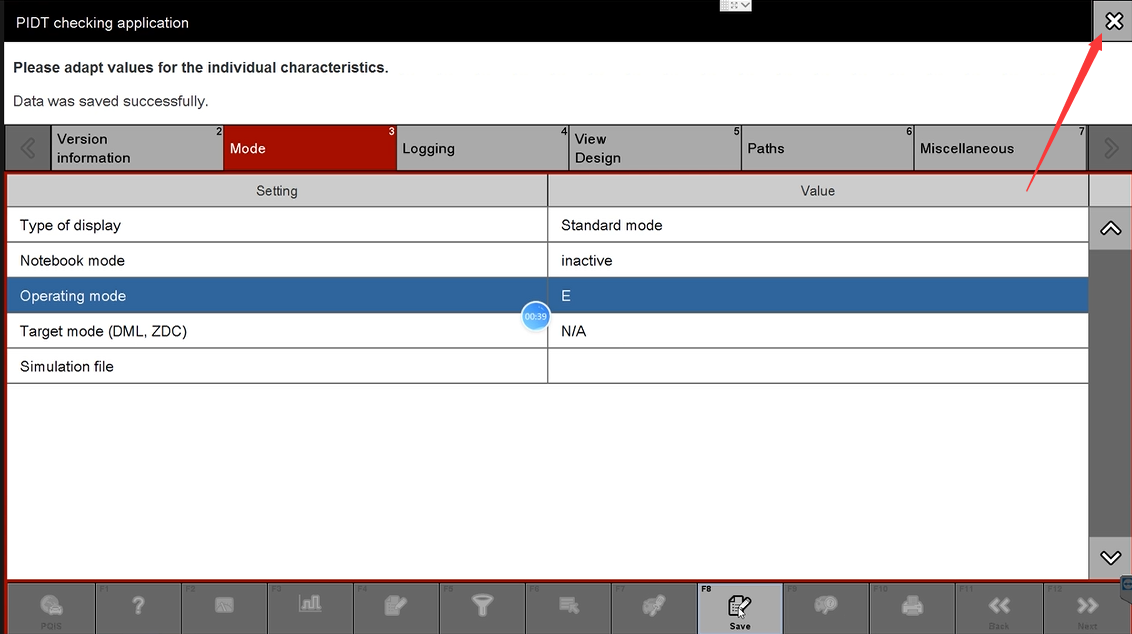
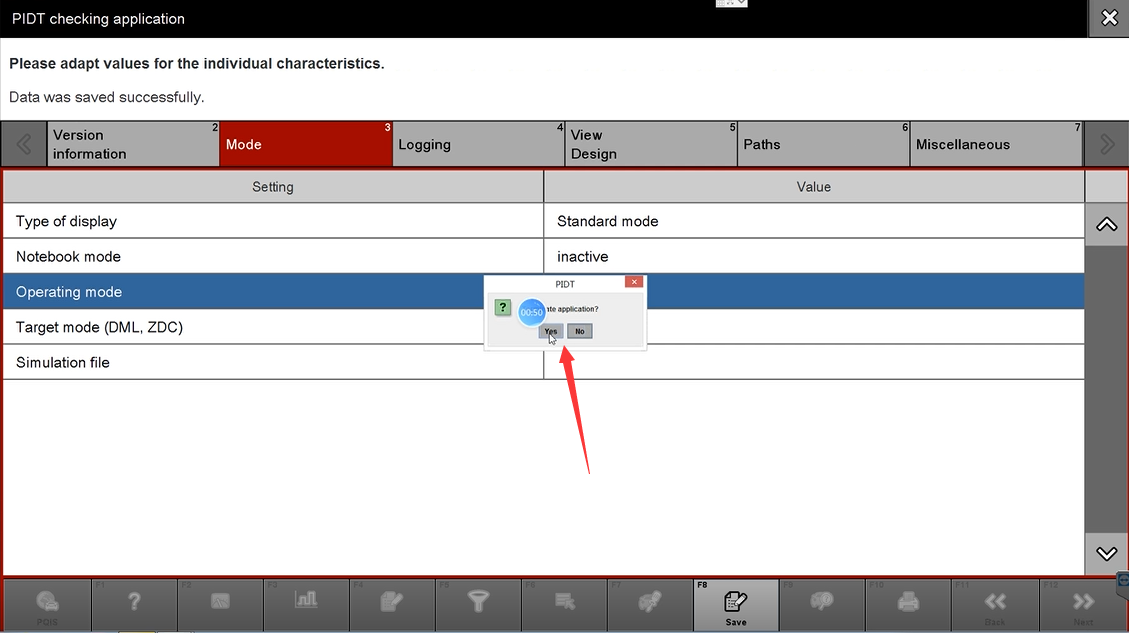
10. Select the bellowing menu
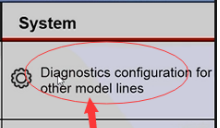
11. Waiting running the software
12.Choose E , developer mode
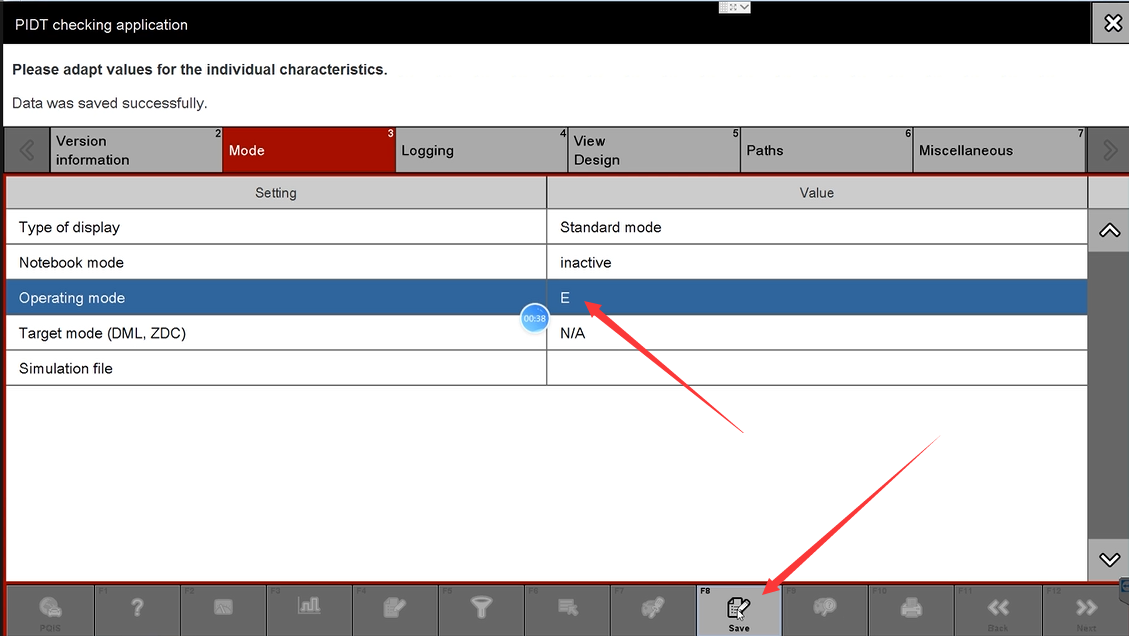
13. Then Porsche piwis 3 Software have changed to developer mode from V to E
14.Exist this window back to main menu
Attention : E developer mode language only support Germany , cant set to other language
More details for porsche piwis 3 diagnostic tools, welcome to contact us at sale@cnautotool.com
Thank you
