Electronic Service Tool 9.8 (EST) Engineering Level* (software only) – used by New Holland dealer technicians to connect with vehicles that have a Controller Area Network (CAN) BUS.
The brand new version of New Holland CNH EST works with OS Windows 10 64-bit and Windows 11 64-bit PRO, except the Home edition).
https://www.cnautotool.com/goods-7221-New-Holland-Electronic-Service-Software.html
Supported brands:
New Holland (Agriculture and Construction);
New Holland FK (Fi at-Kobelco);
New Holland O&K (Orenstein & Koppel);
CASE (Agriculture and Construction);
STEYR;
KOBE-LCO;
Iveco (Astra) (articulated dump trucks only);
Flexi-Coil;
Sumitomo (S.H.I.)
New Holland Electronic Service Tool Function:
• Check the status of parameters;
• Retrieve faults;
• Run diagnostic tests;
• Make ECU and parameter programming;
• Monitor active and logged diagnostics;
• View and change ECU configuration;
• View diagnostic procedures and schematics.
• Troubleshoot problems;
• Run scope diagnostics;
New Holland EST 9.8 New Features
The release of the Electronic Service Tool (EST) 9.8 and new eTIM software includes several
improvements to the service tool software. These changes include:
– EST PC Operating System (OS) and hardware requirements
– EST Software Installation and licensing
– EST Update tool / eTIM GO without EST installation
– EST Update tool Security Updates
– New diagnostic adapter support
– EEPROM Dumper tool (New Holland AG only)
– EASy database function
– Legacy Diagnostics download and installation
eTIM GO offline document access: (For some model series this information may be incomplete, it’s getting updated from time to time. This is how the application works, please ask for particular model series info if it’s very important for you)
Falt Code Resolutions
Wiring Schematics
Complete Service Manuals
Installation instructions
Operator’s manual
Knowledge Articles
Service Bulletin
Standard Repair Time
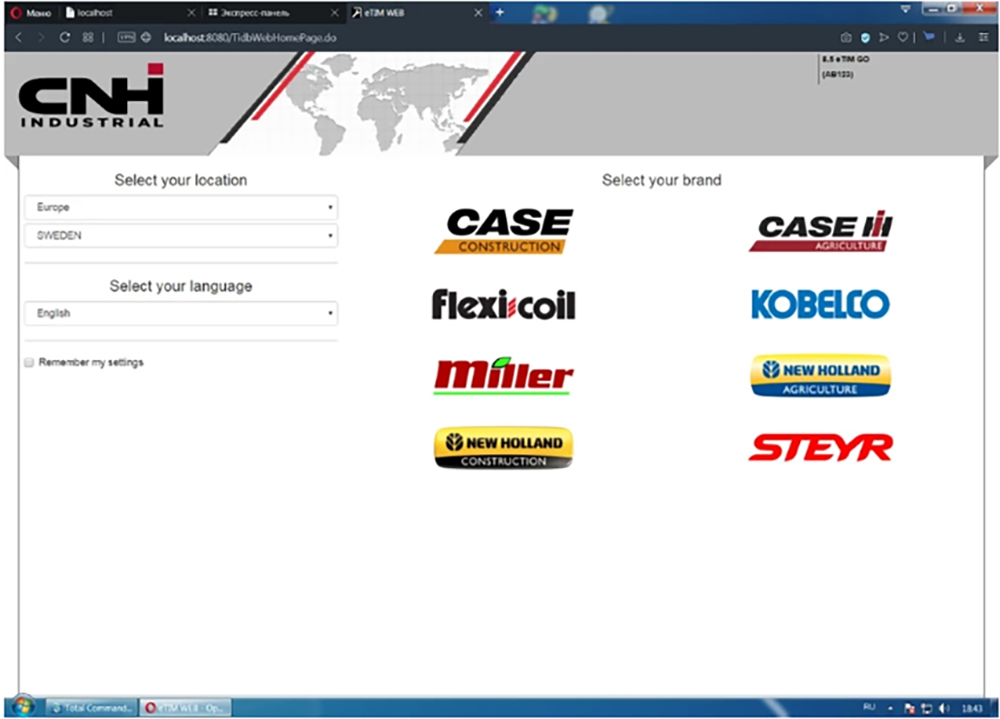
Each brand contains the following tabs:
– Dashboard
– Product
– Document
– Search
You can easily navigate the tabs looking for the information and data you need.
