The Issue Reported
Customer Feedback:“I connected the VCI3 tool to test it, but it doesn’t work. The software does not detect my VCI3 communicator at all. The green power indicator light is solid ON, and the blue light is blinking.”
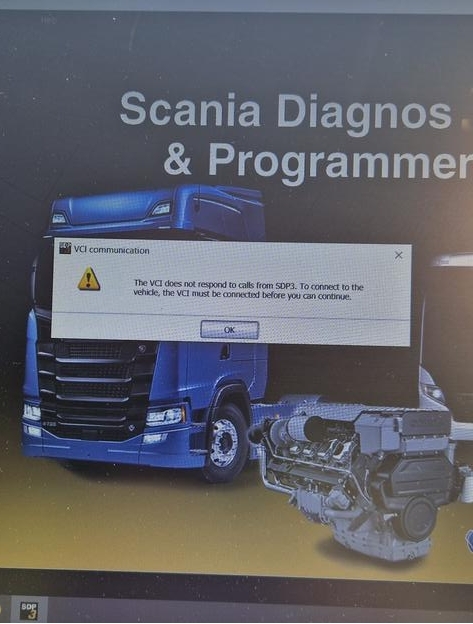
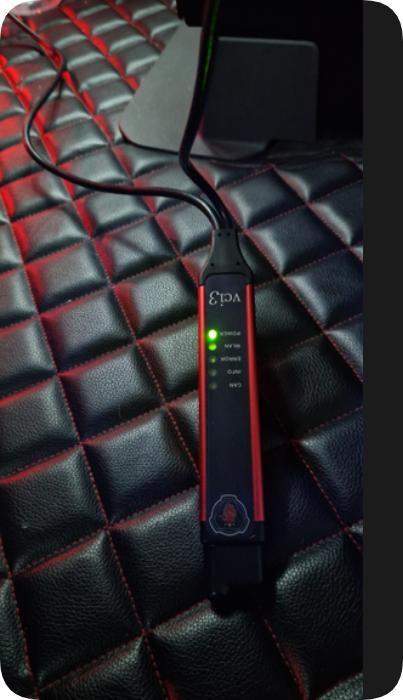
Technical Diagnosis & Remote Analysis
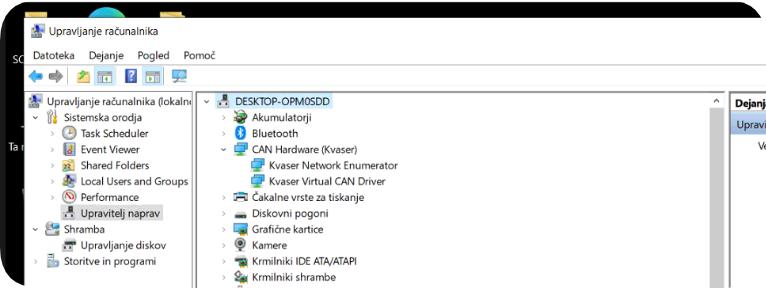
1. Faulty PC Device Manager (Hardware Completely Missing):
2. Reference: Normal Device Manager (Drivers & Software Fully Installed):
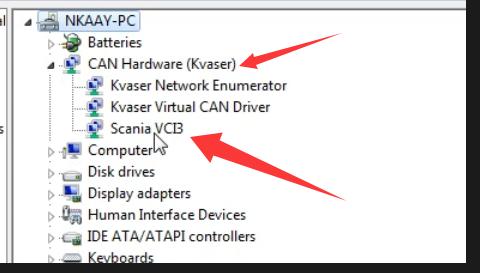
3. Reference: Unconfigured Device Manager (Plugged in without drivers installed yet):
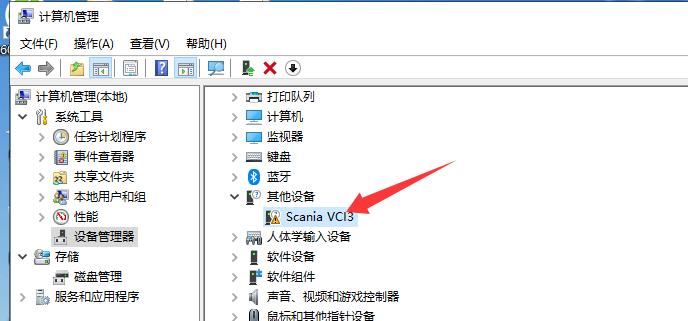
Diagnostic Step: Cross-Testing on Another PC
Customer Feedback:“On the other computer, the VCI3 is found immediately in Device Manager! What should I do with my primary laptop?”
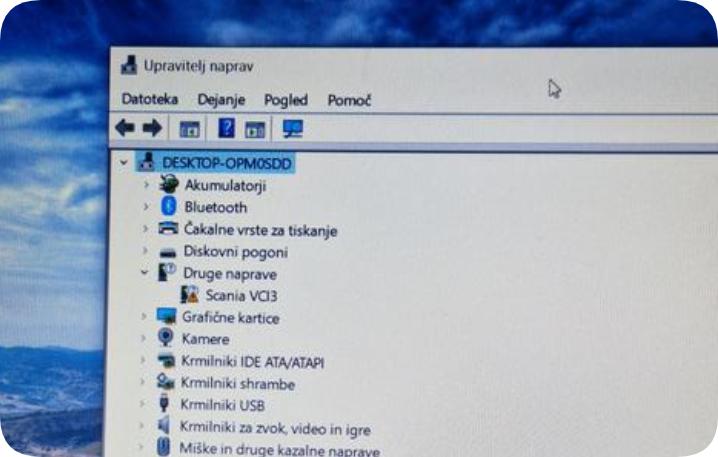
Is the VCI3 Hardware Actually Faulty?
If the VCI3 appears normally in Device Manager on another computer, the communicator itself is usually working and the problem is more likely related to the original PC, USB controller, Windows installation, or driver environment.
However, if the VCI3 cannot be detected on multiple known-good computers, even after testing different USB ports and cables, the interface itself may require further inspection or replacement.
For workshops that need a replacement or an additional Scania interface, CNAUTOTOOL offers the Scania VCI-3 diagnostic tool with SDP3 software options.
View Scania VCI-3 VCI3 Diagnostic Tool with SDP3 →
The current CNAUTOTOOL package supports USB and Wi-Fi communication and offers SDP3 V2.71.1 as one of its software configurations. It is designed for supported Scania trucks, buses, industrial applications and heavy-duty engines.
Root Cause & Recommended Solutions
-
Hardware / USB Port Fault:The USB ports, power rail, or motherboard controller on the laptop may be damaged or failing to supply adequate data communication. In this case, professional hardware repair is required.
-
Operating System / Driver Conflict:Corrupted Windows system files, registry conflicts, or blocked USB controller drivers can prevent Windows from recognizing specific peripheral devices entirely.
Final Resolution
Customer Feedback:“I reinstalled the Windows system, and now the VCI3 is successfully detected!”
Prefer a Ready-to-Use Scania VCI3 Setup?
Many VCI3 communication problems are not caused by the diagnostic interface itself. They can come from an incompatible PC, damaged USB controller, incorrect Windows environment, or incomplete software installation.
For workshops that do not want to build and configure the diagnostic computer separately, a complete preconfigured setup can reduce installation and compatibility problems.
CNAUTOTOOL also offers a Scania VCI3 + Lenovo X230 laptop package with SDP3 software installed.
The package combines:
- Scania VCI3 diagnostic interface
- Lenovo X230 diagnostic laptop
- SDP3 V2.71.1 software option
- Pre-installed diagnostic environment
- USB/Wi-Fi communication
- Ready-to-use workshop setup
View Scania VCI3 + Lenovo X230 Complete Diagnostic Kit →
This option is particularly suitable for repair shops that want to avoid spending additional time troubleshooting Windows, driver, and laptop compatibility issues.
CNAUTOTOOL currently lists this bundle as a VCI3 plus Lenovo X230 system with SDP3 V2.71.1 software installed and ready to use.
Technical Support & Inquiries
-
Email: sale@cnautotool.com
-
Official Website: https://www.cnautotool.com/
