If you are a Porsche owner or technician, keeping your PIWIS 4 software up to date is essential for optimal performance and functionality. Updating your PIWIS 4 software ensures that you have access to the latest diagnostic tools, features, and bug fixes provided by Porsche. In this article, we will walk you through the process of upgrading your PIWIS 4 software.
Detailed Steps to Upgrade PIWIS 4 Software
- Check for Updates:
- Ensure you have the latest software version available for PIWIS 4. This can typically be verified through the official Porsche support channels or authorized distributors. They can provide guidance on the latest updates and features.
- Download the Update Package:
- Visit the official Porsche website or the specified distribution platform to download the latest software update package. Make sure the download is complete and the file is not corrupted.
- Prepare for Upgrade:
- Check that your computer meets the new software version’s system requirements. This might include sufficient storage, proper operating system, and necessary hardware updates.
- Back up your current PIWIS 4 settings and data. This precaution helps to avoid any data loss during the software update process.
- Initiate the Upgrade Process:
- Open the PIWIS 4 software on your computer. Navigate to the ‘Settings’ or ‘Preferences’ menu where you can access the software update options.
- Select the option to check for updates or directly initiate an upgrade. This will typically lead you through a series of prompts or steps within the software interface.
- Install the Update Package:
- When prompted, locate the previously downloaded update package on your computer. The PIWIS 4 software will guide you through the installation process.
- Ensure the entire package is installed correctly without interruptions.
- Follow Installation Instructions:
- During the installation, you might need to accept new license agreements or make choices regarding the installation directory and configuration settings.
- It’s crucial to follow each step as outlined by the installation wizard to ensure a correct setup.
- Verify the Upgrade:
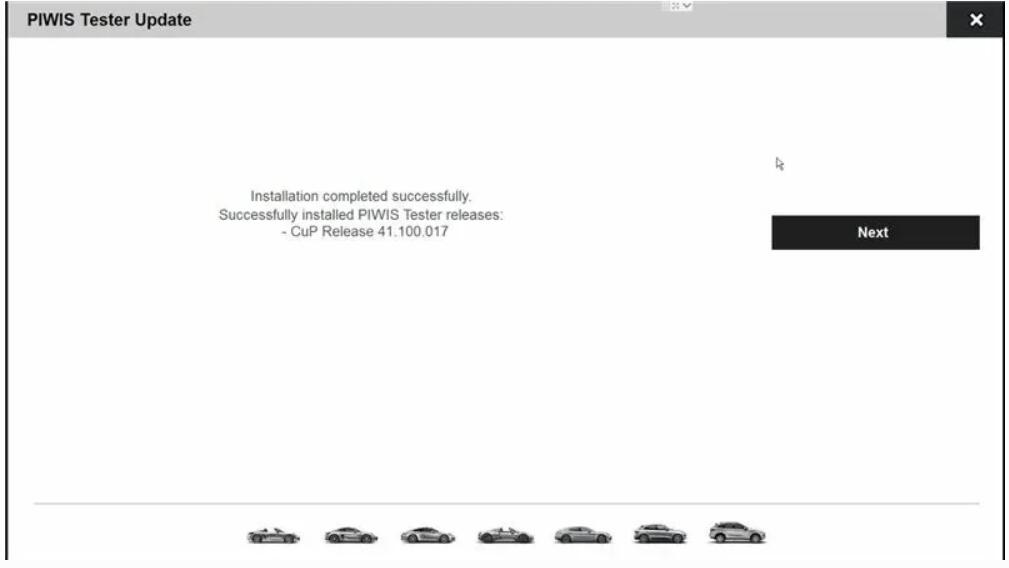
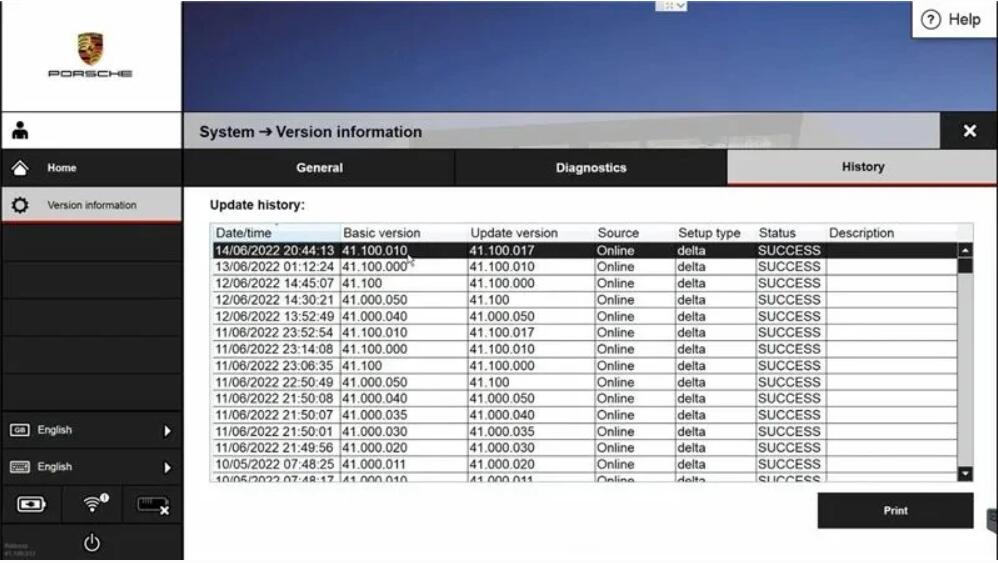
- After the installation is complete, restart the PIWIS 4 software. Check the version number and explore the interface for any new features or noticeable changes to ensure the update has been applied correctly.
- Test Functionality:
- Connect the PIWIS 4 system to a Porsche vehicle using the compatible hardware interface. Perform standard diagnostic checks or other maintenance tasks to ensure everything operates smoothly.
- This is a good time to familiarize yourself with any new features or changes in the software’s functionality post-upgrade.
Conclusion
Upgrading the PIWIS 4 software is crucial for maintaining optimal performance and accessing the latest features and diagnostics tools offered by Porsche. By following these detailed steps, you can ensure a smooth upgrade process and minimize the risk of disruptions to your diagnostic capabilities. Always ensure that upgrades are performed in accordance with Porsche’s guidelines and technical support advice.
