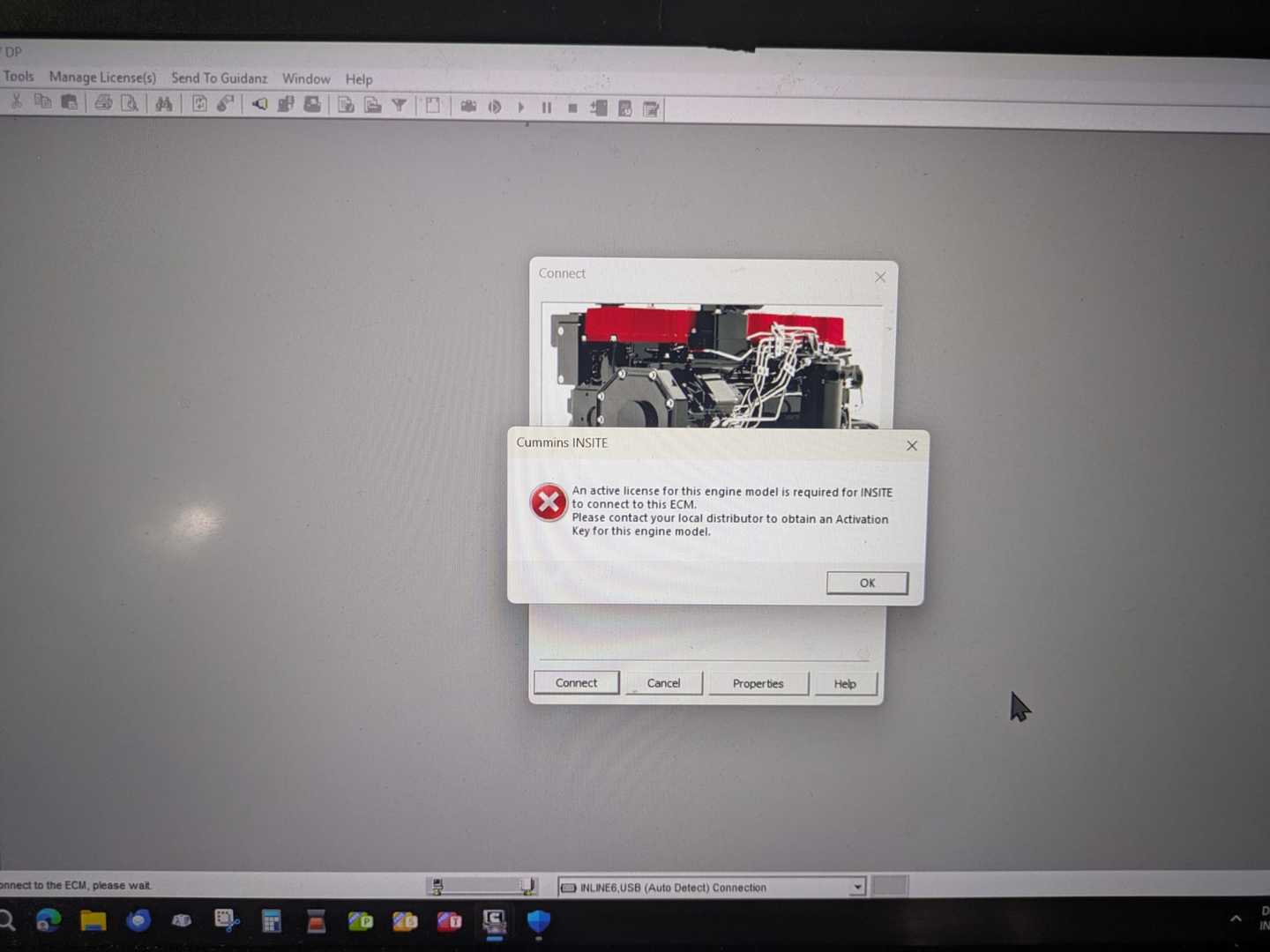
Recently, a customer reported the following issue:
“When I connected the vehicle to perform a test, the software prompted me to activate it.”
This problem can occur due to different software version settings or activation configurations.
Solution for Cummins Software Version 8.7
If you are using:
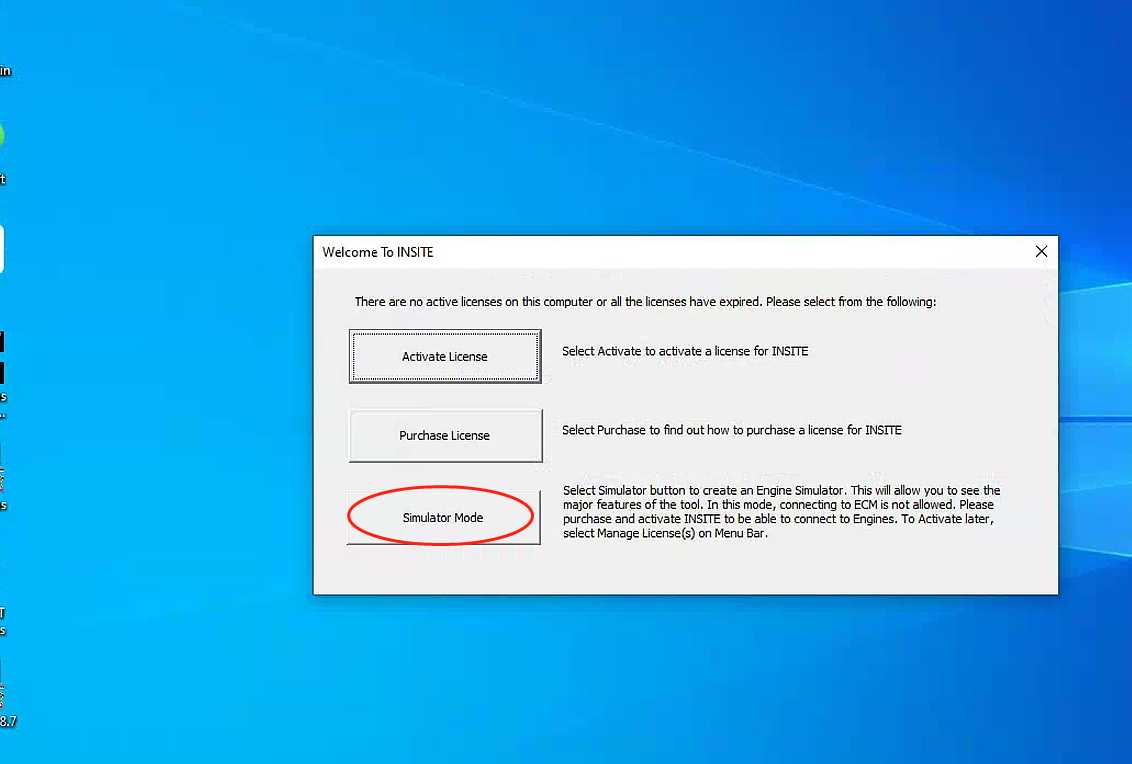
Before starting vehicle diagnostics, you need to:
- Select the third option in the software interface
After selecting the correct option, the diagnostic process can continue normally.
This is a common setup step for Version 8.7 users.
Solution for Cummins Software Version 9.3
If you are using:
The activation issue may require remote technical assistance.
In this case:
- Send your TeamViewer ID and password
- Our engineer can remotely check and solve the activation problem for you
Remote support can help configure the software properly and ensure normal diagnostic operation.
Why Does the Cummins Activation Message Appear?
The activation prompt may be caused by:
- Incorrect software configuration
- Version-specific startup settings
- Incomplete activation files
- Communication setup problems
- Software authorization issues
Different versions of the Cummins INSITE may require different solutions.
Tips for Using Cummins INSITE Software
To avoid activation or connection issues:
- Use the correct software version
- Follow startup instructions carefully
- Avoid changing activation settings
- Do not update the software unless instructed
- Use stable communication adapters and drivers
Final Result
After following the correct setup process or receiving remote assistance:
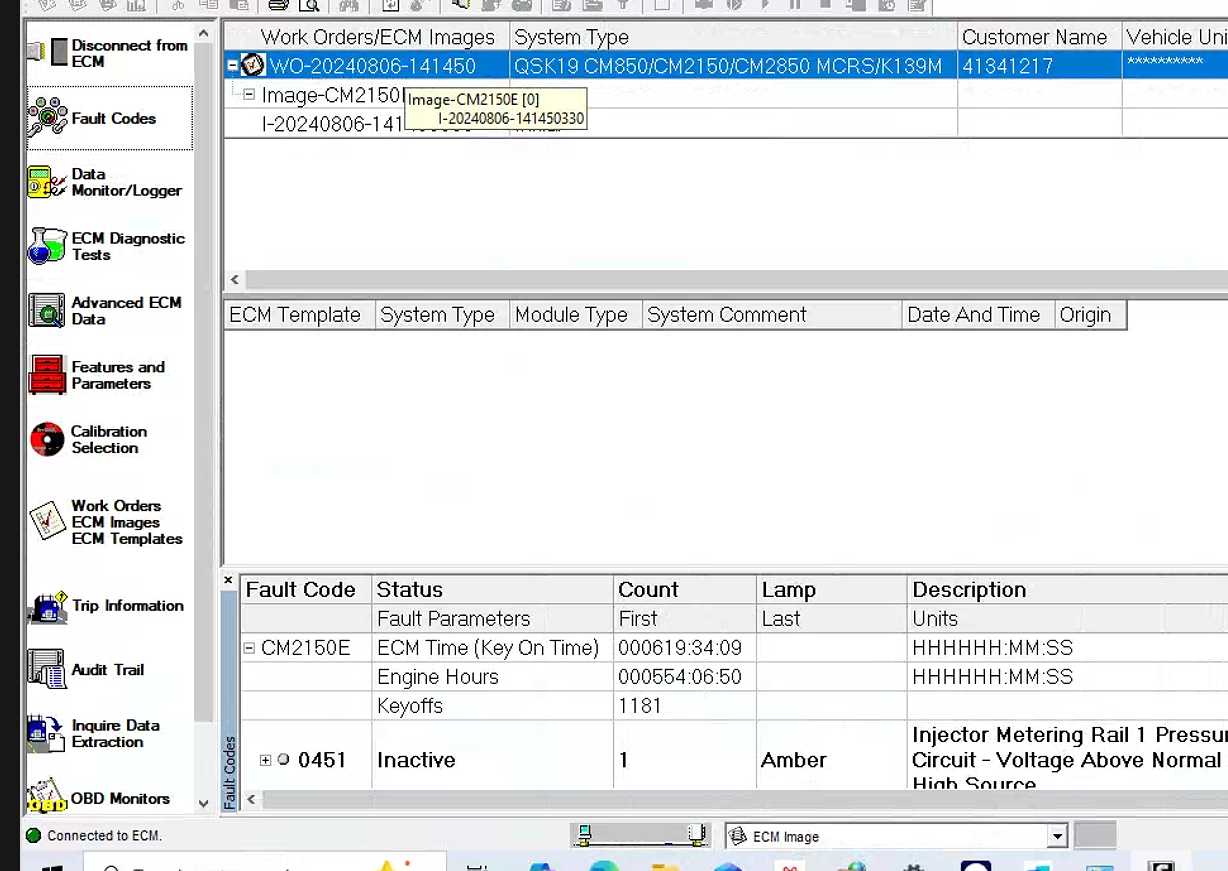
- The activation prompt disappears
- Vehicle communication works normally
- Diagnostics can proceed successfully
Contact Us
If you encounter problems with your Cummins diagnostic software or adapter, please contact us directly.
Email: sale@cnautotool.com
Website: CNAutoTool Official Website
FAQ
1. Why does Cummins INSITE ask for activation during diagnosis?
This usually happens because of software configuration, authorization settings, or incorrect startup options.
2. How do I fix the activation issue in INSITE 8.7?
Before diagnosis, select the third option in the software interface to continue normally.
3. What should I do if I use INSITE 9.3?
You can provide TeamViewer information for remote technical assistance to solve the activation problem.
4. Can remote support fix Cummins software issues?
Yes. Engineers can remotely configure and troubleshoot the software using TeamViewer.
5. Should I update Cummins INSITE software?
Only update the software if instructed by technical support, because some updates may affect activation or compatibility.
