Cylinder Cutout Test on CUMMINS Engine using Cummins INSITE Software
Read More:
FREE Activation Password for CUMMINS INSITE v7.4.0
ECM Password Removal (ZAP-IT) on Cummins Engines using Cummins INSITE
To perform ECM Diagnostic Tests:
1. Open and connecting the CUMMINS Engine using Cummins INSITE.
2. Click “ECM Diagnostic Tests” on the View bar,
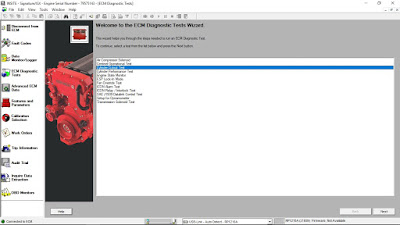
-The “ECM Diagnostic Tests Wizard” window is displayed. The Wizard lists all tests available for the connected ECM of the Auto Repair Software. This list will vary depending on the connected ECM.
-If the connected ECM does not have any diagnostic tests available, the “ECM Diagnostic Tests Wizard” window will display the reason.
ECM Diagnostic Tests Wizard
3. Select “Cylinder Cutout Test” from the list in the “ECM Diagnostic Tests Wizard”, then click “Next”, and the “Cylinder Cutout Test” window opens.
4. Please note any messages or warnings in the “Instructions” box.
5. Click “Start”.
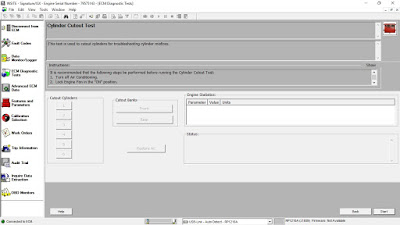
6. Select which cylinder to cutout by clicking it with your mouse.
7. Monitor the percent fuel and the RPM values while the cylinder is disabled.
-When you select a cylinder, then cylinder number represents the cylinder position number, not its firing order.
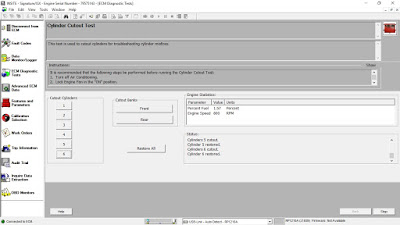
8. To re-enable all cylinders after testing:
-Click “Restore All”, or
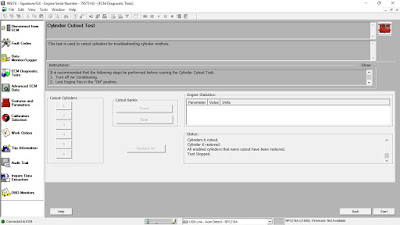
-Click “Stop” to stop the test and restore all cylinders (as Figure 1.1 Cylinder Cutout Test – Test Stop).
