BMW AT200 ECU programmer newest software V1.7.0 has optimized and upgraded software interface incl. wiring diagram display, font size, menu display, added Search and Help button. This post will share the guide to use V1.7.0 BMW AT-200 read ISN, backup& restore data on MSV90.

Before entering operation process, make sure you have installed AT200 V1.7.0 software on your computer successfully.
Free download link:
https://mega.nz/#!S9sTAQ7C!lsmw-ExXwftL8bR2ZdKSuLVXyHLY0O0rTPTCSJNxwRM
Size: 289.2 MB
For your convenience, here is the article of V1.7.0 AT200 BMW update info and installation guide &tips for reference: https://www.cnautotool.com/blog/2020/04/10/free-download-at200-bmw-v1-7-0/
BMW AT200 V1.7.0 read MSV90 ISN/backup/restore guide:
Connect BMW AT200 ECU programmer to your computer and MSV90 module
Enter AT200 software
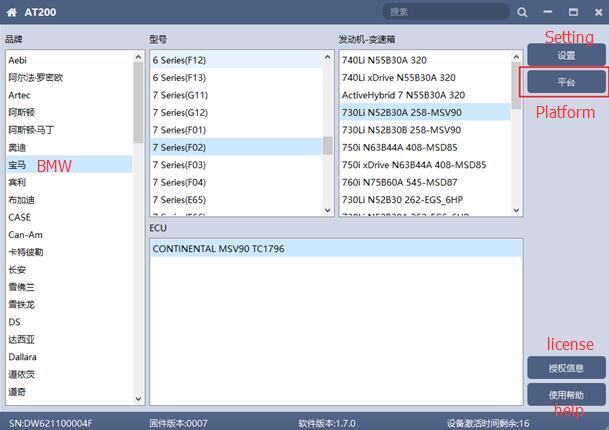
Select car brand, model, Engine-gearbox and ECU depends on your need
The “Platform” button will appear automatically on the right
Then click “Platform” to enter ECU operation interface
1.Wiring diagram
Click “Wiring Diagram” to check the corresponding ECU wiring diagram

Then follow it to connect AT200 BMW device and MSV90 module correctly, and connect 12V power to DC12V interface
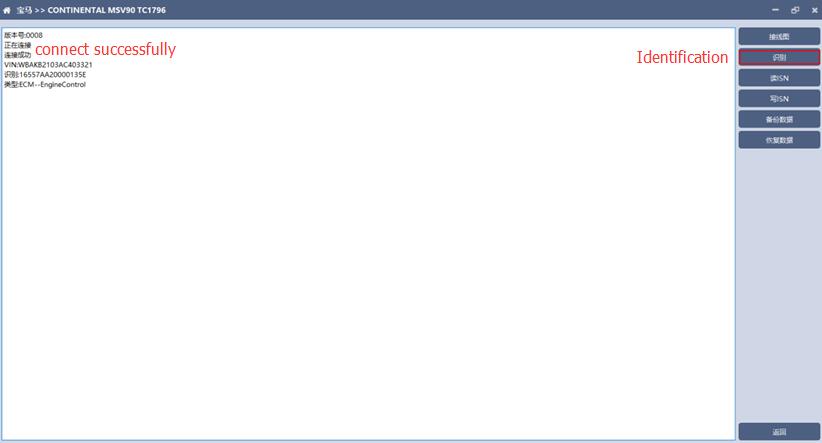
2.Identification
Click “Identification” to read the related ECU info
3.Read ISN
Click “Read ISN” to get the authorization and read out ISN
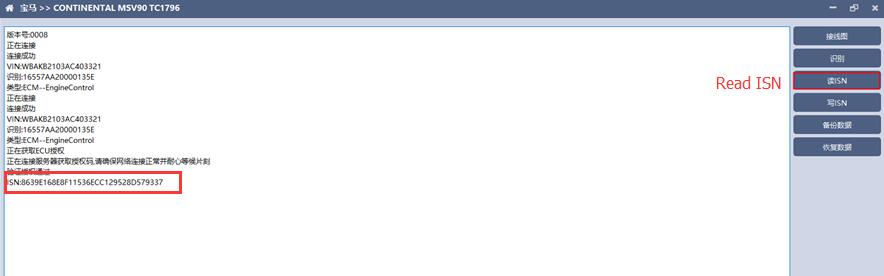
Note: It needs to connect to the network for this step. Please make sure the network works normally during the operation.
4.Backup data
Click “Backup Data” to backup the ECU data
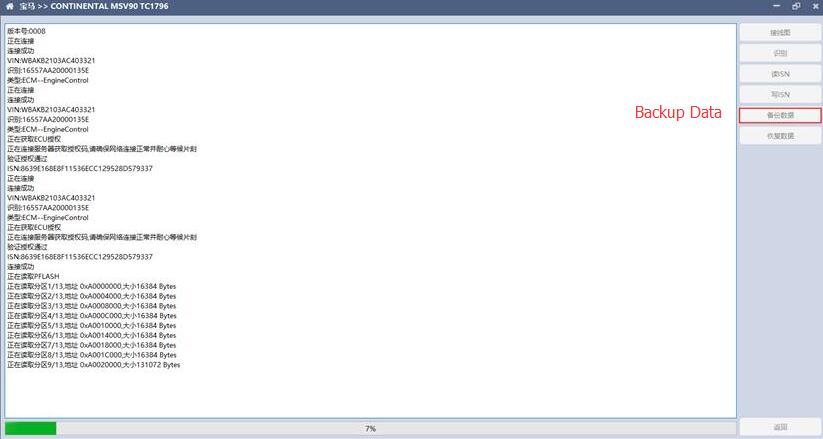
Note: Save the data after reading so that it can be used for next operation.
It needs to connect to the network for this step. Please make sure the network works normally during the operation.
5.Restore data
Click “Restore data” to write in ECU data
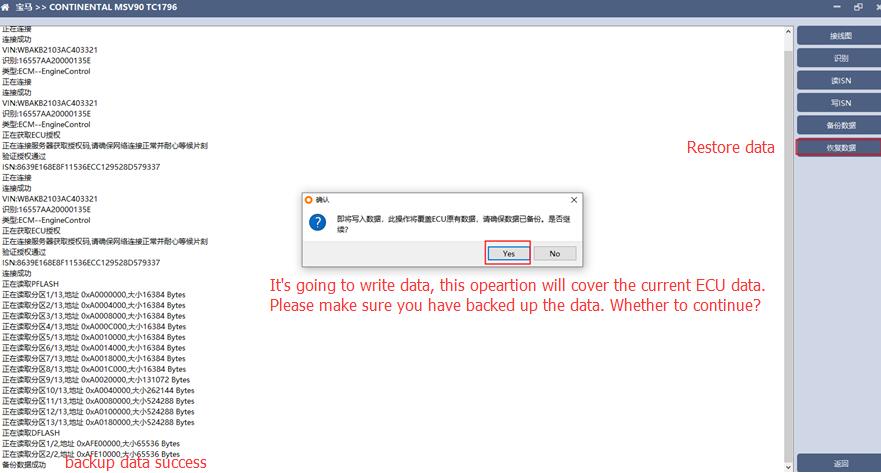
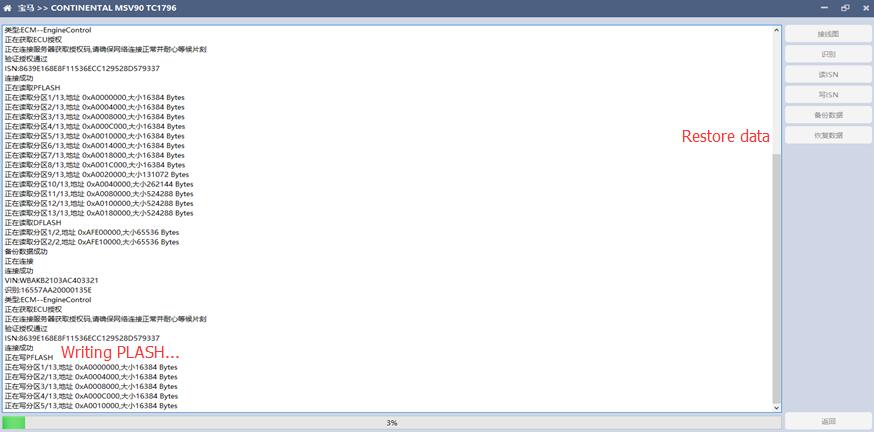
Note: Make sure the data is backed up before writing, and that the restore data will cover the current ECU data. The data can be from the current ECU or other same type ECUs.
