This post comes with Scania VCI3 SDP3 V2.43.1 user manual incl. application and driver software installation, activation, cracking and VCI update.
Scania VCI3 SDP3 V2.43.1
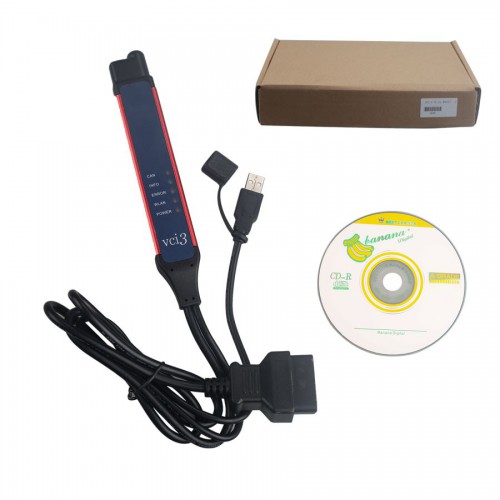
Software version: Scania SDP3 2.43.1
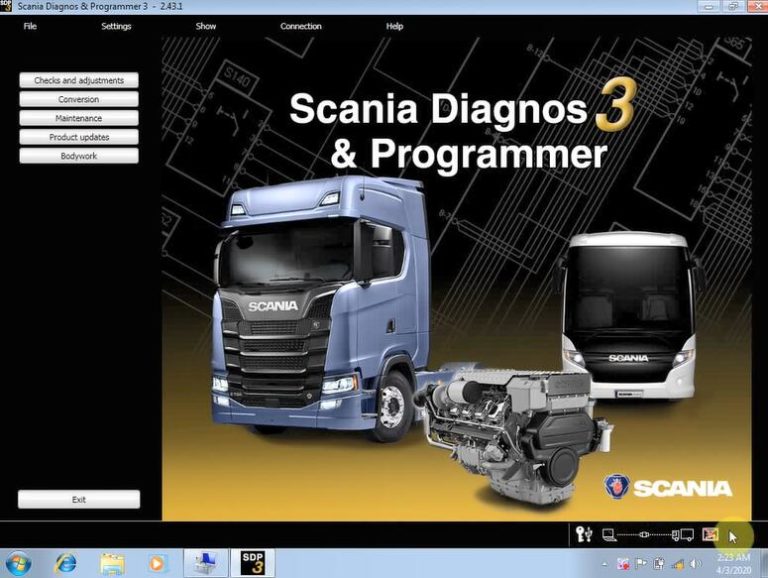
Language: Czech, German, English, Spanish, Persian, Suomi, French, Italian, Japanese, Korean, Dutch, Polish, Portuguese, Russian, Swedish, Thailand, Turkish, Chinese
Operating system: Windows 7 32 bit/64 bit
Compatibility: confirmed to work with Scania VCI 3 interface only!
Scania SDP3 2.43.1 new features:
It can support Scania heavy duty trucks and buses till year 2020.
C, K series buses
This issue contains additional support for the next generation of buses.
Electric vehicles
This issue contains additional support for electric vehicles.
New wizard on deleting recall campaigns
The Delete recall campaign message in the instrument cluster wizard has been added. This can be found in the function view under functions for connected vehicles.
System-specific new features
VIS – Extended troubleshooting support for the AVAS control unit, E531
Extended troubleshooting support is available for the AVAS control unit, E531, which manages the acoustic vehicle alert user function. Its purpose is to inform vulnerable road users of quiet vehicle operation by means of an audible signal.
How to activate SDP3 V2.43.1?
SDP3 V2.43.1 activation help will be got by pros at https://www.cnautotool.com/goods-6866-Scania-VCI-3-VCI3-Scanner-Wifi-Wireless-Diagnostic-Tool.html. Please send your ID to your dealer to activate.
How to install Scania SDP3 2.43.1?
Scania SDP3 2.43.1 installation video on Win7 64 bit (4GB):
https://www.youtube.com/watch?v=xr_RZf1oP0k
Step-by-step installation guide:
Copy and paste Scania SDP3 v2.43.1 software folder to desktop
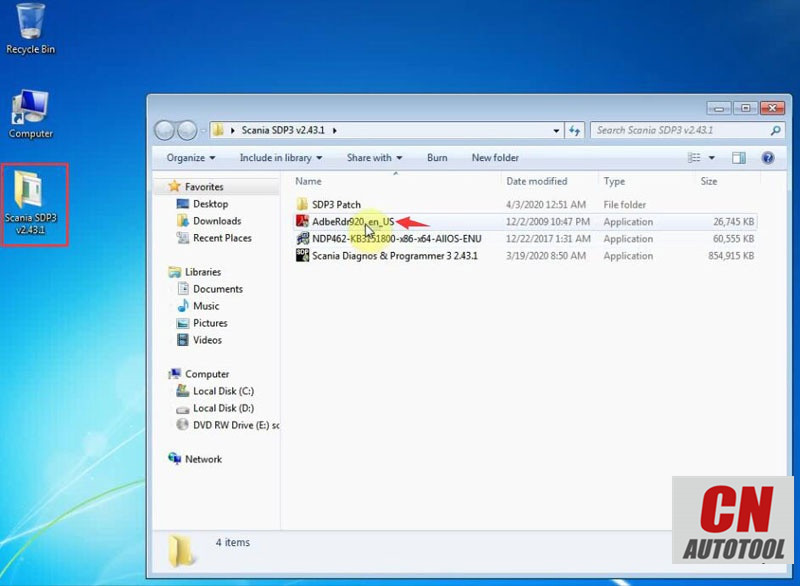
Install AdbeRdr920_en_US
Press Next
Install Adobe Reader 9.2
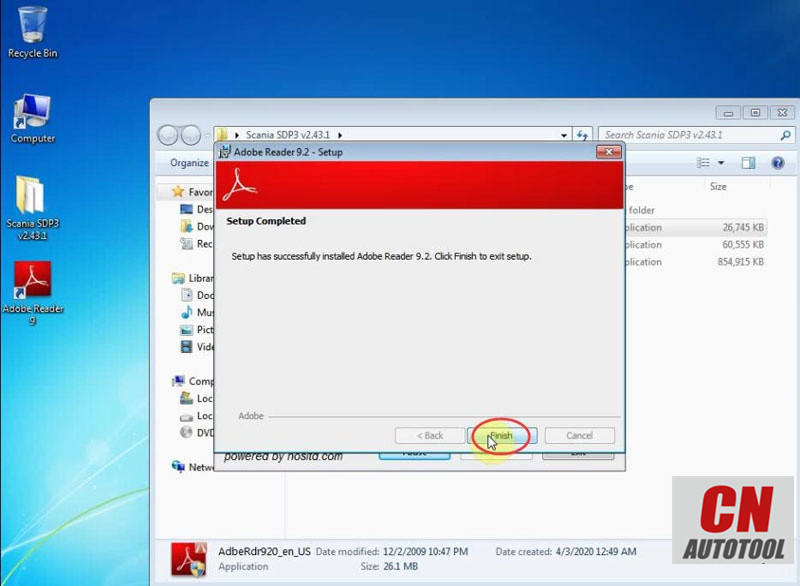
Adobe Reader setup has successfully installed. Press Finish to exit.
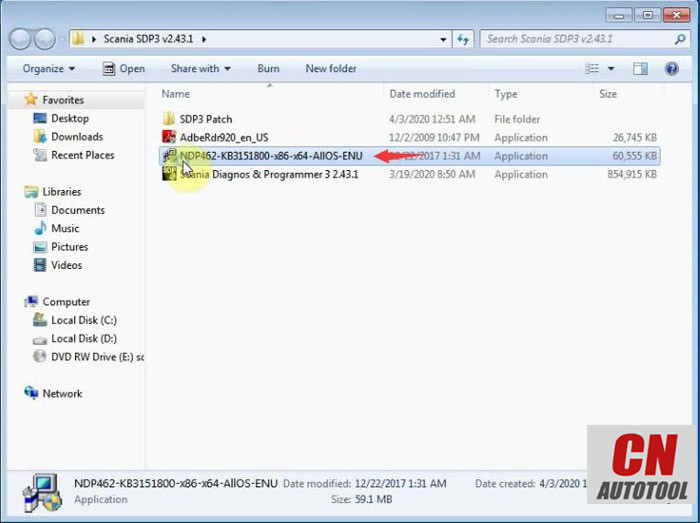
Open NDP462-KB3151800-x86-x64-AIIOS-ENU to install .NET Framework 4.6.2 setup
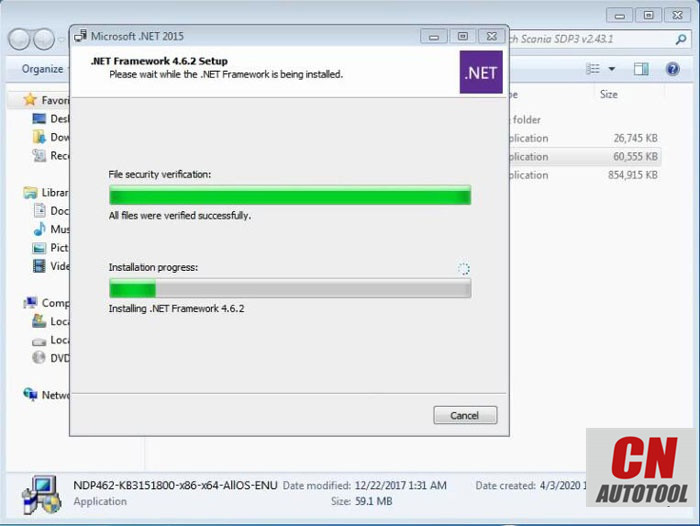
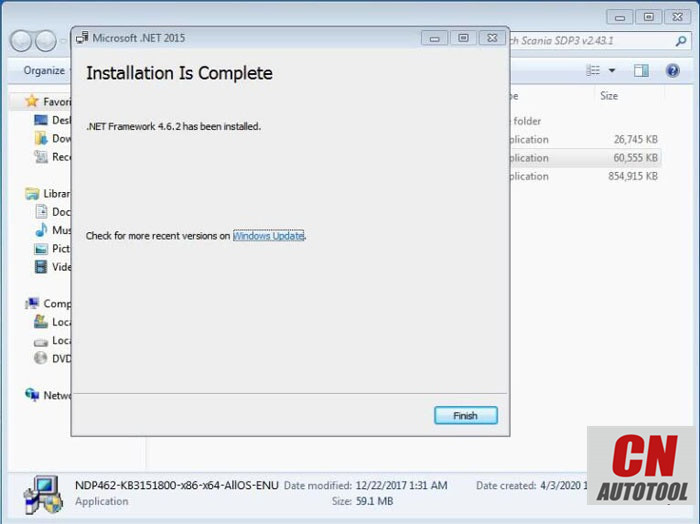
Net framework has been installed. Press Finish.
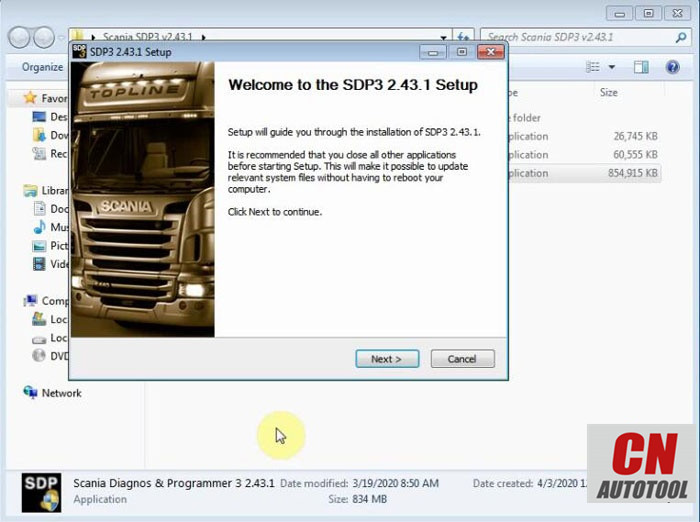
Run Scania Diagnos & Programmer3 2.43.1
Press Next
Accept license agreement
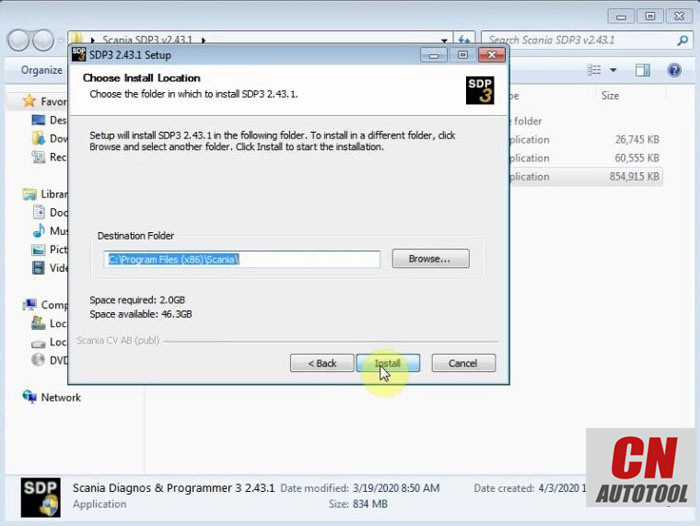
Choose destination folder C:/Program Files (x86)/Scania/ and press Install
* Make sure that the VCI unit and the SDP3 USB key are disconnected from the computer before continuing with this installation.
Installing Microsoft Visual C++ 2013 to 2017 until completed
Step 2: Crack sdp3
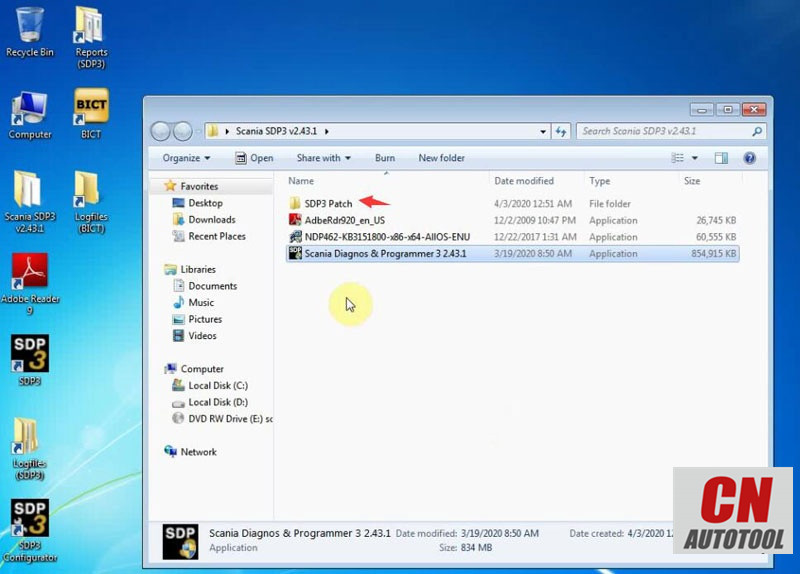
Open SDP3 Patch folder
Create a new “fix” folder on C:/
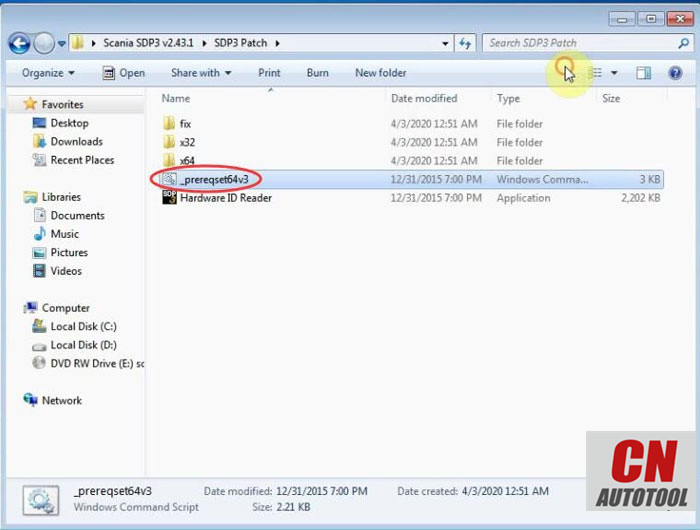
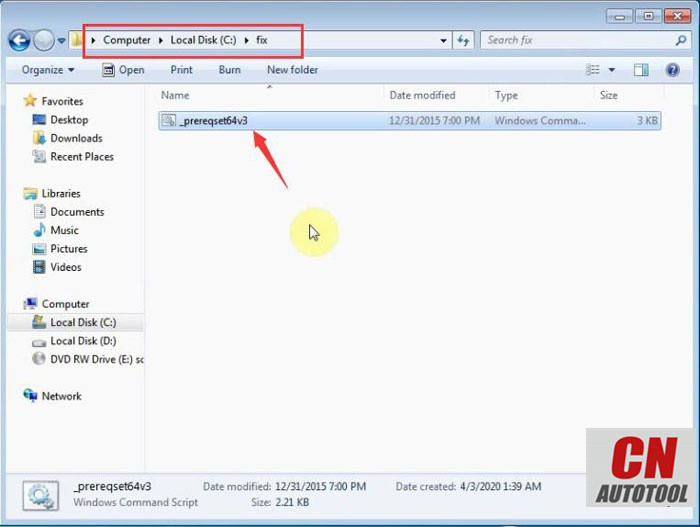
Copy and paste _prereqset64v3 to C:/fix/
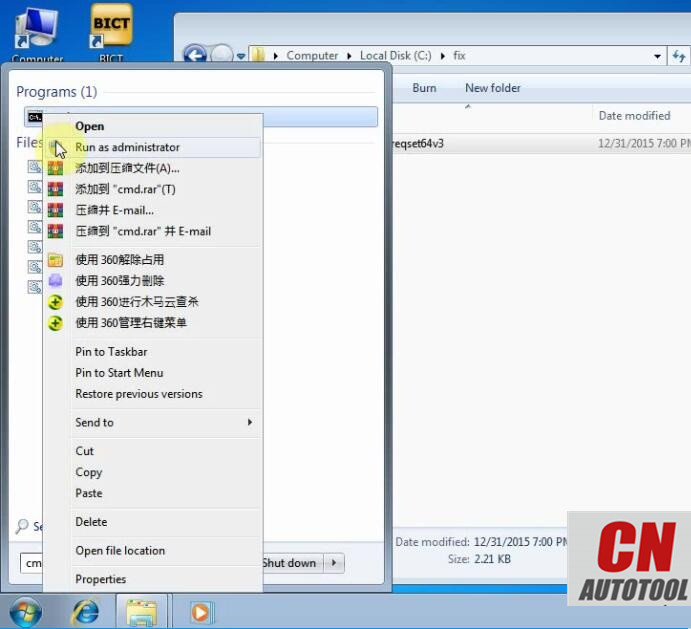
Press Start button search cmd and run as Administrator
Copy C:/fix to paste to cmd (shown images below)
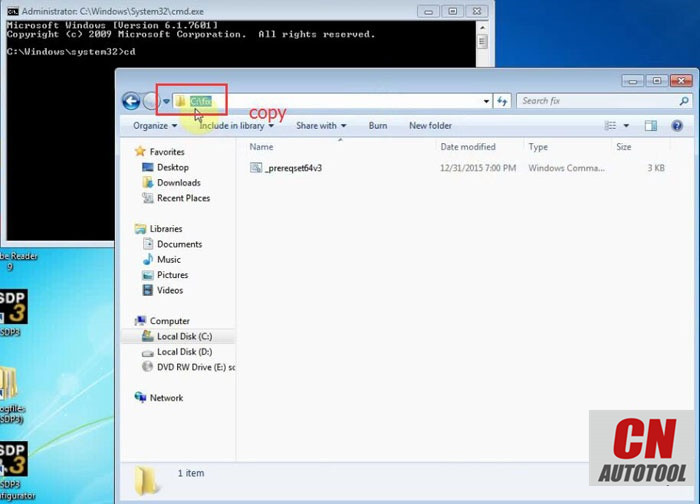
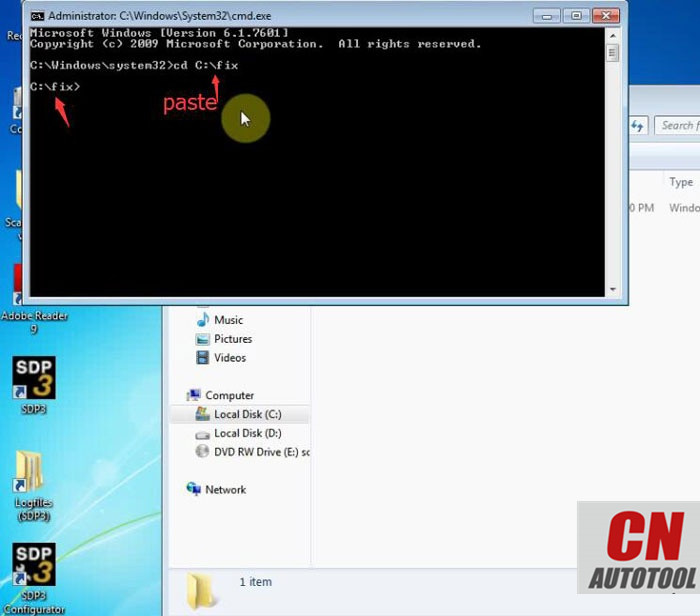
Copy _prereqset64v3 and paste to cmd
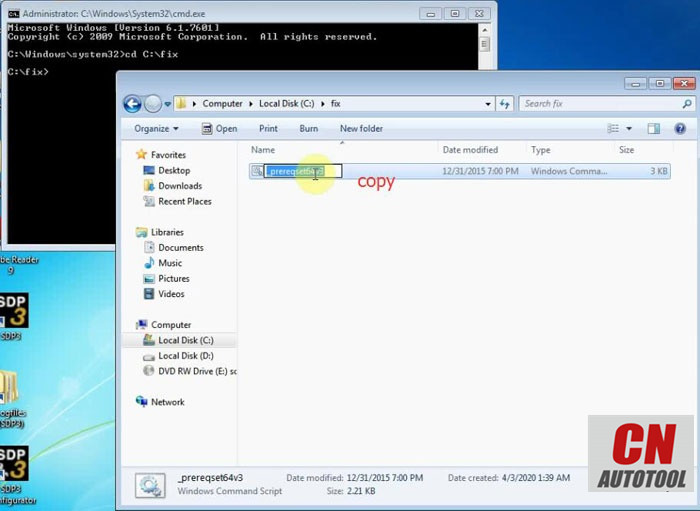
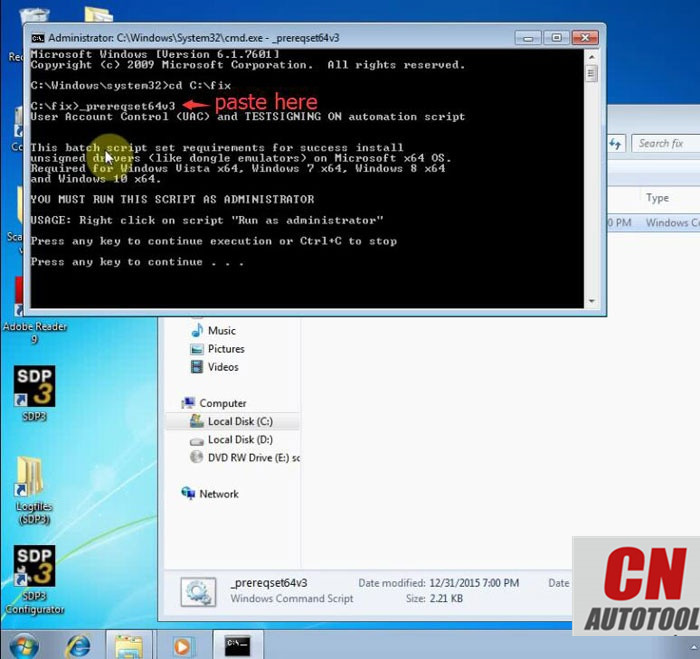
Crack succeed.
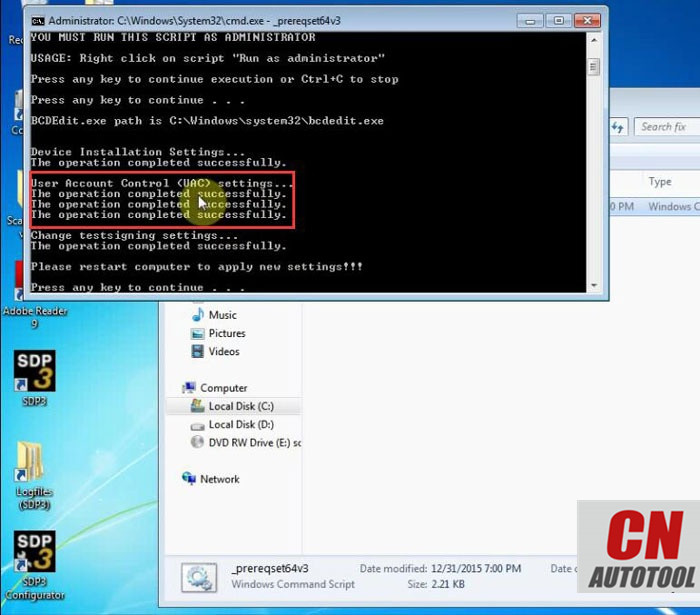
Restart computer
Step 3: Install driver
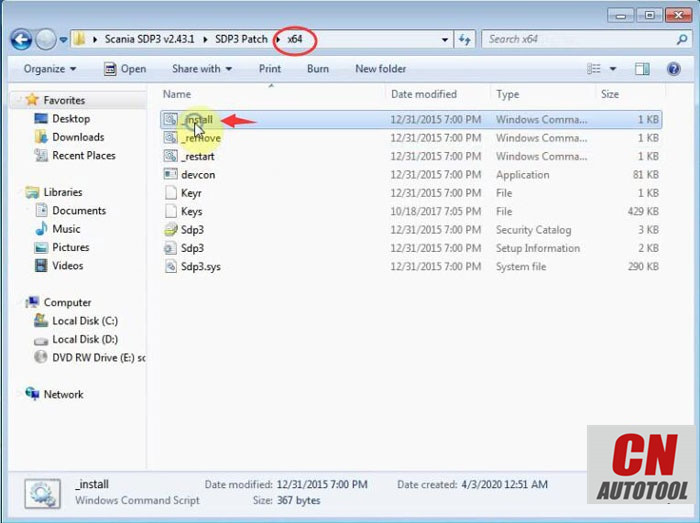
In SDP3 Patch folder, select proper system driver (here x64) and install
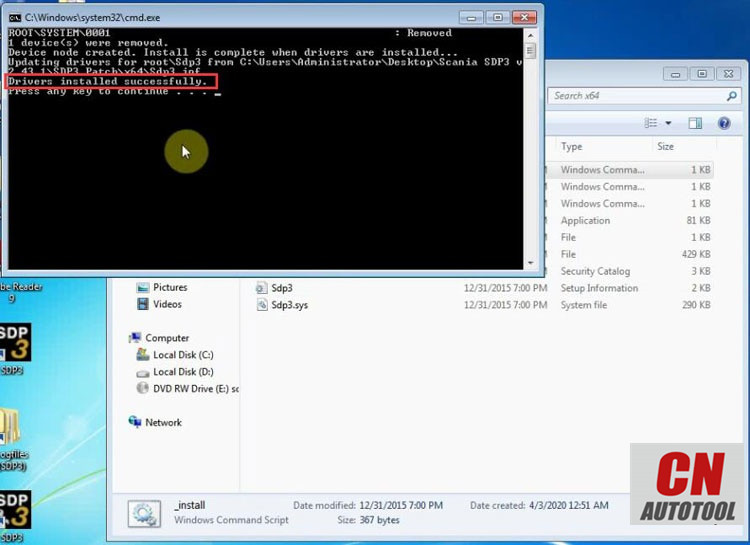
Driver installed successfully.
Step 4: Activate SDP3 2.43.1
Open Hardware ID Reader
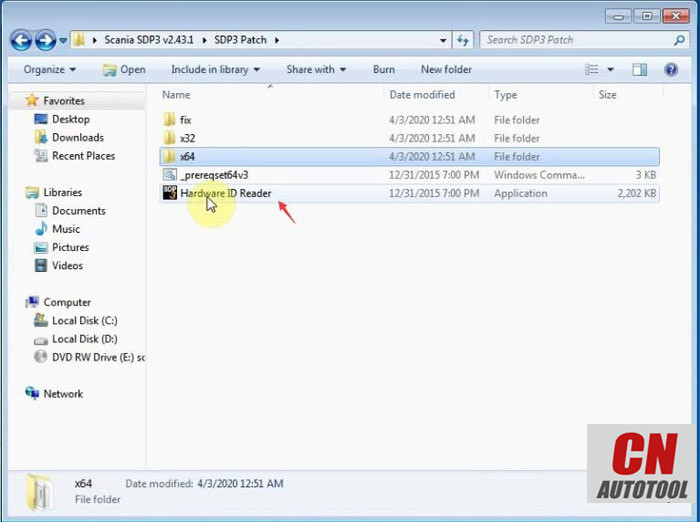
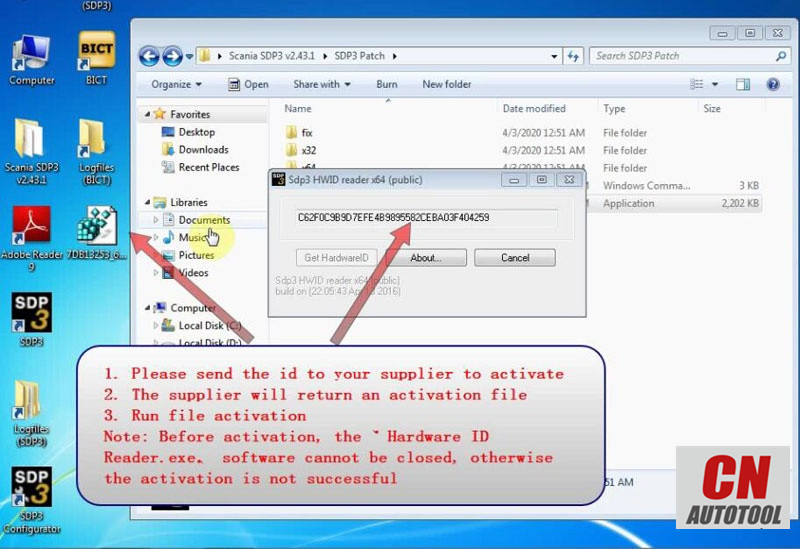
Copy the HW ID and send it to obdii365.com customer service
We will send you the activation file.
Run file for activation
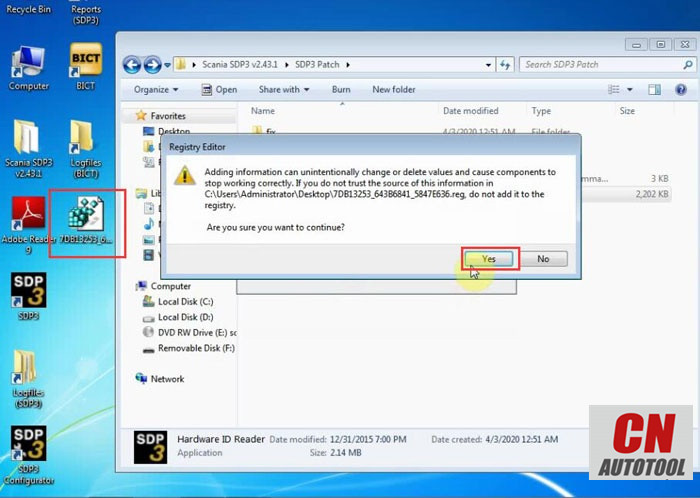
* You should close the the HWID reader.exe before activation. Otherwise the activation will fail.
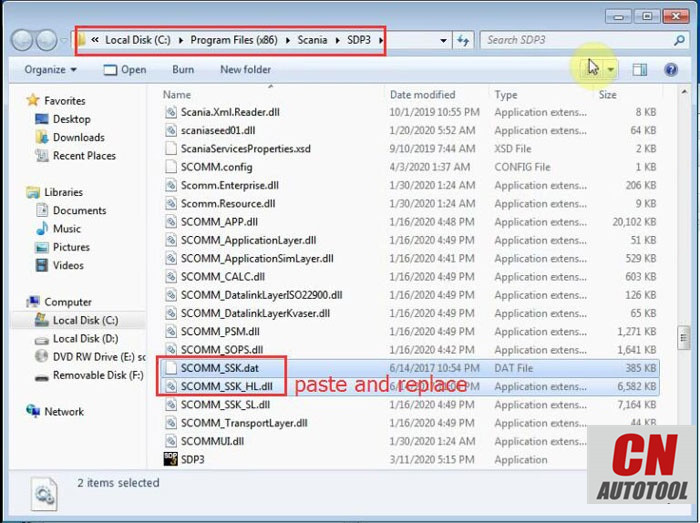
Copy SCOMM_SSK.dat and SCOMM_SSK.HL.dll in C:/fix/ folder and replace same files in C:/Program Files (x86)/Scania/SDP3 folder
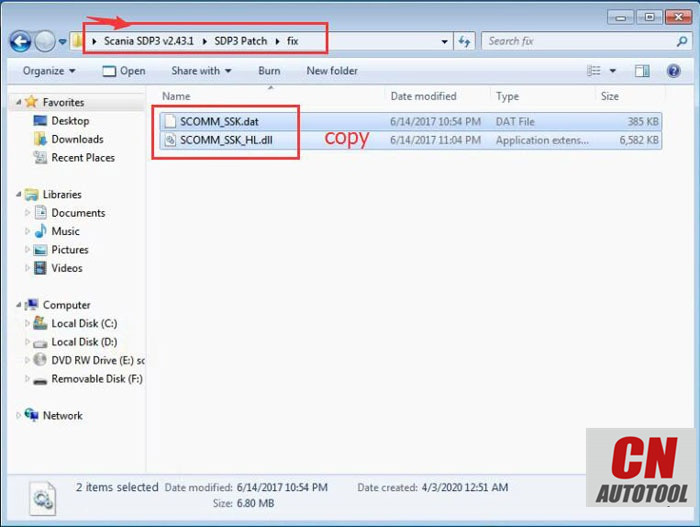
Restart computer
Step 5: Run SDP3 software
Open SDP3 software on desktop
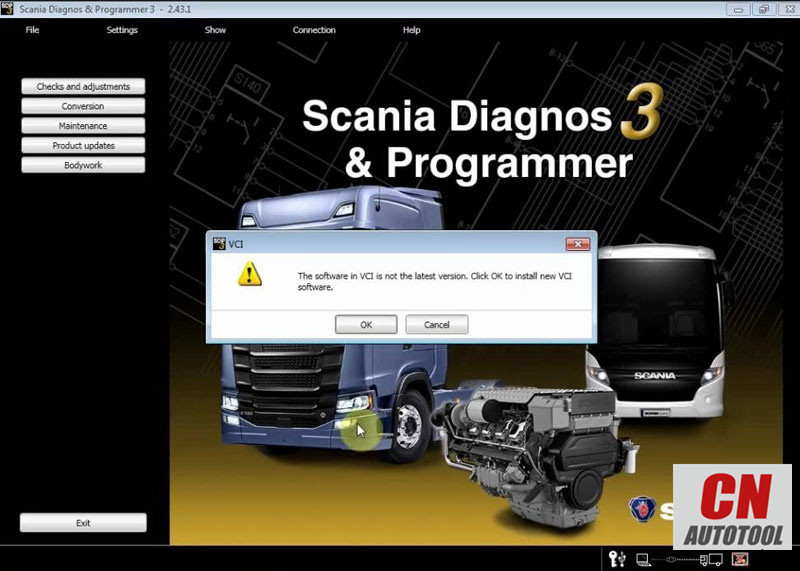
Run a VCI software update
VCI update successful.
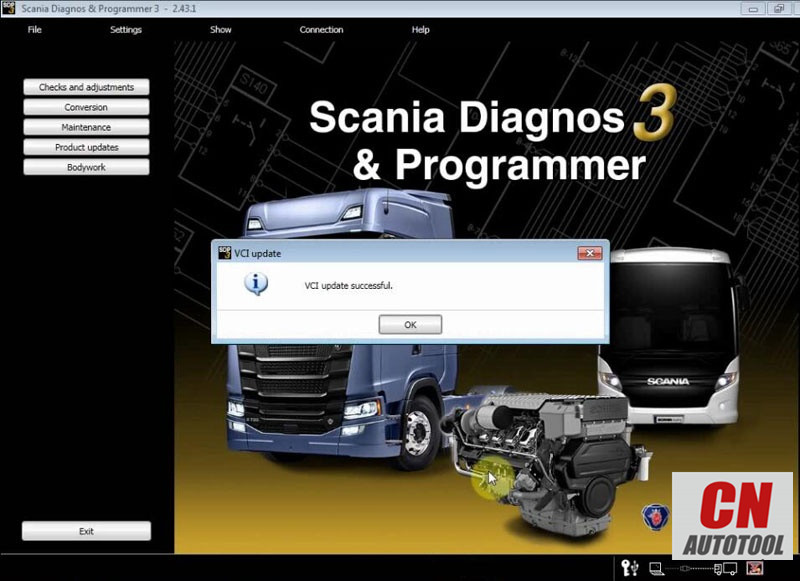
Program is ready to use.
Connect VCI3 with vehicle and run diagnosis or programming.
