Free download the newest Can Clip V200 software for your Renault diagnostic tool.
Renault Can Clip 200 new features:
-Diagnosis help button in New Dialogys
-New RNFI package release
-No new vehicles integrated on this Clip version

Can Clip V200 free download link:
https://share.weiyun.com/qlF995HR
Password: 4ixw6z
Size: 2.71 GB
Security: has been tested 100% working by www.cnautotool.com engineer
OS: Windows XP, 7, 10 32bit
Language: Multilingual (English, French, German, Italian, Russian and other)
Works well with all Chinese clone Renault Can Clip diagnostic tools (Item No. SP19-A, Item No. SP19-C and Item No. SP19-D)
CAN Clip 200 Activation steps:
After finish Installation, DO NOT run your Clip!
Step 1: Replace the original RSWin.exe file (backup 1st your original file!!!) with the cracked .exe file in C:\CLIP_X91\Lib\Application\
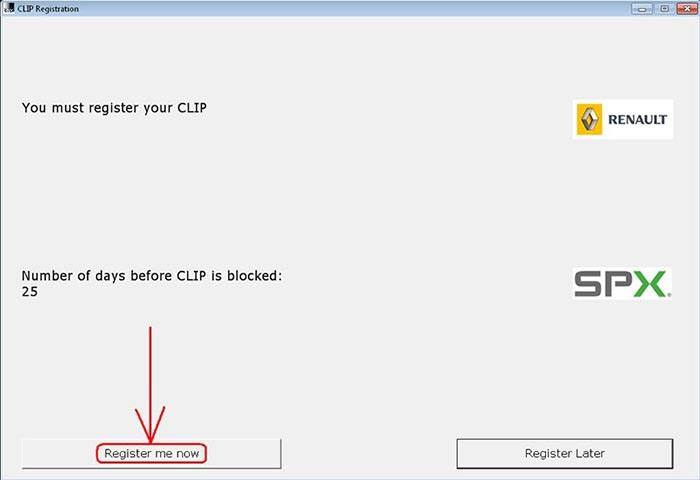
Step 2: Run the RSWin.exe from the same location as you are (C:\CLIP_X91\Lib\Application\)
Click on “Register me now”
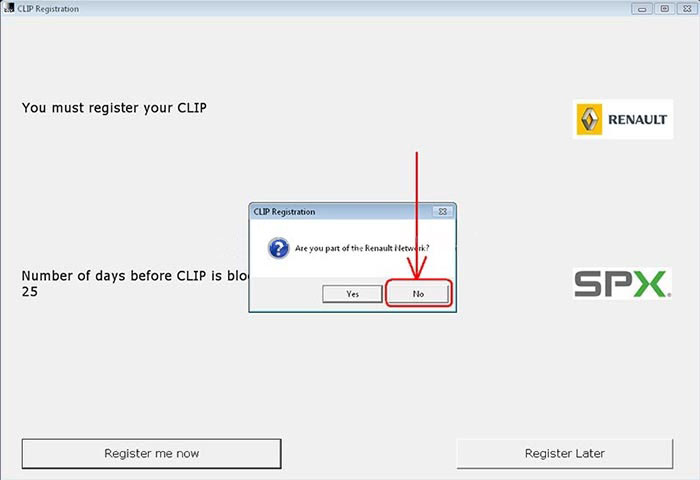
When it prompts “Are you part of the Renault Network?”, please select “NO”!
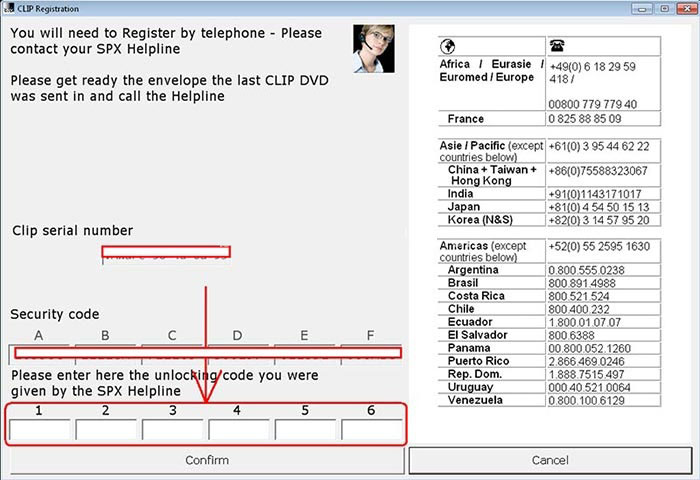
Step 3: Use this Key for Registration: 333DEF-111DEF-111DEF-222DEF-221DEF-000DEF. It will work till 31/12/2020.
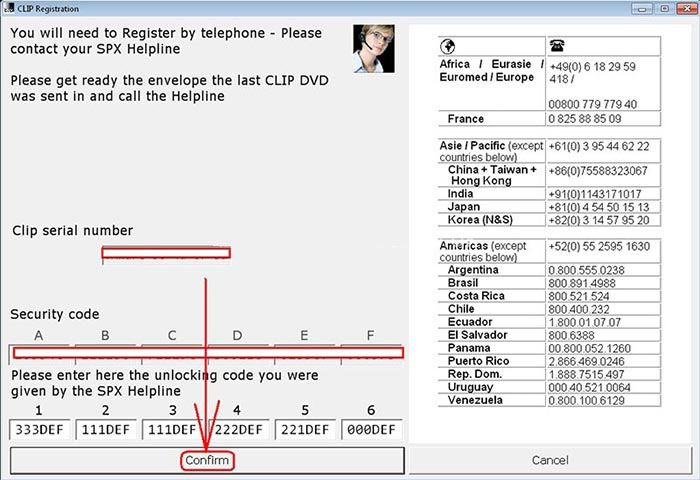
Step 4: Register successfully.

Step 5: RESTORE your original RSWin.exe and REMOVE the patched one! (Just keep a backup from the patched file somewhere…)
Step 6: Run Renault Can Clip software, accept the terms and Clip it will load.
Done!
