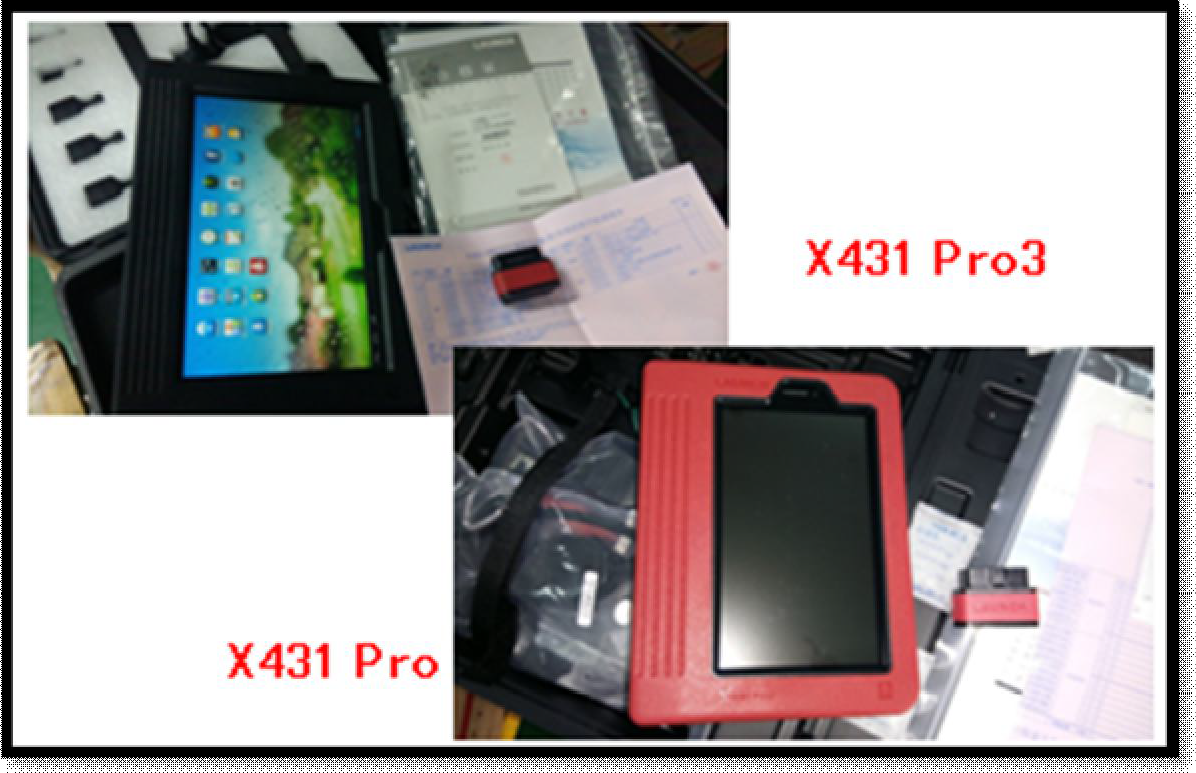
This car has changed the steering wheel. Torque sensor learning is successfully done by the X-431 PRO.
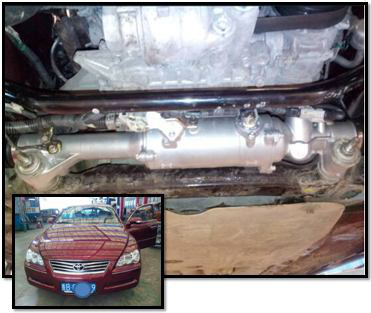
Operation Procedure:
1.Switch on the ignition.
2.Select the Toyota Version above V48.31.
3.Select 16PIN Diagnostic Socket. 4. Select “09/2010-03/2012”
5.Select“w/AFS OFF Switch”
6.Select “System Selection”
7.Select “Classis“
8.Select “EMPS”
9.Select “Read Fault Code“
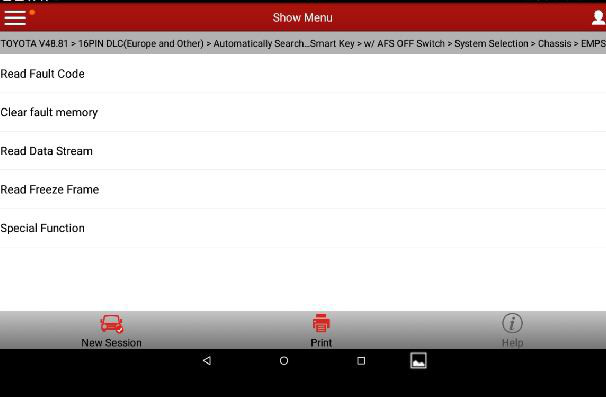
10.Select special function.
11.Select torque sensor calibration.
12.Pay attention to the prompt
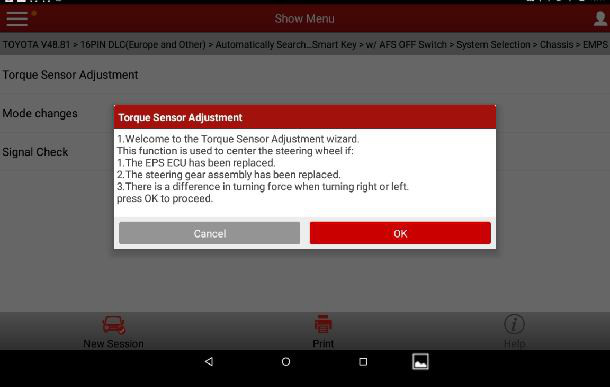
13.Pay attention to the prompt, see Picture 4.
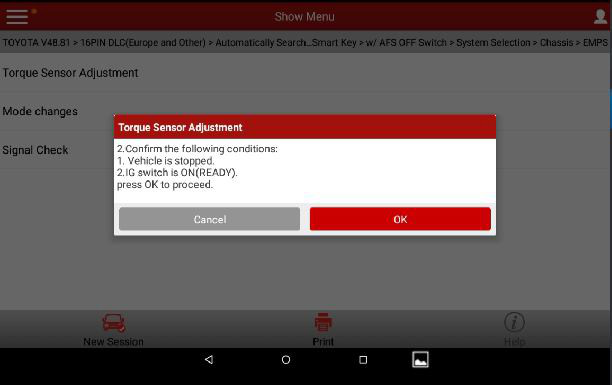
14.Ensure the vehicle is stationary, the ignition is on, then click confirm button.
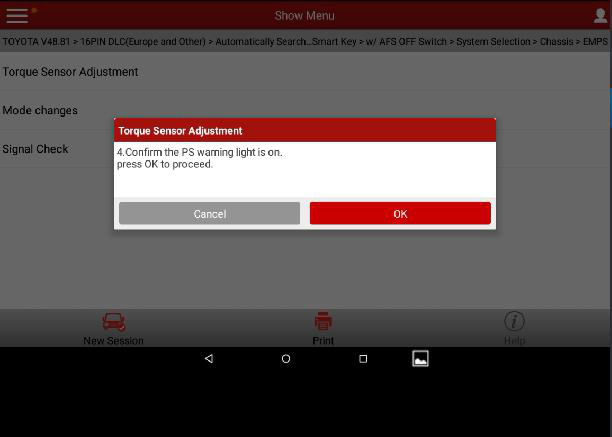
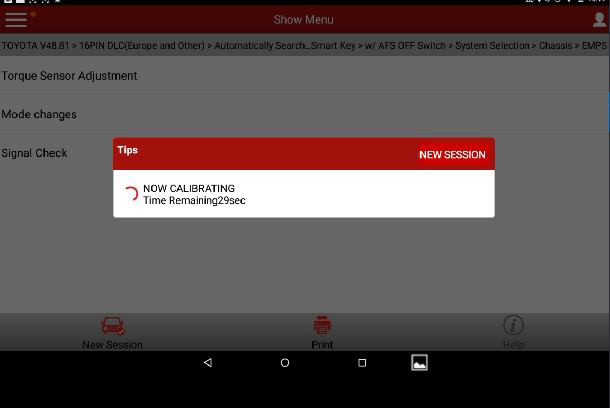
15.Confirm the PS (power steering) warning lamp is on. After confirmation, it prompts counting down 40 seconds “Calibrating, the remaining time is ** seconds”.
16.Pay attention to the prompt, see Picture 5, “Ensure the steering wheel is at the center. Note, during the operation of next step, the steering wheel will swing. Do not touch it!” Click CONFIRM button.
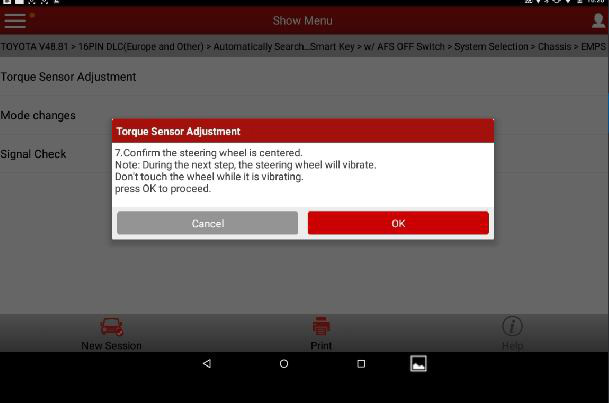
17.When the steering wheel stops swinging, click confirm, it prompts “Calibrating, the remaining time is
** seconds”.
18.It prompts “Torque sensor calibration completed”, indicating the sensor learning succeeded.
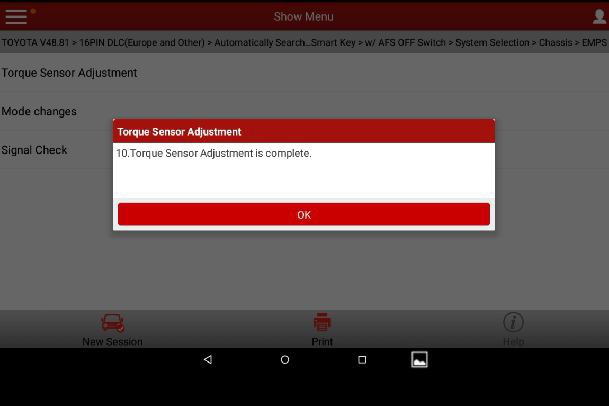
19.Click confirm, exit from the software. Turn off the ignition.
LAUNCH is dedicated to pursuing good functions and addressing customer needs. Follow LAUNCH, you will “make a little progress every day”!
