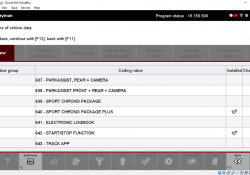
How to Coding Porsche 991.2 by PIWIS III
Car model and year: Porsche 991.2 with PCM4.0 without the Bose amp. Symptom: Deleted my PCM head unit. The downside is that the OEM shelf isn’t tilted enough, under hard acceleration your phones/keys/whatever you put in there will fly out…… Continue Reading
How to Use MUT-III to Do CAN Bus Diagnosis

This instruction show you guide on how to use MUT-III diagnostic software to do CAN BUS diagnosis. Related Contents: MUT-3 MUT-III Mitsubishi Diagnostic Software Free Download MUT-III ECU Rewrite ROM Data from 2009 to 2021 Procedures: When you execute CAN… Continue Reading

How to use Porsche Piwis 3 Engineering Mode

How to use Porsche Piwis 3 Engineering Mode 1.You need to set the engineer mode (E mode), it is recommended that you disconnect the car connection of the diagnostic interface PT3G VCI; 2.System-Diagnostics configuration for other model lines; Change mode… Continue Reading

981 Sport Chrono Retrofit on software side

Recently, I read a post about 981 Sport Chrono Retrofit on software side which post by Visual from rennlist forum. I feel it is very interesting. I will share it with you below. https://rennlist.com/forums/981-forum/1239006-981-sport-chrono-retrofit-part-2-software-side.html 981 Sport Chrono Retrofit part 2:… Continue Reading

How to open Porsche Piwis 3 Remote access Teamviewer

How to open Porsche Piwis 3 Remote access teamviewer 1.The computer is connected to the wired network or WIFI; 2.Home-Tools-Remote access (Tips:If the window of the Teamviewer remote software does not appear, you can try to click Remote access again… Continue Reading

“Clean” Power Supply for PIWIS Coding

Many of us now have a PIWIS 2 or PIWIS 3. I “assembled” my PIWIS 2 last year. I downloaded the software on-line (for free!) and then bought a clone Samtec interface from China. The program runs using VMWare on… Continue Reading

Porsche Piwis 3 tester V40.775.055, Engineer E mode, 2022 Porsche model

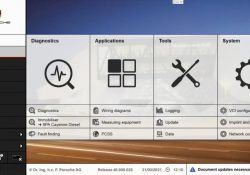
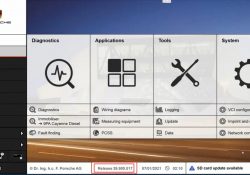
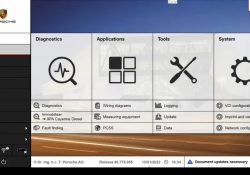
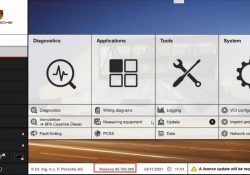
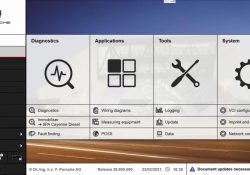
Porsche Piwis 3 tester Release 40.775.055 2.Porsche car model database 3. Porsche Software Update History; 4. E mode,Engineer mode 5. Porsche PPN; 6.Porsche Wiring diagrams; 7.Porsche Piwis WIFI; 8. Fault finding; 9.Porsche car model range selection 10 .Diagnostic programming of… Continue Reading

Porsche Piwis 3 tester software online update guide

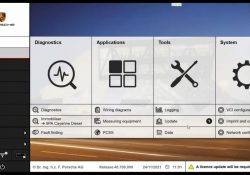
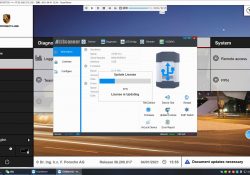
1.Porsche Piwis 3 tester software current software version is V40.700.000(Porsche PT3G VCI); 2.Tools-update 3.Here is a V40.700.010 software update package, need to be upgraded, click to start installation; 4.Updating 40.700.010 update successsfully 5.Software version after the update is complete; update… Continue Reading

Porsche Piwis tester 3 V40.700.010_Engienner E mode

Support Porsche software update Porsche piwis 3 testers connect Porsche Diagnostics need Porsche PT3G VCI update file Porsche piwis 3update successfully Porsche piwis 3 tester update history Porsche piwis 3 tester PTTD database Porsche piwis 3 tester Engieneer E mode… Continue Reading

What’s the LED Lights on Status for Porsche Piwis3 PT3G-VCI

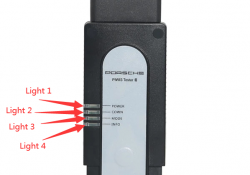
The Porsche PIWIS 3 (PST3) is the newest Diagnostic Tool in the market. It can read trouble code, clear trouble code, shows ECU information. It test live data, display actual values, and programs. On all; process malfunction navigation, showing all… Continue Reading

How to upgrade Porsche Piwis 3 hardware

The Porsche PIWIS 3 is the newest Diagnostic Tool in the market. It can read trouble code, clear trouble code, shows ECU information. It test live data, display actual values, and programs. How to upgrade Porsche Piwis 3 hardware

Porsche Piwis Tester 3 V40.600+V38.200 Software for Porsche Cars Diagnostic & Programming

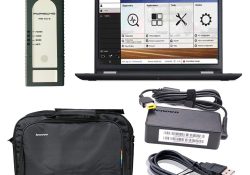
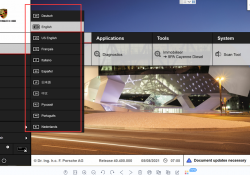
Porsche Piwis 3 with V40.600+V38.200 Software installed on lenovo Yoga laptop ready To use cover all piwis 2 functions , with developer mode software and new DoIP Ethernet diagnostic technology, supports Porsche Models after 2002 . It support multi-language :… Continue Reading

How to import Porche PPN login license

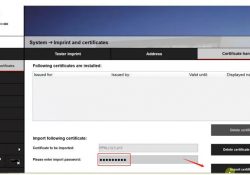
PIWIS 3 how to import certificates 1. Use the task manager to enter the computer desktop, you can use the key combination, press ESC+shift+Ctrl, or Ctrl+Alt+Del; In the task manager window, select “File”-“Run newtask”, enter explorer, “open” to show the… Continue Reading