2019V JPRO Professional Heavy Truck Diagnostic Tool INSTALL INSTRUCTIONS
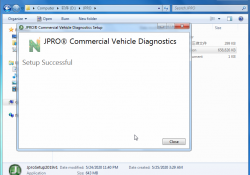
2019V JPRO Professional Heavy Truck Diagnostic Tool INSTALL INSTRUCTIONS JPRO Professional Software Installation video: 1. Run JProsetup2019 v1   2. Run HWID As ADMINISTRATOR and get “hwid.dat” (DO NOT CLOSE) 3. Use keygen and take license files (CLOSE HWID STEP2)… Continue Reading
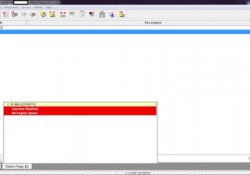
Injection Disabled on Status Flags Caterpillar ET Software

“Injection Disabled” on Status Flags Caterpillar ET Software Read More: Cold Mode and No Engine Speed on Status Flags Caterpillar ET Software Create Product Status Report (Download List) on Caterpillar ET Software Diagnostic Codes on Caterpillar ET Software -If a… Continue Reading

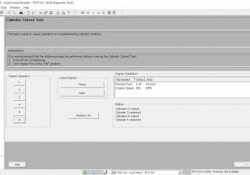
Cylinder Cutout Test on CUMMINS Engine using Cummins INSITE Software

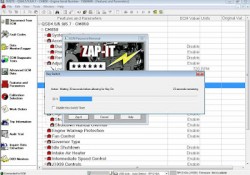
Cylinder Cutout Test on CUMMINS Engine using Cummins INSITE Software Read More: FREE Activation Password for CUMMINS INSITE v7.4.0 ECM Password Removal (ZAP-IT) on Cummins Engines using Cummins INSITE To perform ECM Diagnostic Tests: 1. Open and connecting the CUMMINS… Continue Reading

Does VXDIAG Benz C6 DTS Monaco Require Activation

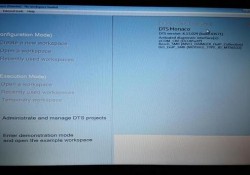
As titled, some people may ask if the vxdiag benz c6 doip interface DTS Monaco software requires activation. No. DTS Software does not require activation and ready to use. Why all options are gray out? There are 2 possible reasons:… Continue Reading

How to Connecting CUMMINS Engines using Cummins INSITE Software

How to Connecting CUMMINS Engines using Cummins INSITE Software? Here the STEPS: 1. Open “Cummins INSITE” through shortcut on desktop, using Status bar to select a connection options. 2. Click the dropdown box on the “Status bar” to view a… Continue Reading

Cold Mode and No Engine Speed on Status Flags Caterpillar ET Software

 “Cold Mode” and “No Engine Speed” on Status Flags Status Flags Read More: Diagnostic Codes on Caterpillar ET Software Create Product Status Report (Download List) on Caterpillar ET Software Cold Mode -The ECM limits engine power during cold mode operation… Continue Reading

Create Product Status Report (Download List) on Caterpillar ET Software

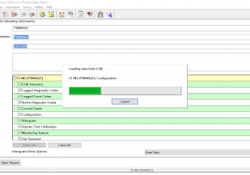
How to Create Product Status Report (Download List) on Caterpillar ET Software? Purpose: The Product Status Report feature allows users to capture the status of a machine or engine at a specific moment in time. Data loaded from the ECM… Continue Reading

Diagnostic Codes on Caterpillar ET Software

Diagnostic Capabilities Diagnostic Codes The engine’s Electronic Control Module (ECM) has the ability to monitor the circuitry between the ECM and the engine’s components. The ECM also has the ability to monitor the engine’s operating conditions. If the Caterpillar ET Software… Continue Reading

How to Connecting Caterpillar ET Software to the ECM

Caterpillar ET Software The Communications tab in the Preferences dialog box allows the communication interface device and the ports necessary to run the service tool to be set. NOTE: The information in the Communications tab is dependent upon the Communication… Continue Reading

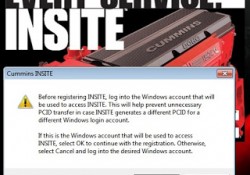
FREE Activation Password for CUMMINS INSITE v7.4.0

FREE Activation Password for CUMMINS INSITE v7.4.0 Diagnostic Engine Software for CUMMINS. 1. Install Cummins INSITE v7.4.0, download here: FREE Download Cummins Insite v7.4.0 https://mega.nz/#F!b6RXjKib!xwPqzdfS2DABG8m4ujDvcg -Open folder “Insite_74”, then folder “insite”. -Click “setup.exe”, and please wait until installation is completed. NOTE:… Continue Reading