Work Orders on Cummins INSITE Software (CUMMINS Engines)

Work Orders on Cummins INSITE Software (CUMMINS Engines) Work Orders #Work Orders – About Work Orders are used to record and view information about the ECM history enabling technicians to reference previous ECM settings. Work Orders contain one or more… Continue Reading

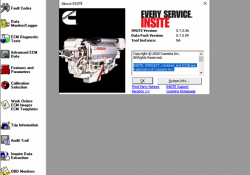
Cummins INSITE 8.7 Software 8.7 Pro Version No Time Limited

Cummins INSITE v8.7.0.86 (replaced v8.6.0.116) Pro is a PC-based software application that provides quick and easy access to your engines’ electronic performance information, which enables faster service turnaround times. INSITE helps to ensure accurate procedures and diagnosis and limit downtime… Continue Reading

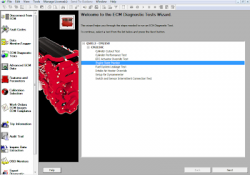
Engine State Monitor on Cummins INSITE Software (CUMMINS Engines)

Engine State Monitor on Cummins INSITE Software (CUMMINS Engines) Engine State Monitor Figure 1.1 – ECM Diagnostic Tests Read More: Cylinder Cutout Test using Cummins INSITE Software (CUMMINS Engines) The Engine State Monitor displays the active control state of an… Continue Reading

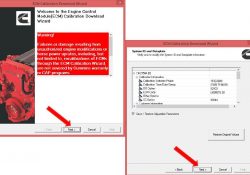
How to Use Cummins Insite Perform A ECM Calibration Download

This instruction show you the procedures on how to perform Cummins ECM calibration download by Cummins Insite diagnostic software. Procedures: Connect to ECM Open Calibration Selection and select ECM\PDD button If Auto-Detect is enabled, INSITE will automatically detect the calibration… Continue Reading

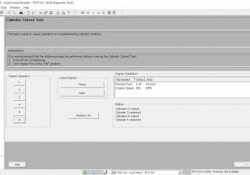
Cylinder Cutout Test on CUMMINS Engine using Cummins INSITE Software

Cylinder Cutout Test on CUMMINS Engine using Cummins INSITE Software Read More: FREE Activation Password for CUMMINS INSITE v7.4.0 ECM Password Removal (ZAP-IT) on Cummins Engines using Cummins INSITE To perform ECM Diagnostic Tests: 1. Open and connecting the CUMMINS… Continue Reading

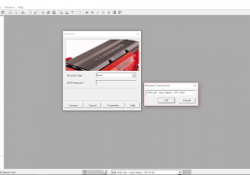
How to Connecting CUMMINS Engines using Cummins INSITE Software

How to Connecting CUMMINS Engines using Cummins INSITE Software? Here the STEPS: 1. Open “Cummins INSITE” through shortcut on desktop, using Status bar to select a connection options. 2. Click the dropdown box on the “Status bar” to view a… Continue Reading