This Instruction Guide is designed to assist Autel Maxisys tablet users. In this guide, users will learn procedures for WiFi printing from any Autel tablet scan tool. Please note, Autel software updates may include a change in the procedures in this guide.
Autel users are permitted to create and share copies of this document for educational and training purposes of Autel products only. We ask that the Autel branding remain included in each copy as it is provided in the original document.
Index
•Connect your Autel tablet to WiFi
•Download and use printing software
Notes
•If you have an earlier version of PCLink printer software on your computer, please uninstall the program before installing the new MaxiPC Suite
•Have the latest version of Adobe Acrobat Reader is installed
•Allow PC Link to pass through your computer’s firewall and antivirus software
•To view a step-by-step YouTube Video please visit this link: https://bit.ly/2BatqUz

Autel MaxiSYS tablets connect via WiFi to your PC The PC then communicates with your printer
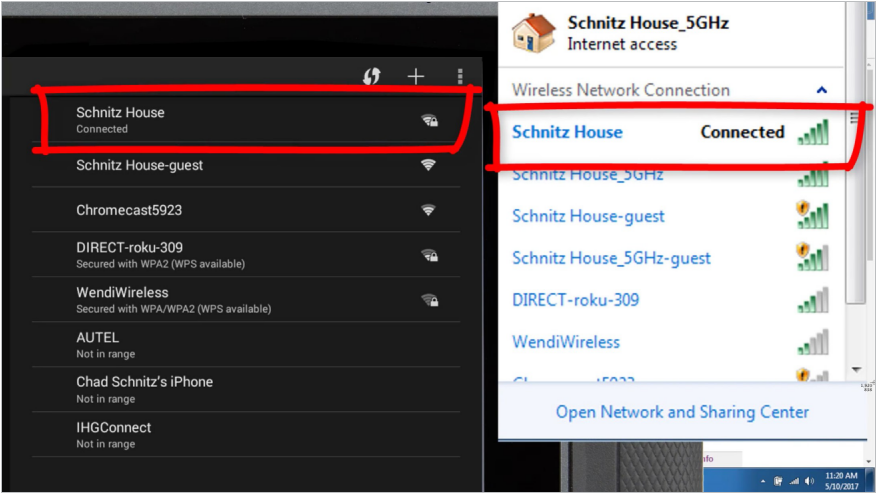
Step 1: Connect your MaxiSYS on same Wifi network as your PC
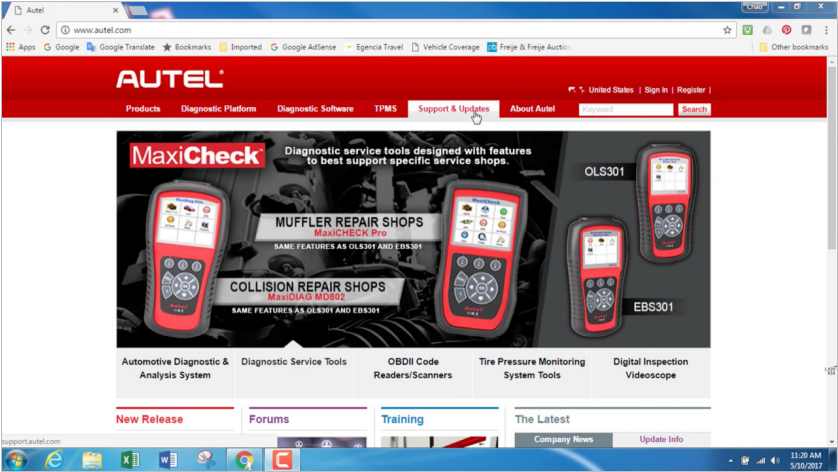
Step 2: On your PC visit www.autel.com
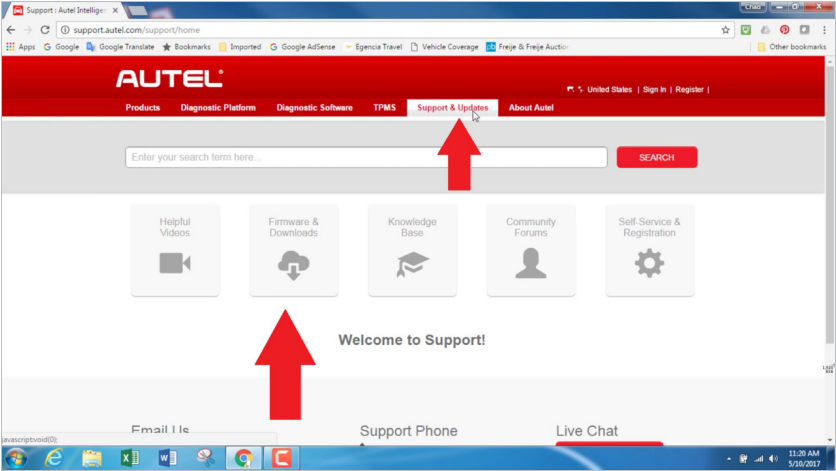
Step 3: Select Support & Updates
Step 4: Then select Firmware & Downloads

Step 5: Select Update Client

Step 6: Select the Download Here button under Maxi PC Suite
Step 7: After download is complete, open the zip file
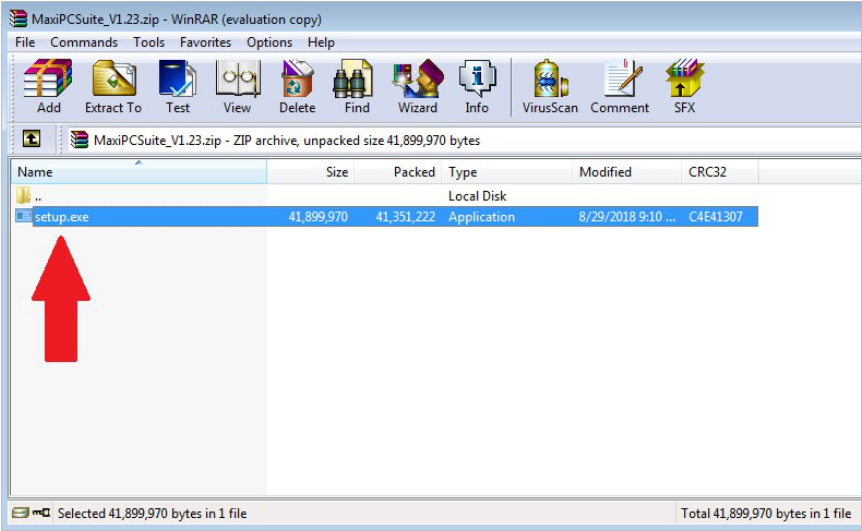
Step 8: Select setup.exe
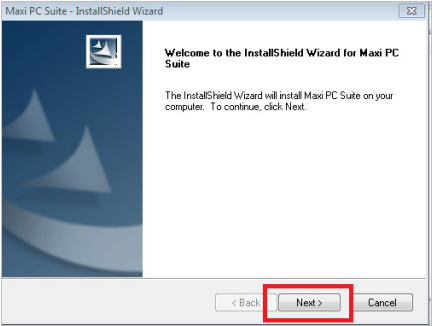
Step 9: On the InstallShield Wizard pop up window, select Next to begin installation
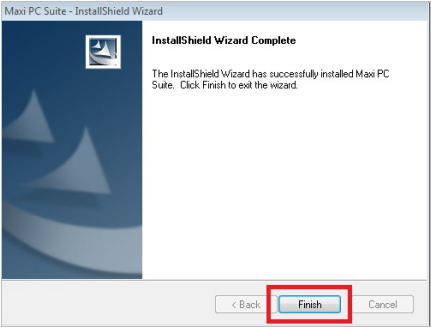
Step 10: Select Finish to complete Maxi PC Suite installation
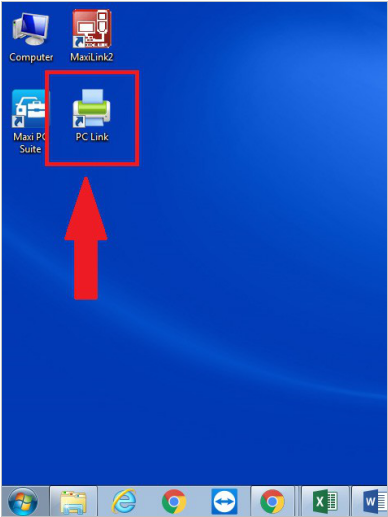
Step 11: Open the PC Link application from your PC desktop
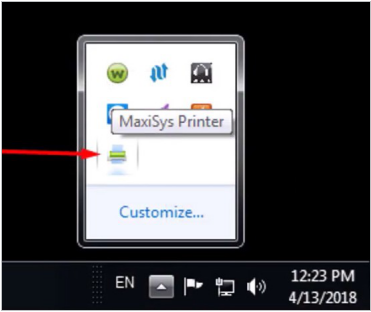
An icon will appear in the toolbar on the bottom right of your PC screen
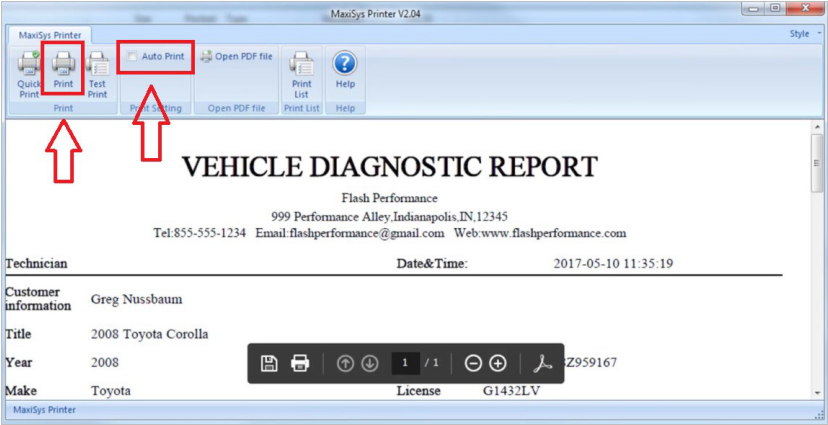
Step 12: To automatically print to a default printer select Auto Print in the PC Link application

Step 13: On your MaxiSYS tablet select Print

Your tablet will search for the printer on your WiFi network as selected in Step 1
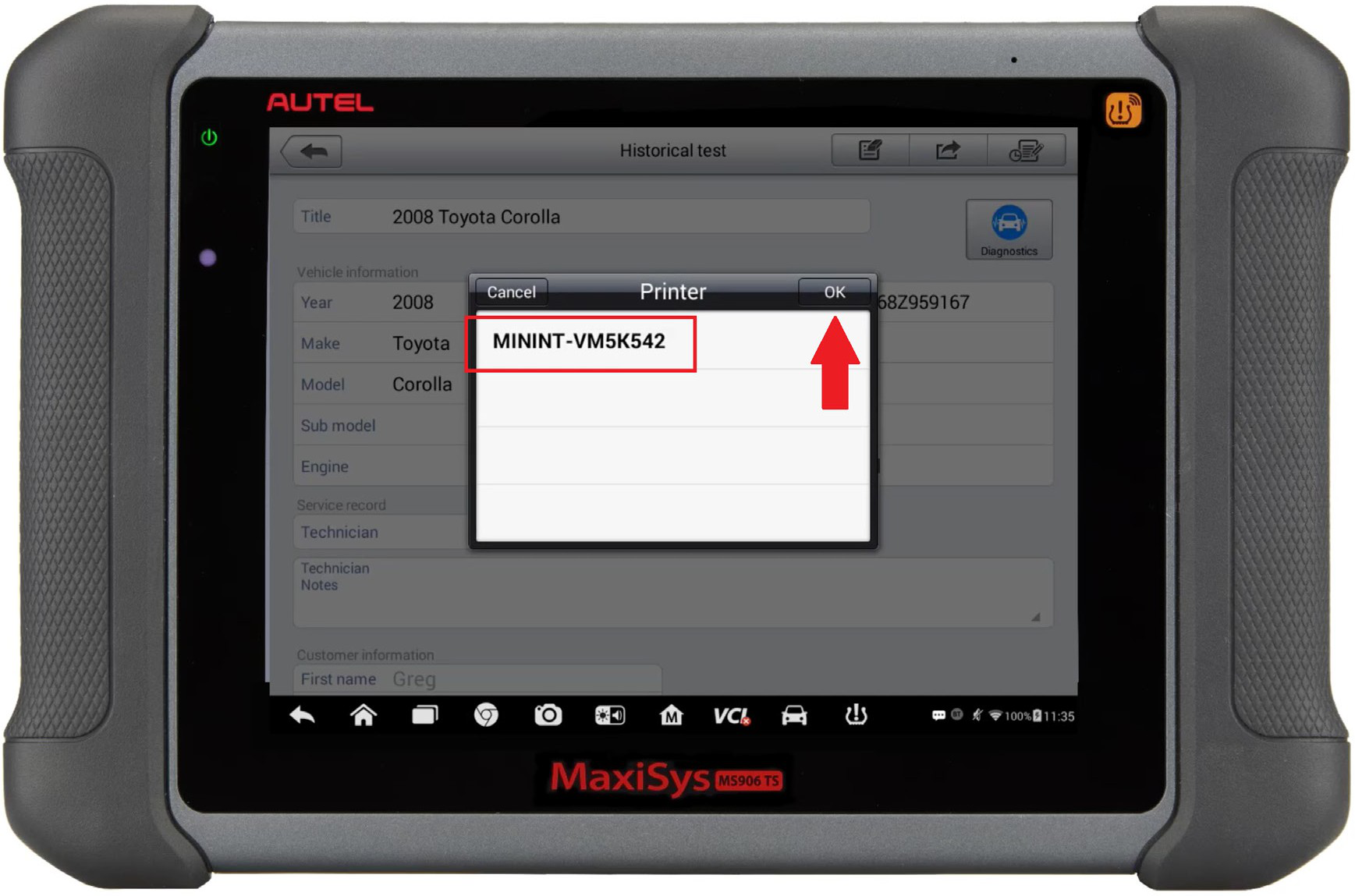
Step 14: Confirm your printer

Step 15: Your MaxiSYS will send the file to your computer to print
