SIS and CBT of Caterpillar ET Software Offline Settings By DVD or Virtual Drive

How to Settings SIS and CBT Offline (using DVD or Virtual Drive) on Caterpillar ET Software? SIS – Service Information System CBT – Component Based Troubleshooting CBT (Component Based Troubleshooting) DVD can now be downloaded directly from Caterpillar. The application… Continue Reading

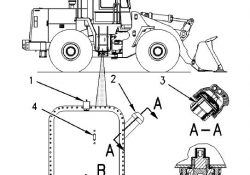
Air Shutdown Relay Current Below Normal (Diagnostic Code: 446-5)

Air Shutdown Relay Current Below Normal (Diagnostic Code: 446-5) Air Shutoff System Use this procedure to troubleshoot the electrical system if a problem is suspected (active or easily repeated) with the Air Shutoff system. * (446-5) Air Shutdown Relay current… Continue Reading

How To Test Air Condition System Electrical Components For Caterpllar

Caterpillar Inc. machine air conditioners use pressure switches to protect the air conditioning compressor. To further protect other electrical components in the air conditioning system, arc suppressors are used to discharge inductive loads when the compressor is deactivated. Failure of… Continue Reading

Accessing Parameter Lockout on Caterpillar ET Software

Accessing Parameter Lockout on Caterpillar ET Software Parameter Lockout #Purpose The Parameter Lockout function allows parameters to be locked so that they cannot be changed anywhere in the Service Tool by service Mechanics. To unlock the parameters, Factory or Customer… Continue Reading

Accessing Maintenance Indicator on Caterpillar ET Software

Accessing Maintenance Indicator on Caterpillar ET Software Maintenance Indicator #Purpose The Maintenance Indicator function provides information concerning maintenance needs. The data displayed on this screen indicates the status of maintenance in the ECM. #Accessing To run the Maintenance Indicator function:… Continue Reading

Change the ECM DateTime using Caterpillar ET Software

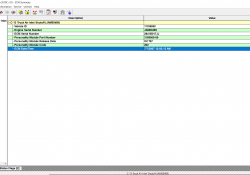
Change the ECM DateTime using Caterpillar ET Software ECM Date/Time #Purpose The ECM Date/Time function allows the current date and time of the ECM to be viewed and modified. This information is continuously updated. If the ECM and PC Date… Continue Reading

Online Licensing for Activation the Caterpillar ET Software

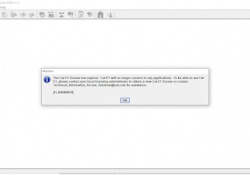
Online Licensing for Activation the Caterpillar ET Software Licensing #Note: The contents of Licensing apply only to Dealer Coordinators. To obtain licensing information, contact the Dealer Coordinator. #Purpose The Licensing dialog box can be used to register the Cat ET… Continue Reading

Programming the ECM using Caterpillar ET Software

Programming the ECM using Caterpillar ET Software WinFlash The WinFlash tool can be used to set up and consecutively program the Flash memory of all onboard ECMs. #Instructions: To program an ECM: 1). Start a connection to the Service Tool.… Continue Reading

Caterpillar 950F Excavator Air Filter Primary Element Clean and Replace

This instruction show you guide on how to clean and repair air filter primary element for Caterpillar 950F excavator. More repair case for CAT machine,please refer to:Caterpillar Trouble Repair. Related Contents: Caterpillar SIS 2021 2019 2018 Full EPC+Service Manual Free… Continue Reading

Caterpillar SIS 2021 2019 2018 Full EPC+Service Manual Free Download

What is Caterpillar SIS? Caterpillar SIS is the electronic service tool that Caterpillar dealers, customers and employees rely on for their parts and service information needs. SIS provides information for all Caterpillar machines and engines from 1977. SIS is available… Continue Reading

Caterpillar ET 2021C (replaces CAT ET 2021A, 2020B, 2020A) Electronic Technician Diagnostic Software

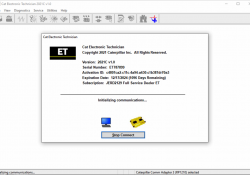
Caterpillar electronic technician 2021C(replaces CAT ET 2021B) with WinFlash future is an updated version of the caterpillar dealer diagnostic software that can help technicians to diagnose existing and potential problems with their electronically controlled Caterpillar Engines and Machines. The list… Continue Reading

Equipment ID (NOT PROGRAMMED) on Caterpillar ET Software

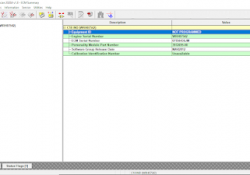
Equipment ID Equipment ID allows the customer to enter a description into the Electronic Control Module (ECM) in order to identify the Machine, such as Model/ Unit Number. A maximum of 17 characters may be entered in the field. This… Continue Reading

Injection Actuation Pressure Test using Caterpillar ET Software

Injection Actuation Pressure Test using Caterpillar ET Software #Purpose The Injection Actuation Pressure Test function checks for leaks on all hydraulic components. This test allows the user to change the desired pressure and then view the actual pressure results. #Accessing… Continue Reading

Accessing Prognostics Download on Caterpillar ET Software

#Purpose Prognostics Download allows Prognostics data to be downloaded quickly and easily from all available ECMs. This information can be saved as a text file (.txt), refer to Figure 1.1 above. When information is downloaded and analyzed at regular intervals,… Continue Reading