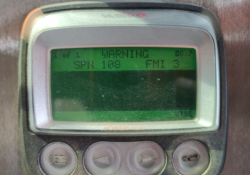
Caterpillar ET 2026A 2024A 2021B 2019C 2018A Electronic Technician Software Free Download

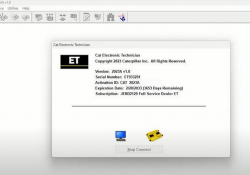
What is Caterpillar ET? Caterpillar Electronic Technician (Cat ET) is diagnostic software required to communicate, diagnose and service electronically controlled Caterpillar engines and machines. When connected to an Electronic Control Module (ECM), a technician has the ability to diagnose existing… Continue Reading
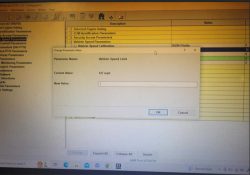
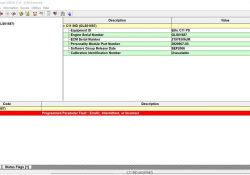
What is the password for CAT Caterpillar ET when change vehicle speed limit?

One buyer reported the problem when he run CAT Caterpillar ET and he wants to change vehicle speed limit.It need password to work What is the password for CAT Caterpillar ET? It need Caterpillar Cat ET Factory Password Generator Keygen… Continue Reading

Programmed Parameter Fault: Understanding Diagnostic Code SPN 630 – FMI 2

The efficient operation of an engine relies heavily on the correct programming of various parameters. When these parameters are erratic, intermittent, or incorrect, it can lead to performance issues and potential engine damage. Diagnostic Code SPN 630 – FMI 2,… Continue Reading

How to Use Cat ET 2023A Diagnostic Software Program ECM

Caterpillar Electronic Technician service tool allow you to perform ECMs programming for new or used ECMs. All ECMs connected to the service tool will display in the ECM Information area. Related Contents: Caterpillar ET 2023A 2022A 2019C 2018A Software Free… Continue Reading

8 VDC Supply Voltage Below Normal – Diagnostic Code SPN 678 – FMI 4

8 Volt DC Supply: Voltage Below Normal (CDL Code: 41-4) Use this procedure to troubleshoot the electrical system if a problem is suspected with a sensor supply. 8 VDC Supply: Voltage Above Normal (CDL Code: 41-3) 8 VDC Supply: Voltage… Continue Reading

How to Disable the Adblue System on Caterpillar Machines

The Adblue system, also known as the Selective Catalytic Reduction (SCR) system, is designed to reduce harmful emissions in diesel engines. However, some Caterpillar (CAT) machine owners may want to disable this system for various reasons. If you are looking… Continue Reading

CAT 239-9967 Bypass Messenger Harness for Flash the New CAT Messenger Display

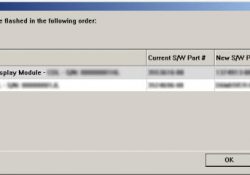
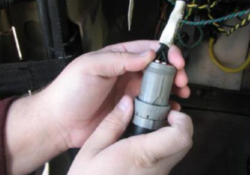
CAT 239-9967 Bypass Messenger Harness for Flash the New CAT Messenger Display 239-9967 (Bypass Messenger Harness) 239-5025 (Messenger Display) →Used to flash CAT Messenger display when communication through Service Connector/ Diagnostic Port is not possible. →Used with CAT ET Software/… Continue Reading

How to Use Cat ET Diagnostic Software to Change ECM Parameter

When you perform programming for Caterpillar ECM,you need to use CAT ET diagnostic software to do that.Here show the guide on how to use CAT ET diagnostic software to do parameter values changing.  more informaiton about Caterpillar, click Caterpillar Trouble… Continue Reading

Caterpillar Adapter 3 and ECM Communication Error Solutions

Sometime after Caterpillar communication 3 adapter connection to ECM,then you run Caterpillar ET Software,but you get error of communication.Here in this instruction show you guide on how to solve them. When communication problems occur, one of two error messages will… Continue Reading

Atmospheric Barometric Pressure Voltage High – Diagnostic Code SPN 108 – FMI 3 (On-Highway Truck)

SPN108 FMI3 – Atmospheric/ Barometric Pressure High PID 0108 FMI 03 #Conditions Which Generate This Code: The Engine Control Module (ECM) detects the following conditions: →The signal voltage from the Atmospheric/ Barometric Pressure Sensor is greater than 4.95 VDC for… Continue Reading

Carter 325C Excavator Engine No Diagnosis Code Fault and Troubleshooting

Carter 325C Excavator Engine No Diagnosis Code Fault and Troubleshooting 1. Alternator failure (charging problem) NOTE: This is not an electronic system problem. (1) Possible reasons. 1) Alternator drive belt. 2) Charging circuit. 3) Regulator. 4) Alternator. (2) Recommended measures.… Continue Reading

TRAINER on Caterpillar ET Software

Trainer #Purpose: Trainer runs the service tool in a training mode, which allows the user to become familiar with the service tool without connecting to an Electronic Control Module (ECM) or Communications Adapter Caterpillar ET. There is no charge for… Continue Reading

Viewing Critical Events on Caterpillar ET Software

Viewing Critical Events (ATA)/ On-Highway Trucks #Purpose The Critical Events function provides information on “Special” Logged Events, including when the Event started (real time), how long it was active, the extreme value, and the average value. A single Event Codes… Continue Reading

No Rail Fuel Pressure (Low Fuel Pressure) – Event Code SPN 94 – FMI 17

SPN94 FMI17 (C7 Engine) E198(1) Low Fuel Pressure – The fuel pressure drops below 175 kPa (25 psi) for 10 seconds. E198(2) Low Fuel Pressure – The fuel pressure drops below 150 kPa (22 psi) for 15 seconds. #Probable Causes: Fuel Supply Diagnostic Codes and Event Codes Fuel… Continue Reading

Status Tool on Caterpillar ET Software

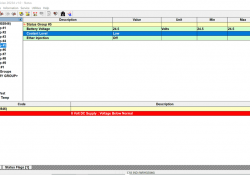
Status Tool #Accessing Status The Status function monitors ECM data as it occurs. To run the Status function: 1). Select Status from the Information menu, or 2). Push the F2 key (if the default function keys are set), or 3). Click… Continue Reading