Caterpillar ET 2026A 2024A 2021B 2019C 2018A Electronic Technician Software Free Download

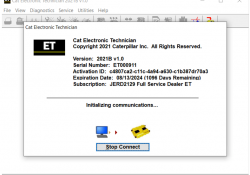
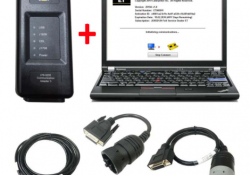
What is Caterpillar ET? Caterpillar Electronic Technician (Cat ET) is diagnostic software required to communicate, diagnose and service electronically controlled Caterpillar engines and machines. When connected to an Electronic Control Module (ECM), a technician has the ability to diagnose existing… Continue Reading
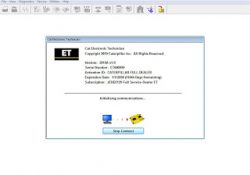
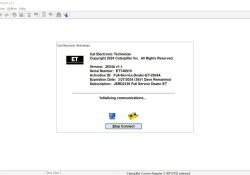
FREE Caterpillar ET-2025A Full Service Dealer, Diagnostic Software for Caterpillar Engines

Diagnostic software for all the Caterpillar brand machinery, with this software you can know the state of the machine in real time, which easy to diagnose failures, postly by demand, by demand, by demand configurations, calibrations, among many useful activities… Continue Reading

Newest Version Cat Caterpillar ET 2025A Electronic Technician Diagnostic Software is released

Caterpillar Electronic Technician 2025A (Cat ET Software) is Caterpillar dealers’ diagnostic software. It communicates diagnoses and services electronically controlled Caterpillar engines and machines. When connected to an ECM, a technician can diagnose existing and potential problems, configure the product, and… Continue Reading

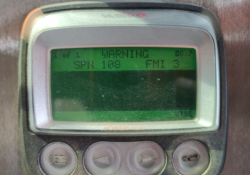
Atmospheric Barometric Pressure Voltage High – Diagnostic Code SPN 108 – FMI 3 (On-Highway Truck)

SPN108 FMI3 – Atmospheric/ Barometric Pressure High PID 0108 FMI 03 #Conditions Which Generate This Code: The Engine Control Module (ECM) detects the following conditions: →The signal voltage from the Atmospheric/ Barometric Pressure Sensor is greater than 4.95 VDC for… Continue Reading

Engine Safety System Shutdown for Caterpillar Engines (Hazardous Location)

Shutdown Operation The Engine Electronic Fuel System will shutdown on the actuation on any one of the following: – Emergency Stop (E-kill) – Engine Overspeed (10-15% over max. Engine no load speed) – High Engine Coolant Temperature (225 deg F)… Continue Reading

How to check if Your CAT ET can perform ECM flashing

On this page we will inform You how to find out if Your Cat ET has ECM flashing possibility. 1. Hook up machine/truck/engine that You want tuned to Your computer. Connect with ET. 2. Once You are connected to the… Continue Reading

How to flash a Caterpillar engine from high interlock file to a low interlock file

How to flash a Caterpillar engine from high interlock file to a low interlock file This post show a guide on how to flash a Caterpillar engine from high interlock file to a low interlock file. Procedures: 1) Locate the… Continue Reading

Caterpillar communications Adapter III Communications Adapter Error “ Error#142 ”

Caterpillar communications Adapter III CAT ET3 is the famous diagnostic tools for cat trucks in the world It with some different version software like cat et 2018C Software , 2019A Software , 2019C Software , 2020A Software , 2020C Software… Continue Reading

2021B Caterpillar ET 3 Electronic Technician Diagnostic Software (replaced CAT ET 2021A, 2020C, 2020B)

Caterpillar ET 2021B is the latest software for CAT Caterpillar ET Diagnostic Adapter 3 Main Features : Caterpillar electronic technician 2021B with WinFlash future is an updated version of the caterpillar dealer diagnostic software that can help technicians to diagnose… Continue Reading

How to Use CAT ET to Check the Programming of the Parameter Dedicated PTO Parameters

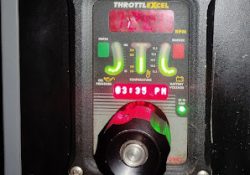
Remote Throttle 1). Use CAT ET to Check the Programming of the Parameter Dedicated PTO Parameters. →Connect CAT ET to the data link connector. →Access the Dedicated PTO Parameters on CAT ET. Note the programming of the parameter PTO Configuration… Continue Reading

Rack Signal Invalid (Diagnostic Code 24-8)

Dynamic Rack Control System #System Operation The primary function of the ECM is to electronically govern the engine. The ECM senses engine rpm using the Engine Speed (RPM) Sensors and controls the Rack Actuator to achieve the desired engine rpm.… Continue Reading

Low System Voltage on Caterpillar ET Software

Low System Voltage #Voltage The ECM automatically warns the operator of Low System Voltage. The default settings that are programmed at the factory are listed below. #Voltage Monitoring (Parameter – Default Setting) Warning Setpoint – 20 VDC Warning Delay –… Continue Reading

Shut Off Solenoid Test using Caterpillar ET Software

Shut Off Solenoid Test using Caterpillar ET Software Shut Off Solenoid Test Special Tests #Purpose: The Special Tests function allows a specific diagnostic test to be selected so that it may be triggered. The tests that appear in the list… Continue Reading

Firmware Flash on CAT Comm Adapter 3 CAT Caterpillar ET Diagnostic Adapter III

Best Quality 2020C CAT Caterpillar ET Diagnostic Adapter III: Update the firmware: 1)Connect CAT Comm Adapter 3 (CA3) to Diagnostic Port on the Engine (Key switch: ON). 2)Open CAT Communication Adapter 3 Toolkit 3)Select the middle Application Firmware Flash icon… Continue Reading

Event Codes Fuel Filter Restriction Warning (SPN 94 – FMI 15)

Event Codes Fuel Filter Restriction Warning (SPN 94 – FMI 15) SPN94 FMI15 – E095 (1) CAT Messenger Display: 94-15 E095 Fuel Filter Restriction Warning Conditions Which Generate This Code: The engine has been running for 60 seconds and the… Continue Reading