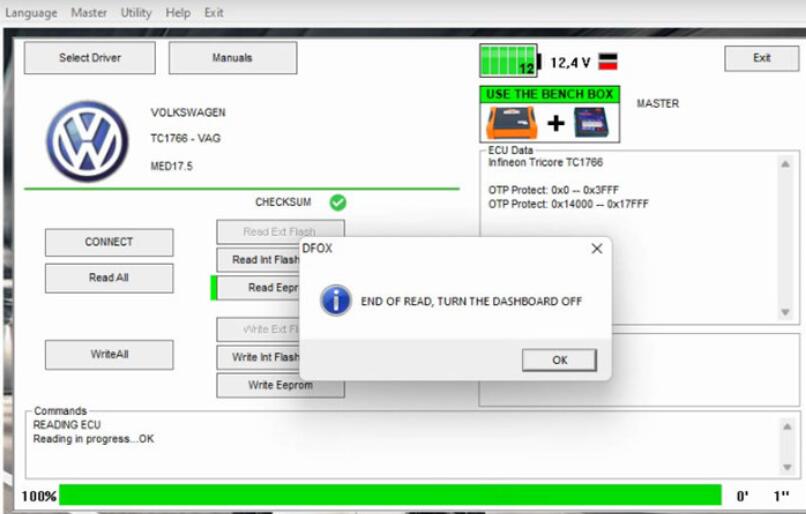
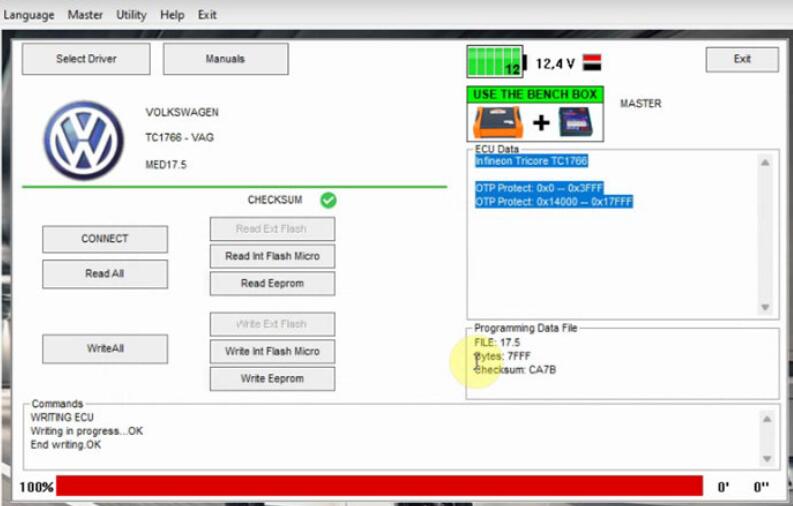
KT200 ECU Chip Tuning Tool is new update ECU programmer supports ECU maintenance chip tuning, DTC code removal, OBD/BOOT/BDM/JTAG, and multiple protocols. The hardware of KT200 ECU programmer is Master version.
KT200 Master ECU maintenance tool: Read and write ECU data, read it in BIN unencrypted format, you can modify the data arbitrarily, you can clone ECU and use it as ECU service, the master is a personal version, you can only use it yourself, cannot unlock data for the slave.
The master is a personal version of the device, which can be used freely after purchase. You can obtain our company’s service software ECUHELP for free. All functions on the software are free to use. The software provides ECU model query, wiring diagram search, virtual data download, DEMO download, and free software library. And Data modifier number change expert software.
Free download KT200 software
1.Free Download KT200 Software 2022.12.10 online version
https://mega.nz/file/1Xk2TZKR#fp5Z14acJD4R0t0iigAguNOJ2e9mfnhLIC3WI2Knils
Size: 347.4MB
No password
Unzip it into the kt200-master folder and overwrite the file. (Copy and overwrite all files on C:\KT200-master.)
2.Wait for the online automatic update version on Dec. 10th, 2022
If the new version comes, when you open KT200 software, it will prompt you to update directly online.
How to install KT200 V2022.12.10?
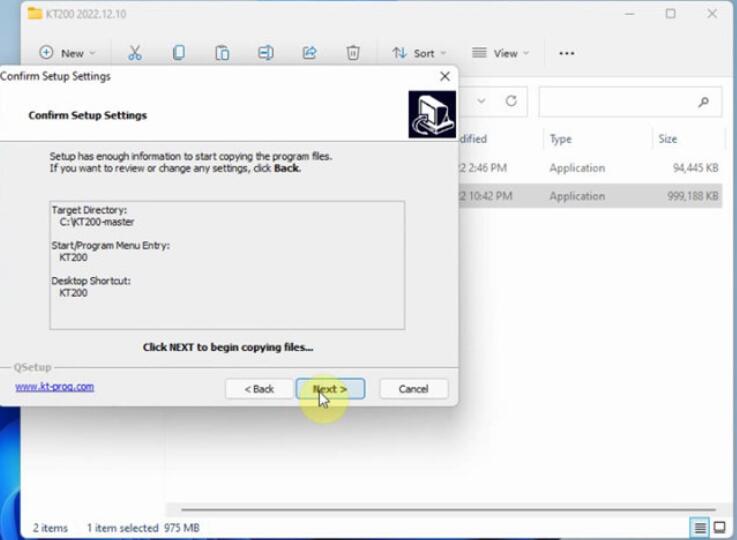
After downloading, right-click setup and open it to extract the files

Then agree with the license to copy files

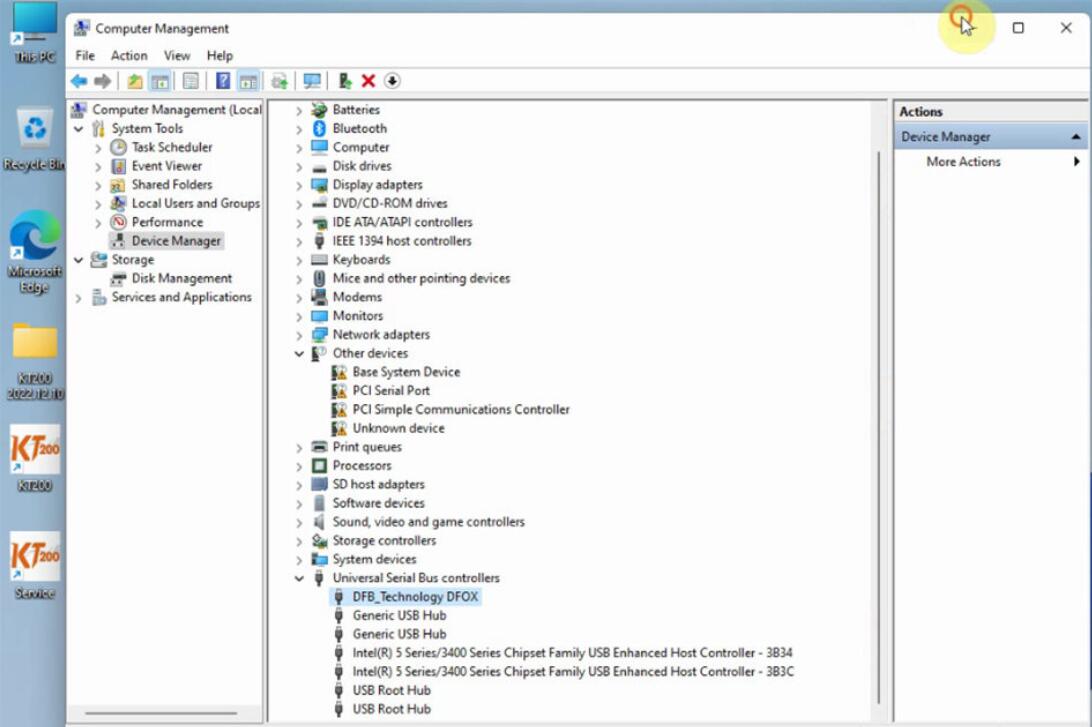
Go to computer management>> device manger>> Other devices>> DFBTech>> Update driver

Click Browse my computer for drivers to search for drivers
Select C:\KT200-master\DRIVER

Wait a moment to install driver
Install the driver for the KT200 ECU programmer successfully
The DFB_Technology DFOX option appears under Universal Serial Bus controllers
Now the KT200 software is ready to use
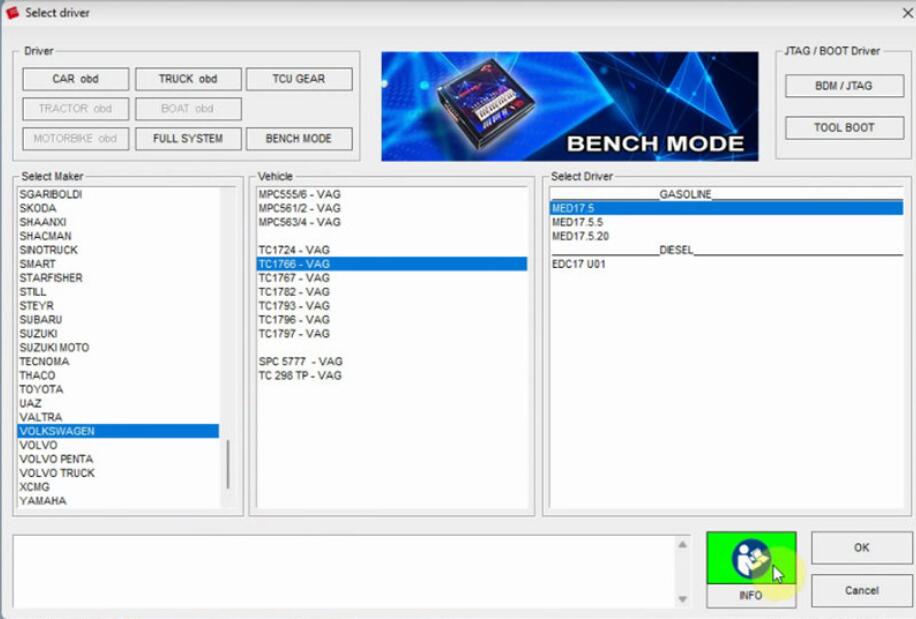
Open KT200 application on the desktop
Select driver mode, maker, vehicle and driver
Connect to server OK
Read and write EEPROM and perform checksum correction are OK as well