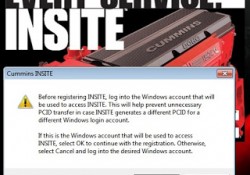
How to Connecting CUMMINS Engines using Cummins INSITE Software
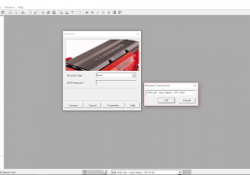
How to Connecting CUMMINS Engines using Cummins INSITE Software? Here the STEPS: 1. Open “Cummins INSITE” through shortcut on desktop, using Status bar to select a connection options. 2. Click the dropdown box on the “Status bar” to view a… Continue Reading

Cold Mode and No Engine Speed on Status Flags Caterpillar ET Software

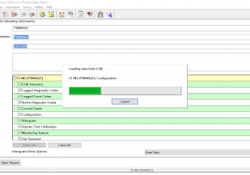
 “Cold Mode” and “No Engine Speed” on Status Flags Status Flags Read More: Diagnostic Codes on Caterpillar ET Software Create Product Status Report (Download List) on Caterpillar ET Software Cold Mode -The ECM limits engine power during cold mode operation… Continue Reading

How to Communication Hardware with Caterpillar Communication Adapter III

Configuring Cat Electronic Technician to use the Communication Adapter 3 For Cat Electronic Technician to work with the Communication Adapter 3, the settings must be changed to select the Communication Adapter 3 as the Communication Interface Device: Step 1 :… Continue Reading

Create Product Status Report (Download List) on Caterpillar ET Software

How to Create Product Status Report (Download List) on Caterpillar ET Software? Purpose: The Product Status Report feature allows users to capture the status of a machine or engine at a specific moment in time. Data loaded from the ECM… Continue Reading

Diagnostic Codes on Caterpillar ET Software

Diagnostic Capabilities Diagnostic Codes The engine’s Electronic Control Module (ECM) has the ability to monitor the circuitry between the ECM and the engine’s components. The ECM also has the ability to monitor the engine’s operating conditions. If the Caterpillar ET Software… Continue Reading

How to Connecting Caterpillar ET Software to the ECM

Caterpillar ET Software The Communications tab in the Preferences dialog box allows the communication interface device and the ports necessary to run the service tool to be set. NOTE: The information in the Communications tab is dependent upon the Communication… Continue Reading

FREE Activation Password for CUMMINS INSITE v7.4.0

FREE Activation Password for CUMMINS INSITE v7.4.0 Diagnostic Engine Software for CUMMINS. 1. Install Cummins INSITE v7.4.0, download here: FREE Download Cummins Insite v7.4.0 https://mega.nz/#F!b6RXjKib!xwPqzdfS2DABG8m4ujDvcg -Open folder “Insite_74”, then folder “insite”. -Click “setup.exe”, and please wait until installation is completed. NOTE:… Continue Reading

How to do Active for Cummins 7.6.2 and Installation Video

You should copy “ sultan “ counting device whole folder from CD to your laptop hard disk C , then running it . Maybe you will have 2 types problem as bellow : 1. ”sultan” counting device showed :”Cannot create file D:\Inline6_App\s.dll ” (… Continue Reading

Scania VCI2/VCI3 interface Software Update

Scania SDP3 Diagnos & Programmer 3 software has been tested and verified working with Scania VCI2, VCI3 interface. Software version: 2.37.2.54.0 If you want to update the software for your Scania VCI2, VCI3 interface , please contact us at sale@cnautotool.com , we will… Continue Reading

Cat ET Service Software Deactivation

Instructions for the Deactivation of CAT ET and CAT SIS service software follow the same format. The examples that are shown in this presentation represent the Cat ET procedure. Please follow the same process for SIS DVD. Deactivation – Caterpillar ET… Continue Reading