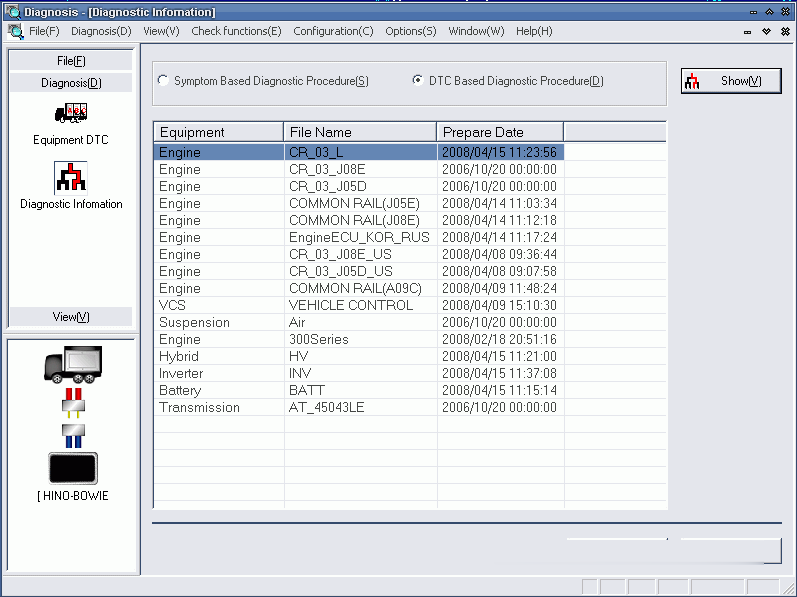
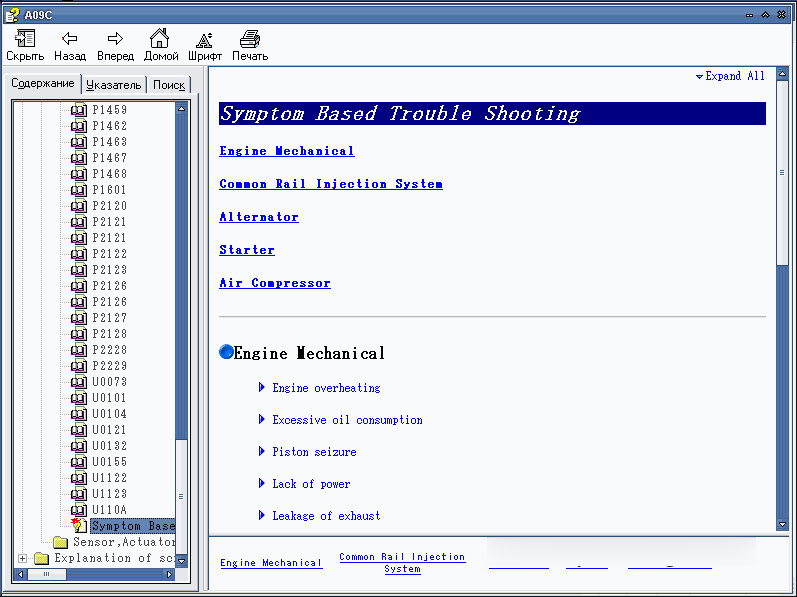
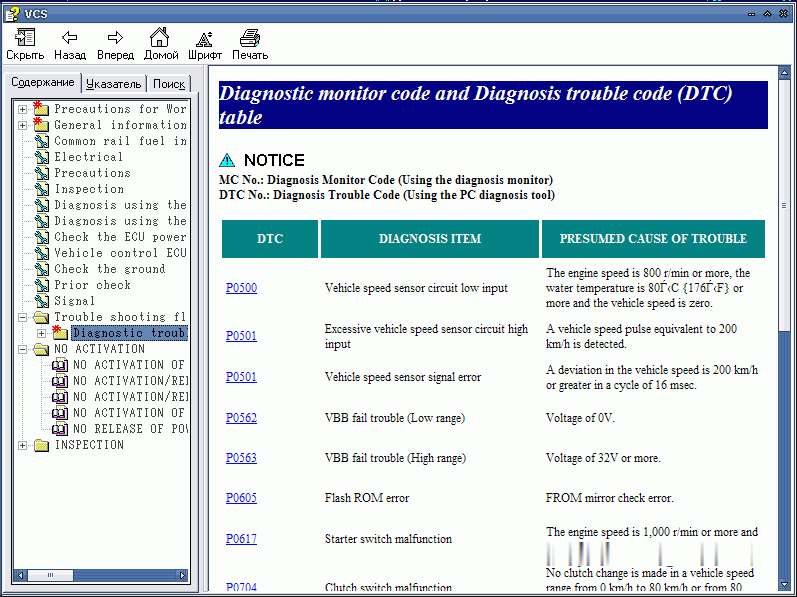
What is Hino Diagnostic Explorer?
Hino Diagnostic Explorer is a tool for diagnosis, which is equipped with all functions necessary for the diagnosis of the problems, test the features and configuration of the electronic systems built on the truck HINO, intended for markets the U.S.A, Japan, and Russia
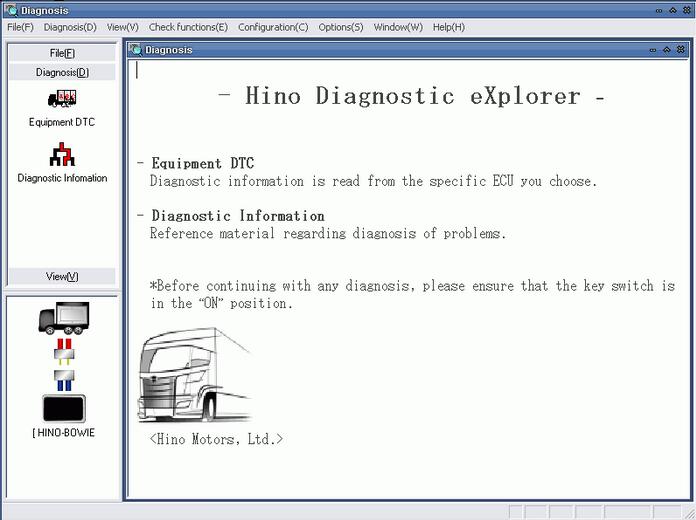
Hino Diagnostic Explorer Functions List:
Fault information
Can be get information of failure Information (DTC) from the vehicle’s ECU.
Data monitor
Can be get information of ECU data from the vehicle’s ECU.
Activation test
Forced drive to each part. (Actuator, Relay, Lamp…etc.)
Customization
Customize the vehicle parameter setting. Save and write to each system.
Manufacturer parameters
Customize the part of the manufacturer parameter setting.
System protection data
ECU parameters (Quantity survey data) are able to confirm and clear to each system.
Learned Value
ECU parameters (Learned value) are able to confirm and clear to each system.
Save/Load ECU Feature
ECU parameters (User customizes, Manufacturers parameters) are able to save and write to each system.
Hino Diagnostic Explorer can change the ECU program.
700 / 600 / 500 Series Truck / Bus
E, P, J series engine system
A series engine system
VCS (Vehicle Control System)
EBS (Electric Brake System)
DCU (Dosing Control Unit
BCU (Burner Control Unit)
300 Series Truck
N series engine system
J series engine system
VCS (Vehicle Control System)
ABS (Antilock Brake System)
Software Hino Diagnostic Explorer v3.0 runs on a personal computer (PC), with operating systems such as: Windows 95, 98, 2000 or XP. Diagnostic adapter Hino Diagnostic Explorer v3.0 connects to the network using the diagnostic connector via a communication I / F, after turning on the program can perform various operations to extract information from the engine ECU.
Aisin Transmission data viewing and diagnostics-2001-2007 Model Years
* Display and Clear Diagnostic Codes
* Display live data for diagnosis
MDTICs Engine data viewing and diagnostics-2001-2004 Model Years
* Display and Clear Diagnostic Codes
* Display live data for diagnosis
J05 & J08 Engine data viewing and diagnostics 2005-2008 Model Years
* Display and Clear Diagnostic Codes
* Display live data for diagnosis-Specific data can be selected
Diagnostic program Hino Explorer v3.0 provides following features:
* Turn on Engine Protection Shutdown System
* Set Maximum Vehicle Speed
* Set Maximum Cruise Control Speed
* Set PTO idle speeds fixed and variable
* Change Injector Calibration QR Code when replacing injectors
* Supply Pump relearning when replacing SCV or supply pump
* Complete DPF testing and regeneration capabillity
* Built in Help Menus for troubleshooting specific diagnostics
Vender Name: ParTech J2534 Multi-Protocol Adaptor
Device Name: Partech MX1 USB Device
Protocols Supported: J1850VPW, J1850PWM, ISO9141, ISO14230, CAN, ISO15765, SCI_A_ENGINE, SCI_A_TRANS, SCI_B_ENGINE, SCI_B_TRANS, KWP81, KWP82, GM_ALDL
Vender Name: Pi Technology
Device Name: SID (SAE->RP1210)
Protocols Supported: CAN,ISO9141,ISO15765,ISO14230,J1708,J1939
Vender Name: Hino Motors, Ltd
Device Name: HINO-BOWIE
Protocols Supported: ISO9141, KWP2000, CAN
Hino Diagnostic Explorer Installation Requirements:
– O.S.: Windows XP; Windows Vista; Windows 7; Windows 8
– CPU: Pentium/Athlon 1.8 GHz or higher
– RAM: 256 MB of system memory
– Hard Drive: 5 GB of available space
– DVD-ROM
Hino Diagnostic Explorer & Reprog Manager Free Download:
Hino Diagnostic Explorer & Reprog Manager 3.1.6:
http://www.nitroflare.com/view/0AD09EF98DCD92D/Hino_DXRM_3.1.2.part1.rar
http://www.nitroflare.com/view/4BA369BCE043CCB/Hino_DXRM_3.1.2.part2.rar
Hino Diagnostic Explorer & Reprog Manager 3.1.2 English:
http://www.nitroflare.com/view/0AD09EF98DCD92D/Hino_DXRM_3.1.2.part1.rar
http://www.nitroflare.com/view/4BA369BCE043CCB/Hino_DXRM_3.1.2.part2.rar