Customer Question
I also have attached a picture of the screen where half of it is in Spanish. Can this be fixed?
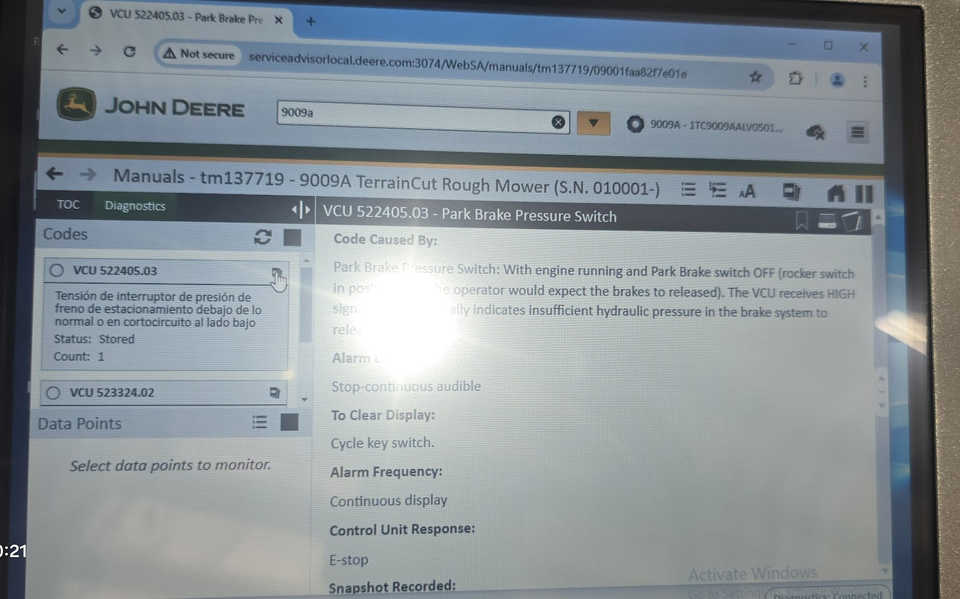
To change the language in John Deere Service Advisor, follow these steps:
- Open John Deere Service Advisor: Start the software on your computer.
- Go to Language Settings:
- Navigate to the settings or preferences menu within the John Deere Service Advisor software.
- Look for an option that allows you to change the language. This could be under a tab labeled “Language,” “Preferences,” or “Settings.”
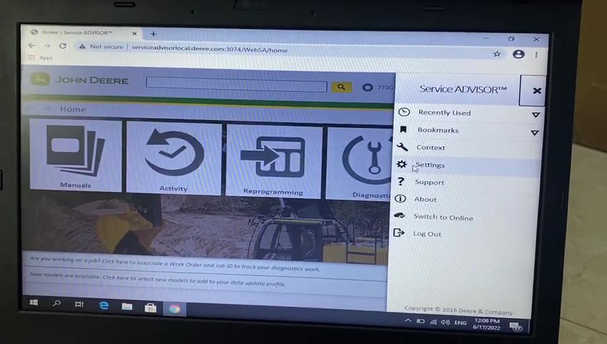
- Select the Desired Language:
- Choose your preferred language from the list of available languages.
- If the language is not available, ensure that your software is up to date and connected to the internet, as some language packs may need to be downloaded.
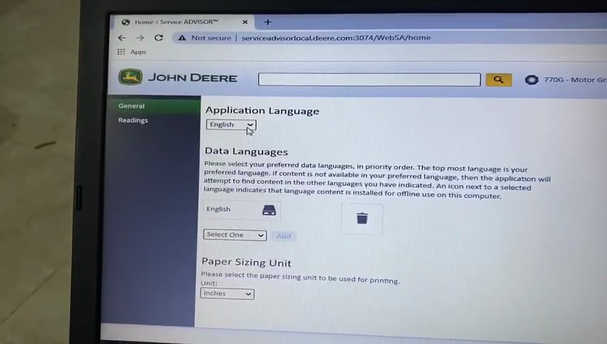
- Restart the Software: After selecting the new language, restart the John Deere Service Advisor to apply the changes.
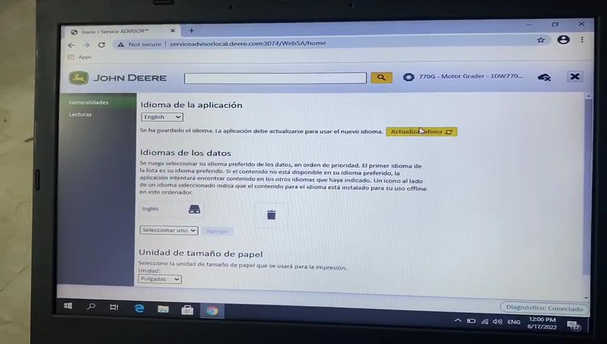
- Check for Updates: If the language doesn’t change or the software remains partially in another language, make sure that the software is updated to the latest version, as language packs are sometimes added in updates.
If you encounter issues during this process, you can watch the instructional video provided in the link for a detailed guide on how to change the language: Video Guide.
