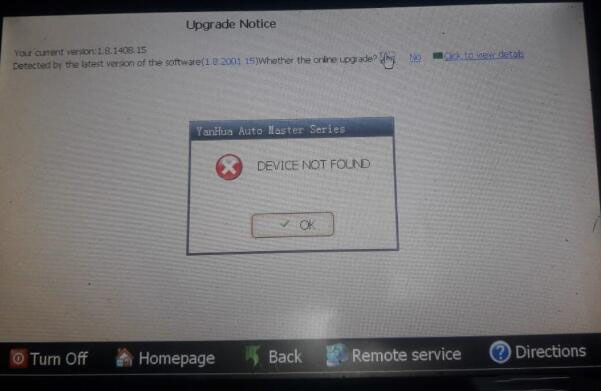
Customer problem: I have a Digimaster3 purchased in year 2018. When I update it, an upgrade notice shows “Device not found”. I had deleted some files in management before updating, I’m not sure whether it contains the DEVI file or not. How to fix it now?
Cnautotool.com engineer replied:
It needs to re-flash CPU for Digimaster3.
Please download the SD card program files of Digimaster III again from the official website: http://www.autoemaster.com/en/index.asp.
There is CPU re-flash instruction in the file. After unzipped, copy the files and paste to your SD card to cover the original data.
Note: Before refresh the data, you’d better backup the original data has been read in the SD card firstly.
Hope it helps you!
