The Launch X431 PRO Elite scanner is a powerful diagnostic tool used by automotive technicians to diagnose and troubleshoot vehicle issues. However, like any electronic device, it may encounter firmware-related problems that can hinder its performance. In this article, we will guide you on how to fix the firmware of your Launch X431 PRO Elite scanner, ensuring it functions optimally efficientlySolution:
Launch X431 PRO Elite, software got stuck when checking live data for Ford Transit 2006 135tdci.
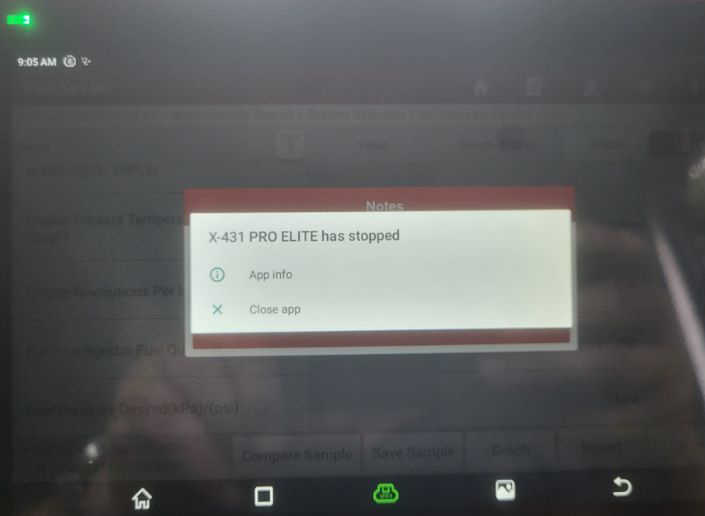


To fix the firmware of your Launch X431 PRO Elite scanner, follow these simple steps:
1. Update all software to the latest version:
Before attempting to fix the firmware, it is crucial to ensure that all software on your scanner is updated to the latest version. This will ensure compatibility and enhance the overall performance of the device.
2. Fix firmware:
a) Select “User Info” from the main menu of your Launch X431 PRO Elite scanner.
b) Click on “Firmware Fix” option.


3. Select the device via Bluetooth:
Ensure that your scanner is properly connected to the device you want to fix. Select the appropriate device from the available options displayed on the scanner’s screen.

4. Click “Firmware Fix”:
Once you have selected the correct device, click on the “Firmware Fix” option to initiate the firmware fixing process. This will prompt the scanner to start installing the required firmware updates.

5. Wait until firmware is installed:
Allow the scanner sufficient time to complete the firmware process. This may take a few minutes, so be and avoid interrupting the process.

6. Done!:
the firmware installation is complete, your Launch431 PRO Elite scanner from https://www.cnautotool.com will be ready to use. You can now enjoy its improved functionality and performance. It is worth noting that these steps are also applicable to other Launch diagnostic tools such as X431 PRO5, X431 PAD VII, TSGUN, etc.
Conclusion:
The Launch X431 PRO Elite scanner is a reliable and efficient diagnostic tool. However, encountering firmware-related issues is not uncommon. By following the steps outlined in this article, you can easily fix the firmware of your scanner, ensuring it operates smoothly and accurately. Remember to update all software to the latest version before attempting the firmware fix. With a properly functioning scanner, automotive technicians can diagnose and resolve vehicle issues more effectively, saving time and effort.
