How to get back to the desktop when the laptop is in battery mode?
Problem:
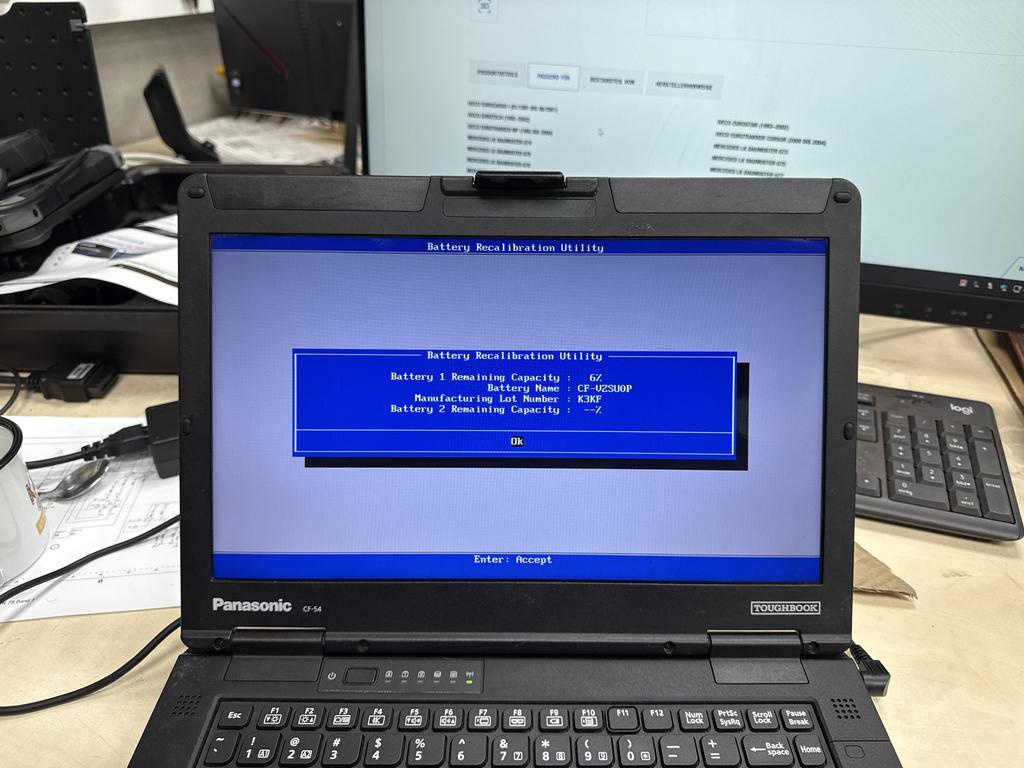
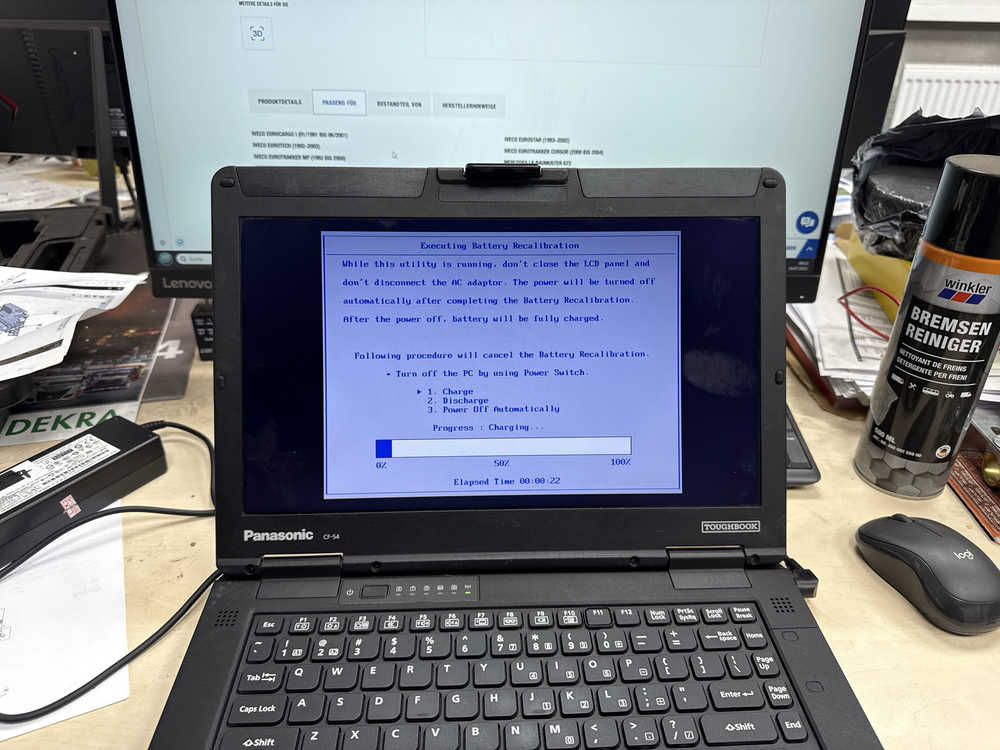
I Click restart and every Time it Shows this problem, I have done the recalibration 2 times but the pc don’t start
Reply:
When it is in the battery Mode, follow the steps below to reboot.
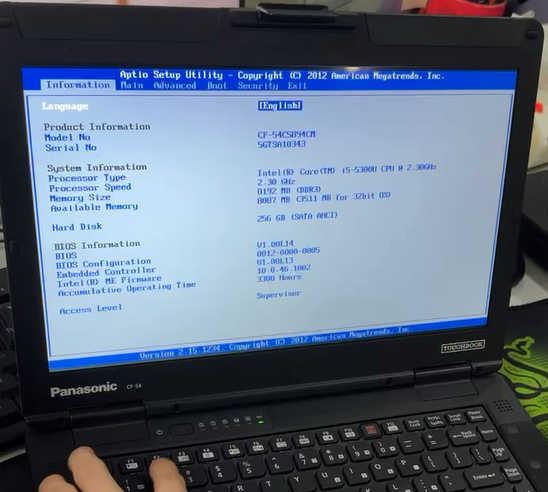
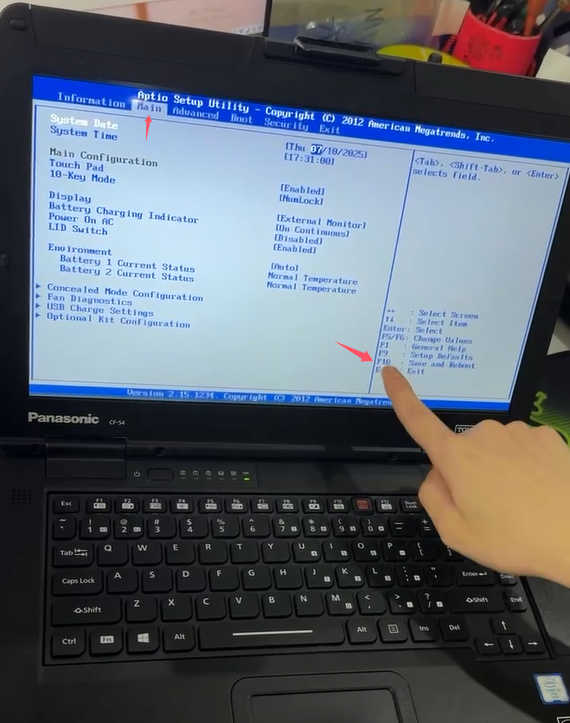
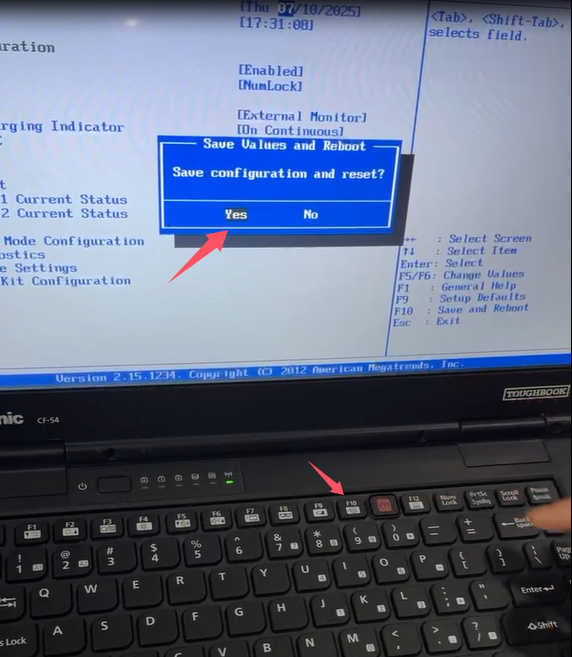
Restart laptop,press F2 enter into BIOS, press F9 restore BIOS, press F10 to save and exit.
And then you can enter into the desk top.
Problem:
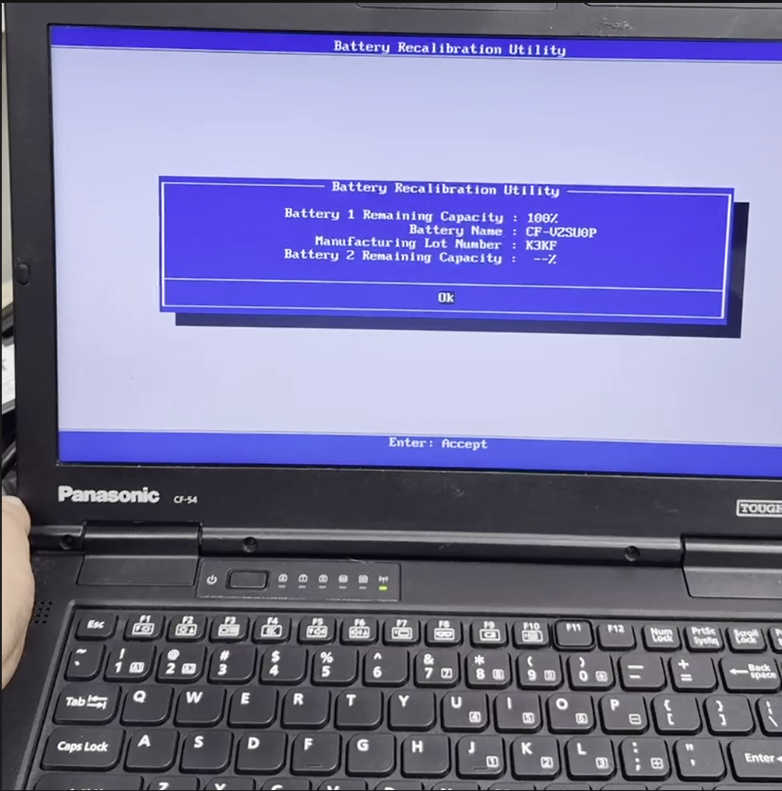
I try but Don’t work goes Direct to battery Mode

Reply:
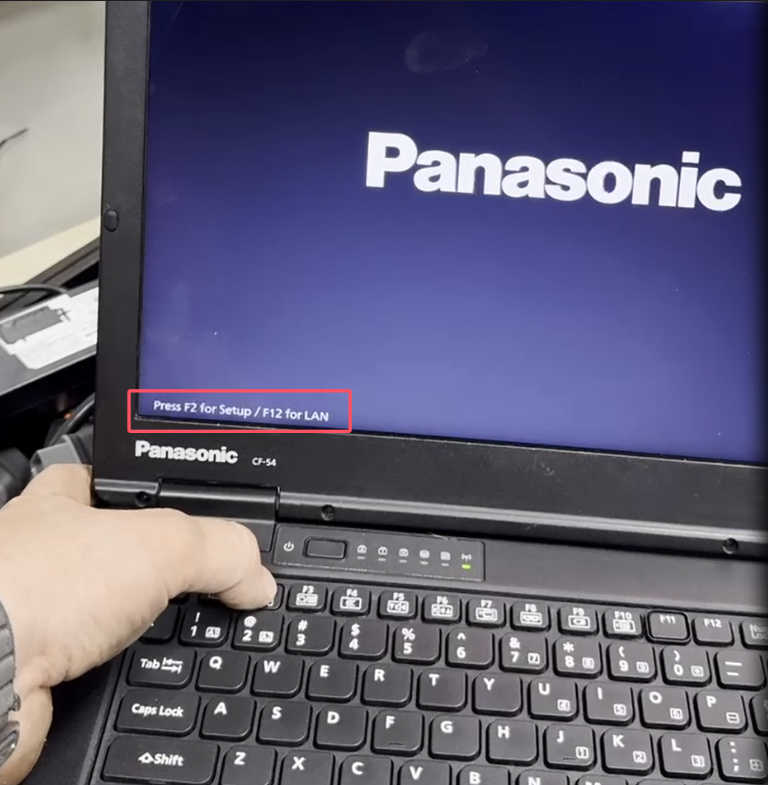
After restarting, you will see this laptop logo and tips for pressing F2.
You only need to press F2 once to enter the BIOS, don’t need to keep pressing it.
If you cannot enter BIOS by pressing once, try pressing it several times.
Reply:
Perfekt
It worked
Thank You!!!
More request,welcome to contact us directly: sale@cnautotool.com
Our Website link: https://www.cnautotool.com/
