Similar as with all cars once an air bag has been deployed, whether via a malfunction of a vehicle’s sensors or in a collision, most manufacturers recommend that they be replaced. Replacing air bags ensures that a driver’s vehicle remains road-legal and safe for the driver and passengers alike. However, replacing an air bag alone often is not enough, when deployed, an air bag trips sensors and springs, and these must usually be replaced alongside the bag. These ancillary parts can greatly raise the cost of an air bag replacement. But sometimes it is not enough, when you replace all the above mentioned parts, it turns out that you need to erase the information about accident from the car computer’s memory. Now comes Tsla PRO Tool to help us.
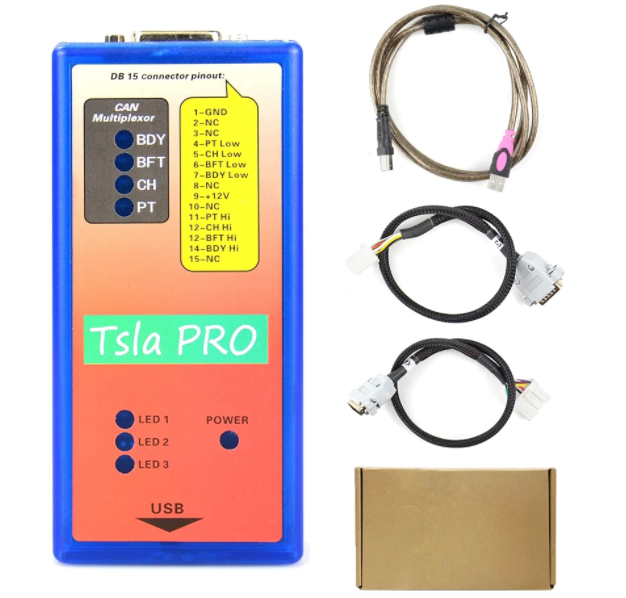
Please be attention : In some countries, erasing data airbag crash without changing air bag assembly is not legal. So, we highly recommend to replacing car’s entire air bag assembly.
So before using the method given below, you must ensure that it is legal in your country. Remember that you do everything at your own risk !
Make sure you have the latest version of the software. Go to TESLA MODULE 3 or X – SDM by BOSCH function and click following:
1.Read Identification
2.Unlock EEPROM after crash
3.Read EEPROM
3a) click the top tab “ Memory Dump”
3b) when you see HEX Editor please click the symbol to save the original contents of EEPROM memory to a *.BIN file just incase.
4.Now you can Erase Crash Record from the airbag module.
5.Erase Crash –Direct 6. Write changes 7. At the end pleas Clear DTC

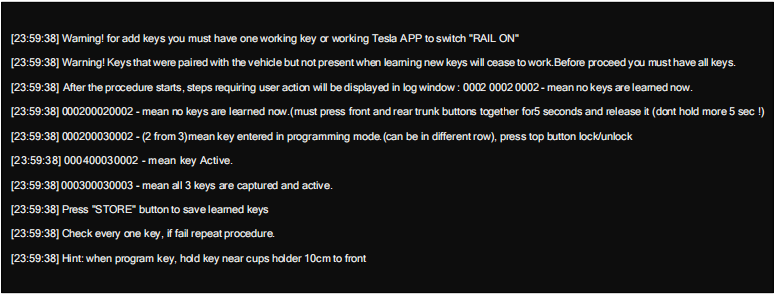
Adding and learning keys (key-fob)
To add or learning keys, follow the instructions in the program dialog box.

Click on the HELP button to get the programming procedure

For more information of Tsla PRO Scanner , please check here : https://www.cnautotool.com/goods-7101-Tsla-PRO-Scanner-Diagnostic-Programming-Tool-TESLA-S-X-3.html
