Launch X-431 SmartLink C 2.0 is a heavy-duty vehicle diagnostic module developed by Launch Company based on Linux system, dual processor Cortex-A7+Cortex-M7, 8G storage, 256M storage, 320*480 resolution. It supports Bluetooth, Wi-Fi, USB and other communication methods, and can be used with X-431 PRO3S and PRO5 series.
It also support full system fault diagnosis, with functions such as code reading, code clearing, data stream reading, special functions, and action test. Covering Cummins, Bosch, Weichai, Shangchai, Yuchai, Xichai, Chaochai, Yangchai, Quanchai and other engine diagnostic software, it supports trucks, buses, construction machinery, agricultural machinery, trailers, ships and other types of vehicle software.
Launch X-431 SmartLink C 2.0 Heavy-duty Truck Module Features:
The heavy-duty truck module is used to expand the configuration of passenger cars equipped with DBScar lower computer to the integrated configuration of passenger and business, and it is mainly supporting commercial vehicles.
1.Compared with X-431 HDIII, the SmartLink C 2.0 is more powerful in function.
2.The transmission speed is faster and more stable.
3.The visual operation interface makes it more convenient.
4. It supports commercial vehicles, passenger vehicles, new energy and other models.
5.It supports super remote diagnosis.
6.1-year free update.(After One Year, Please Contact with us to pay Subscription Cost)
The SmartLink C system consists of the following two parts:
1.SmartLink Service Platform — For binding the SmartLink C dongles and posting the remote repair orders (*Note: Orders can be submitted only after the SmartLink C dongle is successfully bound)
2.SmartLink C Dongle — Connects with vehicle’s Data Link Connector (DLC) to obtain vehicle information before submitting repair orders.

How to Download Launch X431 SmartLink C J2534 passthru driver?
Same as smartbox 3.0, you need both installation programs (setup driver and PC tool for update).
1. Download PC tool for update (update smartlink c firmware)
Visit https://en.cnlaunch.com/
Select Products tab->X-431 PAD VII
Pull down product information and find Download
Download Smartlink J2534.zip


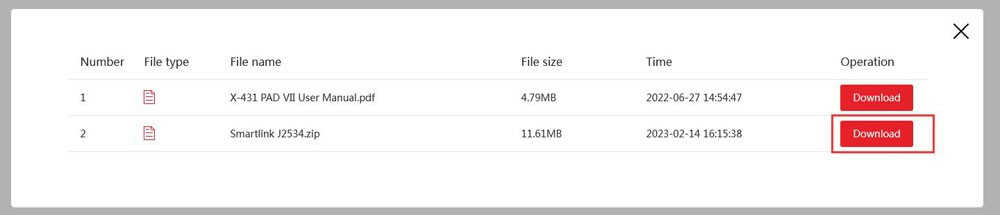
Install Launch J2534 PC tool
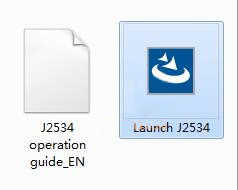


Run LAUNCH J2534 program on desktop. Now you can check Smartlink adapter version and update firmware

2. Download setup driver (J2534 passthru driver)
Free download Smartbox 3.0 setup driver
https://mega.nz/file/Vz4hVZwI#B88mo80BBQywz2sLaGYrxBDBeKlN9dnbWYQWXvBq9D8
This is smartbox j2534 passthru driver installation.


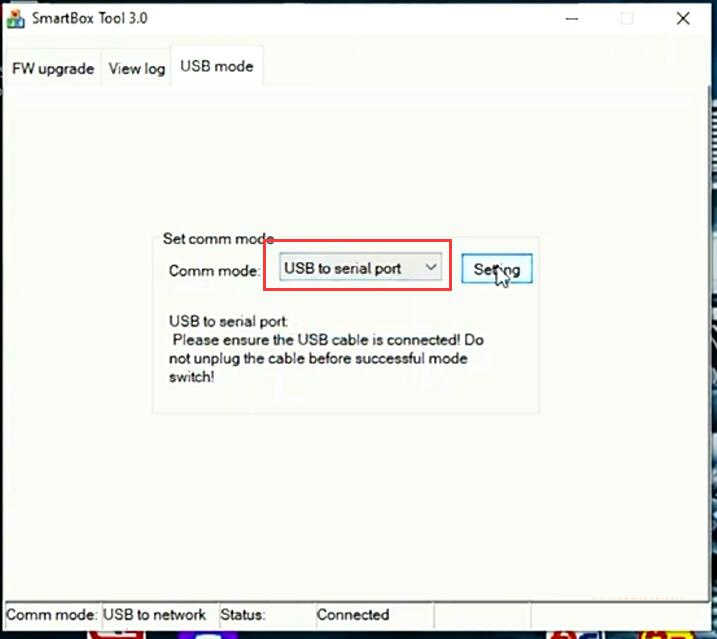
Successful installation will generate SmartBox Tool 3.0 on desktop

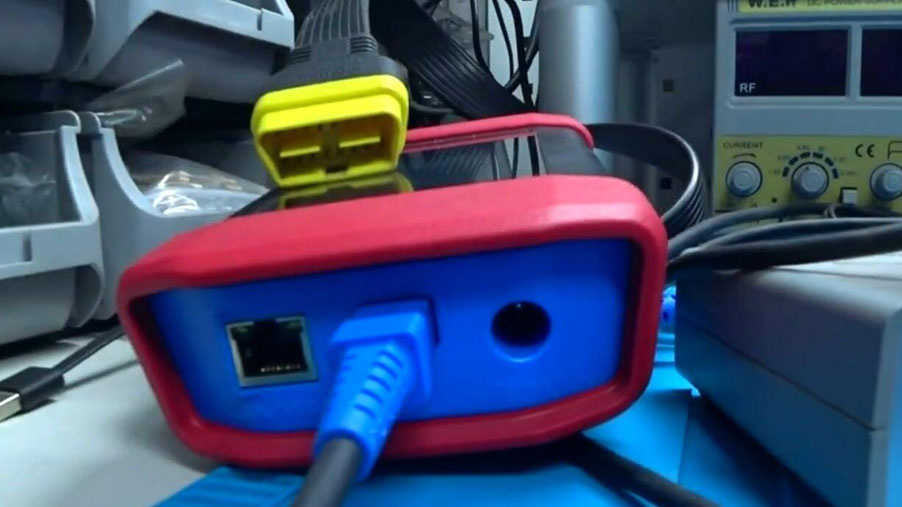
Connect Smartlink C with laptop via USB
Run Smartbox Tool 3.0, set USB mode as USB to serial port and save setting.


The supported vehicle models are decided by
1) whether the vehicle manufacturer’s diagnostic software supports the J2534 protocol;
2) which protocols are covered by the current Launch J2534 tool.
The following tablet is only for reference use and subject to change without prior notice. For more details, refer to the automaker’s service website.
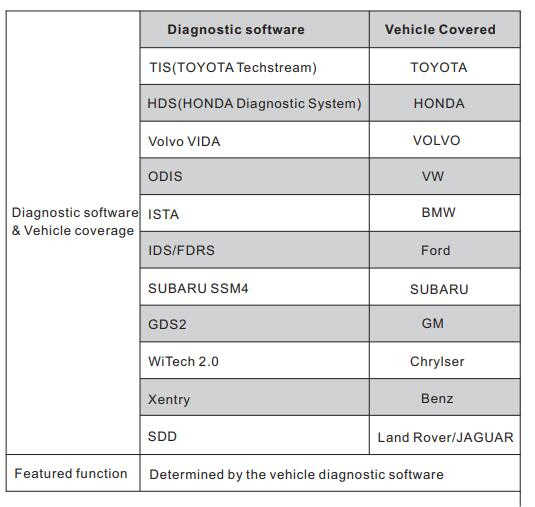
*Before diagnosing, please make sure the following conditions are met:
• The SmartLink C device is connected to the Internet and has a strong network signal.
• The OEM diagnostic software has been installed on the PC.
• The LAUNCH’s J2534 tool also needs to be installed on the PC.
Launch smartlink j2534 has been tested working with many OEM programs, BMW ISTA, JLR SDD, techstream, Xentry passthru etc.
Review 1:
Now you can use the Passthru feature with the SmartLink C provided by Launch company with ISTA D and ISTA P to diagnose and program all cars for BMW & MINI Copper easily.


Review 2:
Smart link c is working with xentry passthru as well as vediamo and DTS.


