X431 Pro3 FAQ

1. How to save power? * Please turn off the screen while X-431 PRO3 keeps idle. * Set a shorter standby time. * Decrease the brightness of the screen. * If WLAN connection is not required, please turn it off.… Continue Reading
1. How to save power? * Please turn off the screen while X-431 PRO3 keeps idle. * Set a shorter standby time. * Decrease the brightness of the screen. * If WLAN connection is not required, please turn it off.… Continue Reading
This is my BMW car. Now, let’s get inside and I’ll show you how to use Autel MaxiIM IM508 to program BMW key via OBD. Here are the steps: 1.Click “Immo” and accept the disclaimer, then choose “BMW” button. 2.Choose… Continue Reading

This article is show you guide on how to use Delphi Ds 150 to check real kilometers for Renault Megane Scenic3. .More repair cases for Renault,check here:Renault Repair Cases. Procedures: The mileage show on the dashboard is 159843KM. Open Delphi… Continue Reading

How to solve the problem of five icons appearing on the MB STAR C4/C5 display There are five icon problems on the C4/C5 display Five icon problems appear on the MB STAR C4/C5 display Connect 9V dry battery as shown… Continue Reading

Nexiq eTechnician™ 2.0 gives you the data and the support required to stay competitive in today’s trucking industry. Heavy-duty diagnostics on your PC was never this good—until now. We’ve combined extensive coverage for everything from commercial vehicles right down to… Continue Reading

This page is for Nexiq eTechnician v2.0 download and installation.After payment you will get download link in page automatically.If you can not get download link please contact us (sale@cnautotool.com) Nexiq eTechnician Features: Size:42MB Date:09.2020 Version:2.0 OS Requirements:Win 7,Win 8 and… Continue Reading
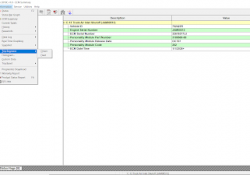
Using Segment and Reset on Caterpillar ET Software Segment and Reset 1). SEGMENTS The “Segment” function allows performance parameters and totals accumulated to be viewed. -Different parameters display for the data analysis. -Trip Segment functions and data currently available on… Continue Reading
For 2020 new xentry software for MB SD C4 DoIP Plus and MB SD C5, after all activated, when open EPC/WIS via EWA, prompt error message with “No read authorization for this datacard”. For this problem, need to re-active the… Continue Reading

When it comes to making keys on many late model vehicles, an OEM factory scan tool is the only option. Let me give you an example. Let’s say you get a call for “all keys lost” on a 2015 Chrysler… Continue Reading

I use SVCI J2534 with IDS V119 to do programming, a message pops up and prompts me to update the software “Selection not available, module programming and configuration timed out due to out of the date IDS scan tool software.… Continue Reading

After the VCI device is properly connected to the vehicle, the Power LED on the VCI device illuminates solid green light, and is ready to establish communication with the MaxiCOM MK908 display tablet. The Wireless Diagnostic Interface, which comes with… Continue Reading

Step by step tutorial on how to reset the service due maintenance reminder indicator message light on Mercedes-Benz E-Class W213 from the year 2017-2018-2019-2020. Step 1 Close all doors, gear to the park position. Step 2 Turn the ignition to… Continue Reading

I have updated all car software for my Launch X431 V+, but when i use the VW diagnostic software V28.66, a message appears on the screen “Disaccording between the software serial No. And Smartbox serial No. Please download and upgrade… Continue Reading

2020 OEM Orange5 Plus V1.35 programmer with full adapter comes with USB dongle, good quality and work stable. Comparing to Orange5 V1.36, Orange 5 plus supports more chips and works more stable and safe. orange5 plus MTRK (Included in Orange-5… Continue Reading

Descriptions of Consult 3 III for Nissan Professional Diagnostic Tool Languages: English, Finnish, French, German, Greek, Italian, Russian, Japanese, Spanish, Chinese(Traditional), Chinese(Simplified) Support System:Windows XP Update by CD Register SN: 926573 Note: Serial number is 926573, can’t work with any… Continue Reading