The remote control key data update of all BMW series, the method to synchronize with the vehicle!
BMW car key data is very useful information, such as basic vehicle information, fault and alarm information, CBS maintenance data, vehicle dynamics information, vehicle inspection control information, fault codes, vehicle software and navigation information, technical upgrade activities, repeated vehicle entry Information such as factory prompts can help you grasp the overall status of the vehicle, which is very important for maintenance. If you want to know more cases about BMW, please refer to BMW trouble repair.
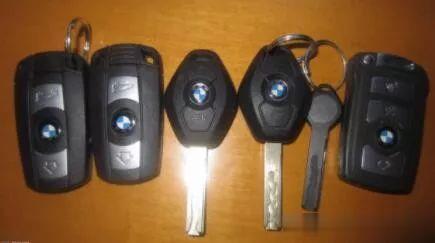
Since the vehicle data will be updated to the key data after the vehicle has traveled a certain distance, there is a difference between the current vehicle data and the key data. If the key is not the latest vehicle data, the vehicle data must be updated manually. The specific operation method is as follows :
1. Key data update for E series and MINI models
1. Enter the car and close the door;
2. Insert the key into the [key hole];
3. Press the [Central Control Lock] button and simultaneously press the [START/STOP] button;
4. Release the [START/STOP] button, and then release the [Central Control Lock] button;
5. After about 10-15 seconds, you will hear a signal tone, which indicates the end of data transmission.
Note: If the signal tone prompts that there is a fault message after the data is captured, you need to repeat the above process.
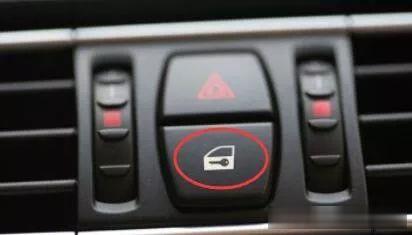
Central lock
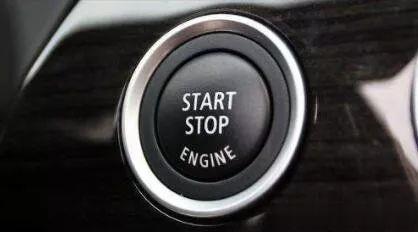
START/STOP button
2. F series model key data update
1. Enter the car and close the door;
2. Press the [START/STOP] button twice (note that the screen is turned on, and check the effectiveness of the date and clock settings in the vehicle);
3. Press the [Central Control Lock] button and simultaneously press the [START/STOP] button;
4. Release the [START/STOP] button, and then release the [Central Control Lock] button;
5. After about 8-10 seconds, align the key with the [key icon] on the steering column under the steering wheel and keep it still;
6. The check control information “Customer Data Update” is displayed, and a signal tone indicates the end of data transmission.
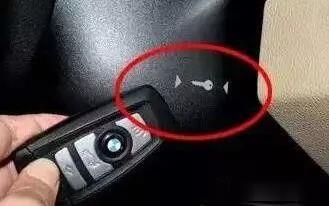
[Key icon] on the steering column
3. Key data update for G series models
1. Press the [Central Control Lock] button;
2. Press the [START/STOP] button 3 times within 4 seconds and then release;
3. Release the [Central Control Lock] button;
4. Keep the front end of the key at the loop antenna of the steering column within 10 seconds, until the detection control information “update maintenance data” appears;
5. After a few seconds, you hear the success tone, indicating that the data transmission is over, and the detection control information will disappear; if there is no tone, an error message will be displayed.
