When you double click Alldata software icon , it cant running , like the
bellowing picture display :
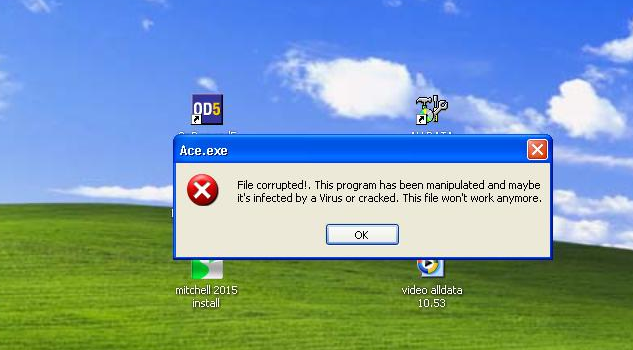
The reason for this problem is “ Ace.exe “ file was changed . ( maybe changed by virus or other operation like insert the U disk with virus )
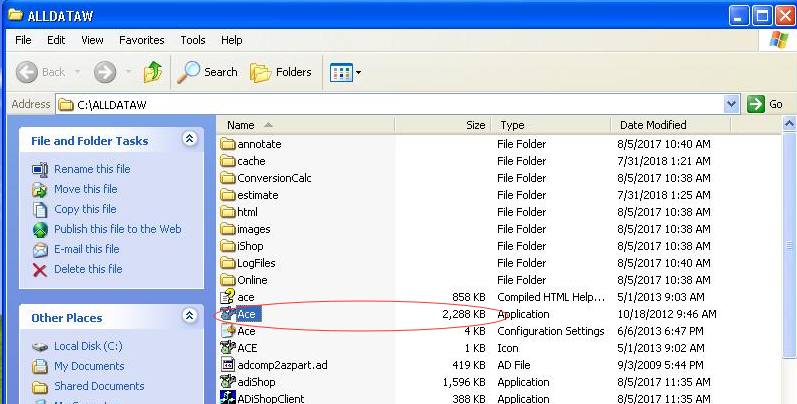
Normal “ Ace.exe ” file is 2288KB , if the files was changed , the capacity will be different .
You can see the normal file capacity for “ Ace.exe ”:

“Ace.exe” was changed :

So please check the solutions as bellow :
1. Re-unzip the “alldata.10.52” Compressed file from the desktop , find the “ Ace.exe “ file , if cant find it , please contact our sales ( sale@cnautotool.com ), we will email to you .:

The normal “Ace.exe” capacity must be 2288KB as following picture display :

2. Right click Alldata icon , select Properties:
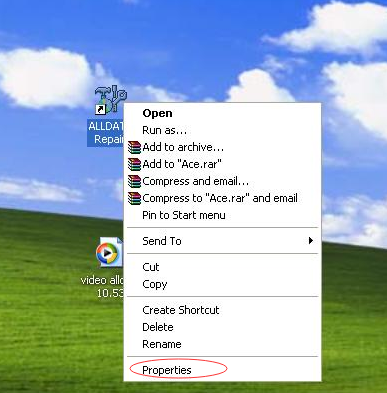
Click Find Target..
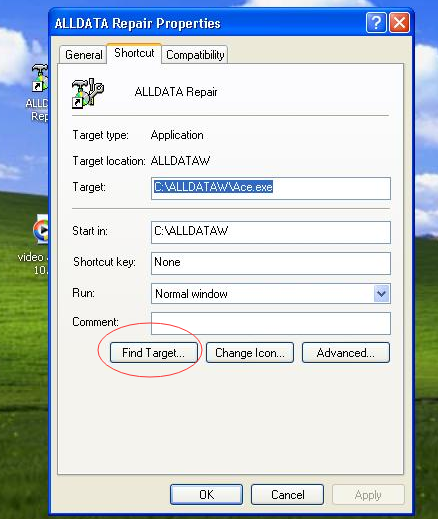
3. Find out the Ace.exe file , you will see the file have changed to 2364KB :

4.Copy the unzip” Ace.exe “ 2288KB file to this folder , covered the changed “Ace.exe” file
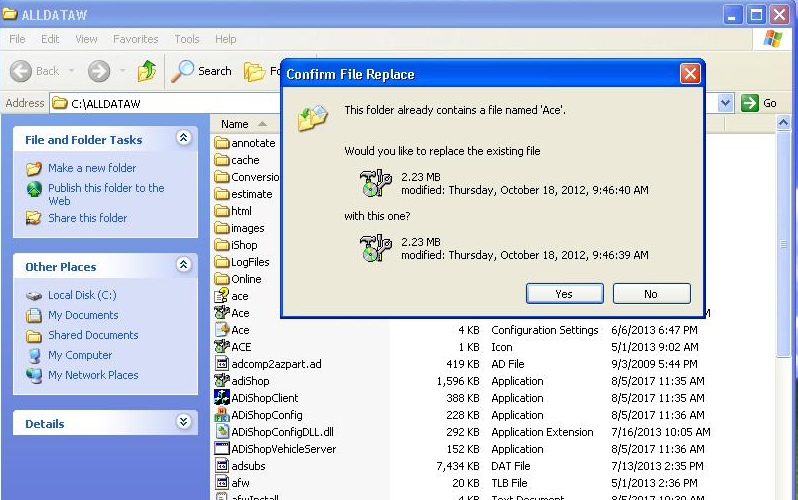
Then “ Ace.exe” size would be normal to 2288KB
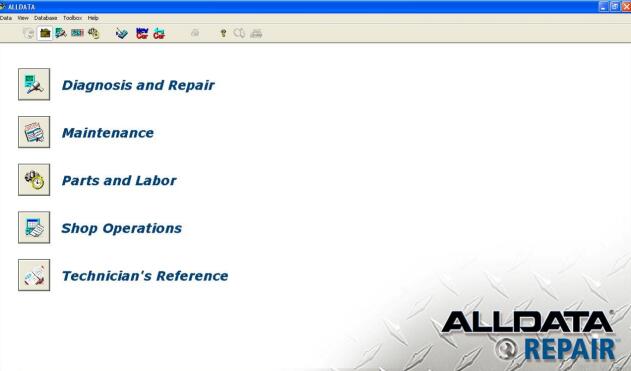
5.Double click the Alldata icon again , the software will be running normal

Any interesting , please check on our website directly
