How to Setup Caterpillar CAT ET Diagnostic Adapter 3,II,I (14)
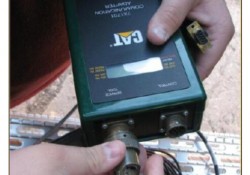
Caterpillar Electronic Technician offers several options for communication hardware. Communication Adapters are service tools consisting of a portable hardware adapter and a software PC program designed to run under Microsoft? Windows?. MPSI Pro-Link is a portable computer diagnostic analyzer. Setup… Continue Reading

CAT SIS 2018”Key Required”issues Solutions when Change the Computer

SIS is the electronic service tool that Caterpillar dealers, customers and employees rely on for their parts and service information needs. SIS provides information for all Caterpillar machines and engines from 1977. 1. After change the laptop , CAT SIS display… Continue Reading

The Difference between Oiginal Factory CAT Caterpillar ET Diagnostic Adapter III Scanner and OEM Cat Caterpillar ET Diagnostic Adapter

As we all known the cat caterpillar ET Truck scanner can support for heavy duty trucks and can support Bulldozer, Wheel Loader, Excavator, Dump Truck, Grader these truck, but not all the truck scan support according to the car type… Continue Reading

How to Install CAT III ET 2015A Software

CAT Caterpillar ET Diagnostic Adapter III 2015A is the latest generation of the CAT Communication Adapter group, and replaces the CAT Comm Adapter II. It’s the best CAT diagnostic tool. The installtion of this CAT III is easy. Before you… Continue Reading

Latest Version CAT Caterpillar ET Diagnostic Adapter III Display Status of All Parameters

CAT Caterpillar ET Diagnostic Adapter III retrieve engine totals for fuel used, miles traveled, and hours Operated. CAT Caterpillar ET Diagnostic Adapter display status of all parameters, such as engine speed, Throttle position, timing advance, fuel flow, etc. The PC-based… Continue Reading

CAT Caterpillar ET Diagnostic Adapter III Truck Diagnostic Tool

Retrieve engine totally for fuel used, miles traveled, and hours operated.Display status of all parameters, such as engine speed, throttle position, timing advance, fuel flow, etc.View active and logged diagnostic codes to identify faulty sensors. What can I do with… Continue Reading