Using Segment and Reset on Caterpillar ET Software
Using Segment and Reset on Caterpillar ET Software Segment and Reset 1). SEGMENTS The “Segment” function allows performance parameters and totals accumulated to be viewed. -Different parameters display for the data analysis. -Trip Segment functions and data currently available on… Continue Reading
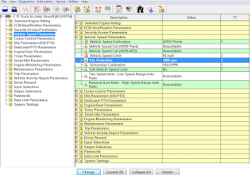
Vehicle Speed Parameters for On-Highway Truck (Caterpillar Engines)

VSL Protection (PTO Operation) 0084-10 Vehicle Speed Signal Rate of Change (36) PID 0084 FMI 10 (SPN84 FMI10) Conditions Which Generate This Code: The ECM detects the following conditions: * The vehicle speed signal changes more than 5 MPH on… Continue Reading

Injection Disabled on Status Flags Caterpillar ET Software

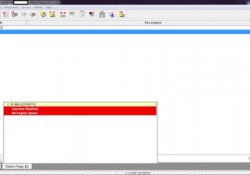
“Injection Disabled” on Status Flags Caterpillar ET Software Read More: Cold Mode and No Engine Speed on Status Flags Caterpillar ET Software Create Product Status Report (Download List) on Caterpillar ET Software Diagnostic Codes on Caterpillar ET Software -If a… Continue Reading

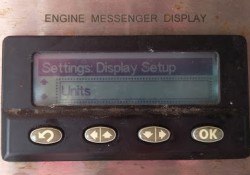
Change Units of Measure on CAT Messenger Display

How to Change Units of Measure on Caterpillar ET Software Messenger Display? Units of Measure From the “DISPLAY CONFIGURATION” title screen, press the Down arrow button. This screen displays the current units for the measurements. Selecting the Display Units From the… Continue Reading

Cold Mode and No Engine Speed on Status Flags Caterpillar ET Software

 “Cold Mode” and “No Engine Speed” on Status Flags Status Flags Read More: Diagnostic Codes on Caterpillar ET Software Create Product Status Report (Download List) on Caterpillar ET Software Cold Mode -The ECM limits engine power during cold mode operation… Continue Reading

Create Product Status Report (Download List) on Caterpillar ET Software

How to Create Product Status Report (Download List) on Caterpillar ET Software? Purpose: The Product Status Report feature allows users to capture the status of a machine or engine at a specific moment in time. Data loaded from the ECM… Continue Reading

Diagnostic Codes on Caterpillar ET Software

Diagnostic Capabilities Diagnostic Codes The engine’s Electronic Control Module (ECM) has the ability to monitor the circuitry between the ECM and the engine’s components. The ECM also has the ability to monitor the engine’s operating conditions. If the Caterpillar ET Software… Continue Reading

How to Connecting Caterpillar ET Software to the ECM

Caterpillar ET Software The Communications tab in the Preferences dialog box allows the communication interface device and the ports necessary to run the service tool to be set. NOTE: The information in the Communications tab is dependent upon the Communication… Continue Reading