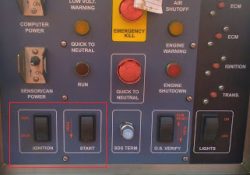
Air Shutdown Relay Current Below Normal (Diagnostic Code: 446-5)

Air Shutdown Relay Current Below Normal (Diagnostic Code: 446-5) Air Shutoff System Use this procedure to troubleshoot the electrical system if a problem is suspected (active or easily repeated) with the Air Shutoff system. * (446-5) Air Shutdown Relay current… Continue Reading

How To Test Air Condition System Electrical Components For Caterpllar

Caterpillar Inc. machine air conditioners use pressure switches to protect the air conditioning compressor. To further protect other electrical components in the air conditioning system, arc suppressors are used to discharge inductive loads when the compressor is deactivated. Failure of… Continue Reading

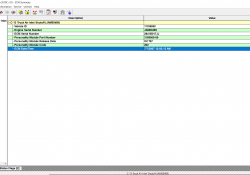
Accessing Maintenance Indicator on Caterpillar ET Software

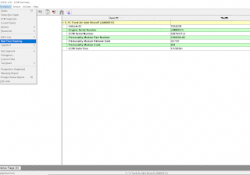
Accessing Maintenance Indicator on Caterpillar ET Software Maintenance Indicator #Purpose The Maintenance Indicator function provides information concerning maintenance needs. The data displayed on this screen indicates the status of maintenance in the ECM. #Accessing To run the Maintenance Indicator function:… Continue Reading

Change the ECM DateTime using Caterpillar ET Software

Change the ECM DateTime using Caterpillar ET Software ECM Date/Time #Purpose The ECM Date/Time function allows the current date and time of the ECM to be viewed and modified. This information is continuously updated. If the ECM and PC Date… Continue Reading

Online Licensing for Activation the Caterpillar ET Software

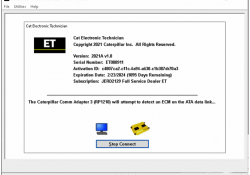
Online Licensing for Activation the Caterpillar ET Software Licensing #Note: The contents of Licensing apply only to Dealer Coordinators. To obtain licensing information, contact the Dealer Coordinator. #Purpose The Licensing dialog box can be used to register the Cat ET… Continue Reading

Programming the ECM using Caterpillar ET Software

Programming the ECM using Caterpillar ET Software WinFlash The WinFlash tool can be used to set up and consecutively program the Flash memory of all onboard ECMs. #Instructions: To program an ECM: 1). Start a connection to the Service Tool.… Continue Reading

Injection Actuation Pressure Test using Caterpillar ET Software

Injection Actuation Pressure Test using Caterpillar ET Software #Purpose The Injection Actuation Pressure Test function checks for leaks on all hydraulic components. This test allows the user to change the desired pressure and then view the actual pressure results. #Accessing… Continue Reading

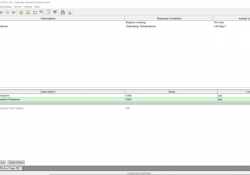
Accessing Prognostics Download on Caterpillar ET Software

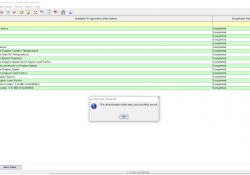
#Purpose Prognostics Download allows Prognostics data to be downloaded quickly and easily from all available ECMs. This information can be saved as a text file (.txt), refer to Figure 1.1 above. When information is downloaded and analyzed at regular intervals,… Continue Reading

Caterpillar communications Adapter III Communications Adapter Error “ Error#142 ”

Caterpillar communications Adapter III CAT ET3 is the famous diagnostic tools for cat trucks in the world It with some different version software like cat et 2018C Software , 2019A Software , 2019C Software , 2020A Software , 2020C Software… Continue Reading

Best Quality 2021B CAT Caterpillar ET 3 Diagnostic Adapter III CAT ET Diagnostic Tool PLUS Lenovo X220 Laptop With WIFI

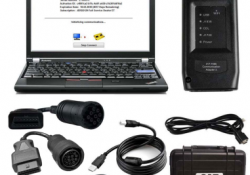
The old bluetooth cat et adapter iii have stopped production .the new cat caterpillar ET Diagnostic interface adapter will instead of it . The Cat caterpillar ET 3 with the lenovo x220 laptop with wifi , We will install the… Continue Reading

Real Time Graphing using Caterpillar ET Software

Real Time Graphing using Caterpillar ET Software #Purpose Real Time Graphing monitors ECM data and displays it in graphical form as it occurs. When running Real Time Graphing for the first time, a set of parameters must be selected to… Continue Reading

How to Remote Switches by Caterpillar ET Software

How to Remote Switches by Caterpillar ET Software 1). Use CAT ET to Check the Programming of the Parameter Dedicated PTO Parameters. →Connect CAT ET to the data link connector. Read More: How to Connecting Caterpillar ET Software to the… Continue Reading

Start/Run/Stop Switch on Caterpillar ET Software

Start/Run/Stop Switch on Caterpillar ET Software Start/Run/Stop Switch The Electronic Control Module (ECM) receives two input signals from the Start/Run/Stop Switch. The two input signals should have the same logic level. If two different signals are detected during the powerup,… Continue Reading

How to use Data Log Recorder on Caterpillar ET Software

Using Data Log Recorder on Caterpillar ET Software Data Log Recorder #Instructions: To use Data Log Recorder: (1). Open CAT ET and connect to the ECM. Read More: How to Connecting Caterpillar ET Software to the ECM. (2). Select Data… Continue Reading

Caterpillar Engine Overspeed Program by CAT ET

This instruction show you guide on how to use Caterpillar ET diagnostic software to do overspeed programming for Caterpillar engine. Procedures: Connect CAT3 adapter to diagnostic port,then run CAT ET diagnostic software Select “Service”–>”Monitoring System” Select “Engine Overspeed” Change “Trip… Continue Reading