Accessing Prognostics Download on Caterpillar ET Software
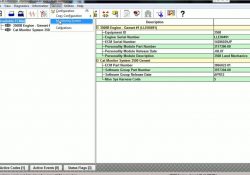
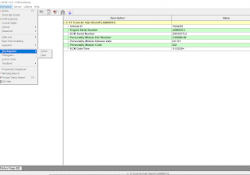
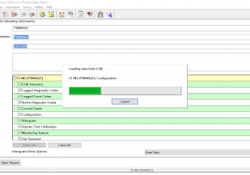
#Purpose Prognostics Download allows Prognostics data to be downloaded quickly and easily from all available ECMs. This information can be saved as a text file (.txt), refer to Figure 1.1 above. When information is downloaded and analyzed at regular intervals,… Continue Reading

Caterpillar communications Adapter III Communications Adapter Error “ Error#142 ”

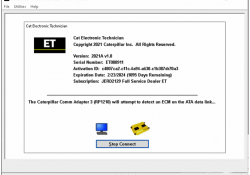
Caterpillar communications Adapter III CAT ET3 is the famous diagnostic tools for cat trucks in the world It with some different version software like cat et 2018C Software , 2019A Software , 2019C Software , 2020A Software , 2020C Software… Continue Reading

Real Time Graphing using Caterpillar ET Software

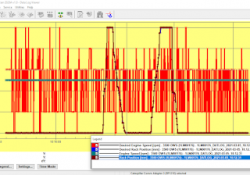
Real Time Graphing using Caterpillar ET Software #Purpose Real Time Graphing monitors ECM data and displays it in graphical form as it occurs. When running Real Time Graphing for the first time, a set of parameters must be selected to… Continue Reading

How to Remote Switches by Caterpillar ET Software

How to Remote Switches by Caterpillar ET Software 1). Use CAT ET to Check the Programming of the Parameter Dedicated PTO Parameters. →Connect CAT ET to the data link connector. Read More: How to Connecting Caterpillar ET Software to the… Continue Reading

Start/Run/Stop Switch on Caterpillar ET Software

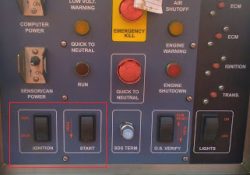
Start/Run/Stop Switch on Caterpillar ET Software Start/Run/Stop Switch The Electronic Control Module (ECM) receives two input signals from the Start/Run/Stop Switch. The two input signals should have the same logic level. If two different signals are detected during the powerup,… Continue Reading

How to use Data Log Recorder on Caterpillar ET Software

Using Data Log Recorder on Caterpillar ET Software Data Log Recorder #Instructions: To use Data Log Recorder: (1). Open CAT ET and connect to the ECM. Read More: How to Connecting Caterpillar ET Software to the ECM. (2). Select Data… Continue Reading

Caterpillar Engine Overspeed Program by CAT ET

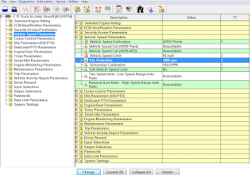
This instruction show you guide on how to use Caterpillar ET diagnostic software to do overspeed programming for Caterpillar engine. Procedures: Connect CAT3 adapter to diagnostic port,then run CAT ET diagnostic software Select “Service”–>”Monitoring System” Select “Engine Overspeed” Change “Trip… Continue Reading

Using Segment and Reset on Caterpillar ET Software

Using Segment and Reset on Caterpillar ET Software Segment and Reset 1). SEGMENTS The “Segment” function allows performance parameters and totals accumulated to be viewed. -Different parameters display for the data analysis. -Trip Segment functions and data currently available on… Continue Reading

Vehicle Speed Parameters for On-Highway Truck (Caterpillar Engines)

VSL Protection (PTO Operation) 0084-10 Vehicle Speed Signal Rate of Change (36) PID 0084 FMI 10 (SPN84 FMI10) Conditions Which Generate This Code: The ECM detects the following conditions: * The vehicle speed signal changes more than 5 MPH on… Continue Reading

Injection Disabled on Status Flags Caterpillar ET Software

“Injection Disabled” on Status Flags Caterpillar ET Software Read More: Cold Mode and No Engine Speed on Status Flags Caterpillar ET Software Create Product Status Report (Download List) on Caterpillar ET Software Diagnostic Codes on Caterpillar ET Software -If a… Continue Reading

Cold Mode and No Engine Speed on Status Flags Caterpillar ET Software

 “Cold Mode” and “No Engine Speed” on Status Flags Status Flags Read More: Diagnostic Codes on Caterpillar ET Software Create Product Status Report (Download List) on Caterpillar ET Software Cold Mode -The ECM limits engine power during cold mode operation… Continue Reading

Create Product Status Report (Download List) on Caterpillar ET Software

How to Create Product Status Report (Download List) on Caterpillar ET Software? Purpose: The Product Status Report feature allows users to capture the status of a machine or engine at a specific moment in time. Data loaded from the ECM… Continue Reading

Diagnostic Codes on Caterpillar ET Software

Diagnostic Capabilities Diagnostic Codes The engine’s Electronic Control Module (ECM) has the ability to monitor the circuitry between the ECM and the engine’s components. The ECM also has the ability to monitor the engine’s operating conditions. If the Caterpillar ET Software… Continue Reading

How to Connecting Caterpillar ET Software to the ECM

Caterpillar ET Software The Communications tab in the Preferences dialog box allows the communication interface device and the ports necessary to run the service tool to be set. NOTE: The information in the Communications tab is dependent upon the Communication… Continue Reading