How to change language on John Deere Diagnostic Software
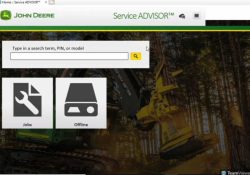
How to change language on John Deere Diagnostic Software 1.Running software, find the settings icon in the upper right corner 2.Click select one, there are many language can choose. Notice: before running software, pls connect network, otherwise the language will… Continue Reading
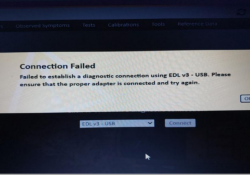
How to solve “Connection Failed” for John Deere Service Advisor EDL V3?

Some customers meet the problem “Connection Failed”,check below picture,how to solve it? First,you have to make sure that you connected the machine and keep ignition on.Then choose EDL V1 V2 to connect,please check the picture with remarked area.After changing it,you… Continue Reading

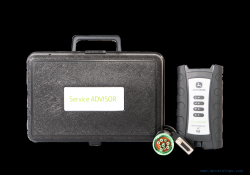
John Deere Diagnostic Kit EDL (Electronic Data Link V3)(Replaces EDL v2) Diagnostic Adapter

This is genuine John Deere Service Advisor EDL v3 Kit(replaces EDL v2). The product comes in a plastic case. The edl kit also includes the V3 Wireless Adapter, W1 Connector Cable DS10150 and the USB cable. There is not diagnostic… Continue Reading