How to Install Toyota Techstream 18.00.008 on Win10
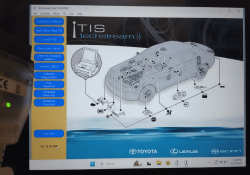
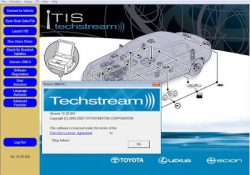
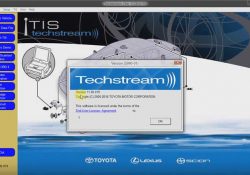
This instruction show you guide on how to install Toyota Techstream 18.00.008 on Windows 10. Preparations: 2023 Toyota Techstream 18.00.008/17.00.020/16.20.020/ Free Download Procedures: Double click “Techstream_Setup_V18.00.008.exe” to start installation Then select language you want,and click “Next” The InstallShield Wizard will… Continue Reading

2023 Toyota Techstream 18.00.008/17.00.020/16.20.020/ Free Download

Toyota TIS Techstream is Toyota’s diagnostic system,it currently supports scantool diagnostics and/or vehicle reprogramming of Toyota, Scion, and Lexus vehicles.In this article I will share the Toyota TIS Techstream Software Free Download Link. Toyota TIS Techstream Function Feature List: System… Continue Reading

Check the Cylinder Compression using TECHSTREAM (TIS) Software

Check the Cylinder Compression INSPECT COMPRESSION 1). Manually using the pressure gauge (cylinder compression pressure). * Remove Cylinder Head cover. * Remove 4 Ignition Coil. * Remove 4 Spark Plug (Busi). * Remove connector Fuel Injector. -Install compression gauge to… Continue Reading

How to Install and Activate Toyota Techstream V16.00.017 Software & Driver?

Latest Version Of Toyota Techstream V16.00.017 tested verified working with MINI VCI J2534 cables and Mongoose for Toyota . We provides software and driver installation tutorial here. Software can be downloaded free on previous post Techstream V16.00.017: https://mega.nz/file/p5UwhbpL#uX8uBg4TGeYUtQQRU5ZBz5Q9LswlrxrhwfXYAYyUzS0 No password.… Continue Reading

Memonitor Data pada Mesin Mobil (Real Time) menggunakan TECHSTREAM (TIS Software)

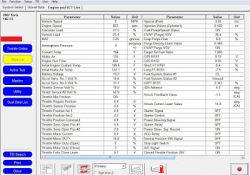
Monitoring Data Engine (Real Time) menggunakan TECHSTREAM (TIS Software) v12.20.024 1. Silahkan hubungkan MINI-VCI adapter ke OBDII Diagnostic Port di Mobil Anda. 2. Ketika sudah terhubung, klik “Engine and ECT” pada “System Selection Menu”. 3. klik “Data List” pada menu… Continue Reading

Monitoring Data Engine (Real Time) menggunakan TECHSTREAM (TIS Software)

Monitoring Data Engine (Real Time) menggunakan TECHSTREAM (TIS Software) v12.20.024 1. Silahkan hubungkan MINI-VCI adapter ke OBDII Diagnostic Port di Mobil Anda. Baca juga: Install MINI-VCI J2534 Driver untuk TECHSTREAM (Toyota TIS) Software 2. Ketika sudah terhubung, klik “Engine and… Continue Reading

FREE Registration Key for TECHSTREAM v12.20.024 – Toyota, Lexus, and Scion Software Diagnostics.

Instructions: 1. Install Techstream v12.20.024, FREE download here: Techstream_Setup_V12.20.024 2. Copy and replace “MainMenu.exe” (download here) to Program Files (or Program Files x86)/Toyota Diagnostics/Techstream/bin. 3. Open Techstream from shortcut on Desktop, then select “Area Selection”, and “Default Language Selection”, then… Continue Reading

Mengetes Electric Cooling Fan (Motor Fan Pendingin Otomatis) pada Radiator menggunakan TECHSTREAM (TIS Software)

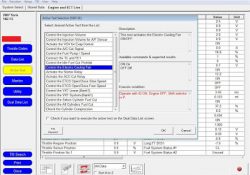
Bagaimana Cara Mengetes Electric Cooling Fan (Motor Fan Pendingin Otomatis) pada Radiator menggunakan TECHSTREAM (TIS Software) v12.20.024? 1. Silahkan hubungkan MINI-VCI adapter ke OBDII Diagnostic Port di Mobil Anda. Baca juga: Install MINI-VCI J2534 Driver untuk TECHSTREAM (Toyota TIS) Software… Continue Reading

Toyota TIS Techstream Program A New Key For Lexus ES330

If you lost your Lexus ES300 key,it will cost you hundreds dollars to add new one.So in this article,I will share the guide on How to programe a new key for Lexus ES330 by yourself What you need for programming… Continue Reading