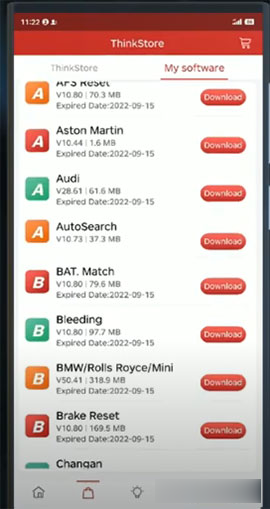
More and more users like the Launch Thinkdiag OBD2 Bluetooth diagnostic tool because Thinkdiag is small but very practical. It is the perfect choice to match its unique APP on Android and IOS smartphones anytime, anywhere. This guide will be shared here to get all the software packages on the Thinkdaig APP that many customers want to know.
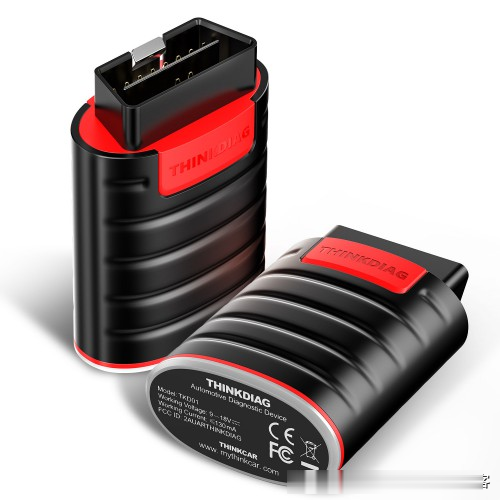
For any user, once you buy a Thinkcar Thinkdiag, you will get free EOBD+
DEOB + a kind of manufacturer software (after activating the device, you can choose any kind of car software).
If you need more, you need to find software on the app.
The prices of all software suites are now unprecedented. Just buy one depends on your needs.
1. For users who already have Thinkdiag:
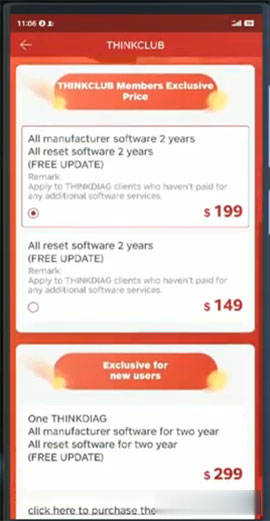
Option 1: All manufacturer software for two years + all reset software for two years (free update)
Note: Applicable to THINKDIAG customers who have not paid for any other software services.
Option 2: All reset software within two years (free update)
Note: Applicable to THINKDIAG customers who have not paid for any other software services.
Option 3: Two years of all manufacturer software + two years of reset software (free update)
Note: Applicable to THINKDIAG customers who have paid for one or more additional software services.
2. For new Thinkdiag users:
You can directly purchase Thinkdiag diagnostic tools + two years of all manufacturer software + two years of all reset software (free update) on the Thinkdiag APP.
Or, you can buy it on www.cnautotool.com at the best price first, and then you can buy all manufacturers or reset the above software on Thinkdiag APP like old users.
Note: Source of promotional information: https://www.mythinkcar.com/diagsoftware
How to find all packages of Thinkdiag?
Step 1: Download the latest version of THINKDIAG APP on Google Play or APP Store
Android version: 1.1.2
iOS version: 1.1.3
Step 2: Open THINKDIAG APP installed
Go to [ThinkStore]
Press the yellow button to enter the [THINKCLUB] menu

Step 3: Select any package you want, then press Next”
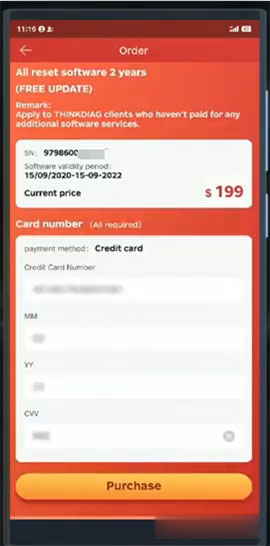
Step 4: Fill in the payment information, including credit card number, MM, YY and CVV
Then press “Purchase”
Bull nose! You have become a THINKCLUB member!
You can now buy all the corresponding THINKDIAG software!

Return to [Thinkstore] and check if all software is open.