How to boot hard disk? (C4/C5 software)
1. Insert our hard disk into your laptop, Press the left, and right keys to boot
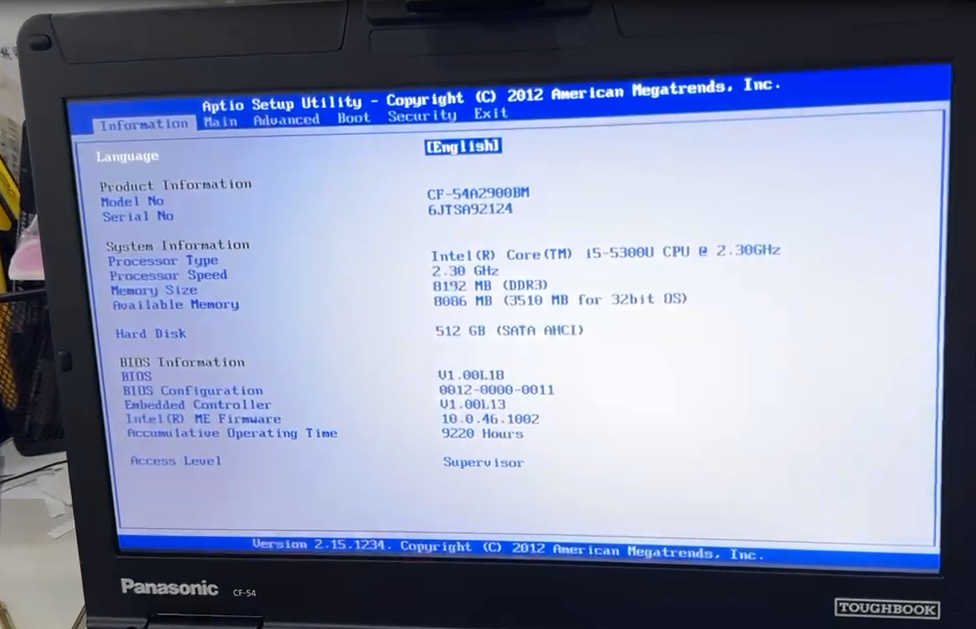

2. Press the up,and down key to UEFI
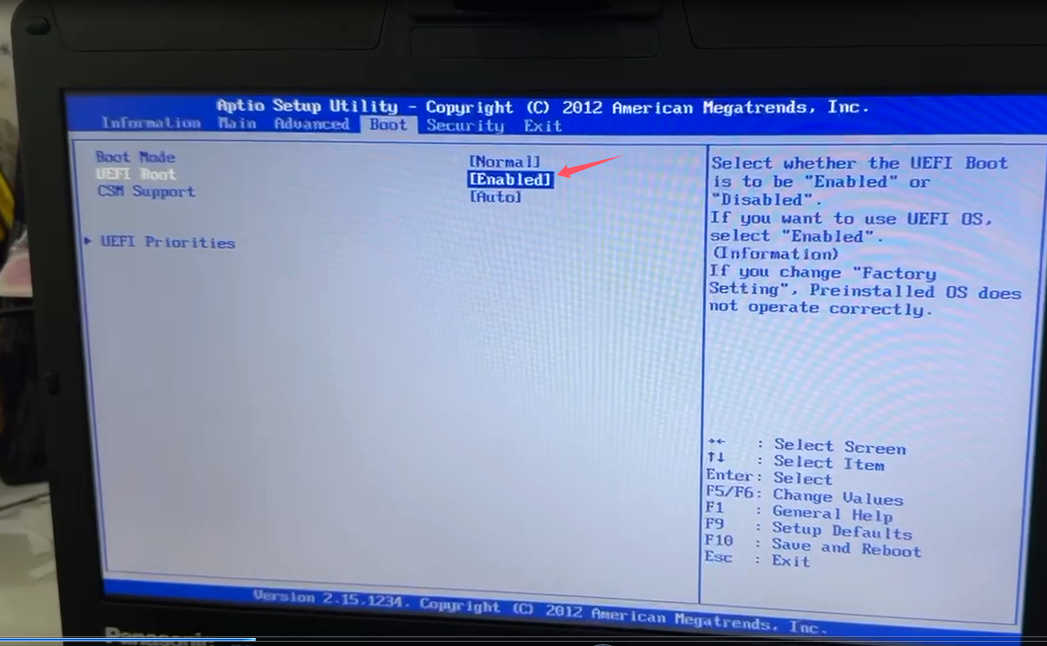
3.Press enter key

4.Choose disable

5.Press F10 to save,choose YES

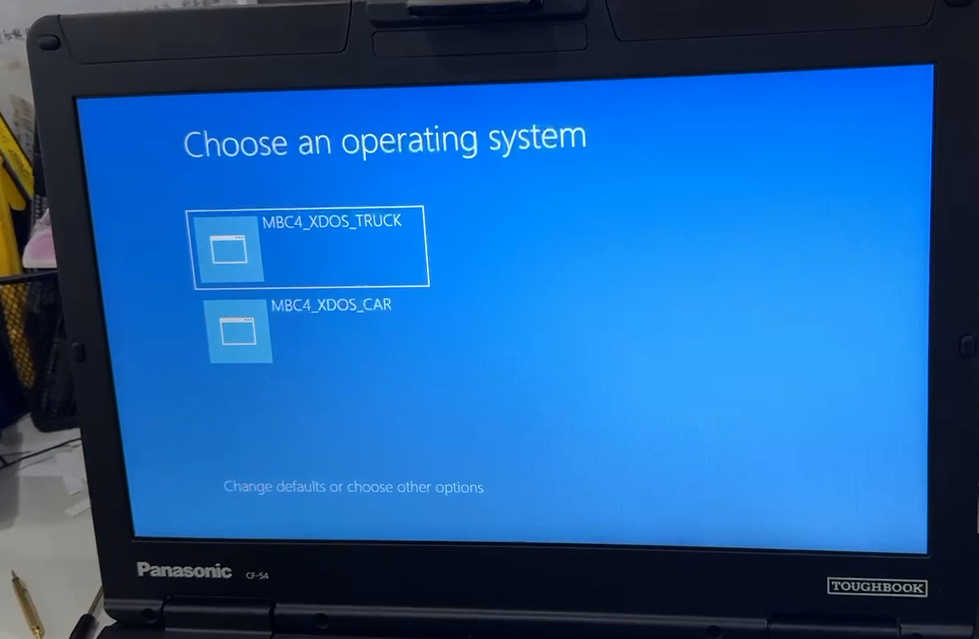
6.laptop will reboot and then you can choose car system and enter into the laptop desktop.
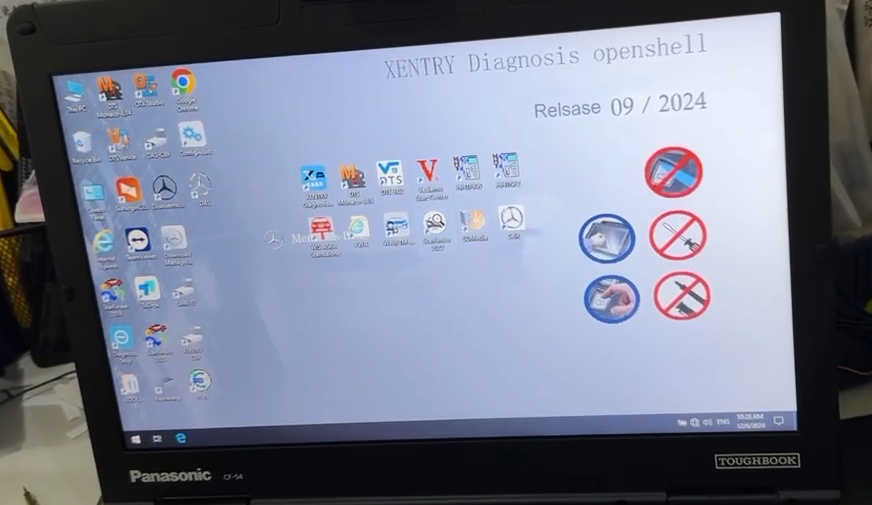
7.send us the sunlogin remote tool id and password, engineer will activate the software for you remotely.
More request,welcome to contact us directly: sale@cnautotool.com
Our Website link: https://www.cnautotool.com/
