License Exception Error Solution on VW for XTOOL PAD2

XTOOL PAD2 with strong functions which can do key programming and special functions . Problem : When use the machine work with my VW , there have an error : “ License exception ! “ Solutions : 1: Connect the… Continue Reading

OBDSTAR X300 DP Plus Load exception, error code:-101 Solved

OBDSTAR X300DP PLUS is a new Android-based vehicle trouble diagnostic device which with Full configuration functions contain : Immobilizer+ odometer adjustment+ EEPROM/PIC adapter+ OBDII+ ABS+ TPS+ SRS reset+ TPMS(low tire)reset+ Steering angle reset+ CVT learning/Value reset+ EPB+ Oil/service reset+ Battery… Continue Reading

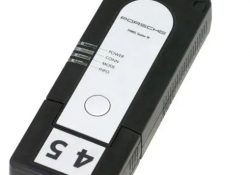
How to automatically update the firmware of Porsche PT3G VCI Connect to PIWISI 3

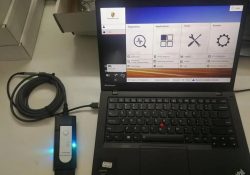
How to automatically update the firmware of Porsche PT3G VCI Connect to PIWISI 3 1.Porsche PT3G connects to Piwis 3 diagnostic computer, you can connect to USB only, or connect to the vehicle; 2.If the connection is successful, you can… Continue Reading

How to connect the Porsche VCI diagnostic connector to the WLAN module

How to connect the Porsche VCI diagnostic connector to the WLAN module? What you need to pay attention to is that there is an interface in the middle of the WLAN module, the size and direction of the interface are… Continue Reading

2013 YAMAHA TMAX 530 ENG DIAGNOSIS by MS80 motorcycle scanner

MS80 has professional-level intelligent diagnosis, providing an unprecedented intelligent diagnosis and maintenance experience-the first fault guidance, technical bulletin, data flow assistance, diag socket, and other functions to help you diagnose accurately and efficiently; exclusive interactive circuit diagram and electrical query… Continue Reading

Porsche repair guide with the Porsche piwis 3 software

The Porsche PIWIS 3 (PST3) is the latest diagnostic tool on the market. It can read fault codes, clear fault codes, and display ECU information. It tests live data, displays actual values ​​and programs. On all; Process malfunction navigation showing… Continue Reading

How to flash ecu with VAS6154 and Odis Engineering

How to flash ecu with VAS6154 and Odis Engineering 1.Open odis engineer,Connect to VAS6154, select model series; 2.Diagnostic entrance(ODIS Engineer); 3.Select flash file; 4.Start flashing; 5.ODIS Engineer Flashing successful.

How to Use CAT ET to Check the Programming of the Parameter Dedicated PTO Parameters

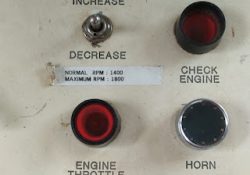
Remote Throttle 1). Use CAT ET to Check the Programming of the Parameter Dedicated PTO Parameters. →Connect CAT ET to the data link connector. →Access the Dedicated PTO Parameters on CAT ET. Note the programming of the parameter PTO Configuration… Continue Reading

How to Use CAT ET to Check the Programming of the Parameter Dedicated PTO Parameters

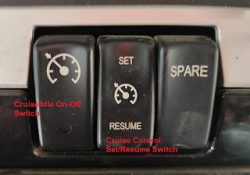
Cab Switches 1). Use CAT ET to Check the Programming of the Parameter Dedicated PTO Parameters. →Connect CAT ET to the data link connector. →Access the Dedicated PTO Parameters on CAT ET. Note the programming of the parameter PTO Configuration… Continue Reading

HOW TO ACTIVATE LAUNCH X431 TRUCK MODULE TO YOUR ANDROID TABLET OR PHONE

INSTRUCTION HOW TO ACTIVATE: NOTE: I assume you have your LAUNCH X431 PRO3 ACCOUNT. (YOU Must CONNECTED TO THE INTENET TO ACTIVATE THE VCI). 1. Download the Software and install it (Follow A & B instruction). After the installation, the… Continue Reading

How to Use CAT ET to Check the Programming of the Parameter Dedicated PTO Parameters

Remote Switches 1). Use CAT ET to Check the Programming of the Parameter Dedicated PTO Parameters. →Connect CAT ET to the data link connector. →Access the Dedicated PTO Parameters on CAT ET. Note the programming of the parameter PTO Configuration… Continue Reading