If your ODIS software shows “License expired! Available times 3. Please update VCl!”, this usually means the software cannot validate its license with the VCI or license server. CNAUTOTOOL provides a fast, remote solution to restore ODIS access without shipping hardware or long downtime.
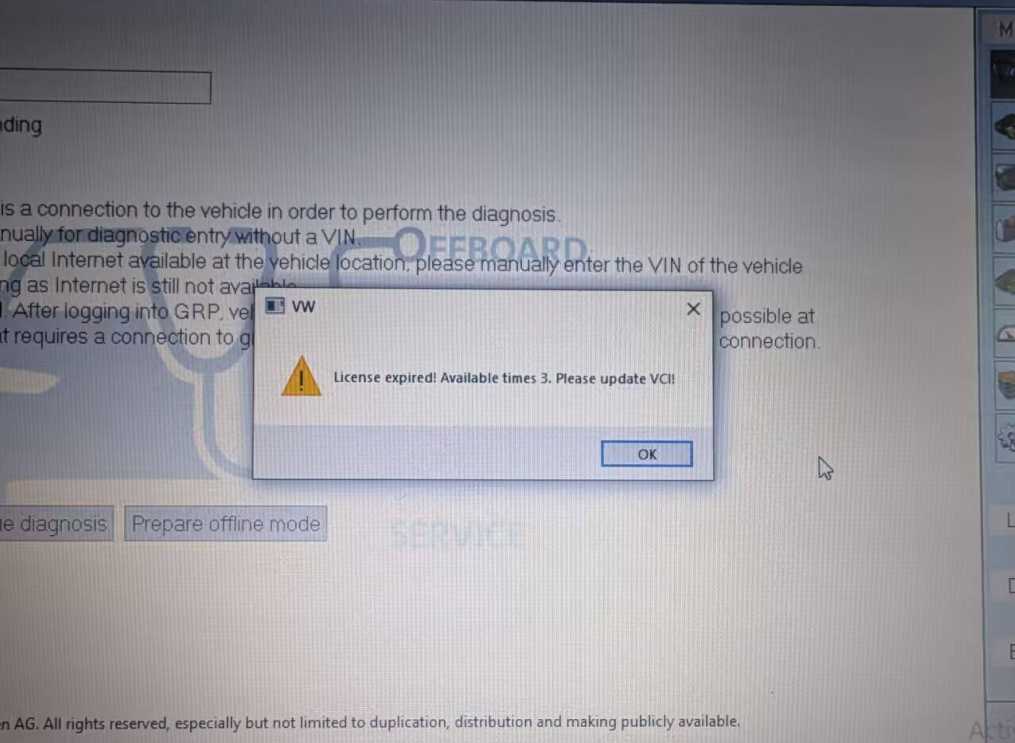
Why this happens
- Expired license token on the PC.
- VCI driver or firmware mismatch blocking validation.
- Network or firewall changes preventing license checks.
- Incorrect system time causing timestamp validation failures.
Our remote fix process
- Remote diagnosis — we confirm the exact error and license status.
- VCI verification — check drivers and firmware; update if needed.
- License refresh — reissue or reapply your license token remotely.
- Network troubleshooting — ensure required endpoints are reachable.
- Final verification — run ODIS to confirm normal operation.
We complete most fixes in a single remote session so you can return to diagnostics and programming quickly.
Who should contact us
- Customers who bought ODIS from CNAUTOTOOL in the last year or months.
- Workshops and technicians who rely on ODIS for vehicle diagnostics.
- Anyone seeing the error after a Windows update, VCI firmware update, or network change.
Quick support details
- Email: sale@cnautotool.com
- Website: https://www.cnautotool.com/
When you contact us, include your order number, ODIS version, VCI model, and a screenshot of the error for faster service.
Short FAQ
- Q: Will I need to send my VCI to you? — No. Most issues are resolved remotely.
- Q: How long does a remote fix take? — Typically one session; most cases finish within an hour.
- Q: What if the license was recently purchased? — If you bought ODIS from us recently, contact support and we’ll prioritize your case.
