How to use 2023.03 Tsla PRO Diagnostic Scanner

Tsla PRO diagnostic and programming device working with Tesla S, X models. Tesla diagnostic tool is profesional level and allows to perform full diagnostic work, reads modules like: ESP, TPMS, BMW, TAS, EAS, THC, PARK2, SEC, SDM by Bosh, SDM,… Continue Reading →

Laptop Can’t See VAS6154 Solution

WIFI VAS6154 is the latest VAG full system diagnostic and programming interface for VW AUDI, which can read and clear code, dynamic data flow, programming,coding, and personalized settings,including maintenance information systems, technical briefings, circuit diagrams, component drawings, diagnostic guidelines, etc.… Continue Reading →

How to solve the problem that piwis 2 software can’t load?

Piwis 3 is the third generation of a diagnostic tool developed by Porsche for use in their workshops.  It is a specialized piece of equipment that allows Porsche technicians and mechanics to diagnose and troubleshoot issues in Porsche vehicles.  The… Continue Reading →

How to Use Caterpillar ET Diagnostic Software Trainer Function

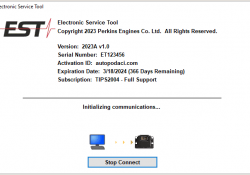
Caterpillar ET diagnostic software Trainer function runs the service tool in a training mode. This provides an opportunity to become familiar with the service tool without connecting to an Electronic Control Module (ECM) or a Communication Adapter. There is no… Continue Reading →

How to Adjust the Clearance of the Pinion Gear on Caterpillar Excavator

The pinion gear clearance on the electric starter motor of a Caterpillar excavator is an important adjustment that ensures proper engagement and operation of the motor. If the clearance is not set correctly, it can lead to issues such as… Continue Reading →

How to Setting or Testing the Engine Overspeed using Caterpillar ET

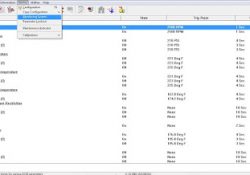
Here the STEPS; 1. Connect Cat ET software, click on menu “Service” then “Monitoring System”. Read More: How to Connect Caterpillar ET Software from your Laptop to ECM 2. Select Service, then Monitoring System menu. 3. Just to make sure,… Continue Reading →

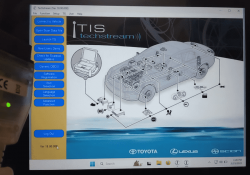
How to Install Toyota Techstream 18.00.008 on Win10

This instruction show you guide on how to install Toyota Techstream 18.00.008 on Windows 10. Preparations: 2023 Toyota Techstream 18.00.008/17.00.020/16.20.020/ Free Download Procedures: Double click “Techstream_Setup_V18.00.008.exe” to start installation Then select language you want,and click “Next” The InstallShield Wizard will… Continue Reading →