How to Use CAT ET to Check the Programming of the Parameter Dedicated PTO Parameters
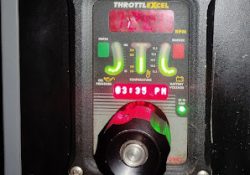
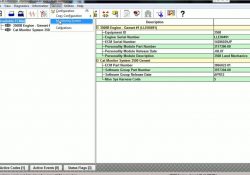
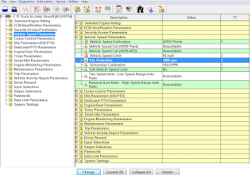
Remote Throttle 1). Use CAT ET to Check the Programming of the Parameter Dedicated PTO Parameters. →Connect CAT ET to the data link connector. →Access the Dedicated PTO Parameters on CAT ET. Note the programming of the parameter PTO Configuration… Continue Reading
Real Time Graphing using Caterpillar ET Software

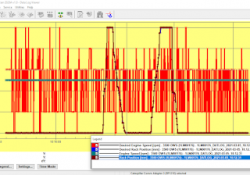
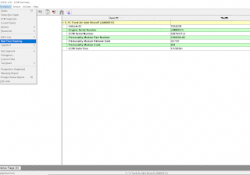
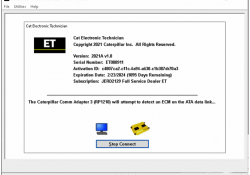
Real Time Graphing using Caterpillar ET Software #Purpose Real Time Graphing monitors ECM data and displays it in graphical form as it occurs. When running Real Time Graphing for the first time, a set of parameters must be selected to… Continue Reading

How to Remote Switches by Caterpillar ET Software

How to Remote Switches by Caterpillar ET Software 1). Use CAT ET to Check the Programming of the Parameter Dedicated PTO Parameters. →Connect CAT ET to the data link connector. Read More: How to Connecting Caterpillar ET Software to the… Continue Reading

Rack Signal Invalid (Diagnostic Code 24-8)

Dynamic Rack Control System #System Operation The primary function of the ECM is to electronically govern the engine. The ECM senses engine rpm using the Engine Speed (RPM) Sensors and controls the Rack Actuator to achieve the desired engine rpm.… Continue Reading

Low System Voltage on Caterpillar ET Software

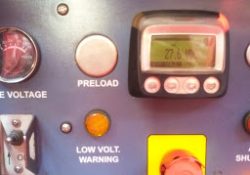
Low System Voltage #Voltage The ECM automatically warns the operator of Low System Voltage. The default settings that are programmed at the factory are listed below. #Voltage Monitoring (Parameter – Default Setting) Warning Setpoint – 20 VDC Warning Delay –… Continue Reading

Start/Run/Stop Switch on Caterpillar ET Software

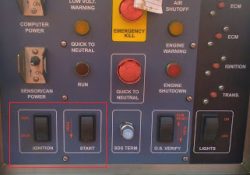
Start/Run/Stop Switch on Caterpillar ET Software Start/Run/Stop Switch The Electronic Control Module (ECM) receives two input signals from the Start/Run/Stop Switch. The two input signals should have the same logic level. If two different signals are detected during the powerup,… Continue Reading

Shut Off Solenoid Test using Caterpillar ET Software

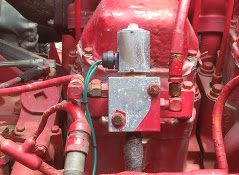
Shut Off Solenoid Test using Caterpillar ET Software Shut Off Solenoid Test Special Tests #Purpose: The Special Tests function allows a specific diagnostic test to be selected so that it may be triggered. The tests that appear in the list… Continue Reading

Firmware Flash on CAT Comm Adapter 3 CAT Caterpillar ET Diagnostic Adapter III

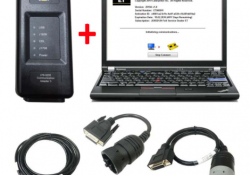
Best Quality 2020C CAT Caterpillar ET Diagnostic Adapter III: Update the firmware: 1)Connect CAT Comm Adapter 3 (CA3) to Diagnostic Port on the Engine (Key switch: ON). 2)Open CAT Communication Adapter 3 Toolkit 3)Select the middle Application Firmware Flash icon… Continue Reading

How to use Data Log Recorder on Caterpillar ET Software

Using Data Log Recorder on Caterpillar ET Software Data Log Recorder #Instructions: To use Data Log Recorder: (1). Open CAT ET and connect to the ECM. Read More: How to Connecting Caterpillar ET Software to the ECM. (2). Select Data… Continue Reading

Caterpillar Engine Overspeed Program by CAT ET

This instruction show you guide on how to use Caterpillar ET diagnostic software to do overspeed programming for Caterpillar engine. Procedures: Connect CAT3 adapter to diagnostic port,then run CAT ET diagnostic software Select “Service”–>”Monitoring System” Select “Engine Overspeed” Change “Trip… Continue Reading

Using Segment and Reset on Caterpillar ET Software

Using Segment and Reset on Caterpillar ET Software Segment and Reset 1). SEGMENTS The “Segment” function allows performance parameters and totals accumulated to be viewed. -Different parameters display for the data analysis. -Trip Segment functions and data currently available on… Continue Reading

Event Codes Fuel Filter Restriction Warning (SPN 94 – FMI 15)

Event Codes Fuel Filter Restriction Warning (SPN 94 – FMI 15) SPN94 FMI15 – E095 (1) CAT Messenger Display: 94-15 E095 Fuel Filter Restriction Warning Conditions Which Generate This Code: The engine has been running for 60 seconds and the… Continue Reading

Vehicle Speed Parameters for On-Highway Truck (Caterpillar Engines)

VSL Protection (PTO Operation) 0084-10 Vehicle Speed Signal Rate of Change (36) PID 0084 FMI 10 (SPN84 FMI10) Conditions Which Generate This Code: The ECM detects the following conditions: * The vehicle speed signal changes more than 5 MPH on… Continue Reading

FREE Caterpillar ET-2019C (Select Level), Diagnostic Software for Caterpillar Engines

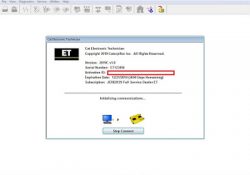
FREE Setting Caterpillar ET-2019C v1.0 (Select Level), Diagnostic Software for Caterpillar Engines (Electronic Technician), ET 2019C Read More: FREE Caterpillar ET-2019A Full Service Dealer, Diagnostic Software for Caterpillar Engines FREE Caterpillar ET-2018C Full Service Dealer, Diagnostic Software for Caterpillar Engines… Continue Reading

FREE Caterpillar ET-2015A Full Service Dealer, Diagnostic Software for Caterpillar Engines

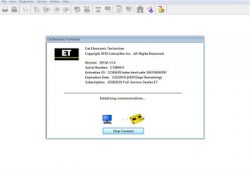
FREE Setting Caterpillar ET-2015A (Electronic Technician) Full Service Dealer, Diagnostic Software for Caterpillar Engine, ET 2015A Read More: FREE Caterpillar ET-2017A Full Service Dealer, Diagnostic Software for Caterpillar Engines FREE Caterpillar ET-2018C Full Service Dealer, Diagnostic Software for Caterpillar Engines… Continue Reading